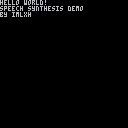
This is the first thing I did in PICO-8. It's not so much a "game" as it is a proof of concept and an attempt to figure out what all this "machine" is capable of with a little inginuity. It...doesn't sound CLEAR, but it kinda sounds like speech, so I'll take that as a success at this point!


 4 comments




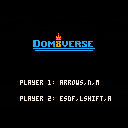
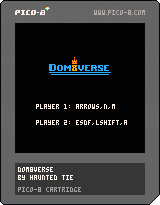
Dom8verse is a demake of our WIP game Domiverse.
It is a multiplayer arena, one hit “Nooo” game, where aliens with unique skills fight for the domination of the universe.
The pico-8 version only has one character and allow 1v1 versus friend. So it is highly recommended to use joysticks to play the game.
Default inputs:
Player 1:
Move: Arrows
Jump: N
Shoot/reload: M
Player 2:
Move: ESDF
Jump: Left Shift
Shoot/reload: A
We will make updates to add characters and map.
Changelog:
0.1.1:
- Fix bug due to pico-8 update
0.1:
- Initial release
6 comments





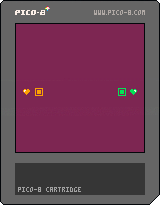
Heart Wars
Use your heart beam to strike your opponent's heart for the win!
Still a work in progress but small changes are on their way!
Player 1 is the orange heart (using E,S,D,F)
Player 2 is the green heart (using the arrow keys)
4 comments

I've been hanging out in the IRC channel for a while and it's been really cool to see the community come up around Pico-8. The Fanzine ramped things up by showcasing the cool stuff people have come up with. I haven't made many carts yet but some people expressed interest in what I think makes good code as a professional software developer.
Because of that, I wrote this little series for you guys based off of what I saw in the Fanzine: Clear Code. Some folk in IRC got a kick out of it so hopefully someone here enjoys it as well :)
I also have to say a huge thank you to everyone who contributed to the Fanzine. It takes a certain courage to put your code in public like that so I certainly hope no one minds that I picked some of it apart to make my points.
If you have opinions on code or code snippets to share, post them! I love talking code and Pico-8 brings a lot of interesting developers and ideas together.
11 comments






Hi,
Is there a way to make bitwise operations in pico8?
Otherwise, I don't understand how btnwe are supposed to use the bitfields returned by the functions btn() and fget(n).
Shouldn't we be able to do something like :
flag2_set = fget(tile) & 2 |
I know fget(tile, 2) would work, but I don't see how to use the bitfield. Am I missing something obvious?
2 comments


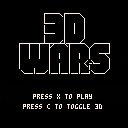
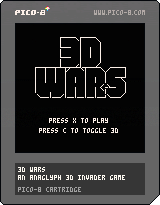
Here's my Pico8 game 3D Wars.
It's a simple invaders game, with an added anaglyph (red/blue) 3d mode.
The anaglyph mode is very rough and ready. The red/blues aren't quite the correct hue (and as there's no way to hack the palette they just have to do). Also, because there's no blendmode natively available, it relies on persistence of vision to make it work. [ WARNING ] This means it is VERY flickery - if you're in any way sensitive to strobe lighting give the 3d mode a miss!
6 comments


Hi,
I'm trying to port to PICO-8 a version of the classic old-school plasma effect I have done in javascript.
I have the major problem that due to pico limitations, all those sin, cos and sqrt just freeze it. If you don't try to fill up the whole screen (for example,
for y=1,10 |
instead of
for y=1,127 |
it mostly works.
Any idea on how to improve in this?
Thanks
5 comments


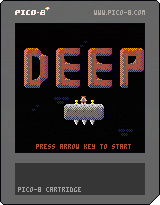
This is my first game on the Pico-8, and, to be honest, the first game that I have "polished" to this level.
Goal:
Explore a hazard-filled cave, collect all of the treasure, and then escape through the elevator hidden in the depths.
Controls:
Left and Right to move.
Up to jump.
Game:
As befits a normal human going against skeletons, slime creatures, and demonic bats, you are completely defenseless and can only shrug off damage that comes your way. Luckily, the intelligence of said critters is meager at best, so it is possible to avoid coming into contact with them.
Let me know what you think.
Thanks,
[i]ElectricGryphon
8 comments








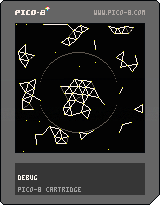
When I was starting programming this Flash experiment by André Michelle really struck me.
It had beauty, conciseness, and I could see the (at the time really cryptic to me) code.
This cartridge is a humble and sort of crude hommage to this good memory
Ideas for performance improvement, increasing particle quantity:
- Maybe using QuadTrees to avoid looping through too far away neighbours
Use arrow keys to move Blob
Z to Attract
X to Repulse
8 comments



I realize saving comes to Pico, but I've always wondered how one would create password save system like old games had. Any tips?
1 comment


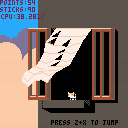
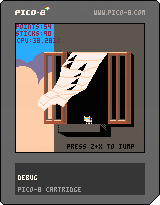
Windy is really moody today... maybe the weather will get better if you play a little bit with her.
My first cartridge is this little physics demo.
Had lots of fun learning PICO-8 with this!
Sorry but there is no playability yet.
Who knows, maybe i'll work a little bit more on it.
Code will be updated over here: https://github.com/cauli/PicoBox
Changelog
0.0.4
- Now using a faster trifill algorithm by nusan (borrowed from Pico8 3d Renderer by orange451)
0.0.3
- Added ripple effect
- Jump with camera movement
0.0.2
- Improved stability by using sqrt0
- Reduced number of trifill seam glitches drastically
- Improved performance by reducing the number of tris/quad from 4:1 to 2:1, yet maintaining graphic quality
- Particles fly beyond the screen
- You can make Windy jump to nowhere using Z+X
Older versions:
14 comments






I've kinds thought about this, but there aren't any true rules established, but instead just common sense.
I feel that should probably change.
So, I've got a short list of rules that I'd like you guys to read.
- No derogatory terms/imagery (racist terms, KKK stuff, et cetera).
- Cursing is allowed, but only in moderation. (Don't go on a raging session, folks.)
- No Spamming, trolling or excessive caps. (Trolling on the lines of asking questions like "Does a penguin fart?")
- Respect your fellow members and moderation team (whenever that happens).
- Post things in the correct category. By that, I mean:
Discussion is for general chatting, discoveries, and questions.
Editor is for the Editor, and the Editor only.
WIP holds incomplete carts and what-not.
Cartridges are where cartridges in a complete/presentable form are shown.
Collaboration holds topics for community/team projects.
Support is for problems with the PICO-8 Editor/Player itself.
0 comments



It should play on first channel that nothing happens at the moment, if the music is in effect it should detect empty channels by looking which channels are "selected" in music pattern editor to play.
3 comments

It would stop execution and dump you into command mode. This would work like setting up breakpoint when you know that something doesn't go right after a specific instruction is executed but you are not sure what.
Example uses:
Stop() after changing the variable: Allows you to print it out in command mode to see if value change according to expectations (e.g. when dealing with imprecision of decimals or when you suspect integer overflow)
Stop() at the end of _Draw(): Allows you to display cart frame by frame e.g. when you debug graphics effects like particles that doesn't seem right.
And so on.
Of course after stopping cart you can then resume() it ;).
And before you ask, yes I know you can stop execution with ESC, but sometimes you need to stop it at the very precise moment which is hard to do manually and so something like stop() would be useful.
4 comments


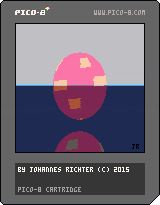
This is a reimplementation of a little graphic demo I first saw in the early 90ies on an Amiga500.
I have been writing that kind of demo on pretty much every platform I ever coded with since then.
Was good to see that something like that is possible on pico8 as well. Funnily enough, I pretty much ran into the same bugs, colour mixing issues and performance bottle necks as any other time I wrote a bouncy ball.
Enjoy!
7 comments

Hi,
I got Pico8 today, I've just started toying around with it briefly and I'm having fun exploring other people's games and reading the forum. Incredible software!
One thing that I've noticed is that there are already various projects stuck because they hit the token limit (eg Underworld Siege or Kingslayer). Now, as a very young console not yet out of the alpha phase, I believe that no one has spent months on a single game and that a lot of things are still to be discovered and boundaries are to be pushed. Yet people hitting the (arbitrary) token limit is not very promising. For example, one of the two games quoted above is a LudumDare game. If someone can reach this limit in a one-week game competition, how can a project grow to a polished, full-featured game? I'm scared that this would prevent some kind of games (RPGs or adventures, for example) to be developed for Pic8, effectively making it less flexible that it could be.
4 comments


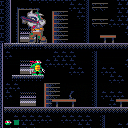
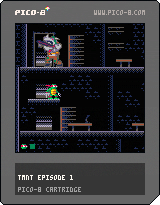
I don't have something to post as a cart yet, but i'll post this capture of what i'm doing right now.
The animation has some color replacements to test the looks of the four turtles. This is the first iteration of how will look one of the three levels i plan to put in the game.
Updated:
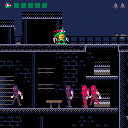
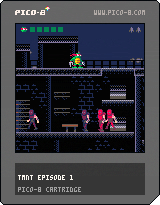
Current status: Tech demo. Rewritten all sprite, frame, anim mechanics because i've hit all the limits at the same time :P
No bebop and rocksteady spawning this time, but it's useful to look at the changes i did to the code.
It has a HUD now.
 43 comments