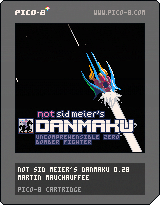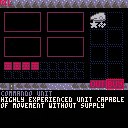
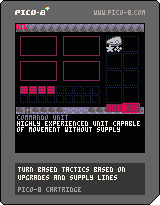
seeing where i can take this
music by @lanachan
UNPLAYABLE ATM
controls:
P1 A (z) select/confirm
P1 B (x) deselect/cancel
P2 A (shift) end phase


 11 comments




Up: Play
Down: Stop
Left: Previous Track / Restart current track
Right: Next Track
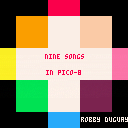
A cart filled with all the music I could fit onto it. Feel free to use these tracks in your pico-8 games, here is a tutorial on how
I'm happy to say I'm finally releasing the album! It's up as a free download on Bandcamp, and I'll have it available to listen to as a Soundcloud playlist here.
Update July 2016: With the new changes to the audio system, the music sounds much better! (Thanks Zep!) I've re-exported the music and re-uploaded to Bandcamp.
47 comments







howdy folks,
loving pico, just great to play with minimal stuff ;)
now this forum title hopefully will not charge people emotions, but was just a quick thought i had.
now, we are all used to auto-complete. its lovely, it makes things easier etc. pico doesnt have it, which isnt too much of a bad thing. but i did have an idea for an ultra compact, small auto complete.
so instead of having a list of what is available from when you type [like xcode, or VS, or sublime]. why not use the very bottom block [where the line count etc is] pop up with 1 available choice. so the more you type, the closer it becomes to what you want?
so if i have three things like so:
blowing
bees
bowls
if i first type 'b' it will come up with the first alphabetically ordered one, then if i type 'e' it then shows 'bees'. then press enter and its good and put in.
just a thought, though its not something im gagging for, just more an idea than anything ;)
lewis lepton
0 comments

Hi,
i am curious if the demo game shown in the preview screenshots and gifs at the main page is available to play or edit :)
Thanks!
4 comments

Hello all.
i just wanna say thank you to the developer and to this community.
You guys are awesome! You cant imagine how happy i am with this software and the whole concept and the idea behind it! It is just great and i want to express myself abit ^^
Keep rolling and never forget your roots
1 comment

hello all,
ive kept my eye on pico for a while now and thought i may as well give myself a present. i love that its minimal, i think more engines should learn from that - only give you what is truly needed. plus makes you try different things in different ways, so well done
on that, i was wondering about picos future. now firstly im not saying that we should be able to play pico games on xbox. whilst i think that would be cool, its too much ;)
but on that here are a few questions i have thought of in regards to what pico could end up with and really just questions of interest
• will [or can] pico be able to export out [linux/mac/win], so you could share with others without being online? - so they will be applications. i guess you could even then sell if they were really that good, i guess but not why im asking...
• minimal controller support - but only using the same amount of controls that is available with the keyboard
• can pico embed on your own sites?
there was 1 or 2 that i cant think of again. but just more of interest of wonder more than anything. but pico is lovely. great idea and i really think more engines need to learn from it
lewis lepton
5 comments


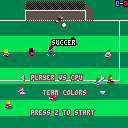
Small update: UI polish and code cleaning.
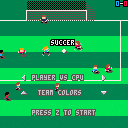
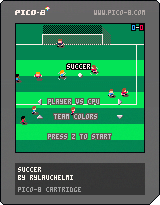
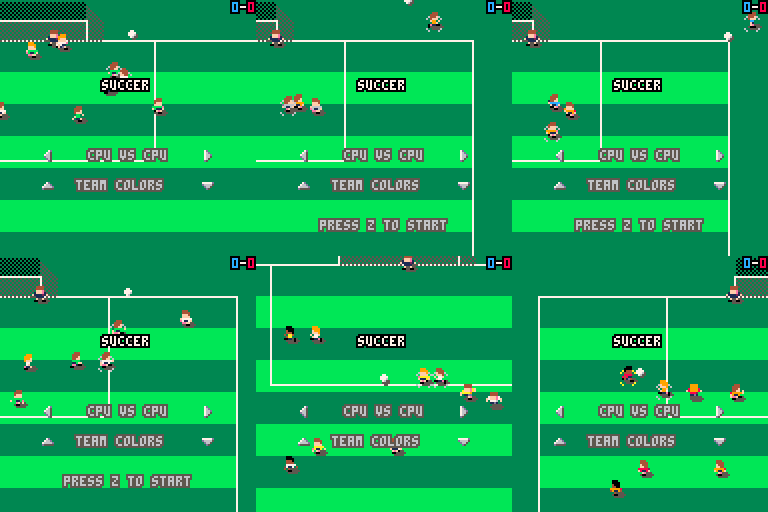
Little update: Added random skin/hair colors, and possibility to change teams' shirt color...
 29 comments





Hey All
There's a new version of the BBS live now. It's still a little rough -- let me know in the comments if you find something weird going on. I'll be tweaking and extending it over the next month or so.
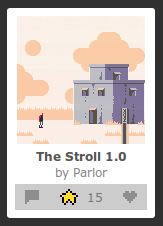
New stuff:
-
Cartridge view. Carts are listed in the order they are posted rather than in the order of thread activity.
- Creative Commons tags.
The Terms of Use no longer require users to grant permission to use and remix cartridges. Instead, you can tag your cartridge under the CC4-ATTR-NC-SA license. In cartridge view, you can filter by this license.
On your profile page, click "Cartridges" and then "Edit Cartridges" for more information and to release your carts under CC4-ATTR-NC-SA.
- User Blogs
 6 comments



You can find it on your Updates page. The new builds should be up on Humble soon too (check the version numbers on the files).
This is a quick bug-fixing update. Due to a rogue dev-debug-mode flag being mistakenly switched on in 0.1.2, much of the standard Lua library was accessible. So if you've started using PICO-8 recently, not knowing the library is not supposed to be there and tried to use it, sorry about the confusion!
v0.1.3 Changes:
Added: paste into commandline
Fixed: lua standard libraries accessible
Fixed: command-line loading doesn't work
Fixed: music pattern finished too early when all tracks set to looping
Fixed: peek()ing odd bytes in sfx address space masks bit 7
Fixed: cstore and reload from code space should have no effect
10 comments


Originally I was attempting to write a compatibility library so that PICO-8's version of Lua would easily be able to support standard Lua 5.2 libraries. After some extensive research, I realize that this task is actually huge (perhaps insurmountable!). I have started documenting the differences between Lua 5.2 and PICO-8's version of Lua from a lower level technical standpoint.
The purpose of this document to help folks further troubleshoot PICO-8 when coming from a scope of Lua 5.2. e.g. math.random may exist in PICO-8 as a function, but it always returns 0.
While I do have a lot of experience using Lua (and thus many of my confused frustrations with the PICO-8 variant), I do not have total knowledge of Lua.
I hope that this document can act as a guide to future PICO-8 Lua developers.
TL;DR;
Currently I am curating a list of undocumented differences between Lua 5.2 and PICO-8's Lua :
https://gist.github.com/josefnpat/bfe4aaa5bbb44f572cd0
[b]Please offer corrections or additions!
6 comments


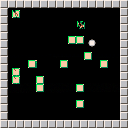
Just a test to try out the capabilities.
There are no controls at the moment so the game just plays itself.
2 comments


It'd be really cool and interesting if there was a spr() overload that read the sprite data from a memory address.
Personally I could see it working something like mspr(addr,len,x,y,w,h). Alternatively, len can be inferred from w*h and can be left out, so mspr(addr,x,y,w,h). Not to say that both of these should be in the API at the same time, it's a one-or-the-other deal.
So:
mspr(0x4300,64,x,y,8,8) mspr(0x4300,x,y,8,8) --alt |
Would read 64 bytes from the start of the user bank, and then draw it at an 8*8 rectangle at X and Y.
Of course, the bytes would have to be masked, but still, I think this would be extremely useful.
ed: BTW, I am aware how easy it would be to do this normally, but I think this would be really cool as a built in feature. I'm thinking Jelpi's corruption mode starting to draw the character from the SFX, etc.
3 comments

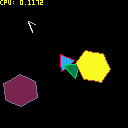
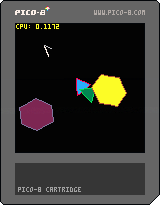
I was experimenting with compression and created a simple shape drawing library. Even with the flood fills the cpu was barely affected, so this seems like a legitimate drawing tool, and only costs 10 tokens per drawn shape! Here's the documentation if anyone looks into the code:
shape(x, y, rotation, drawstring):
draws a shape on screen, starting the cursor at x,y, with rotation from 0 to 1 at the origin (cursor start pos).
drawstring: a set of commands to draw, as a string (1 token!).
drawstring commands:
"C" color - set drawing Color (for lines and fills). color is a hex value 0-F.
"T" x y - move cursor relative To current position, drawing nothing. x and y are chars from "0"-"9"-"A"-"G", which represent -8 to 8. So "T00" means "to -8, -8", and "TGG" means "to 8, 8".
"L" x y - draw Line from current position to next position. x and y are 0-9+A-G as described above.
"F" x y stopcolor - flood Fill a region with drawing color until you encounter stopcolor. This fully works with rotation by filling the next (rotated) position defined by x,y. x and y are 0-9+A-G as described above, color is a hex value 0-F.
I will probably improve this library if people are interested, but for now I thought it was a fun little idea that only took a few hours to implement. Triangles and hexagons are easy now! =)
3 comments



I want know if buying Voxatron gives me access to the full version of Pico-8. I'm not sure if the wording is saying I'll have Pico-8 until it gets out of Alpha or if I buy Voxatron while it's in Alpha, I'll also get Pico-8. Thanks.
2 comments


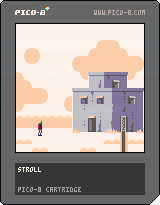
After upwards of 50 unfinished games and ideas over the years, Pico-8 has given me the constraints I needed to keep my overambition in check and release one into the world.
While the game is short and simple, it served more as a way to explore a style and tone for a potential future project. I'm quite satisfied with how it turned out (other than some sound effects problems that I'll fix eventually.)
Any feedback is welcome!
41 comments




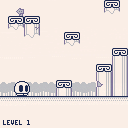
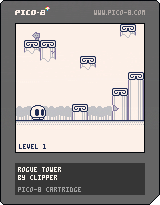
Controls:
Button 1/Z - Jump
Button 2/X - Give Up
I'm not going to explain the arrow keys.
The game is about jumping up a series of pillars in the clouds. Endlessly. The layout of each level of the "tower" is chosen from a set of premade layouts, or randomly generated.
Notes:
-You'll wrap around horizontally when you go off the edge of the screen; you'll also need this to get past certain areas.
-The player only collides with the top part of the pillars. The rest of it doesn't matter.
-Item blocks are special blocks that sometimes appear on level-marking platforms (the ones with the tree), and you'll get a bonus when you collect them.
-So far, only the "time stop" block works; It stops the scrolling temporarily, mostly useful at higher levels with faster scroll speeds. The rest of the don't do anything yet, so just ignore them.
-The collision system is a bit buggy atm.
-Input in the web version is slightly laggy.
Todo:
-Add visual effects for the later levels.
-Add more rooms
-Title screen
-Music
-Possibly other stuff
Updates:
0.2:
-Added 2 new prefab rooms.
-Added random room generator.
-mapupdate() will also now choose whether to use the room generator or one of the prefabs, so you'll get both.
-The player no longer collides with the bottom or sides of the platforms, only the top. that means they're all jump-through platforms now.
-Introducing Item Blocks; see notes above. I might refine this system later, though.
-0.11:
-Fixed a fatal mistake in the jumping system.
08/03/2017: Updated here.
14 comments


Hey, guys.
I created a curated list for things related to PICO-8 on Github. I think it could be useful.
Click the image to go to the repository

Any contribution is appreciated :)
1 comment
I was experimenting with different methods of organizing and distributing PICO-8 carts. This is one of my favorites so far :)
"Why?" - I know it's not that useful (we can't see the names, just covers) but it was a fun experiment ;.)
The possibilities are endless :)
3 comments