

Here's a guide I've put together to document how I set up Atom to be as helpful for PICO-8 game development as I could with the help of the #pico8 channel. I'll hopefully be adding more as I fine-tune the IDE and know what works and what ultimately doesn't.
1. Hide the left "file" pannel (tree-view):
Because PICO-8 carts are only ever going to be single-file projects, it makes no sense to have it waste valuable screen space being open. You can manually close it using the "Ctrl + \" command, but, more likely than not, you're going to want a more proactive approach.
Go to File > Init script...
Copy and paste this snippet without a hash in front: atom.commands.dispatch('atom.workspace','tree-view:toggle')
2. Get PICO-8 specific language syntax highlighting
PICO-8 is a subset of the Lua language, and, as such, has specific built-in stuffs that won't highlight if you're using the basic Lua syntax highlighting. Go into settings and install the package "language-pico8" to get a more customized, helpful syntax highlighter. Be warned, I believe this has some screwy tab and auto-indent behavior, but, for the most part, it'll be very helpful to have.


 30 comments











changelog says that time() has been removed
but I can still use it?
though it does seem to behave a bit oddly by eventually returning negative time?
any ideas?
11 comments




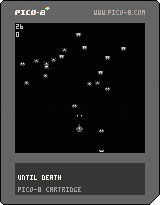
I was playing with the sprite editor, and found my creatures nice enough to make a game.
I'm still focused on my lode runner project, so I wanted to keep it short and simple.
this won't be the game of the year, and to give it a use, I did my best to document the code so eventually it can help beginners.
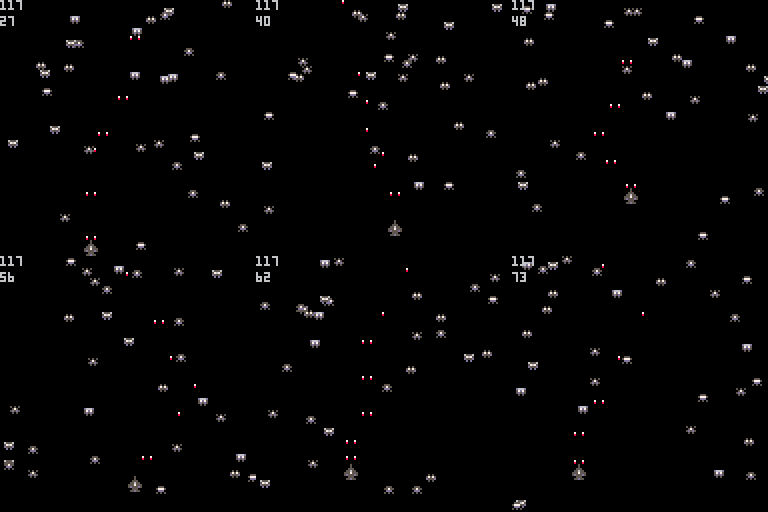
the game is simple (boring ?) - fire and hit a max. of alien before you die
but there's room to improve it :
- increase the difficulty by adding new aliens every 10 points
- move the aliens in direction of the player when it is at a certain range
...
function new_alien()
  a={}                          -- a new alien is allocated
  a.x=rnd(120)                  -- aliens appear on the top 1/3 of the screen
  a.y=rnd(40)
  a.spr=flr(rnd(6))+2           -- and can be of any of the 6 alien sprites
  a.dx=rnd(4)-2                 -- direction and speed is random
  a.dy=rnd(5)-2                 -- but more often going down than up
  add(aliens,a)                 -- the new alien is added to our list of aliens
end

function _init()                -- called once at the start of the programm
  x=60                          -- player's fighter initial position
  y=100
  hold_fire=0                   -- used prevent continuous fire
  score=0
  best=0                        -- the high score
  bullets={}                    -- list of active bullets
  aliens={}                     -- the list of aliens
  for i=1,20 do new_alien() end -- creates 20 aliens
  cls()                         -- clear the screen
  print("saccharine",44,38,7)   -- and displays a  title screen
  print("PRESENTS",48,48,6)
  print("until death",43,58,8)
  print("x start",50,98,6)
  while not btn(5) do end       -- waits for x key to be pressed
end

function _draw()
  cls()                         -- clear the screen
  spr(1,x,y)                    -- displays player's fighter sprite

   for a in all(aliens) do      -- for each alien,
    a.x+=a.dx                   -- calculate its new position
    a.y+=a.dy
    if a.x>0 and a.y>0 and a.x<127 and a.y<127 then -- if alien is still inside the screen
      spr(a.spr,a.x,a.y)        -- displays it
      if a.x+2>=x and a.x+2<=x+7 and a.y+2>=y and a.y+2<=y+8 then -- alien collision with fighter
        del(aliens,a)           -- remove the alien from the list of aliens (we won't display it anymore)
        new_alien()             -- and replace it by a new one so that the number of aliens is always the same
        sfx(2)                  -- louder crash sound than for the aliens
        x=60                    -- respwan
        y=100
        bullets={}              -- clears all active bullets
        score=0                 -- start over
      end
    else
      del(aliens,a)             -- alien leaved the screen, delete it
      new_alien()               -- and replace it by a new one
    end
  end

  for b in all(bullets) do      -- parsing each active bullet
    b.y-=3                      -- move it up
    if b.y<0 then               -- the bullet exits the top of the screen
      del(bullets,b)            -- we remove it from the list of active bullets
    else
      if pget(b.x,b.y)!=0 then  -- if it hits something
        del(bullets,b)          -- we delete it
        sfx(1)                  -- alien explosion
        score+=1
        for a in all(aliens) do -- search which alien we killed
          if a.x<=b.x and a.x+5>=b.x and a.y<=b.y and a.y+4>=b.y then
            del(aliens,a)       -- delete it
            new_alien()         -- and replace it by a new one
          end
        end
      else
        pset(b.x,b.y,7)         -- displays the bullet
        pset(b.x,b.y+1,8)       -- and a red dot behind it
      end
    end
  end

  if (score>best) best=score    -- displays updated high score, and current score
  print(best,0,0,6)
  print(score,0,8,6)
end

function _update()
  if (btn(0) and x>0  ) x-=2    -- going left
  if (btn(1) and x<120) x+=2    -- right
  if (btn(2) and y>50 ) y-=2    -- up
  if (btn(3) and y<120) y+=2    -- down

  hold_fire+=1                  -- increases the timer 30 times per second
  if (btn(4) or btn(5)) and hold_fire>8 then -- allowed to fire again
    sfx(0)
    add(bullets,{x=x+1,y=y})    -- left gun
    add(bullets,{x=x+5,y=y})    -- right gun
    hold_fire=0                 -- the timer is reset to zero, so we have
  end                           -- to wait it reaches 9 to fire again
end
|
2 comments



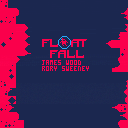
@rcsweeney and my Pico-8 jam 2 cart.
left and right to float.
o and x to rotate your bubbles.
11 comments





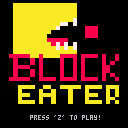
This is my first cartridge, and something I thought would be easy enough as a first game. I have done what I initially set out to do with this cart and then some. There have been some great concepts suggested in the comments, and I hope someone forks this project and creates their own with some of these modifications. If anyone has any questions, please do not hesitate to ask.
Constructive criticism is always welcome.
INSTRUCTIONS
Navigate the fast-moving red blocks and eat the ones that are smaller than you to grow while trying to not be eaten yourself.
Version 1.0:
Added some more polish
Commented more regions for those that wish to understand what's under the hood
Added a rudimentary start menu song
Resized the start menu graphic to take up more space
Version 0.5:
Fixed player being able to off-screen
Fixed right-moving blocks not gradually coming on screen
Fixed the player's ability to avoid collision at the last 1/30rd of a second
Added start menu with pixel art
Added winning condition and win menu
Added score counter to the top-left of screen
Version 0.1:
Initial game release
8 comments



The finished game:
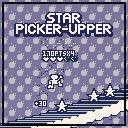
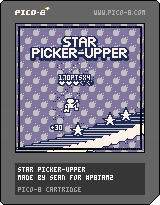
It turned out pretty good for a first attempt at making a game with PICO-8 in my opinion. The gameplay itself is a little uninspired, but I had a lot of fun playing with the visuals and learning about the system.
Older versions: [hidden]
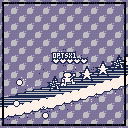
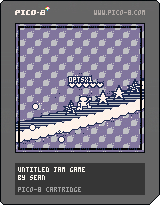
-Fixed x-overflow/underflow bug
-Changed default palette
-Rough menus
-Points/Combos/Lives
-Generally more stylish
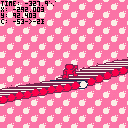
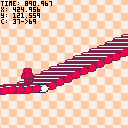
Still needs a lot of work, but it's turning out ok!
9 comments





Hi!
I just discovered PICO-8 and wanted to try some of the many great carts. But nearly all of them are unplayable because most games use <X> and <Z> as buttons. But X and Z are so far away on my keyboard layout that makes no sense. Please fix that, that is really bad usebility.
15 comments








Backup should also exist when overwriting the cartridge in memory with the load command...
0 comments

Very cryptic final prototype:
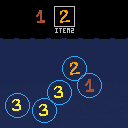
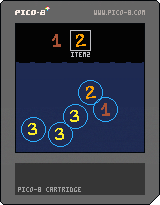
up/down = change category
left/right = select item
z/c = drop item into water
x/v = item description
It's all placeholders. :x
Earlier version that is a bit more obvious as to the chain reaction theme:

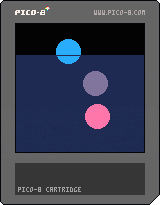
any key = drop item into water
Hm, so, I kind of suck at jams because I spend a whole day preparing the architecture and stuff. So far I've figured out:
- symbolic link the cart from my git repo
- shell script that concatenates all my source files together into the cart
- setup webstorm with lua support (only works kind-of ok since I have code in a lot of separate files and because of next bullet point)
- figured out how to do an object-oriented architecture (hackish, but it seems to work for now)
- wrote a 2D vector class
- created an OO aggregation arhitecture for scene items and engine parts
- started implementing a physics engine
Result: two circles moving across the screen that don't even collide.
2 days down, 7 to go.
Some highlights from the code:
 8 comments



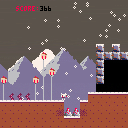
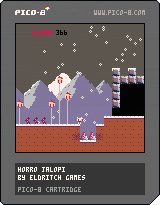
UPDATE! I added a score, made the level a bit cooler and just made it more to my likings.
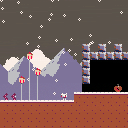
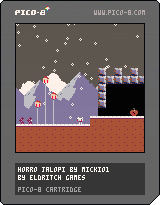
This is just some kind of stupid little thing i did to help familirase myself with the pico-8. My inspiration was mostly the fact that i find dark winters scary and also the name of the fake company I made (with a fantasy console might as well make a fantasy company as well) called Eldritch Games.
Thanks a lot to Ivoah for providing me with the beautiful snow coding and to the lexaloffle guys for Jelpi itself.
Hopefully my next game isnt the equivalent of a shitpost.
~things im planning to add~
cutscene when score reaches 0
ending
*title screen
8 comments
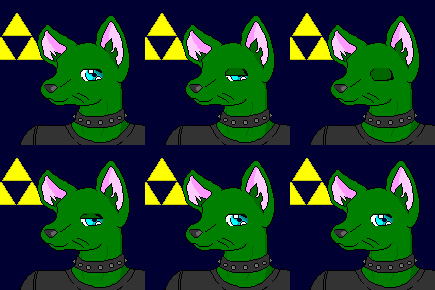



wanted to write a roguelike. I spent a while finding out what to do with the roguelike. Then it dawned on me I could use the Chthonic Codex setting, make the character a student in the University and give the players some pet goats.
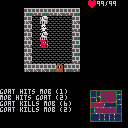
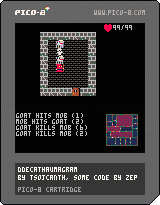
For the time being goats only attack enemies and get killed horribly. Add magic and that's pretty much what the game will be about.
The game is gong to be mission-based, with your cranky professor giving a mission per quarter. Of course if the goats stay alive for a while, you get more goats. Goats do that. They also make convenient sacrifice victims and, of course, are great scapegoats. So, if you are about to die and you have a goat, the goat dies instead. Amongst the treasure you'll be able to find goats. Not sure if I'll manage selective breeding, or any sound effect (I'm going deaf and I'd rather spend time writing code instead of writing bad music, but if someone can help it would be fantastic).
2 comments


New! Map! And mostly working collisions, but only with the horizontal and vertical lines... and sometimes you go right through... but hey, some progress. The AC is still broken here, that's my excuse. It's hard to work on games when you're melting.
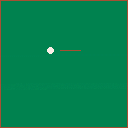
It's not titled yet, and certainly doesn't meet the theme yet, but I figured I'd post what progress I've got. My plan is to do something mixing pool and minigolf... apparently something similar existed on the NES under the name of Lunar Pool, but I didn't learn that until after I got started. At the moment, all I have is a cueball you can smack around a bit, though.
Also, since a couple of my short utility functions were first written before the jam, I should probably share those, along with a couple of library-type things I've written since Feel free to use these in however you like... CC0 for a license. Credit, while appreciated, is not required.
button = { left = 0, right = 1, up = 2, down = 3, o = 4, x = 5}

do
  local realcolor = color
  color = {
    black = 0, darkblue = 1, purple = 2, darkgreen = 3, brown = 4,
    darkgrey = 5, grey = 6, white = 7, red = 8, orange = 9, yellow = 10,
    green = 11, lightblue = 12, lilac = 13, pink = 14, peach = 15
  }
  setmetatable(color, {__call = function (t,n) realcolor(n) end})
end

function round(n)
  if (n >= 0 and n%1 >= 0.5) n+=1
  if (n < 0 and n%1 < 0.5) n+=1
  return flr(n)
end

function pop(list)
  ret=list[#list]
  list[#list]=nil
  return ret
end
|
4 comments
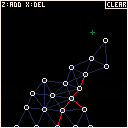
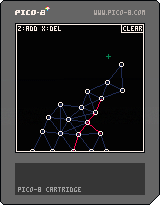
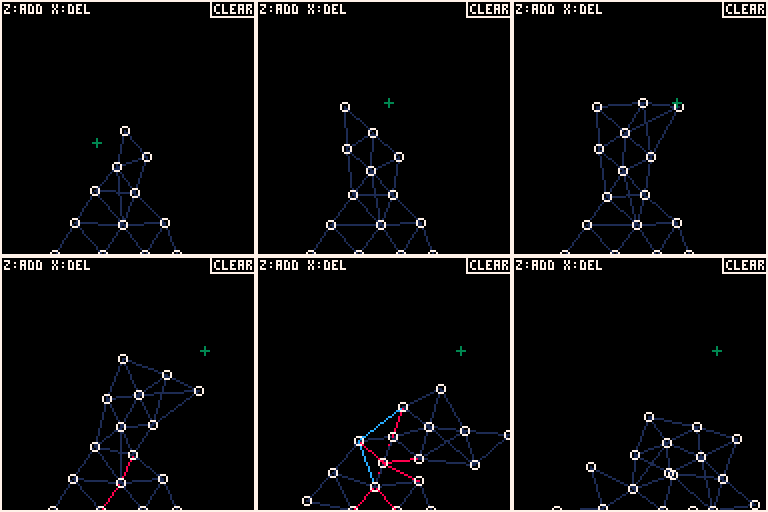
Structure is a rigid body simulation where you can add and remove points and struts. Essentially, this is "World of Goo" without the, well... "gooiness."
Z: add point and connecting struts to the nearest points
X: delete point and connecting struts
CLEAR: clear the screen
The jury is out on whether I will adapt this to fit the jam based on a loose interpretation of "CHAIN" reaction.
Electric Gryphon
9 comments



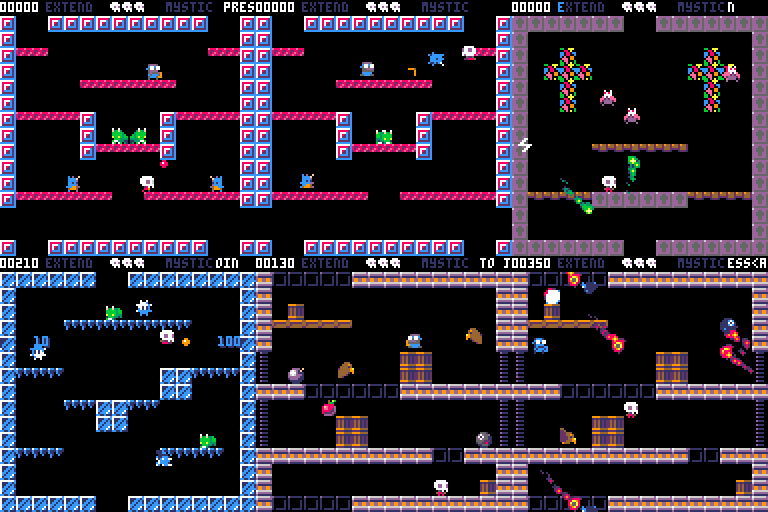
This is a bubble-bobblish platformer game for 1 or 2 player.
Mist and Grim must travel through the 22 levels and defeat the overlord.
Player 2 can join anytime during game. Players share lives pool but not score.
I had no chance to test the 2 player mode so please notify me if unexpected things happens.
--- MIST CONTROL ---
<arrows keys> move left and right
<z> jump
<x> fire or grab/throws stunned monster
--- GRIM CONTROL ---
<SDEF> move left and right
<TAB> jump
<Q> fire or grab/throws stunned monster
--- PREVIEW ---
--- VERSIONS ---
V1.03
- bugfix : fixed the h=nil error
- bugfix : fixed a display bug on gameover fade
V1.02
- bugfix : no more freeze with cornucopia after coconut spawn
- bugfix : overlord is now moving correctly
- bugfix : on 2 players game, the level is now skipped correctly even if one of them is dead.
65 comments




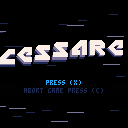
Cessare
A tiny game inspired by something I enjoyed on my old PowerMac, somewhen in the 1990s. It is my first project with PICO-8, so we're still getting to know each other. Also, zep's hello.p8 demo helped me a lot in making the intro screen. :)
Following keiya's suggestion I added random level generation (which saves a lot of map space). :D
7 comments



JAM VER.
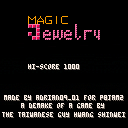
POST-JAM VER.
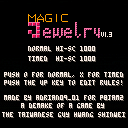
A GAME FOR P8JAM2
FEATURES
- Chain-react, flip, delete and stack your way to higher levels
- 8 songs
- 8 level colors
- A Magic Jewelry demake
CHANGELOG
1.3 - added rule editor
- fixed bugs
- added a continue cheat (try to guess it)
6 comments
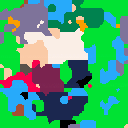
Mostin's having a Meltdown, can you help him locate his car keys?
He told me he lost them down out back near the barn gate, but that's a long long hike.
Over massive mountains and deep valleys, but it's all right, because he'll give you a pay of 60 Noblus!
Worth it, ... right? ... right? ...
EDIT: Alright, final p8jam2 version, I think I've gotten down what I wanted to accomplish.
7 comments

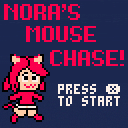
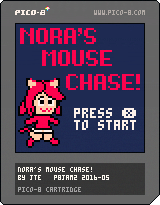
Overworld Controls:
◁ ▷ △ ▽ - Move
Ⓧ - Interact, continue dialog
Ⓞ - Speed up dialog
Combat controls:
◁ ▷ △ ▽ - Change selection
Ⓧ - Activate
Ⓞ - Cancel / Back
Standard Pico-8 keyboard assignments:
Arrow keys = ◁ ▷ △ ▽
Z,C,N = Ⓞ
X,V,M = Ⓧ
P,Enter = Pause menu (useful for resetting the game to play it again)
For the best experience, take the time to try interacting with all the objects, too!
38 comments

.jpg)