


Here's a fun little project. By "fun" I mean "nightmarish" and by "little" I mean "countless hours of headaches".
Let's network a Pico-8 cart.
This operation involves careful controlled management of the game state and manipulating the player controls with a wrapper. If we're using an HTML5 build, we can already manipulate the player inputs with JavaScript trivially enough -- there's an API explicitly for that one purpose. It also doesn't sound too hard to pause the game whenever controls haven't been received, although keeping a frame-perfect lockstep sync might be a hassle in itself.
But the BEST networking would involve allowing the local game to run a few frames ahead of the networked player and carefully revert and re-run those frames whenever changes in input are received, so that the game still runs full speed and remains synchronized with just a little bit of reality-bending when there's latency. This requires a deep, deep control over the entire game state, and the ability to run the game (without rendering) much faster than it's intended to go.
Fun.
Maybe I'll try it sometime. The license explicitly states I'm allowed to alter and use HTML5 cartridges for any purpose. If I can't hack around that, maybe I can make my own Pico-8 emulator that runs off of the .p8 text format files... although that seemingly falls into the legal grey area of the license a bit, since it would technically require fabricating a 16 color palette and sound waveforms similar enough that they could be considered a derivative work or some such, ... unless I read the same data out of a JavaScript file generated by the HTML5 exporter...? Gah.
That's enough rambling for now. This post is just a reminder for fun things to try whenever I'm bored next.


 17 comments





IMO instead of single license checkbox, you should be able to select by mutliple checkboxes the kind of CC license you want for your game.
So, by default it'd be CC0, but then you could check each part of CC license, so you can have any combination of by nc sa nd.
1 comment

Sometimes, especially when working with animations, I prefer using GraphicsGale than Pico's internal editor. So I'd be glad if I could copy/paste sprites to/from standard image editing programs. As of how palette thing would work when pasting, if pixel is "unknown" (not in pico's palette), color with closest r/g/b values from palette would be used.
So e.g. if I have some pixels that are totally blue (#00FF00), when pasting those pixels will be changed to closest color in pico's palette which is 1 (I think) in this case.
Alternatively import/export of spritesheet from/to png file would be welcome, with same color conversion process when importing as when proposed pasting.
9 comments






Like explode() in PHP, nothing fancy, just taking a string and convert it into an array based on delimiter, so e.g. I can have following string: "303;12;18;6;23;45;10;66" and after doing:
array = explode("303;12;18;6;23;45;10;66",";")
|
Array will be {303,12,18,6,23,45,10,66}.
Reason is of course token space and I want to encode maps this way for my contra cart.
0 comments
I heard of Pico-8 on the Indie retro news blog, and loved the idea. I quickly purchased the "soft hardware" implementation, and I love it. What a great community, and what a great idea.
I love the restrictions ... except for one!
I feel that the cartridge limit is restrictive. I mean, I know it's "meant" to be restrictive, and I appreciate that it forces a certain kind of game - or at least a certain way of thinking about games - HOWEVER I also feel that the resolution and interface restrictions control the type of software developed beautifully.
With more "RAM" (or is it ROM if we're talking about a cartridge? Soft ROM :)?) we could see some amazing games with great depth catering to the display hardware restrictions.
If simply allowing any size cartridge is out of the question, what about considering several "categories", so we could have 64, 128, and 256k cartridge categories, for instance?
ps
None of this is any kind of negative or "I know better than thou". I love what you have created!
Cheers,
Rob
50 comments






I wrote a new tool that turns carts upside down.
% ./p8upsidedown jelpi.p8.png |


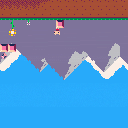
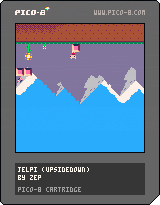
The tool is built with the picotool library (discussion). This version of the tool inverts the sprites, inverts the map, and translates the code to use inverted coordinates for drawing functions.
This is meant as a hack/demo and is known not to work with every cart. It works with many carts, and some of the failures are interesting. Notably:
-
The code translation increases the token count, so large carts (Celeste, Dusk Child) can't be turned upside down.
-
This version doesn't support spr/sspr calls that draw a rectangle of tiles. This wouldn't be too difficult to support: it'd need to flip the entire spritesheet not just individual sprites, translate the sprite IDs in the map, and extend the code to rewrite sprite ID args. But I have other things to do this weekend. :)
-
The print function will always print left to right, so we compromise and merely relocate the y coordinate for print / cursor calls. There's nothing the tool can do with carts that call multiple coordinate-less prints.
- I wrote this to exercise and demonstrate the picotool libraries for mutating Lua code via the AST. The lib doesn't know how to write out an arbitrary AST and preserve other comments/spaces, so p8upsidedown generates hideous code. Unfortunately the luafmt writer isn't entirely up to snuff either so it's not much help. This is mostly not an issue to Pico-8, though I did find a bug where Pico-8's special "t += val" syntax rejects a newline between the "+=" and the "val", which p8upsidedown might accidentally introduce.
Anyway, a fun weekend hack with picotool. Enjoy!
-- Dan
4 comments
(old tag: 16090)
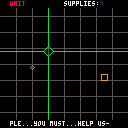
I thought I wanted to make a game about launching missiles, but then I thought about it some more. All I really wanted was to make a game about moving an unwieldy cursor over a radar screen and pressing a button to do something.
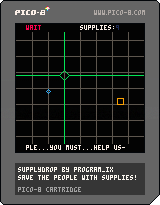
So here we have SUPPLYDROP, in which you control a crosshair over a busy radar screen. Distant and imperilled groups of people have pooled their scant resources to send a distress signal, in the hope of reaching you and calling down desperately-needed supplies. You can help them, but their signals are terribly brief. Moreover, you only have ten supply drops to use. One supply drop can feed many people, but do you want to hold it back, in hopes of two beacons near each other? Or will you respond immediately to each call?
Watch for the signal beacons (orange squares). Move the crosshair with the arrow keys and use Z to place supplies near or on them to help those people. At the end of the game, you'll see your score and how many groups you saved. Any groups you missed will lower your score.
(Press Z on the score screen to restart.)
I had a lot of fun making this one over the last few days. I hope you enjoy playing it!
5 comments

I would like to learn how to reproduce the famous sinus scroller text effect, but i can't make it to work.
Can someone explain the idea behind this ? I don't want the code (i want to find it myself), i just want to understand how to approach this.
I've created a table with a cell for each letter of my text, now i need to print and move each later to the left in a sinus pattern, but i can't figured out :
cls()
table={1,2,3,4,5,6}
x=127

function _update()
end

function _draw()

for i=1,6 do
print(table[i],127-i*10,cos(i*3/12)*20+60)
end

end
|
With this i have a sinus with my text, but it's not moving in real time, and it's in reverse mode. At some point i need to erase each letter from their previous position ? How to erase only one printed letter ? Print the same letter at the same position with transparent color ? Maybe sprite are better for this because they are easiest to move ?
5 comments



Extremely limited (hacked-together) work in progress:
Explore a room!
Listen to some (unfinished) music!
Feast your eyes on a colour! (two, if you count black)
(the piano was playable - two chords - but i've switched it off so the music plays through)
8 comments


I had thirty bucks to blow, so I got a Game Gear (No picture, due to my phone sucking).
I know this is unrelated to PICO-8, but this thing is amazing!
Came with Sonic the Hedgehog 2, which is a BLAST (see what I did there?).
Sorry to waste your time, I just wanted to tell you guys.
1 comment


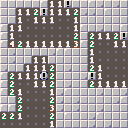
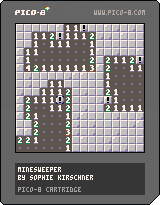
Minesweeper! Features multiple difficulty levels and amazing sound effects. Released under the zlib/libpng license.
Arrows transport cursor and navigate menu
Z reveal tiles or activate menu options, menu opened when tiles not revealed
X flag tiles for knowledge
13 comments






Hi, new member here.
I have some requests for the pattern editor:
- insert/delete line: please assign ins/del for that, leaving the Delete key as it is
- please allow copy/paste and undo for notes
- please give us one octave above, for convincing high-hats. one octave below for pounding bass would be nice too
- I suspect the way effects 6 and 7 work, only allow for 4/4 signatures. I'd love to be able to start the effect on the exact same line that I call it, instead of every 4 lines.
I know some of these are doable by editing the cart data, but leaving pico8 is a hassle when you're in the zone.
By the way I wrote this:
4 comments




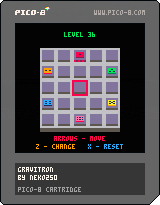
Hello, community,
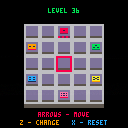
My first cartridge is here: 40 levels to make your brain burn.
Enjoy ! :)
Rules:
Take the red token to the center of the board.
You can move any token.
The tokens can only move iif there's another one to stop it.
0.1.1 changelog:
- added: onscreen controls
NYI:
- Menu and ingame bgm.
- Juice it or lose it (tweening, camera effects...).
7 comments

.png)


I'm pleased to announce picotool, a set of tools and Python libraries for manipulating Pico-8 game files. picotool can read .p8.png and .p8 files, and can write .p8 files.
To get picotool and learn how to use it, visit the picotool Github repo.
The p8tool command is a multi-tool with multiple functions. You can run it like this:
% p8tool stats helloworld.p8.png hello world (helloworld.p8.png) by zep version: 0 lines: 48 chars: 419 tokens: 134 |
picotool currently includes the following tools:
- build: builds a cart from pieces of other carts
- stats: a statistics reporting tool
- listlua: prints the Lua region of a cart
- writep8: converts a .p8.png cart to a .p8 cart
- luafmt: writes a new .p8 cart with Lua rewritten with regular formatting, to make it easier to read
60 comments









On the lower right corner of the code, i can see a field displaying how many tokens I use out of the 32000 token limit. But I'd swear that some days before, it was displaying my number of symbol usage out of the symbol limits.
Is there a way to switch between the two ?
1 comment




the second thing i have ever coded in my life, this cartridge is a MUST HAVE collectible for when i become a billionaire pico-8 video game designer specialist executive.
UPDATES
0.0.2 -new content in the first few minutes of release, this developer is on fire!
-character will now warp when reaching the edge of the screen.
3 comments


New Version 1.1.1:
Oops I introduced a bug with previous version. Fixed!
Version 1.1:
As I was asked several times, I added options to allow manual fire and non inverted Y axis.
I also slightly lowered the laser sound as it was a bit annoying (It is still but lower :D)
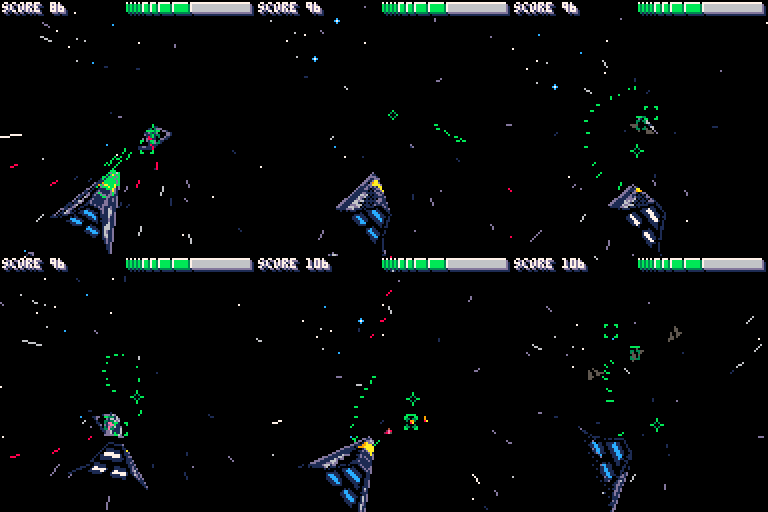
I finally found the time to finish my shooter.
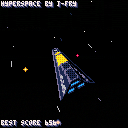
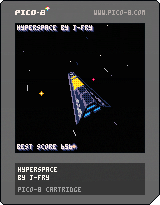
Here is Hyperspace, a 3D shooter with endless enemy waves. Try to beat your score during your last stand! Dodge through asteroids, resist enemy waves and defeat the bosses.
The barrel roll (with X) allows you to be untouchable for a short period of time.
The time is accelerating continuously so kill all enemies the fastest possible to get the best score.
I struggled a lot with token limit and I couldnt implement all i wanted. The code is messy as hell as I had to hardcode everything to save tokens
More sfx/music can still be added if I find some more tokens.
Looking forward to seeing your feelings about the game! And dont hesitate to share your highscores!
PS: The webplayer may have some slowdowns from time to time, the game in pico 8 client should run at a stable 30fps
 36 comments


Hello !
I'm rather new to pico-8 and the community... and I've just fallen in love with both of them.
Searching resources and toys for my personal pico-library, I have found some API cheatsheets. But I think these are for older versions (v0.1.2) or don't have some other tips I have found throughout the forums.
So I have built my own API cheatsheet !
Here it is: http://neko250.github.io/pico8-api/
I hope you find it useful ! :)
20 comments


