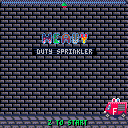
Oh noes! The fire had started at the Warehouse! And there are people there!
enter...
HEAVY DUTY SPRINKLER!
The ultimate AI, sentient fire extinguishing tool!
Control it with LEFT and RIGHT arrows and rain water by pressing Z!
Don't overdo it though, as water is precious and for any unit of water used, you'll have to hang on for another second before firesquad arrives!
You need to save PEOPLE, by putting out any fire that is WORTH 5 POINTS. Don't rain on people too much, as water is under HIGH PRESSURE and if too much of it lands on a person, it'll PEEL THE SKIN OFF!
After each LEVEL you'll be presented with screen that will show how many PEOPLE you SAVED (each of these worth 15 POINTS added to your SCORE!) and how much of WATER you used (not necessarily in that order).
For every SAVED LIFE you'll be saved 5 SECONDS of waiting on the next level!
I am not a big fan of my music.
[b]Credits where credits due:


 46 comments





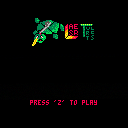
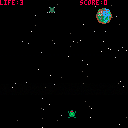
i think this is almost the final version. Many thanks to the people who played this game, others who gave me suggestions and darkhog who collaborated with gfx and code.
21 comments



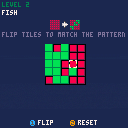
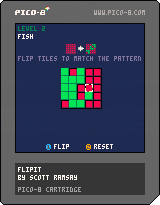
My first PICO-8 game: FlipIt.
Click on a tile to flip between red and green. Adjacent tiles will also flip (top, bottom, left, right)
Use the direction/arrow keys to navigate the cursor on the grid.
Button 1: flip the highlighted tile
Button 2: reset the current level
Ten levels total.
2 comments


As you can see, the status bar in the map editor is pretty empty.
What I propose is to put there x/y of map tile that is under cursor. This would save lot of headaches during "tile counting" that is now necessary to get beginning of the level when you have multiple of them.
3 comments


Pretty much like C64 allowed it. Changing the font would have few limitations compared to using spritedata:
- Each character would be 1-bit ONLY (e.g. pixel is either on or off)
- Changing characters will affect how code editor and command mode is rendered (mainly to give you live preview of your changes) so if you like writing in flowers and bushes, that's your problem ;).
This would allow to customize our games even more.
16 comments





.png)


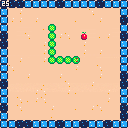


This has been my little baby over the past week or so. It started with jotting down the train game by @PROGRAM_IX from the Pico-8 zine #1, and then making it my own. I ended up using over half my tokens, two sprite banks, and the entire map space. I will leave it to you to discover its mysteries. Playing alongside a warm beverage recommended.
v1.1: Small update to effectively double the rate you gain resources.
8 comments



So I've found old pastebin with Pico-8 keys and apparently some of them still works.

:)
The only problem now is that I don't know how to get back to that page (closed that tab and it's hard to navigate this site).
0 comments

Hi guys:
I have a project that fits perfectly in PICO-8 because is an easy platformer for children. But I have a doubt that gives me two questions, because visual design is important in this game. It has HUGE sprites, but pixelated ones, for example, the protagonist is about 15x20 pixels, but I've envisioned him looking at x 1000% of zoom in a full HD monitor.
So for PICO8 I think he will show ok at x2 or x3. So how could I do this:
1) big sprite. build the srpite as 30x40 pixels heigth sprite. PICO could move sprites so big?
2) If not, make an engine with a camera that shows the game at x2 or x3 zoom. Is this possible?
Thanks.
Ah! one last question, is it possible to add a postprocessing filter to a game? for example, to have scanlines. That is semitransparent graphic that filters the screen.
Regards.
7 comments




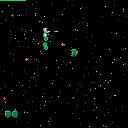
Fight against wave after wave of hostile alien space droids to protect galaxy command from an invasion.
New Features:
- three different enemy types with individual behaviour
- added a shield to the ship, that recharges over time
- balanced the difficulty (made it a bit harder, since you have a shield now)
4 comments


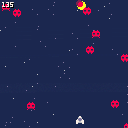
CONTROLS:
- LEFT and RIGHT arrows to MOVE
- Z to shoot
This is my first pico-8 game :) Every time I tackle a new game dev tool I like to do my own game version of "Hello World" to learn the basics: a simple space shooter.
It features sprites, input, sfx, background music, score, etc.
Tomorrow I'll be posting a step-by-step tutorial on how to create it.
It's only one day tinkering with it, but I'm truly enjoying pico-8!
4 comments
Hi all,
I'm having a great time poking around Pico-8, and coming from the NES development world, a lot of the constrained programming makes sense. But my last sticking point is scrolling—I understand how maps work, and I can create a screen-to-screen transition effect by changing the offset into contiguous map data, but I can't figure out how to scroll smoothly 'across' map data. When I attach the camera to the player's position, I travel off the first map and into a weird glitchy void.
Does anyone have a simple example of how to implement scrolling? I've downloaded several example games, but everyone seems to have a different approach, and they are difficult to parse in a fully-functioning game.
Thanks!
2 comments


A new game by Luc for his brother Josh. A lot of help from Dad.
Keep running, don't hit blocks, slide under tunnels and catch those balloons!
Controls: Up (jump) and Down (slide)
High score at the moment is 245
(You might want to press Z)
And... Pico-8 is loads of fun!
6 comments





I wanted to try some PICO-8 cartridges...
And I just bought this new mini gamepad...
So I thought it would be fun to get it working with PICO-8! :D
The gamepad is a small, keyring size bluetooth controller. It costs around £3 on Amazon.co.uk
It's really meant for Android and iOS, and has various modes of button configuration. However, when connected to my iMac it's seen as an iCade controller (as it is on iOS).
I used ControllerMate OS X app to remap the iCade controls to cursors+z+x+shift+esc. And it works great!
Here's the setup file: http://cl.ly/290U3s2z3I0w
Maybe there's similar software for Windows & Linux to use this little gamepad? Maybe PICO-8 could add iCade support so we don't have to use external software?
Anyway! That is my nice little PI-CO-NTROLLER for PICO-8
:)
If you want to try this, feel free to ask questions!
 11 comments


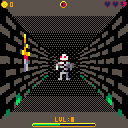
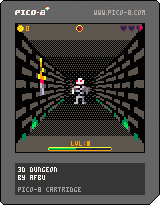
Recently I started playing with raycasting and I immediately wanted to create a real game with it, so here is first preview of my 3D suqare dungeon.
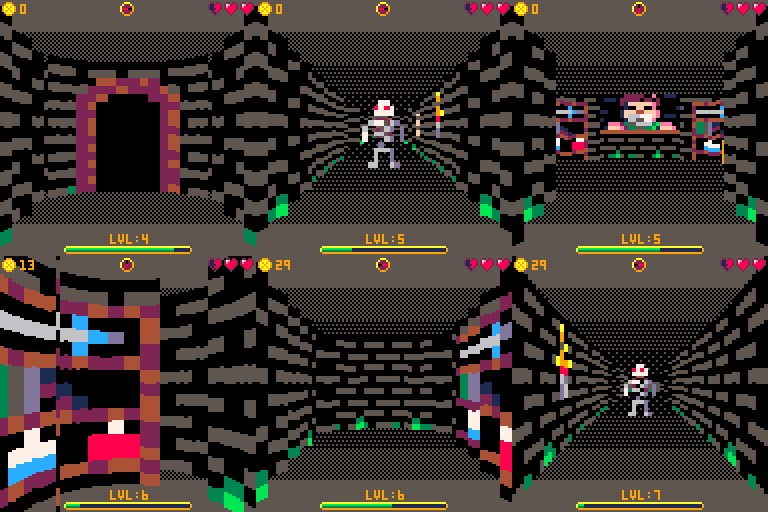
V0.2 features:
- wall text system
- portal system
- ground/ceiling color can change in locations
- item system (food+gold)
- gui (health, gold, experience/level, compass)
Notable bug: when you try to read text that is not defined it's id will popup on screen and game will be stopped.
V0.1 features:
- raycasting engine with dynamic rendering quality for smooth movement
- collisions based on tile flags
- 16x16 pixels textures
- 8x16 pixels transparent sprites rendered using simple (column based) z-buffer
- basic npc system that allows random movement of monsters around map
Controls: arrows for movement
Original 3d experiment thread is here.
2 comments
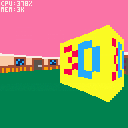
Simple ray-caster experiment.
It's not perfect, but it's kinda working and I hope it can serve as starting point for some awesome 3D games - especially I am thinking about some cool dungeon/rpg, that would be awesome!
Controls: arrows to move
Update 1.1:
- added fish-eye effect reduction
- added dynamic quality settings (when camera moves, quality is lowered)
- draw distance, step & quality setting can be adjusted in code
Older versions:
 22 comments


Hi zep! Just a small suggestion, but I'm finding the low-resolution cursor movement really quite awkward to use when I'm so comfortable with existing graphics software on the PC.
Would it be possible (as an optional setting) to either:
a) detach the in-app cursor from the 128x128 grid by creating some special rendering code independent from the console display?
b) hide the in-app cursor and show the system cursor instead?
What are others' opinions on this? I suppose it's not a major issue for most people, and I completely understand if you don't want to do it, to preserve the style/feel of the console. :)
2 comments

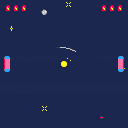
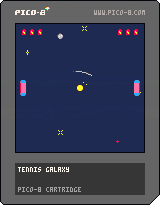
This is my first Pico-8 cart that helped me learn the system and tools. Despite that, it's decently polished and surprisingly entertaining so I wanted to share it with you. It doesn't have a title screen, a lesson learned for the next cart, so the controls are:
up/down - move the paddle
a - slow the paddle for more precision
b - continue to a new game
I also upload my carts to GitHub if anyone's interested in the code, which is probably the best part.
2 comments

I didn't see this documented anywhere, and I had to work it out for my drumbeat cart, so I thought I'd save everyone else the trouble and publish what I know.
SFX:
A sound effect is stored in 68 bytes. Sfx 0 starts at address 0x3200, sfx 1 at address 0x3244, and so on.
The first 64 bytes (offset 0..63) store the 32 notes of the sound effect as described below.
Offset 64 is a byte that determines the editor mode: 0 for graph mode, nonzero for tracker mode. This has no effect on playback, just on the mode opened in the editor by default.
Offset 65 stores the playback speed. (Higher values correspond to slower playback, so "speed" isn't exactly the right name, but that is what is used in the editor.)
Offsets 66 and 67 store the loop begin and loop end times. A sound effect contains only 32 notes, but these times may be set to any byte value. All times past 32 simply play silence.
Note format:
A note is stored in 16 bits, two bytes little-endian.
Bits 0..5 store the pitch, ranging from 0 (C in octave 0) to 63 (D# in octave 5). The tracker mode editor can only enter pitches up to 60 (C 5), but it can display and play higher pitches.
Bits 6..8 store the instrument; the values are the same as in the tracker mode editor.
Bits 9..11 store the volume. Volume 0 corresponds to silence.
Bits 12..14 store the effect; the values are the same as in the tracker mode editor.
Bit 15 appears to be unused.
[b]Example code:
25 comments