Here is a reduced test case for the issue mentioned here.
This works fine:
if (sin) (1)
    then print("LOL") end
|
This causes a syntax error near 'end':
if (sin) (x)
    then print("LOL") end
|


 0 comments


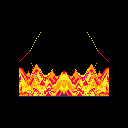
Watch sand fall in interesting patterns.
Looking for advice on optimising (and profiling?) this. On my old macbook pro it runs at around 10fps at best. I can't see any profiling tools built in to p8 but maybe I missed something? What's generally considered slow? I've sped this up by reducing the size of the simulation and mirroring, so it's really only running a 45x64 sim.
Things I'm thinking about:
- some sort of "active islands" system for not updating the whole sim every update
- not clearing the screen but remembering the part of the screen that are unstable, to reduce rendering costs, but I think (again, no way to measure) that it's update-bound.
6 comments



Enabling show_fps does indeed show my fps but is doing this.
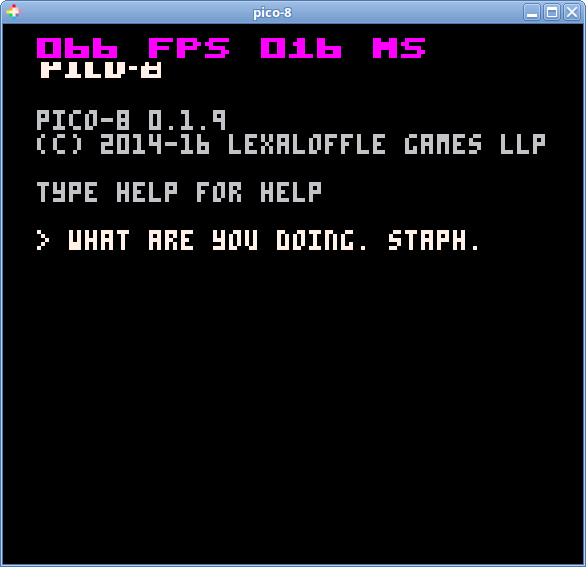
Used to just be tiny blue text at the top left, is now large magenta text.
also pico8_dyn is missing
3 comments





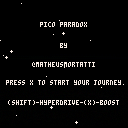
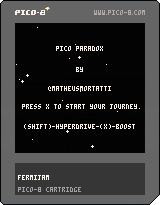
Hello guys! This was my submission for the Fermi Paradox jam and first "finished" pico8 project!
'Til the very end of this project there was no gameplay, so we squeezed some in. But you can just wonder around space and hyperdrive as you like (I find it pretty fun by itself).
There are probably a few bugs, but I haven't got the time to test it properly.
If you want to decrypt this simple puzzle, there's a hint bellow!
===========================================================
Puzzle Hint:
Example:
l u i y o u h e r ( lukeiamyourfather )
_u k e_a m y r f a t h
===========================================================
Description:
Wonder around Star Systems trying to find and decrypt alien transmitions.
This is an experiment project for the Fermi Paradox Jam.
===========================================================
Controls:
Arrows: Right/Left - Rotate Ship - Up/Down - Accelerate/Deaccelerate
X: Faster Acceleration
Shift: HyperDrive
Landing: Collide with the planet to land and move forward to take off
===========================================================
Made by:
@MatheusMortatti - Design, Code and Art
@PHString - Design and Writting
1 comment


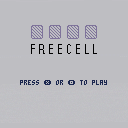
OVERVIEW
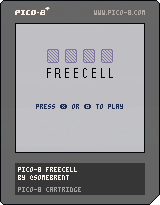
Welcome to exciting world of Freecell! Oft overlooked for the also-bundled-with-Windows Solitaire, Freecell is the thinking man's card game. Reorganize your eight cascades from King to Ace by making use of your free cells and return them to foundations to clear the board.
As an aside, this is the first game I've written. I wanted to take on something relatively simple to get a handle on PICO-8 and learn a little bit about organizing a game. If you encounter any bugs, let me know. I'm on twitter too - @somebrent
GAMEPLAY
The goal is to fill your four foundations with each suit starting with the Ace and ending with its King.
The board consists of
- four free cells (upper left)
- four foundation pools (one for each suit, upper right)
-
eight cascades of cards
- Cascades are dealt at random, but cards can be reorganized by alternating colours in descending value. (e.g., a red 2 can put moved to a black 3)
- Any single card can be moved to any free cell.
- A group of cards (a tableau) in valid order can be moved to another cascade if there is enough free cells or empty cascades to facilitate the move, and if the final card at the destination keeps the tableau in valid order.
- By reorganizing the cascades and moving cards to their foundations, [i]nearly
22 comments


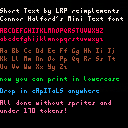
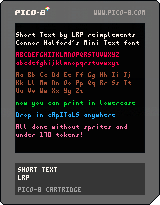
A while back, RhythmLynx posted a couple lowercase fonts that tried to use as little sprite space as possible. I had a lot of fun trying to pack the characters into overlapping regions on the sprite sheet to use even less sprite space.
But, recently I had an idea to skip the sprite sheet entirely and define each character as binary data that can be stored as a number in a table. This is the result. Press z to swap between demo text and a reference guide. The reference guide is stored on the sprite sheet, but is not used for the lowercase print function.

Some explanation hidden...
[hidden]
A number in pico-8 is stored in 32 bits (4 bytes), something like this:
0 0000000 00000000 00000000 00000000 ^ ^^^^^^^ ^^^^^^^^ ^^^^^^^^ ^^^^^^^^ | | integer part | | decimal part | | negative sign |
In hexadecimal, the integer and decimal parts are separated by a period, just like in base 10.
a = 30.25 b = 0x1e.4 assert(a==b) |
In Short Text, each character is laid out on a 4x8 grid. Each column is then treated as a byte and joined together into a number. For example, the letter "b" looks like this, where . is a blank pixel and # is a used pixel:
#... #... ##.. #.#. ##.. .... .... .... |
Converted to binary, starting from the bottom right and working up then left, we turn this into...
00000000 00001000 00010100 00011111 |
which, in hexadecimal, is written as 0x0008.141f, roughly 8.079.
So, we build a table that assigns this number to B.
... chars\["b"\] = 0x0008.141f ... |
Then, when we want to draw b, we just check each bit in that number and draw the ones that are set onto the screen.
5 comments


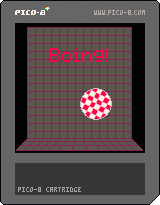
Boing! v0.1
My first cartridge submission, Yay!
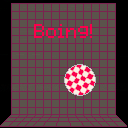
Boing! is an Amiga themed YASCL (Yet Another Sqaushy CLone) cart. I installed pico-8 and got started by following along with the Squashy article from Pico-8 Zine #1. After I finished the article, I wanted more, so I began playing around. Eventually, I created an Amiga theme by adding sprites, a map instead of a solid background, a Boing intro screen, and a guru meditation crash when the game ends. It may not be immediately obvious, but the player's final score is displayed as the first half of the guru meditation error code.
It still needs music and perhaps a cracktro ;)
-Mike
6 comments



Hi,
i've been interested in developing some games in my free time for a while. I've tried the free versions of some other software and just never got around to finishing any projects. Is Pico 8 a good place to start? I like the simplicity of these cartridges i've played. I'm just looking for some advice if I were to buy the software and get started.
10 comments





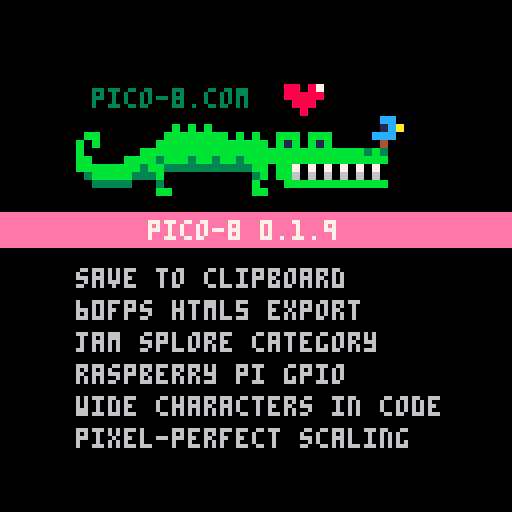
Hey All -- PICO-8 0.1.9 builds are now live on Lexaloffle and Humble!
Posting Carts via Clipboard
The handiest new feature is being able to post cartridges to the bbs via the clipboard, without ever saving it as a png. Use "SAVE @CLIP" to copy to the clipboard as text, and then paste it into a post (hit Preview to make sure it worked and to get rid of the wall of text). You can also copy carts from the BBS (look for 'Copy' under each cart) and paste it back into PICO-8 with "LOAD @CLIP")Posting GFX via Clipboard
You can also do the same thing with sprites. Using CTRL-C in the sprite editor also stores a copy of the sprites as text in the clipboard, and can be pasted back and forth to BBS posts. Here's an example: (click the 40x8 and then CTRL-C the text to copy&paste it back into a cart)
34 comments






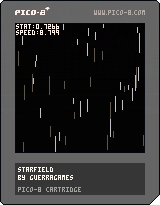
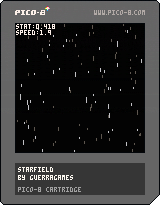
I was recently trying to reduce the number of tokens in one of my games and tried changing some of my loops from this form:
for i=1,#list do local item=list[i] |
to:
for item in all(list) do |
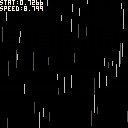
But found out my game's performance suffered greatly. Check out the demo starfield cart, press <x> to see the how the results of stat(1) differ between methods.
Has anyone else stumbled upon this problem?
Update: demonstrate iterations using pairs since that seems to be the most performant way of doing it:
for key,item in pairs(list) do |
5 comments
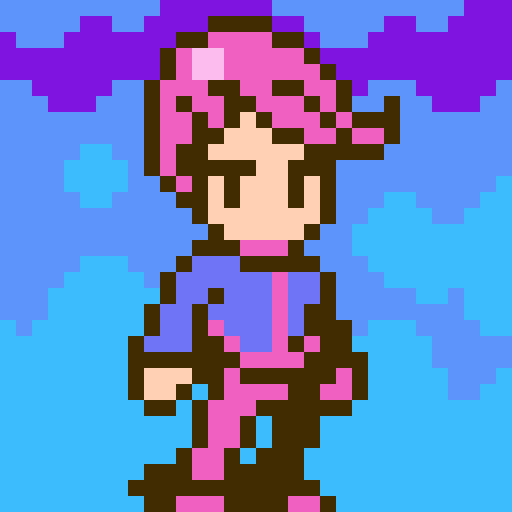


I'm not sure if I chose the right category for this :)
Anyways, I made a simple yet useful pingpong-value function. It's useful for animating sprites back and forth in a loop. I decided to share it with you - feel free to use and modify it for any of your needs!
//PingPong value
//-----------------------------
//Loops x from a to b and
//then from b to a (inclusive)
function pingpong(x,a,b)
  local d=b-a
  local p=x%(d*2)
  if p>d then
    p=2*d-p
  end
  return p+a
end

//example usage
//-----------------------------
frame = 0

function _update()
  frame+=1
end

//constantly animates sprite from
//16 to 24 and back from 24 to 16
function _draw()
  spr(pingpong(frame,16,24),58,58)
end
|
0 comments

I Did A Thing
0.1.0 contains XSPR, a library for managing simple sprites. (xspr:up, xspr:down, xspr:right, xspr:left, xspr:draw)
0.0.1 is cart 28298 and i'm not going to bother to embed that here.
2 comments

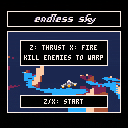
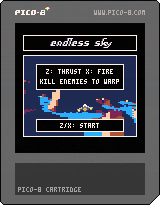
Take your trusty ship to the far reaches of the infinite multiverse...and destroy the hostile life that you find there.
Clear each planet to warp to the next system.
Features:
-- 30 fps interlaced flight simulator
-- 3,375 or more different worlds, ranging from snowy ice-planets to verdant hills.*
-- 6 enemy types
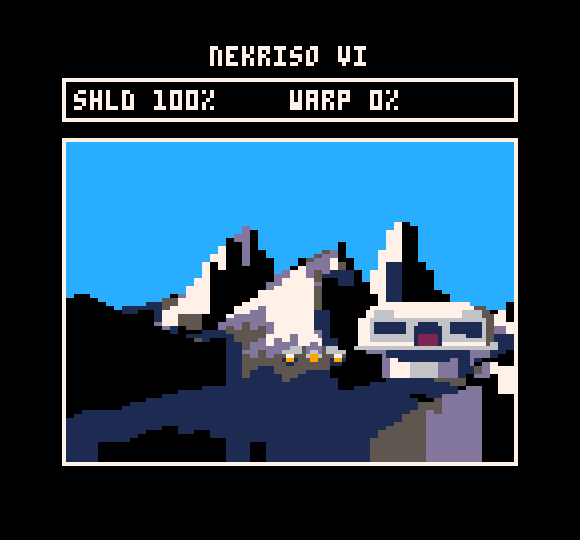
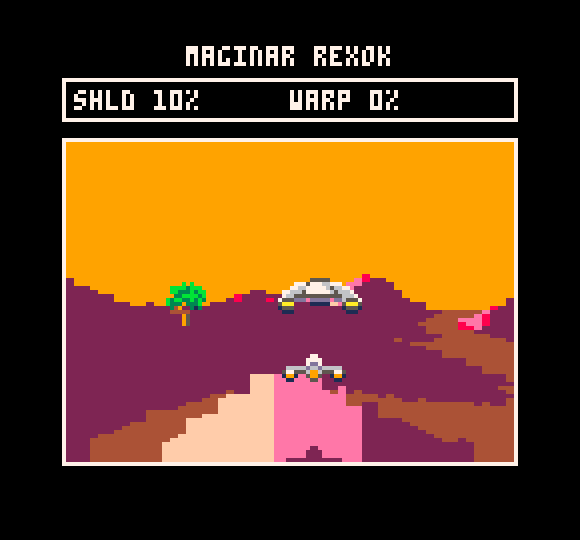
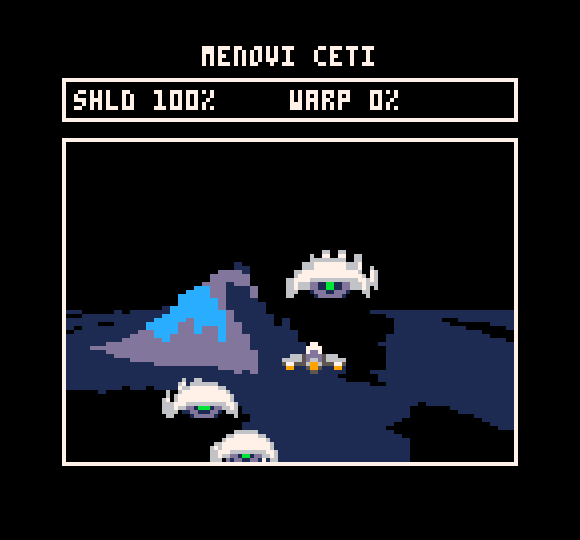
*OK, so a lot of the worlds look similar, but the same could be said about certain other games...
6 comments

This is a reminder in case you want to edit faster a tune, because the built-in editor doesn't allow to insert patterns for example, or for entering a track (sfx) like the 35th, you have to click 35 times... so I find it easier to work from an external text editor. (I don't think you need to edit the sfx outside the built in editor because it's already good enough)
Probably most people would have figured it out themselves, but for the music structure in the .p8 files, they are presented this way (it's the part after "music"):
A line with
00 41424344 |
indicates it's not enabled in the player (empty pattern).
Lines are presented this way:
aa (space)bbccddee |
aa (00 by default) indicates the play status. If it's 00 it will play. With 02 it will loop. 01 indicates loop start. 04 is for stop. 05 is loop + stop (I don't know if it's used, maybe it will loop one time then stop)
bb is for first channel, cc is for the second, dd for the 3rd and ee for the 4th.
It's in hexadecimal. So 01 means first pattern in the sfx list. 0a is 10th and 0f is 16th.
41 means the pattern is not activated but if you activate it, you'll get 1st pattern and so on. (46 means the pattern is not activated and when you activate it, you'll get 6th pattern). After f (16th pattern, you increase the decimals, so 51 is for a non activated patter, which has 17th pattern behind. (40+11 in hexa).
I hope it helps!
see also "Data structures for sfx and music" : https://www.lexaloffle.com/bbs/?tid=2341 (more for programmers I guess)
0 comments


The Burning Rose v1.3
Artwork, sfx, code courtesy of Grandtraindelta, @grandtraindelta
Most excellent music courtesy of Gnarcade, @Gnarcade_VGM
V 1.3 Changes
-Added more highscore UI
-Added extra name entry characters and a space option when you select *
V 1.2 Changes
-Added Autobomb mode. Press left/right at the title screen. Bombs detonate when player is hit, allowing you to get further although your score is reduced by 10% before the combo multiplies it.
-Allow player to move during the intro animation as the jets are cooling down.
V 1.1 Changes
-Fixed scoring bug that didn't allow you to enter the high score entry.
OVERVIEW:
Born from a love of Ghibli, animation, 8bits, blue sky gaming, Sega score chasing and flying on a breeze. This is a sketch of an idea and an adventure into pico8 development for a first time pico8 and Lua newbie in order to get to grips with the platform. I have tried to design something that suits the limitations and complements Pico8.
The burning rose is a action shmup game of tense combo chaining and score driven gameplay. Coupled with end game resource management and survival. The session time is low, requiring little time investment for the player. I have designed a quick open ended scoring system for longevity, with the emphasis on maximization. One hit kills and quick restart make it ideal for one more go arcade style play.
GAMEPLAY:
Pilot the Burning Rose through a finite barrage of 500 missiles using only 500 of your own shots to cut a path. Each missile is worth one point. Destroying two missiles without a single missile leaving the screen starts a combo. Keep the chain going and your final score will be multiplied by your highest chain of your run. Push your chaining ability to the limit to make your way onto the local top pilot ranking!
In one run you're given 3 bombs. Use them defensively to get out of a tight situation and avoid death. Or use them aggressively to maintain a chain and link stray missiles.
CONTROLS :
Menus:
Z - Accept/select
X - Back
Arrows - navigate up and down
In Gameplay:
Z - Hold to fire
X - Smart bomb
Arrows - Movement
12 comments




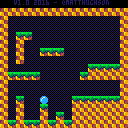
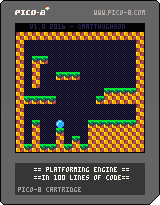
The goal of this cart is to demonstrate a very basic platforming engine in under 100 lines of code (comments don't count), while still maintaining an organized and documented game.
It is not meant to be a demo of doing as much as possible, in as little code as possible (a la demo scene). The 100 line limit is just meant to encourage people that "Hey, you can make a game with very little coding!"
This will hopefully give new users a simple and easy to understand starting point for their own platforming games.
Note: Collision routine is based on Super Mario Bros 2 and M.C. Kids, where we use collision points rather than a box. this has some interesting bugs but if it was good enough for miyamoto, its good enough for me!
Built on a PocketC.H.I.P.!
35 comments





Hi!
To celebrate my birthday, I thought I would share something with you guys! And having recently heard (again) that most of our codes weren't very easy to read, I thought I would share some readable code !!
I might do others of these in the future if you like it! But feel free to make some of your own, I'm sure it will help the community a lot!
Here is today's subject: Balloons That Explode Into More Balloons

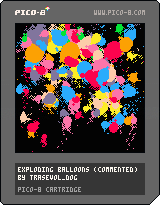

And here is the commented code! (click to unravel)
[hidden]
Initializing some important stuff. You could do that in more appropriate places. Call me messy, i don't care.
bloons={} -- 'balloons' is long

shkx=0
shky=0
|
You can initialize stuff in the _init function too. The difference is that here you can call functions written after this.
function _init() createbloon(64,64,32,0,8) -- if you don't have any music -- just put some sfx at -- the beginning sfx(8) end |
Call updating functions in the _update function. Don't actually update anything here, it will get messy.
function _update() updatebloons() updateshake() end |
At first, partially and randomly clearing the screen for that weird trail effect.
Then, drawing the cool stuff.
function _draw() camera(0,0) for i=0,1999 do circ(rnd(128),rnd(128),1,0) end camera(shkx,shky) drawbloons() end |
Creating one balloon object
at x,y position,
with a bigger-circle ray of r,
a moving speed of spd,
and c as color.
Angle and rotating speed 'va' are random.
Life timer 'l' is also random, but always between 0.8 and 1.2.
Then adding the balloon object to the balloon array.
function createbloon(x,y,r,spd,c)
 local b={x=x,y=y,r=r,a=rnd(1),va=(flr(rnd(2))-0.5)*0.5+rnd(0.2),c=c,l=0.8+rnd(0.4)}
 local aaa=rnd(1)
 b.vx=spd*cos(aaa)
 b.vy=spd*sin(aaa)
 add(bloons,b)
end
|
Updating the balloon objects one by one.
function updatebloons()
 for b in all(bloons) do
  -- updating rotation 'physics'
  dma=abs((b.a+0.25)%0.5-0.25)
  vvv=-dma*0.005

  if (b.a+0.25)%1<0.5 then
   b.va+=vvv
  elseif (b.a+0.25)%1>0.5 then
   b.va-=vvv
  end

  b.a+=b.va

  b.va*=0.96

  -- updating position 'physics'
  b.x+=b.vx
  b.y+=b.vy

  if(b.x-b.r<0)   b.vx=2-b.vx sfx(4)
  if(b.x+b.r>127) b.vx=-2-b.vx sfx(4)
  if(b.y-b.r<0)   b.vy=2-b.vy sfx(4)
  if(b.y+b.r>127) b.vy=-2-b.vy sfx(4)

  b.vx*=0.9
  b.vy=0.9*b.vy+0.1*(-1)

  -- updating life timer
  b.l-=0.01
  if b.l<0 then
   -- timer is at its end...
   -- *boom!*

   -- creating five new balloons
   -- if exploding balloon is
   -- big enough
   if b.r>4 then
    for i=0,4 do
     createbloon(b.x,b.y,b.r/4+rnd(b.r/2),8+rnd(8),8+rnd(8))
    end
   end

   -- the 'oompf'
   circfill(b.x,b.y,b.r+2,7)
   addshake(b.r)
   sfx(flr(rnd(4)))

   -- delete exploded balloon
   del(bloons,b)
  end
 end
end
|
Drawing the balloon objects one by one.
function drawbloons() for b in all(bloons) do -- uncomment the outline -- for sweet graphics -- and low framerate --outlined(drawbloon,7,b) drawbloon(b) end end |
Draws one balloon.
It's actually several circles, smaller and smaller, going from balloon's x,y position, along its 'a' angle.
function drawbloon(b) for i=0,7 do circfill(b.x+i*(b.r/8)*cos(b.a),b.y+i*(b.r/8)*sin(b.a),(1-(i/16))*b.r,b.c) end local rrr if b.r>10 then rrr=2 else rrr=1 end local rr=7*(b.r/8)+(1-(7/16))*b.r+rrr circfill(b.x+rr*cos(b.a),b.y+rr*sin(b.a),rrr,b.c) end |
Addshake adds a screenshake of 'p' power.
You have to call updateshake every once in a while (on _update for example) and use 'camera(shkx,shky)' before drawing stuff for the screenshake to actually work.
function addshake(p) local a=rnd(1) shkx+=p*cos(a) shky+=p*sin(a) end function updateshake() if abs(shkx)+abs(shky)<0.5 then shkx=0 shky=0 end shkx*=0.7+rnd(0.2) shky*=0.7+rnd(0.2) end |
Makes every color being drawn as the color 'c'.
Calling 'allcolorsto()' resets it.
function allcolorsto(c) if c then for i=0,15 do pal(i,c) end else for i=0,15 do pal(i,i) end end end |
Outlines in color 'c' whatever drawing function's callback is set as 'draw'. Also feeding that function with 'arg' as argument (you can also use it as 'outlined(draw,c)' if 'draw' doesn't need any argument, it will work too).
function outlined(draw,c,arg) allcolorsto(c) camera(shkx-1,shky) draw(arg) camera(shkx+1,shky) draw(arg) camera(shkx,shky-1) draw(arg) camera(shkx,shky+1) draw(arg) -- uncomment for shadow effect --camera(shkx,shky-2) --draw(arg) camera(shkx,shky) allcolorsto() end |
4 comments

šn¿ÆØœ‰Ó.com¤Ïšn¿Æ˜I½ç´ó¼‰¤Î¥¤¥ó¥¿©¥Í¥Ã¥Èͨ؜¥µ¥¤¥È¡¢¼¤°²¥ª¥ó¥é¥¤¥ó¥·¥ç¥Ã¥Ô¥ó¥°¥³¥ß¥å¥Ë¥Æ¥£¤Ç¤¹¡£šn¿Æ™CÆ÷¼°¤Ó¼¼¹¤²ÄÁϤʤɤ¬¼¤°²ý¸ñ¤ÇÆ·ÊýØN¸»¤Ë´ó¼¯ºÏ£¡šn¿ÆÒ½Ôº¡¢¼¼¹¤Ëù¤Ë¥»©¥ëÉÌÆ·¤äšn¿ÆÓÃÆ·¡¢²ÄÁÏ¡¢œç¾ú¸ÐȾÓè·ÀÆ·¤òµÍ¥³¥¹¥È¤ÇÌṩ¤·¤Þ¤¹
Ô”¤·¤¤Çéˆó¤Ê¤é¡¢¤³¤Á¤é¤Ç¤¹http://www.shikahanbai.com/
1 comment