


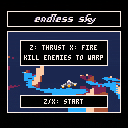
Take your trusty ship to the far reaches of the infinite multiverse...and destroy the hostile life that you find there.
Clear each planet to warp to the next system.
Features:
-- 30 fps interlaced flight simulator
-- 3,375 or more different worlds, ranging from snowy ice-planets to verdant hills.*
-- 6 enemy types
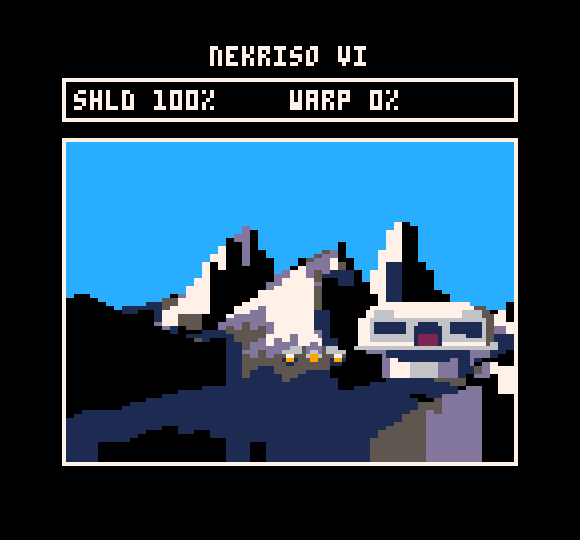
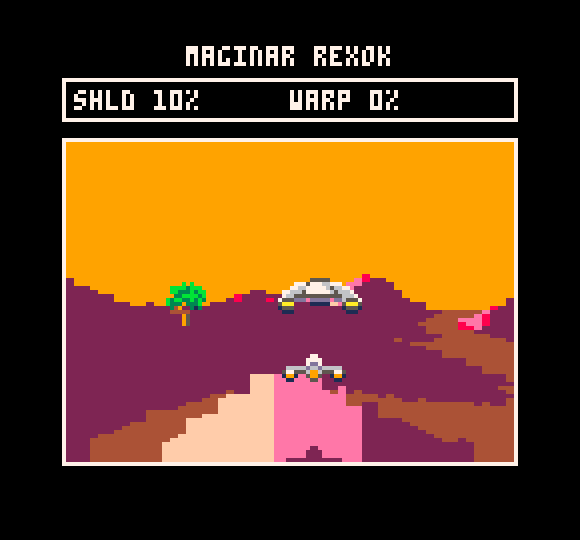
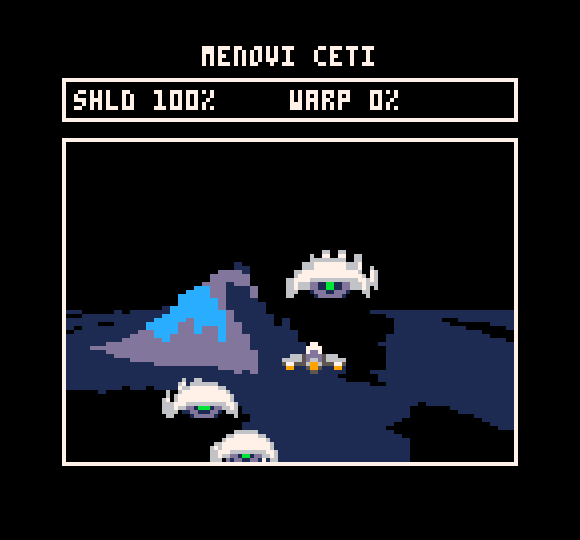
*OK, so a lot of the worlds look similar, but the same could be said about certain other games...


 6 comments





This is a reminder in case you want to edit faster a tune, because the built-in editor doesn't allow to insert patterns for example, or for entering a track (sfx) like the 35th, you have to click 35 times... so I find it easier to work from an external text editor. (I don't think you need to edit the sfx outside the built in editor because it's already good enough)
Probably most people would have figured it out themselves, but for the music structure in the .p8 files, they are presented this way (it's the part after "music"):
A line with
00 41424344 |
indicates it's not enabled in the player (empty pattern).
Lines are presented this way:
aa (space)bbccddee |
aa (00 by default) indicates the play status. If it's 00 it will play. With 02 it will loop. 01 indicates loop start. 04 is for stop. 05 is loop + stop (I don't know if it's used, maybe it will loop one time then stop)
bb is for first channel, cc is for the second, dd for the 3rd and ee for the 4th.
It's in hexadecimal. So 01 means first pattern in the sfx list. 0a is 10th and 0f is 16th.
41 means the pattern is not activated but if you activate it, you'll get 1st pattern and so on. (46 means the pattern is not activated and when you activate it, you'll get 6th pattern). After f (16th pattern, you increase the decimals, so 51 is for a non activated patter, which has 17th pattern behind. (40+11 in hexa).
I hope it helps!
see also "Data structures for sfx and music" : https://www.lexaloffle.com/bbs/?tid=2341 (more for programmers I guess)
0 comments

The Burning Rose v1.3
Artwork, sfx, code courtesy of Grandtraindelta, @grandtraindelta
Most excellent music courtesy of Gnarcade, @Gnarcade_VGM
V 1.3 Changes
-Added more highscore UI
-Added extra name entry characters and a space option when you select *
V 1.2 Changes
-Added Autobomb mode. Press left/right at the title screen. Bombs detonate when player is hit, allowing you to get further although your score is reduced by 10% before the combo multiplies it.
-Allow player to move during the intro animation as the jets are cooling down.
V 1.1 Changes
-Fixed scoring bug that didn't allow you to enter the high score entry.
OVERVIEW:
Born from a love of Ghibli, animation, 8bits, blue sky gaming, Sega score chasing and flying on a breeze. This is a sketch of an idea and an adventure into pico8 development for a first time pico8 and Lua newbie in order to get to grips with the platform. I have tried to design something that suits the limitations and complements Pico8.
The burning rose is a action shmup game of tense combo chaining and score driven gameplay. Coupled with end game resource management and survival. The session time is low, requiring little time investment for the player. I have designed a quick open ended scoring system for longevity, with the emphasis on maximization. One hit kills and quick restart make it ideal for one more go arcade style play.
GAMEPLAY:
Pilot the Burning Rose through a finite barrage of 500 missiles using only 500 of your own shots to cut a path. Each missile is worth one point. Destroying two missiles without a single missile leaving the screen starts a combo. Keep the chain going and your final score will be multiplied by your highest chain of your run. Push your chaining ability to the limit to make your way onto the local top pilot ranking!
In one run you're given 3 bombs. Use them defensively to get out of a tight situation and avoid death. Or use them aggressively to maintain a chain and link stray missiles.
CONTROLS :
Menus:
Z - Accept/select
X - Back
Arrows - navigate up and down
In Gameplay:
Z - Hold to fire
X - Smart bomb
Arrows - Movement
12 comments




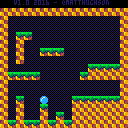
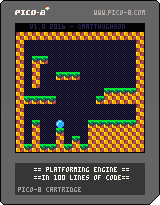
The goal of this cart is to demonstrate a very basic platforming engine in under 100 lines of code (comments don't count), while still maintaining an organized and documented game.
It is not meant to be a demo of doing as much as possible, in as little code as possible (a la demo scene). The 100 line limit is just meant to encourage people that "Hey, you can make a game with very little coding!"
This will hopefully give new users a simple and easy to understand starting point for their own platforming games.
Note: Collision routine is based on Super Mario Bros 2 and M.C. Kids, where we use collision points rather than a box. this has some interesting bugs but if it was good enough for miyamoto, its good enough for me!
Built on a PocketC.H.I.P.!
35 comments






Hi!
To celebrate my birthday, I thought I would share something with you guys! And having recently heard (again) that most of our codes weren't very easy to read, I thought I would share some readable code !!
I might do others of these in the future if you like it! But feel free to make some of your own, I'm sure it will help the community a lot!
Here is today's subject: Balloons That Explode Into More Balloons

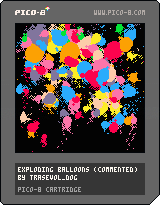

And here is the commented code! (click to unravel)
[hidden]
Initializing some important stuff. You could do that in more appropriate places. Call me messy, i don't care.
bloons={} -- 'balloons' is long

shkx=0
shky=0
|
You can initialize stuff in the _init function too. The difference is that here you can call functions written after this.
function _init() createbloon(64,64,32,0,8) -- if you don't have any music -- just put some sfx at -- the beginning sfx(8) end |
Call updating functions in the _update function. Don't actually update anything here, it will get messy.
function _update() updatebloons() updateshake() end |
At first, partially and randomly clearing the screen for that weird trail effect.
Then, drawing the cool stuff.
function _draw() camera(0,0) for i=0,1999 do circ(rnd(128),rnd(128),1,0) end camera(shkx,shky) drawbloons() end |
Creating one balloon object
at x,y position,
with a bigger-circle ray of r,
a moving speed of spd,
and c as color.
Angle and rotating speed 'va' are random.
Life timer 'l' is also random, but always between 0.8 and 1.2.
Then adding the balloon object to the balloon array.
function createbloon(x,y,r,spd,c)
 local b={x=x,y=y,r=r,a=rnd(1),va=(flr(rnd(2))-0.5)*0.5+rnd(0.2),c=c,l=0.8+rnd(0.4)}
 local aaa=rnd(1)
 b.vx=spd*cos(aaa)
 b.vy=spd*sin(aaa)
 add(bloons,b)
end
|
Updating the balloon objects one by one.
function updatebloons()
 for b in all(bloons) do
  -- updating rotation 'physics'
  dma=abs((b.a+0.25)%0.5-0.25)
  vvv=-dma*0.005

  if (b.a+0.25)%1<0.5 then
   b.va+=vvv
  elseif (b.a+0.25)%1>0.5 then
   b.va-=vvv
  end

  b.a+=b.va

  b.va*=0.96

  -- updating position 'physics'
  b.x+=b.vx
  b.y+=b.vy

  if(b.x-b.r<0)   b.vx=2-b.vx sfx(4)
  if(b.x+b.r>127) b.vx=-2-b.vx sfx(4)
  if(b.y-b.r<0)   b.vy=2-b.vy sfx(4)
  if(b.y+b.r>127) b.vy=-2-b.vy sfx(4)

  b.vx*=0.9
  b.vy=0.9*b.vy+0.1*(-1)

  -- updating life timer
  b.l-=0.01
  if b.l<0 then
   -- timer is at its end...
   -- *boom!*

   -- creating five new balloons
   -- if exploding balloon is
   -- big enough
   if b.r>4 then
    for i=0,4 do
     createbloon(b.x,b.y,b.r/4+rnd(b.r/2),8+rnd(8),8+rnd(8))
    end
   end

   -- the 'oompf'
   circfill(b.x,b.y,b.r+2,7)
   addshake(b.r)
   sfx(flr(rnd(4)))

   -- delete exploded balloon
   del(bloons,b)
  end
 end
end
|
Drawing the balloon objects one by one.
function drawbloons() for b in all(bloons) do -- uncomment the outline -- for sweet graphics -- and low framerate --outlined(drawbloon,7,b) drawbloon(b) end end |
Draws one balloon.
It's actually several circles, smaller and smaller, going from balloon's x,y position, along its 'a' angle.
function drawbloon(b) for i=0,7 do circfill(b.x+i*(b.r/8)*cos(b.a),b.y+i*(b.r/8)*sin(b.a),(1-(i/16))*b.r,b.c) end local rrr if b.r>10 then rrr=2 else rrr=1 end local rr=7*(b.r/8)+(1-(7/16))*b.r+rrr circfill(b.x+rr*cos(b.a),b.y+rr*sin(b.a),rrr,b.c) end |
Addshake adds a screenshake of 'p' power.
You have to call updateshake every once in a while (on _update for example) and use 'camera(shkx,shky)' before drawing stuff for the screenshake to actually work.
function addshake(p) local a=rnd(1) shkx+=p*cos(a) shky+=p*sin(a) end function updateshake() if abs(shkx)+abs(shky)<0.5 then shkx=0 shky=0 end shkx*=0.7+rnd(0.2) shky*=0.7+rnd(0.2) end |
Makes every color being drawn as the color 'c'.
Calling 'allcolorsto()' resets it.
function allcolorsto(c) if c then for i=0,15 do pal(i,c) end else for i=0,15 do pal(i,i) end end end |
Outlines in color 'c' whatever drawing function's callback is set as 'draw'. Also feeding that function with 'arg' as argument (you can also use it as 'outlined(draw,c)' if 'draw' doesn't need any argument, it will work too).
function outlined(draw,c,arg) allcolorsto(c) camera(shkx-1,shky) draw(arg) camera(shkx+1,shky) draw(arg) camera(shkx,shky-1) draw(arg) camera(shkx,shky+1) draw(arg) -- uncomment for shadow effect --camera(shkx,shky-2) --draw(arg) camera(shkx,shky) allcolorsto() end |
4 comments





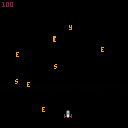

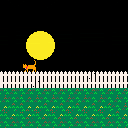

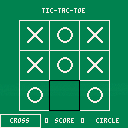
It's just a Tic-Tac-Toe game.
Rules :
- Do a line with 3 cross/circle to win
To add later :
- AI to play against the player
- Add music/sound effect (SFX when drawing a cross/circle is pretty annoying)
5 comments

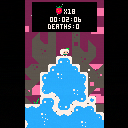
This is a TAS (Tool-Assisted Speedrun) of CELESTE. Uploaded here so you can watch it on your home PICO-8 console :)
EDIT: Doesn't seem to work on PocketCHIP for some reason...
If you'd rather just watch a video, you can see it here:
10 comments





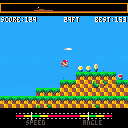
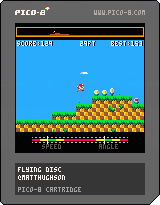
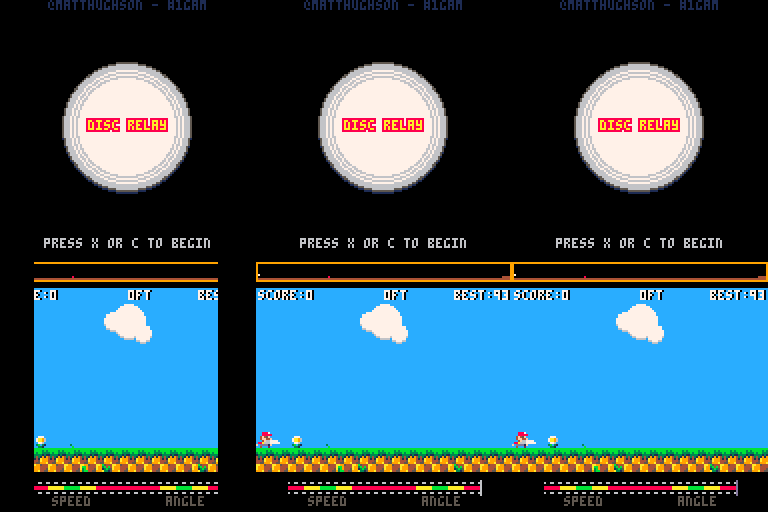
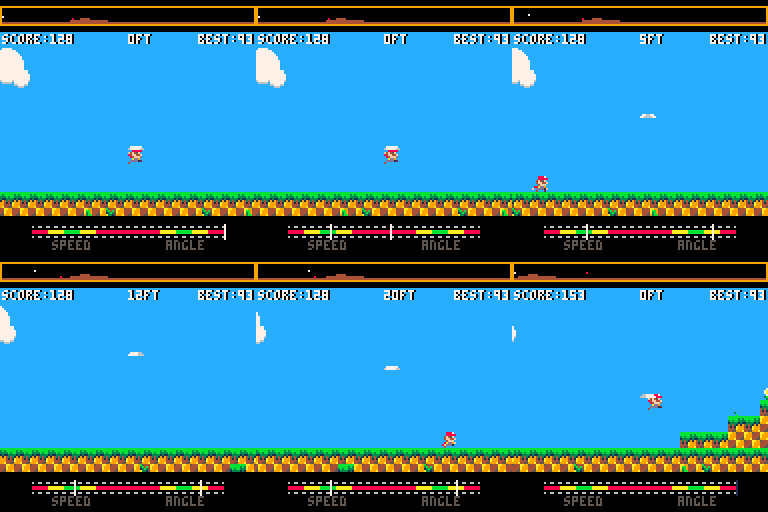
Time your speed and angle in an attempt to throw a Frisbee as far as possible. Then take control of the receiving player, and position yourself for the catch! If you do manage to catch it, quickly throw it again. Keep going until the Frisbee hits the ground, and see how far you can make it!
An update to the classic "Flying Disc" mini-game from California Games.
Update September 30th, 2016 (version 1.0):
Considering this game done! Moving out of WIP section.
Update September 18th, 2016 (version 0.4):
25 comments





hi!
this is my remake of this music: http://zxart.ee/rus/avtory/x/xpeh/sokomix/
free to any use. download here http://rgho.st/8fd2WWFxx
7 comments


Hey there!
Blob Smasher is a game we made during the BBQ Game Jam 2016, which is a 24-hour jam during which you spend more time eating grilled stuff than actually creating something.
Florian & I went with pico8 for the fun, and it's our very first experience with it and lua.
Blob Smasher is a 2-player versus game. Smash the blob to divide it and throw it at your opponent. Don't get touch by a blob while it's of the opposite color!
2 comments

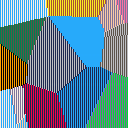
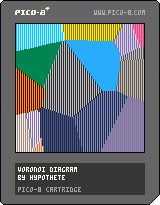
Simple Voronoi diagram generator. I was trying to see if I could get a speed boost from writing pixel values directly to the video RAM, but regardless the fill walking through all the pixels is still very slow. Any ideas on how I could speed things up?
--voronoi diagram
--by hypothete
points={}

function makepoints()
	for i=1,16 do
		e=rnd(128)
		f=rnd(128)
		add(points,{
			x=e,
			y=f,
			c=rnd(255)
		})
	end
end

function jitter()
	for i=1,#points do
		p=points[i]
		p.x+=rnd(2)-1
		p.y+=rnd(2)-1
	end
end

function near(pts,b)
	nt=nil --nearest pt
	nd=4096--dist to nt
	for i=1,#pts do
		a=pts[i]
		nl=(b.x-a.x)^2 + (b.y-a.y)^2
		--dist leaving off sqrt
		if(nl<nd)then
			nd=nl
			nt=a
		end
	end
	return nt
end

function drawvoro()
	for i=0,63 do
		for j=0,127 do
			k=i+64*j --x+y*w = 1d position
			z={x=i*2,y=j}
			np=near(points,z)
			if(np) then
				memset(0x6000+k,np.c,0x1)
			end
		end
	end
end

function _init()
	makepoints()
	drawvoro()
end

function _update()
	if(btnp(5)) then
		jitter()
		drawvoro()
	end
end
|
9 comments


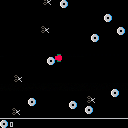
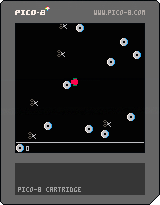
Very straightforward game thrown together in about 80-90 minutes when I realised nothing was really getting ready/finished for August's #onegameamonth.
Control a rad person as they aim to save their precious physical media from the dastardly rule of scissors.
Arrows to move, avoid scissors, collect CDs.
I actually did sound effects (limited, but present!). Quite happy with the speed/completeness of this, full disclosure though I have a basic 3-state template (update/draw for title, game, endgame) which I loaded up as boilerplate so that I could maximise the time I had.
Enjoy!
0 comments


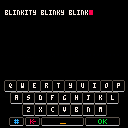
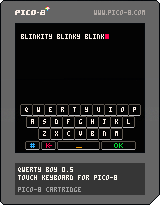
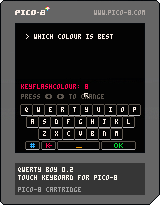
-- 0.5 --
- Added blinking text cursor
- 1646 tokens
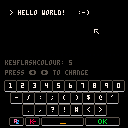
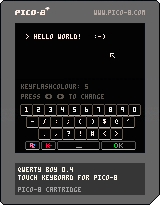
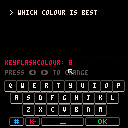
-- 0.4 --
- Numbers & Symbols keyboard
- (Potentially annoying) keyboard sounds
- Weird bug fix for the PocketChip version of Pico-8
- Token count has creeped up to 1529
 3 comments

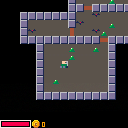
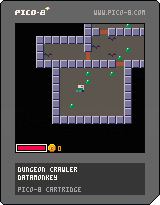
This is a silly little dungeon crawler I put together to learn PICO-8. It hasn't been balanced at all and is way too difficult right now. There's also only one level; the stairs are a lie :).
TODO:
- Player buffs
- More levels
- More enemies
- Better dungeon generation
- Possibly an end condition
- High scores table
4 comments

Couple people asked about how I did sprite rotation for josefnpat's collab cart https://www.lexaloffle.com/bbs/?tid=27582
Included is a sprite rotation function, and a way of layering them on top of each other to create an illusion of a 3d sprite.
Everything is commented, hopefully it's clear.
Enjoy, hope this is helpful for someone!
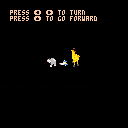
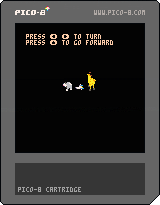
(the effect isn't perfect and can be a little unclear if you don't consider it when drawing sprites, if anyone has any more accurate examples of rotation functions I'd like to see!)
6 comments
