


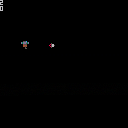
Here I have played around a bit with animations. I have combined both sprite animations and particle animations to make it look good. The sprite animations are done with a "config" structure so that I can use the same functions for drawing the animations later. Actors and particles are seperated in there own tables. I think this is best if you want to do collision detection later.
Now I want to improve the code and what some suggestions. I have not used Lua and I am sure you can see that on the code. Currently it use 870 tokens. This must be improved I guess? I guess every token counts in the end when you are creating a complete game. But I think there is a lot of stuff that can be improved.
I do also have some questions. For example I update and delete disabled actors like this, is this safe? or can this result in that some actors are updated multiple times peer loop etc?
for a in all(actors) do if(a.enabled) then a.update(a) else del(actors, a) end end |


 1 comment




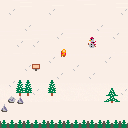
Here is my entry for A Game By Its Cover: Stranded on a Mountain
After crash landing on a lonely mountain, all your survival supplies have been scattered across its peaks.
Find your gear and climb to the top. Survive.
Controls: Directional buttons to move. Hold Z (O) to view the inventory.
 7 comments



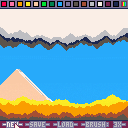
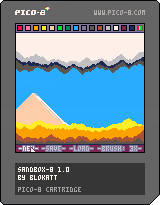
SANDBOX-8 is a sand-based doodle maker.
You can use both buttons or mouse to control the cursor, it's up to you!
Don't forget to share your art!
Keyboard controls:
Z - make sand
X - speed up
Arrow keys - moving
Made in three afternoons when I had nothing better to do.
Features:
- 15 colours + randomiser
- Saving/loading
- Three brush sizes
- Neat transition effect
Changelog:
1.1:
- Optimisation, bugfixes
1.0:
- Initial release
18 comments














This throws a syntax error in PICO-8, but is valid Lua.
x = 4
y = 1

if (x == 1 and y == 1) or x == 2 or
   x == 3 or x == 4 then
  print('yo')
end
|
As far as I can tell, the parser seems to not like the linebreak in the series of ORs, if the first group has parentheses around it.
btw this is a contrived example just to demonstrate the syntax ;) but I actually did run into this bug in real code
3 comments




Hey, I'm making a small game.
I need to get the flag value of a sprite I'm drawing and moving in the _draw function.
I need to know when the player hits the sprite. But I can't use mget() to get sprite number of it, because the sprite is not part of the map..
Any ideas how to go about it?
Right now I'm just using pget() to register it by color, but that solution is not super stable with so few colors ;)
Hope someone can help.
5 comments



Hey, I'm making a small game.
I need to get the flag value of a sprite I'm drawing and moving in the _draw function.
I need to know when the player hits the sprite. But I can't use mget() to get sprite number of it, because the sprite is not part of the map..
Any ideas how to go about it?
Right now I'm just using pget() to register it by color, but that solution is not super stable with so few colors ;)
Hope someone can help.
1 comment


Yo, i purchased Pico-8 a few days ago, and i made a little game.
The problem is: When i wan't to submit this game to the BBS, i am redirected to a simple HTML page where is wrote: "Server Error: let us know what happened".
I tried some tricks like creating a new account, use another computer, but not with another Wi-fi connexion yet.
Does anyone can help me?
Thanks
PS: I am french and my english isn't very good : \
2 comments


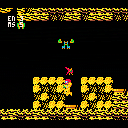
Thought I might as well put up my WIP on today, Metroid's 30th anniversary. PICOROID is an endeavor of mine to try and replicate the original FDS game as much as possible, though i recognize it'd be quite an endeavor to try and fit all the coding within the token limits, so I suppose i should call this a tech demo more than anything. I started this up on May 30th and been working on it on and off since then. This definitely isn't a stopping point, my goal before I take a break from this is to get the entirety of Brinstar in a playable form, with all the mechanics that come along with it. Currently, you can 'progress' to bombs, but the elevator rooms and the bridge room to Tourian will crash it, along with anything up near Varia. Ice beam should be in here too? Maybe? I can't quite remember at this point. Enemies have quite a few bugs with them (notably, wavers are complete broken), but overall it should be playable. 100% at this point would be morph ball, bombs, 5 missiles, 2 E-tanks, and 'Ice Beam'.
Looking forward, I'd like to make enemies killable, freezable, and usable as platforms, and then add in the rest of the rooms, make more sound effects (damage for player and enemies, FDS door sound, low health beeping), then finally put in a menu and add in death. After that, disable the system pause button whenever ingame and use THAT for missile swap while adding upwards aiming to the up button. Assets-wise everything i need is already in the cart, and everything i couldn't fit in for other areas in an auxiliary cart, the only real barrier here is the token limit. All room data and enemy data is as compressed as I could make it, improving upon he compression used by the actual NES release in a byte-to-byte comparison by a bit.
Periodic progress videos can be found on my channel.
10 comments











My PICO-8 tribute to one of the best games I've ever played... THE LAST OF US
(The original game music was done by Gustavo Santaolalla)
4 comments




Welcome to MATCHY MATCHY, the puzzle game of animal love.
CONTROLS:
O - confirm selection (in menus), make a match (in game), quit game (in pause menu)
X - back (in menus), pause game (in game), resume game (in pause menu)
CURSORS - select options (in menus), move cursor (in game)
HOW TO PLAY:
Connect pairs ( or more ) of matching animals to solve puzzles, get points, and make love not war.
To make a match, move the cursor so that at least 2 matching animals are directly above, below or to the side of the cursor, then press O (Z on keyboard). Matching more than 2 animals yields more points:
Pair ( 2 of a kind ) = 10 pts
Love triangle ( 3 of a kind ) = 20 pts
Double date ( 2 pairs ) = 30 pts
Love rectangle ( 4 of a kind ) = 40 pts
GAME MODES:
There are two modes, the relaxed PUZZLE mode and the hectic TIME ATTACK mode.
PUZZLE mode - The aim is to try to clear all the pieces form the board so that no animal is left behind. You don't have to clear the entire board to unlock the next level, though. There are 35 levels in total. Can you clear them all? This mode encourages forward thinking and careful planning. Beware of making Love Triangles as this might leave an odd number of animals behind.
TIME ATTACK mode - The aim is to play as long as possible and get the highest score. As you play, new pieces are added to the board, faster and faster. If you run out of valid moves, several pieces will get added to the board at once! Also any wrong move will be punished by an extra piece.
When you clear enough of the board with no moves left, you will level up. Levelling will generate a new board and slow down the timer a bit. The game is over when you run out of space on the board. This mode encourages quick thinking and changing strategy on the fly.
[i]DISCLAIMER:
The author deeply regrets that due to gameplay considerations MATCHY MATCHY is not representative of inter-species love. The author acknowledges that love knows no limits and no man, animal, machine, deity or other entity should attempt to impose such limits.
20 comments









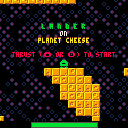
You are stuck on planet cheese. You could slice your way out if only you had a slicer. Luckily you have a slicer detector...
Use the slicer detector (X) to pinpoint the location of the slicer. Thrust with either up or O (whichever you use first) and fire the horizontal course correction engines with the left and right buttons.
You need to refuel every now and then. The cheese of Planet Cheese can be processed and turned into rocket fuel. Land safely on both foot pads at a low velocity to process cheese.
UPDATE (V2):
- Camera locked on player; no easing. This makes precise navigation easier. This also makes the camera lock mode useless, so it has been removed.
- Collision detection has been improved, and the vertical velocity threshold for safe landing has been increased to 1.5 pixels per frame. The safe landing threshold is now also consistent and you can't randomly land safely at greater velocities.
- For a safe landing, both foot pads no longer need to be completely on the ground. As long as they both touch, it's fine, making landing easier on smaller surfaces.
- The player can now thrust with either up or O, depending on which is used first, making it more joypad/digital stick friendly.
12 comments


I've tried to dissect several tweet jam carts but have failed to figure how to move something along a wave pattern.
I want to move a circle between two x/y points in a wave. I know I have to use sin() and cos() but just don't know how to apply them, or to what.
I've done some Googling and even bought myself a "Trig for Dummies" book, so I'm slowly (very slowly) trying to learn math I've never been exposed to. I'm 20+ years removed from my last math class so it's frustrating but I'm motivated.
My specific purpose is bullet patterns but I know once the match clicks, I can use it in all sorts of place and make cool stuff like the rest of y'all.
If there's a simple snippet someone can share that I can look at and dissect it, I would appreciate it. Or any other links/resources they know of.
3 comments







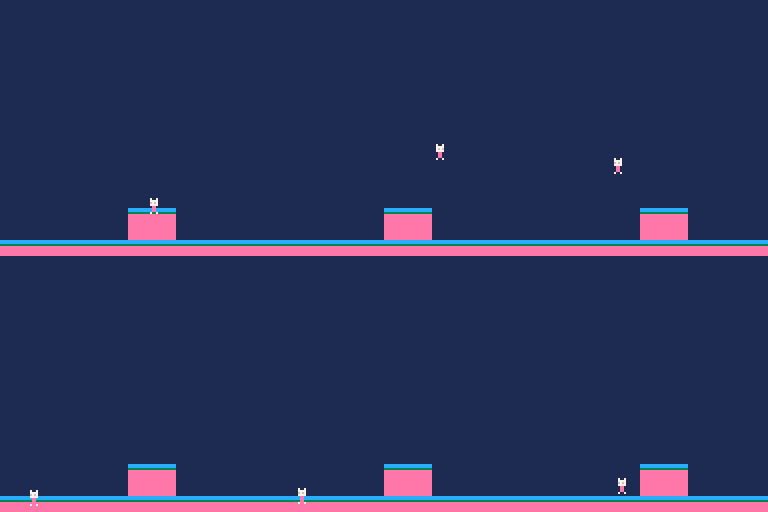
I'm adapting the physics from the Sonic Physics Guide on Sonic Retro into PICO-8 and it's going pretty alright but my character keeps sinking into platforms?
Here's the code:
--platformer stuff --physics model taken from --sonicretro.org/sonic_physics_guide --todo! --wall collisions function sign(x) if(x<0) return -1 if(x==0) return 0 if(x>0) return 1 end function floor() local v=mget(flr((x+4)/8),flr((y+8)/8)) return fget(v,0) end function _init() --basic stuff x=58 --player x y=58 --player y d=false --direction:f=r,t=l --physics stuff xsp=0 --horizontal speed ysp=0 --vertical speed jsp=5 --jump speed acc=0.1 --accelerate dec=1 --decelerate frc=0.2 --friction top=2.5 --top speed grv=0.5 --gravity cj=true --can jump? (flag) j=false --jumping? (flag) --camera stuff cx=58 --camera x offset cy=78 --camera y offset dx=58 --default x offset dy=78 --default y offset csf=2 --camera speed while fall csl=4 --camera speed on landing end function _update() if floor() then --back on land ysp=0 --pans the camera back up cy+=csl if(cy>dy) cy=dy cj=true else --in the air! ysp+=grv --pans the camera downward cy-=csf if(cy<20) cy=20 cj=false end --if can jump,allow jump!!!! if cj then if btn(4) then ysp=-jsp end end --left and right movement if btn(0) then --left button if xsp>0 then xsp-=dec elseif xsp>-top then xsp-=acc end d=true elseif btn(1) then --right button if xsp<0 then xsp+=dec elseif xsp<top then xsp+=acc end d=false else xsp=xsp-min(abs(xsp),frc)*sign(xsp) end --adds restart button in pause --menu menuitem(1,"restart",function() _init() end) x%=128 x+=xsp y+=ysp end function _draw() cls() map(0,0) --camera(x-cx,y-cy) spr(0,x,y,1,1,d) end |
5 comments

My first effort with the Pico-8. I hope you enjoy it.
update:
v1.1. I added Morning Toast's recommendation. So instead of saying "items found" or "secrets found" it says how many out of how many you've found. I also made a slight change to make ending "A" a little more obvious (but not by much) and optimized a little bit bit of the code.
I'm glad everyone seems to be enjoying it. Thanks everyone! "Quack!"
14 comments




