


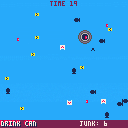
Controls
Z to start. Arrows move the junk bin.
Commentary
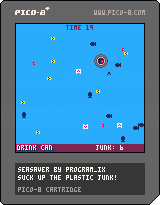
I love the idea of seabinproject.com. Came across it a while ago and although it might be a case of directing resources at the symptom rather than the disease, I have to admire such a simple idea that seems to work so well. (I did take a little bit of artistic liberty in not requiring it be tied down to a specific point by its electric cable, but a free-floating one of these isn't totally fantastical in fairness.)
I have been working on another game and it's not going to happen today, probably not even this week, despite being simple enough in theory. A lot of learning in this other one, and I'm sick, so I decided to 'give myself a break' and 'only' crunch out something small in a few hours.
Enjoy simulating something that would help the world as you play this game! It's rare enough in games, really, but we all need our escapes as well.
(Comments will actually notify me on itch.io, but not here, so I might be slower to respond to comments here, but I love to hear what people think of my games.)
itch.io page: here.


 0 comments



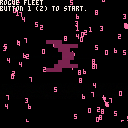
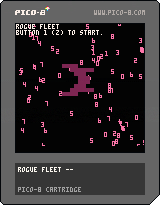
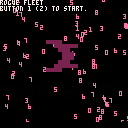
Rogue Fleet is my take on a space shooter. The idea was originally sort of a reverse-Galaga. It'd be pretty fun to be the capturing ship and form a fleet of enemies, right? It could be better, but I'm okay with what it is right now.
Code, art and sound by me.
0 comments


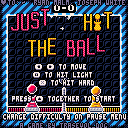
Grab a friend/family-member/stranger, two controllers and it's time to play Just Hit The Ball!
A very simple 2D volley game, kindof!
Finished in time for the last end-of-the-year celebration! (except for the third of the planet that's already in 2018, oops)
I got my grandma to play it, which was unexpected, so I can assert that this game is For The Whole Family!

[b][i][u]Please consider supporting me on Patreon! Thank you!
1 comment

I think I'm good letting this be done now.
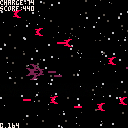
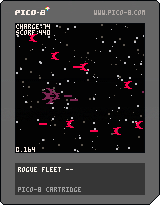
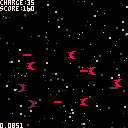
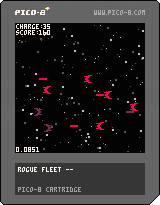
New version heaps on a bit more polish and changed up how charge generates a bit. Now it's slower but gives charge for shooting enemies. I played to the point of the game not being able to keep up, which came much sooner than I thought it would, unfortunately.
 1 comment


* a e s t h e t i c s *
Updated Version with Simon Hutchinson's music!
hit me up on twitter!
This is an experiment that I've made with simple 3D and a 3D simplex noise function!
3 comments







Hi guys, I just discoved a website called indiexpo. It has a nice area called Console. Downloading the indiepad app (still only for android) you will turn your smartphone in a gamepad and can play your pico-8 game using the PC like monitor.
The nice thing is that it's very easy and fast upload a game there and enable the "indiepad feature".
No plugin, no code, no script. When you're creating your page, you have to check "indiepad" and select the keys used in your game.
Very easy and fast.

I already played several games made with pico-8 on it (Find Gold and Kelin). They works very good.
They want to create also an app for Chromecast to play the games there.
0 comments

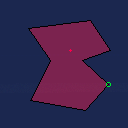
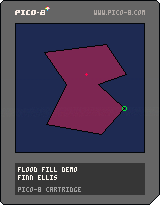
I wanted to see if I could implement a generic flood fill that's fast enough for live use. This probably isn't it; it's fast enough for the demo but maybe not for a quick-moving game, and misses some edge cases. Plus it eats a lot of memory. It was fun to write, though! And it doesn't recurse, it just builds a queue in memory and iterates through it.
How to play with the demo:
- x and z to cycle through the vertices
- arrow keys to move the highlighted vertex
There are two fills happening here; the dark red from the bright red point, and the dark blue from (0, 0). (There's also a white rectangle behind the whole thing, which you'll notice if you move the shape around in a way that keeps the fills from reaching everything.)
I learned how to do the memory stuff from krajzeg's excruciatingly cool lighting engine, which is written up here if you haven't had the pleasure: https://hackernoon.com/pico-8-lighting-part-1-thin-dark-line-8ea15d21fed7
I'm making myself knock it off and go to bed before I solve those last couple of edge cases, but if this is useful to you as-is, please use it! Note that it helps itself to all of the user-defined memory space by default; you can limit it by changing the constants queue_start and queue_size (immediately above the floodfill function), but could in theory run into trouble if you set it very small and try to fill a very weird shape. (I haven't actually done the math on what it would require.)
0 comments

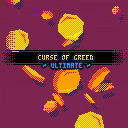
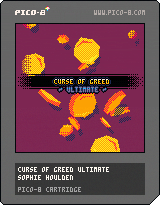
Originally made for Ludum Dare 40, then upgraded a bunch for my patrons, now available for everyone! <3
The vector drawing/animation on the title screen is based on Gabriel Crowe's systems found >here<.
~ Links: ~
Curse of Greed on itch.io
My Patreon - supports things like this ;)
~ Changelog: ~
Curse of Greed - Ludum Dare Release
Ultimate 1.0 - New levels, difficulties, fixes & improvements, title effects
14 comments




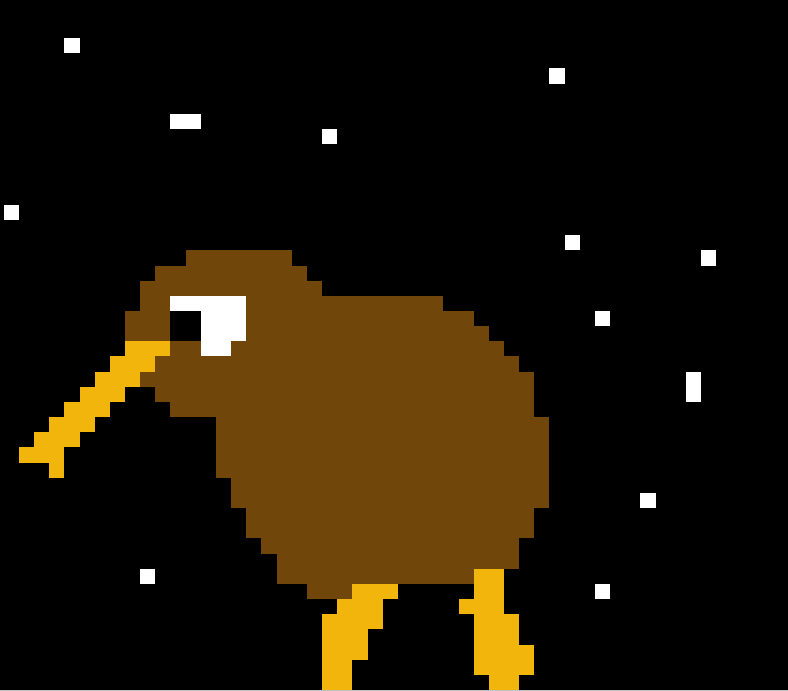
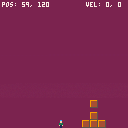
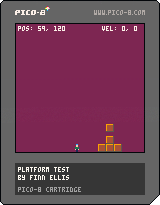
just playing around with some blockdude-inspired platforming.
controls:
left and right to move, x to jump
z to spawn a box
bump into a box + down = push the box
bump into a box + up = pick up the box (the space above it and you must both be clear)
while carrying a box, hold up and tap a direction to drop it
trying to decide if this control scheme is ridiculous or not!
0 comments




 0 comments

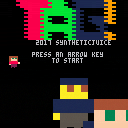
TAG!
The objective of the game is to move the players around the screen without getting tagged or hit by the cannons. The longer you last, the higher the score.
It's best with two players, but it can also be challenging as a single player game controlling both!
Player 1 can move faster than player 2, but player 2 can stop and turn instantly!
0 comments

| How to view in 3D:
Take a pair of sunglasses. Works best at fullscreen in a bright room with dark sunglasses. Control your spaceship with up and down arrows. |
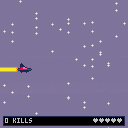
This 3D effect works using a phenomenon known as [the Pulfrich effect], which I learned about from [this video by Tom Scott] that explains it quite well.
0 comments

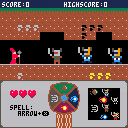
Here is a little game made in less than 24 hours for the CDJVJam https://itch.io/jam/blog-cdjv-jam-1
The theme was "Elements".
Hope you'll enjoy it ! :)
 2 comments


I wanted to achieve this effect with fill patterns for a recent project I started so I figured I'd share it here incase anyone else is interested in using it.
The local fill pattern function is shifting each row/column in the fill pattern by given x and y amount. It's using binary arithmetics and a cache of shift masks.
Here's the original code for version 1.0, takes 126 tokens:
[hidden]
--turns a screen-space fill pattern, into an object-space fill pattern by wrapping the patterns row and column by the given x and y amount.
function get_local_fill_pattern(x,y,fill_pattern)
	local add_bits=band(fill_pattern,0x0000.FFFF)
	fill_pattern=band(fill_pattern,0xFFFF)
	y=flr(y)%4
	if(y~=0)then
		local r_masks={0xFFF0,0xFF00,0xF000}
		local l_masks={0x000F,0x00FF,0x0FFF}
		fill_pattern=bxor(lshr(band(fill_pattern,r_masks[y]),y*4),shl(band(fill_pattern,l_masks[y]),(4-y)*4))
	end

	x=flr(x)%4
	if(x~=0)then
		local r_masks={0xEEEE,0xCCCC,0x8888}
		local l_masks={0x1111,0x3333,0x7777}
		fill_pattern=bxor(lshr(band(fill_pattern,r_masks[x]),x),shl(band(fill_pattern,l_masks[x]),4-x))
	end

	return bxor(fill_pattern,add_bits)
end
|
20 comments






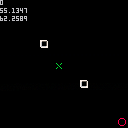
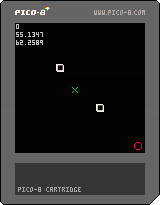
Hello, I'm trying to develop a game in which there will be some enemies chasing the player on a map, and on this map there will be some obstacles.
I know how to code a simple AI in order to have enemies follow the player, by using math trigonometry functions like sine, cosine and arctangent; but I ACTUALLY HAVE NO IDEA about how to code an enemy AI in order to make it avoiding some obstacles on the screen.
Basically I'd like to code a simple AI that could chase the player on the map, but at the right time when it's about to collide with an obstacle could forget for a moment that chase and dodge the obstacle.
Do you have an idea about what I should try to implement ?
At the moment I've tried something very simple that tries to rotate around an obstacles while the trajectory between the enemy and the obstacle and the trajectory between the enemy and the player is equal or greater than 90 degrees. It's a really simple trick but it doesn't work 100% of the time.
This is my code:
function _init()
    -- initialize

    -- enemy
    e = {}
    e.f = 1
    e.x = 0
    e.y = 0
    -- player
    p = {}
    p.found = false
    p.distance_b = 0
    p.f = 2
    p.x = 118
    p.y = 118

    -- columns
    bb = {}
    b1 = {}
    b1.f = 3
    b1.x = 40
    b1.y = 40
    b2 = {}
    b2.f = 3
    b2.x = 80
    b2.y = 80
    add(bb, b1)
    add(bb, b2)
end

function object_collide_with(x1, y1, x2, y2, gx, gy)
	-- checks if an object has collided
	-- with another object, then calculated
	-- the angle between the ball and the other object

    -- gx = gravity horizontal center
    -- gy = gravity vertical center

    if (gx == nil) gx = 4  -- 8x8 --> 8/2
    if (gy == nil) gy = 4

	--local bump = c1 and c2 and c3 and c4
	local distance = sqrt(((x2+gx)-(x1+gx))^2 + ((y2+gy)-(y1+gy))^2)
    local angle = atan2((x1 + gx) - (x2 + gx), (y1 + gy) - (y2 + gy))
	local direction = flr(angle * 8)
	return distance, angle, direction
end

function player_collide_with(x, y, w, h)
	-- checks if the player has collided
	-- with another object, then calculated
	-- the angle between the ball and the other object

	return object_collide_with(p.x, p.y, x, y, w, h)
end

function distance_between(x1, y1, x2, y2)
	-- calculates the distance between two points

	return sqrt((x2-x1)^2 + (y2-y1)^2)
end

function check_player()
    if (btn(0)) p.x -= 1
    if (btn(1)) p.x += 1
    if (btn(2)) p.y -= 1
    if (btn(3)) p.y += 1
end

function _update()
    check_player()
    p.found = false
    local distance, angle, direction
    -- check the distance from the target
    distance, angle, direction = player_collide_with(e.x, e.y)
    for i, b in pairs(bb) do
        local distance_b, angle_b, direction_b = object_collide_with(b.x, b.y, e.x, e.y)
        if distance_b <= 10 and abs(angle-angle_b) < 1/6 then
            angle_b += 3.1415/240
            e.x = b.x - cos(angle_b) * distance_b
            e.y = b.y - sin(angle_b) * distance_b
            p.found = true
            break
        end
    end
    if not p.found then
        e.x += cos(angle)
        e.y += sin(angle)
    end
    if distance_between(e.x, e.y, p.x, p.y) < 8 then
        -- reset if the enemy touches the player
        e.x = 0
        e.y = 0
    end
end

function _draw()
    cls(0)
    for i, b in pairs(bb) do
        spr(b.f, b.x, b.y)
    end
    spr(p.f, p.x, p.y)
    spr(e.f, e.x, e.y)
end
|
6 comments


