


Hi,
I'm working on the topics for picoscope 2017 (in april). I love to code, so I will speak about about tables, object oriented programming, using functions in variables, converting arguments to an array (and an array to arguments), events...
You will find samples in these cartridges.
The last event we were involded, was a great success (Roc'n Stick in Niort, France).
Pictures of the PICO-8 workshop, march 25th
I hope I will see you in the next coming weeks ;-)


Events...


 0 comments

This is a tiny event system, sometimes called a "message bus"; or "bus" for short, and carries a similar API to the likes of the NodeJS Event Emitter - stripped down to the bare essentials: on, off, and emit
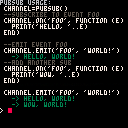
Usage:
--create a new emitter with the pubsub() function
emitter = pubsub()

--listen to an event
emitter.on("foo",  function (e) print('foo'..e) end )

--fire an event
emitter.emit('foo', { a='b' })

--working with handler references:
function onFoo() end
emitter.on('foo', onFoo)   // listen
emitter.off('foo', onFoo) // unlisten |
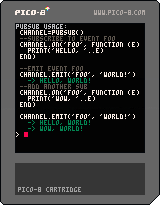
DEMO
 2 comments



Hi, sorry if this is a stupid question because I'm not really a web developer but I've hosted my game on my own site and it doesn't behave the same as the same game hosted here. Desktop is fine but on mobile, the on-screen touch controls are missing and I have to pinch to zoom to get the game to fill the window while on here it fits neatly even without using full-screen mode.
Can someone point me in the right direction? I'd like my Pico8 games pages to be mobile-aware.
I don't know if this is something I need to change with the export or what. I'm game to learn "proper" web development....I know some basic HTML and that's it but I'm up for getting my hands dirty if someone can point me in the right direction.
Also as an aside, I couldn't figure out how to post here without switching mobile Chrome to the desktop version. You can't seem to post otherwise.
7 comments






Hello there,
I am playing the music from a function called intro.
This function is run in the update loop.
When the game state is intro then intro is showed and this is the moment I'd like to hear some music.
Problem is that the intro function is called every time the update loop restarts and therefore the music restarts everytime producing a choppy noise.
How can I solve this issue?
My code is available here:
https://github.com/ltpitt/pico-8-pong/blob/master/pico-8-pong.p8
Thanks for your time and help :)
6 comments



My apologies if this was answered before, search didn't find me much...
Making maps in the IDE is frustrating, especially when they're big, full-width kind of things.
Is there anyway to import a tile map?
Like building it in a text editor and then pasting it in or something. Just the constant zooming/dragging is a mega pain.
2 comments


The only thing i have missing is some screen keys on mobile, i see that the pico page does it when you want load the carts... is this functionality available for us??
Thanks for the thoughts.
2 comments




Hi all,
(I am very aware that this is almost certainly a very stupid question, but if you don't ask...)
Does anyone know if it is possible to take some string content and convert it to functional/executable code in PICO-8/Lua?
[BACKGROUND]
I have LOTS of objects (tables) that all have their own, unique functionality. So unfortunately, there's little potential for sharing data/functions.
For example, many objects like this:
object_1 = {
    name = "my object #1"
    x = 8,
    y = 4,
    states = {145, 146, 147},
    action = function()
        -- code specific to this object here...
    end
}
|
But as I don't need all these objects to exist at the same time (and could REALLY do with saving some tokens!), I'd like to somehow store these objects + functionality, e.g. within strings.
Then at a later time, restore these back into true objects/tables again.
Something like...
local my_stored_func = "function() -- code specific to this object here... end" local my_real_func = restore_function(my_stored_func) -- now execute the code my_real_func() |
6 comments

.png)

On the web player, if a cart plays any sound in the very beginning, right as it starts, that sound seems to always get cut off.
e.g.: https://www.lexaloffle.com/bbs/?pid=11255&tid=2020
The same cart when played from the native player does not get its sound cut off at the beginning.
(I don't remember if it was always like this or if this was introduced at some point. I noticed it a while back when I posted this music visualizer; I had to add a delay at the start, as a work-around to avoid an unpleasant cutting off of the first note.)
I don't know anything about web audio so feel free to ignore this next part, but it seems like since there is already a boot screen intro before a cart starts, if there's some sort of audio buffer initialization that could be done there before the cart starts producing audio, that would be a perfect way to seamlessly fix this issue.
EDIT: I should add that I use Chrome on Linux and I have no idea if it happens on other OS/browser combos
1 comment

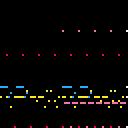
If you don't know who Dainumo is, you should really check out his music over on his Soundcloud. This is a small cover of his song 2100 A.D. which has a very funky tune. I recommend listening to the original too. The cover itself isn't finished, but I would like to know if you would want me to finish it before going back to this project. Let me know what you think of this cover in the comment thread. Thanks for listening. :D
Code for Piano Roll is from Kittenm4ster.
0 comments
I know this isn't strictly speaking Pico-8 related but I'm not much of a programmer and I get the feeling that a lot of the clever techniques that I see used here are...um...algorithmically standard things in terms of doing 2D graphics and movements and things like that and can probably be used in any 2D game programming language/library.
Does anyone know of any 2D gamedev resources to learn more that explain the math/algorithms involved in simple 2D games and effects? I've done exactly one game in Pico8 and it took a very long time because I don't know how to implement things that appear to be standard 2D videogamey things. Absolutely everything I know about game programming is in that game and it's basically just Pong (again).
Sorry for the off-topicness and potentially vague question.
7 comments


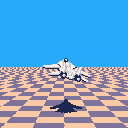
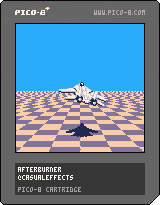
This entire cart is 243 characters (plus six sprites). The code is just:
k,f,q,b=64,0,sqrt,btn x,y=k,k::a::cls(12)for j=3,k do s=j/4 sspr(q(q(s))*16-f%8/4,1,k+k,1,k-j*32,k+j,k*4*s,1)end r=b(1)p=22 if(r)x+=2,p=16 if(b(0))x-=2,p=16 if(b(2))y+=1,p=k if(b(3))y-=1,p=70 spr(28,x+8,99,4,2)spr(p,x,y,6,3,r)flip()f+=1 goto a |
It was a successful attempt to code the basics of a game in two tweets. There's actually enough room to clamp x and y to the screen. I hope someone will use this as a starter to make a real game.
10 comments







Maybe it's just because it's late and I'm a bit fried...but hoping another set of "eyes" can help me think about map numbers.
I'm making another shmup. I have a map that is full-width and full-height (16,64) serving as the background. I have the map moving down with viewport being the bottom 16x16 of the map. So the initial map placement on screen is 0,-384
map(0,0, 0,-384, 32,128) |
I have a bunch of flagged sprites in the map that can be hit by bullets. I know how to use fget+mget to check the sprite flag.
The issue I'm having is how to get the x/y of the map tile while it's moving.
I know I need to use the bullet's x/y but I don't know how to match that up to the tile on the map that is scrolling by. I'm guessing it's some sort of offset(?) but I don't know what that would be or how to calculate it into a map tile position.
I'm moving the map down by .25 each tick. It's something that I need to track when a map row goes off the bottom of the screen or something...I dunno...my brain hurts. If you think of something, please share...maybe this will make more sense by lunchtime tomorrow :)
mapy=-384 function _draw() cls() map(0,0, 0,mapy, 32,128) mapy+=.25 end |
4 comments



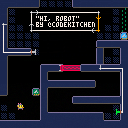
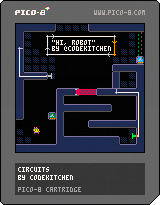
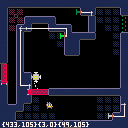
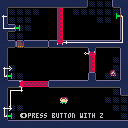
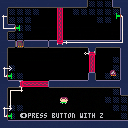
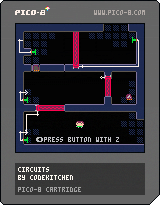
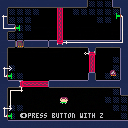
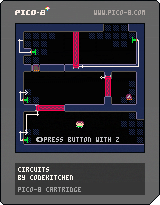
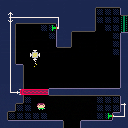
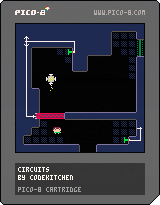
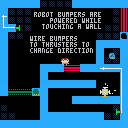
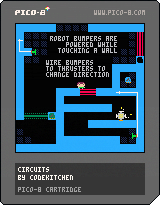
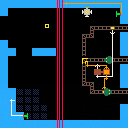
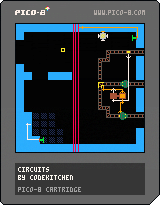
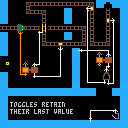
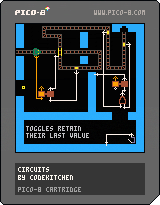
I loved these old "programming" puzzle games in the Apple II era, like Rocky's Boots and Robot Odyssey. I thought it seemed like a good fit to do something similar for pico-8, since unlike most programming games we don't need full keyboard input, we can get by with just two buttons.
Older versions:
 23 comments





Hey, fellow Picos.
I am currently working on a book aiming to teach kids code games with PICO-8. Target audience is aged 8-14, so it will be a quite slow, careful approach suitable for all kinds of beginners, not just kids. I am writing it in both english and german (will have to have the english proofread though) and plan to initially fund it on kickstarter.com.
I would love to showcase some of the bestlooking games in it to show what's possible with Pico, will be going to approach some of you eventually to ask for your permission.
I have been teaching game development for kids for some years in a primary school and currently teach marketing- & management-students to make games using Pico.
If this sounds interesting to you, I'll keep you posted in here.
Best,
Tassilo
20 comments





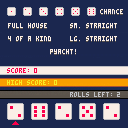
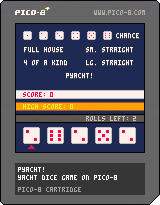
Like Yahtzee, but nacht—I mean, not. The rules slightly differ from Yahtzee. You can read about it on Wikipedia here.
Controls
[o]/z: hold die/select scoring category
[x]/x: roll
left/right: choose die and scoring category
up/down: switch between rolling and scoring
I made this a while ago, but never made the finishing touches (like a title screen). I still haven't, but I thought I'd upload it anyway.
0 comments

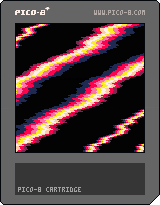
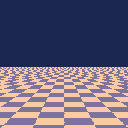
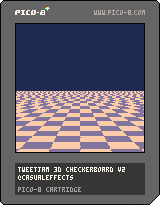
Here's the whole thing:
k,i,q=64,0,sqrt cls(1)memset(i,223,k)::a::for y=3,k do s=y/4 sspr(q(q(s))*16-i%8/4,0,k+k,1,k-y*32,k+y,k*4*s,1) end i+=1 flip()goto a |
Leverages memset for the checkerboard, piggybacking off some code for the background rendering in my upcoming PLAT4MER cart.
6 comments



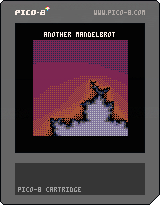
Why settle for single renderings of a Mandelbrot when we can smoothly zoom in?
Features:
--Dithered Palette Animation
--Smooth Bilinear Zoom from sprite buffer
--Background Rendering of Mandelbrot into a (third?) buffer
The way this works is that we graphically zoom into initially rendered view of the Mandelbrot from the sprite buffer. While doing this, we are drawing the next level of Mandelbrot zoom into a second background buffer. When it's done, this gets copied into the zoom/sprite buffer. Lather, rinse, repeat.
Overall, a neat effect I think. Though, I wonder if I should trade the (more or less) smooth frame rate and dithering for less chunky pixels.
Also, I realize that I am awful at spelling "Mandelbrot".
-Electric Gryphon
3 comments
