




Sanic Rick 0.1
Collision is now "perfect".
Fully commentated code for beginners to see and think about.


 0 comments

FEATURES INCLUDE:
(The point of the game is to see how long you can play before killing yourself out of boredom) |
Version History:
39 comments












For your games, you could have to manage a score greater than 32768 (I like games were I can score millions), and often, you want the score displayed in a fixed length, prepended with zeros (00072635).
But managing this can consume lot of tokens.
I came accros a solution I'm quite proud (I'm still learning Lua...) and wanted to share.
In Lua, if you do : "the score is "..score , score is converted into a string and then concatenated to the first one.
So to convert a number into a string, you just have to write : ''"..score
I wrote a recursive function that takes a string and a number (the length) and returns a string padded with zeros at its beginning to reach the desired length :
function pad(string,length)
  if (#string==length) return string
  return "0"..pad(string, length-1)
end

score=723
print(pad(""..score,7))  -- will display 0000723
|
Elegant and thrifty, isn't it ?
Then, you can use two variables, score2 will store the 10 thousands, score1 anything under 10000
each time your player scores something, you add it to score1 and you test if it's above 9999 :
if score1>9999 then
    score1-=9999
    score2+=1
  end
|
5 comments



Hello, i'm coding a character movement but it don't work, why ? :(
Code :
function _init()
	hero = {}
	hero.x = 64
	hero.y = 64
end

function _uptade()
	if btn(0) then
		hero.x = hero.x - 1
	end
	if btn(1) then
		hero.x = hero.x + 1
	end
end

function _draw()
	cls()
	spr(0,hero.x,hero.y)
end
|
my character don't move :(
2 comments


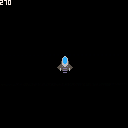
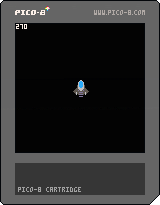
A howto about rotating a sprite around its center...
Use left and right arrows to spin the sprite.
53 comments







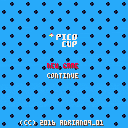
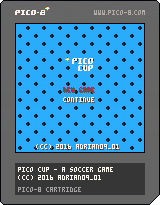
Pico Cup
Pico Cup is a game about European football/soccer. Do penalty kicks and shoot goals. Hear the crowd cheer. You're the player. The fate of the team depends on you. Don't fail and make your favorite team win the cup.
Controls
Arrows - select options, kick ball
Z - kick ball up-left
X - kick ball up-right, accept team selection
2 comments



Right now you have to mark the start of video recording and then save.
Often I kind of want to save the last several seconds of footage. Sort of like a replay.
It would be great if it was always recording and I could just dump the last several seconds.
6 comments





Hi, for a game I'm working on, you can choose between two characters. But I dont have enough space to store the two characters in the same cart. I was thinking about releasing two carts, each one with a character.
The issue is that a given thread in the BBS only show the most recent cart in the "splore" of Pico 8.
Do I need to make two separate threads then ? Or is there a way to show or choose what cart is shown in splore ?
I could also try a multiple cartridge thing, like with a main cart with a selection menu, and two cart for the characters. But I dont think it work in web player or in splore. You would need to download the 3 carts manualy.
Is there a better idea than two separate threads ?
4 comments


I am seeing some strange things using Pico8 on my Raspberry Pi 3.
When using the code editor I notice that random text will "leak" through to applications outside of Pico8. I had my IRC client open and when I was done working with Pico I noticed I had spammed 3 of my open IRC channels with random code from my Pico8 program.
I also noticed that a bunch of random applications were open as well that were not before I started using Pico8.
I am using Raspbian Jesse. I may try a different distro and see if I get the same results.
Can anyone shed any light on what is going on here?
Thanks
0 comments

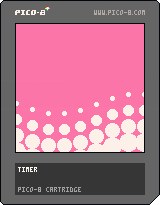
Accidentally found a fun wavy transition effect while screwing around with math.
I added nice comments to the source. Try pulling it down and tweaking the values to see if you can make it even cuter-looking.
--timer t=0 function _update() --increase timer t+=0.05 end function _draw() cls() --this crazy bit loops through --limited background colors, --and changes it when the --screen is covered with white local c = 12 + ((t-2.55)/4)%4 rectfill(0,0,128,128,c) for i=0,8 do -- column loop for j=0,8 do -- row loop --x positions are snapped --to 16px columns local x = i*16 --this number sweeps back --and forth from -1 to 1 local osc1 = sin(t+i*0.1) --this number also sweeps --back and forth, but at --a different rate local osc2 = sin(t/4+j*0.03) --y positions are influenced --by one of the sweepy --numbers local y = j*16 + osc1*10 --the circles' radii are --influenced by the other --sweepy number circfill(x, y, osc2*15, 7) end end end |
2 comments

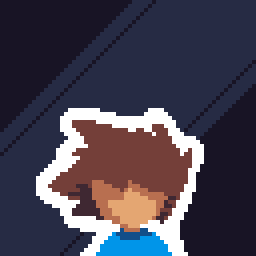
Menu opens when I press key that i have mapped to left cursor?
Here I am using software to map some extra buttons on my controller to left cursor and right cursor.
But I have also had this happen when not using my controller.
See this video.
Seems that if there are two controls happening at for the same key it fires both rather than only one. Hmm.
1 comment

Hi,
I'm using coroutines very successfully in my battle system. The only drawback now is, that coroutines don't stop the game, nor do they throw or show any errors. This is very, very unpleasant, as I'm having some of my core logic in there. If there is an error, the game simply stops, because it expects a result in a table. I don't have any hint what went wrong in that case and debugging this takes a lot of frustrating time - any chance to fix that?
8 comments



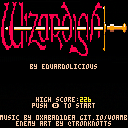
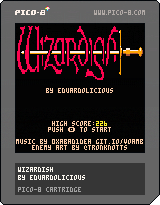
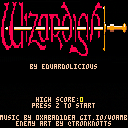
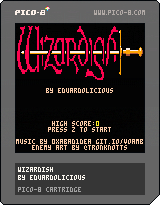


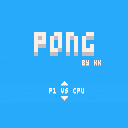
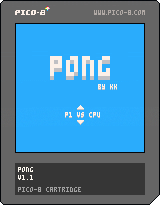

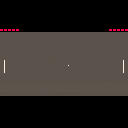
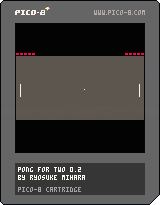
2-player Pong game. I made this so that it can be enjoyable on Pocket CHIP.
Controls
[Left Player]
arrow up / arrow down
[Right Player]
z/x
or
e/d (P2: arrow up / arrow down)
Updates
v.0.2
- Modified paddle length and ball speed
- Added screen shake
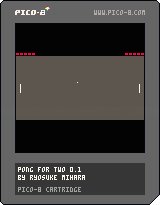
Older Carts
 1 comment







I do not have Flash installed, and Adobe are recommending people uninstall it as it is now officially dead.
So, could the YouTube embeds please use the HTML5 method?
http://www.htmlgoodies.com/html5/other/theres-more-than-one-way-to-play-embedded-youtube-videos.html
--youtube
3 comments

The bugs:
- The pink status bar in the sprite editor is a pixel smaller in "full screen" (tab button) mode. You can also see this if you press F6 to take a screenshot in that mode, which will briefly make the status bar a pixel bigger again just to alert you of the saved screenshot. Maybe the editing area could be pushed up a pixel and a gray line added above the status bar so it matches the layout of the map editor.
- For some reason, on new projects SFX 00 has SPD set to 01 but all the other SFX have SPD set to 16. Not sure if this a bug or intentional, but it's still a strange but annoying inconsistency.
- In graph mode on the SFX editor, you can't choose a C note in octave 0, as the lowest it lets you click is C# in octave 0.
- In tracker mode, only the C note in octave 5 can be accessed without manually changing the octave number. 9, O, and 0 could be mapped to C#, D, and D# (respectively) in the higher octave. An E note should also be added to octave 5 and the E note of the higher octave should then be mapped to P to make the keyboard mappings feel more complete. Besides, it'd feel strange just having the right-most mapped key on the top rows of keys being mapped to a sharp note.
1 comment