


Got the controls sorted out, and redid how I store the block shapes. My original idea about a piece rotating about a point didn't match up with what Tetris did. Started playing around with animations a little bit. More to think about on that one.


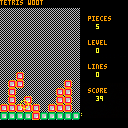
Works on my machine - crashes here saying a syntax error on Line 12. Looks like some kind of preprocessing found a -- inside a string and tried to comment out the rest of the line.
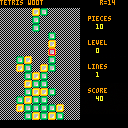


 4 comments


Thought I'd start a thread for other azerty users documenting what works and doesn't, and let Zep knows he has at least one guinea pig handy for testing :D
So, what works:
- code input is mostly fine, keyboard is recognized in azerty mode with a few caveats
- "game mode" (when running cartridges) changes the input to qwerty (Z is remapped to W, Q to A...) which is actually cool since we get the same layout as qwerty users for playing.
What doesn't:
- accented vowels ("é","à","è"...). Those glyphs aren't available in pico-8 anyway afaik.
- several potentially useful glyphs: "&", "#","|","`","\","@","$",";". Those can be cut/pasted from a text editor.
- curly braces "{}" and square brackets "[]". Can be cut/pasted as well.
TL;DR: Pico-8 is mostly usable for AZERTY-using devs (as long as you don't mind a bit of copy/pasting), and you can play the games without issues.
4 comments






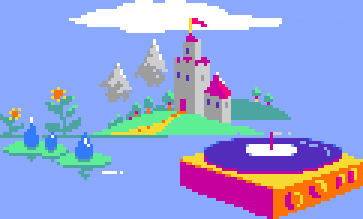


I've been designing some gradient palettes for various materials and wanted to share them here for inspiration.
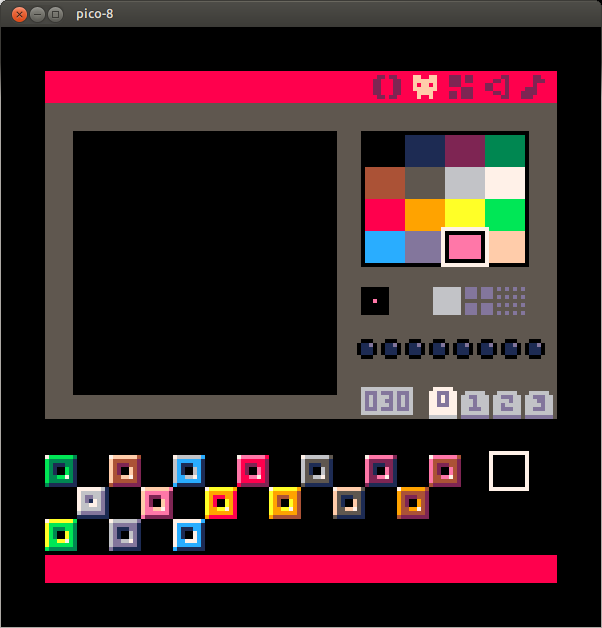
got anymore ideas what to do? It seems especially blue leaves very little options...
1 comment

While experimenting with translating some "Zelda - Link From The Past" tiles into pico, I noticed that a lot of sprites save memory by mirroring the left half to the right one.
While the API allows drawing sprites mirrored along the x-axis, the map editor only permits one tile direction.
Would it be possible to add the ability to mirror sprites to the map editor as well?
1 comment



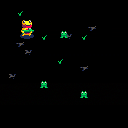
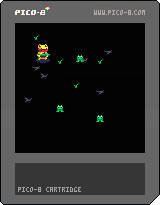

Because PICO-8's Lua has no standard library, there is no way to get the length of a string, which means there is no way to (dynamically) center (an arbitrary string of) text when printing (unless I'm missing something :)
It would be nice to have either a len() function to get a string's length, or a way to ask print() to center text.
12 comments




Right now it is possible for people that don't own pico-8 to play games through the web system. Will it ever be possible to send people standalone pico-8 games that run on windows / mac without them purchasing a copy of pico-8?
4 comments
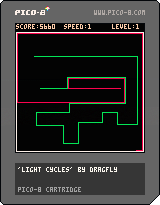
Hi,
I just discovered the Pico-8 virtual console yesterday. I love the concept of a very constain console, and the presence of a fully integrated development platform.
It will be a fun way to create mini-games and prototype puzzle games.
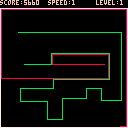
For testing purpose, I just wrote a 'light cycles' game.
You can use the cursor keys to move around.
At each level, either there is an additional competitor or the speed of the game is increased.
Sorry, no sound nor fancy graphics for the time being.
1 comment

I've been thinking about how PICO-8 could provide very primitive 3D software rasterization capabilities that remain within the spirit of the system. These are just goofy ideas, please feel free to bury them if they're too far outside the project scope, but I had to at least write it down once.
In any case, it should be possible to implement nearly all of the features below in a cartridge.
Following things need to be implemented in order for this to work:
- Mesh ROM
- Mesh editor
- API functions
- Z-buffer
Mesh ROM specs:
- 128 meshes (or less? animated meshes are considered here)
- per mesh: 16 vertices, 16 quads (96 bytes)
- index of 8x8 sprite to use as texture / colormap
- Vertex format: 3x(0..7) position
- Quad format: 4x(0..15) vertex index, 2x2x(0..7) uv rect (x1,y1,x2,y2)
0 = no quad
The editor would get a new page with an editing view (64x64) that supports two modes: mesh editing and uv editing.
mesh editing:
- The view supports free (orthogonal) rotation to preview the result and select obstructed vertices/faces.
- An extra label displays the index of the selected vertex or face.
- A toggle switches the view mode: textured / wireframe.
- left-double-click creates a new vertex.
- left-click selects a vertex or a face (depending on proximity of cursor to edge of face).
- right-click on a vertex begins to build a face; 4 vertices of which at least 3 are unique need to be right-clicked in succession to complete the face; right-clicks that don't hit vertices are ignored. a left-click will abort. If the 4 vertices already comprise a face, the operation has no effect.
- left-drag moves the vertex or face (all vertices of the face) along the orthogonal plane that's best facing the camera (dot product of view normal and plane normal closest to -1). That way no explicit orthogonal view is necessary. If a vertex is moved onto the position of another vertex, the vertex will be reset to its original position. That way, overlapping vertices are avoided.
- right-drag orbits the camera around the center, and implicitly selects the plane along which vertices and faces will be moved when editing.
- DELKEY removes the selected vertex or face. face removal does not remove vertices.
- the mesh can be copied/pasted to other slots in order to facilitate the creation of animations.
uv editing (allowed when a face is selected):
- The view shows the default 8x8 texture for this mesh, with a rectangle indicating the region that the active face will be mapped to. If only three vertices of the face are unique, the face will be a triangle (x1,y1 - x1,y2 - x2,y1).
- Per default, the face is mapped to the entire texture.
- x1,y1 are rounded to the upper left edge of the texel, x2,y2 are rounded to the lower right edge. That way, a single texel can color the entire quad.
- An extra panel allows selecting the default texture this mesh will use.
- left-drag draws a new rectangular bounding box for the quad. A simple left-click selects a single pixel as the quads texture.
The API gets 6 new functions:
clsz()
- clears the z-buffer to 0 (see Z-buffer notes further below)
zget(x,y)
zset(x,y,z)
- get or set the z-value of a z-buffer pixel.
camera3d(<x>, <y>, <z>, <m00>, <m01>, <m02>, <m10>, <m11>, <m12>, <m20>, <m21>, <m22>,
7 comments




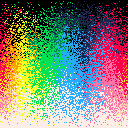
An approach to dither the colors of the HSL colorspace with the 16 built-in colors. I settled for a randomized dither. You can download the source by clicking on the icon & saving the png.
0 comments

While trying to make a "cycle" function that would wrap the value into a range, I have noticed an odd thing about the "%"-operator -- it seems to be trying to do some wrapping on it's own. And that would be okay (so long as it's documented), however:
1%3 == 1
2%3 == 2
3%3 == 0 (this makes sense)
0%3 == 0
-1%3 == 2
-2%3 == 1 (okay, so it goes back, right?)
-3%3 == 3 (fooled you.)
Such inconsistency (-x%x returning x) can be rater bothersome for multiple use cases, as "%" implies that the return value can not be larger or equal to the second argument.
I suppose that this is due to implementation being something like
return x < 0 ? (x % y + y) : (x % y); |
while it should have been around
auto r = x % y; return r < 0 ? (r + y) : r; |
1 comment
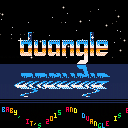
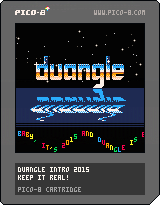
This is kind of a parody of old amiga cracktros from a parallel universe, where duangle is a demoscene group, and so are all the people in the greetings!
1.1: added new greetings
9 comments







Save humanity from extinction:
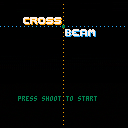
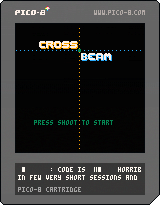
Shoot and Cross your beams to destroy invaders!
- Up/Down to move BLUE shooter
- Left/Right to move YELLOW shooter
- Their intersection is a GREEN beam
- Z to shoot
- Kill the enemies with the righ beam color or they will spawn 2 other enemies! (killing a blue or yellow enemy with the green intersection = fail)
POST YOUR HIGH-SCORE
Feedbacks appreciated :)
Updated : added music made with a friend. Only problem : I forgot that I had SFX and he made a 4 channel music :s so I had to mute the drums... (at least I will not do that mistake again)
This is my first game with pico8, it was a lot of fun to do! I don't have a lot of spare time and Pico8 allows very short code/creation sessions! Thanks Zep!
9 comments



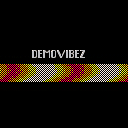
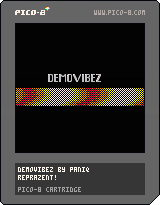
This is my first cartridge, a tiny self-running intro with music that does a dithered sinus effect. This started as a fullscreen effect but I had to reduce the amount of pixels to fit the CPU limit.
ph34r!
0 comments
So I finally had some time to play with Pico-8 yesterday, and wrote two tiny cartridges, and instead of spamming zep on Twitter I thought it would be more useful to post my thoughts here, in order of appearance.
-
Jelpi is a pretty impressive demo, i love everything about this handheld console that never existed :D
-
There should be a version of the manual that looks like a 90's devkit manual black & white hardcopy, with a serious layout like the devkit cost $10k. But this is a bootlegged copy of the manual, so it got xerox smudges, is not fully level and is obviously copied right out of a bound book, and right on the first page it says stuff like "FOR YOUR EYES ONLY. YOU ARE CONTRACTUALLY BOUND TO NOT DISCLOSE ANY INFO" etc. On the second page there's a pompous introductory text from the company founder that flaunts the pico-8's luxurious capabilities, telling you how you can be proud to be able to develop for this console and how it's lightyears ahead of the competition. The manual is not even a full copy, it seems like it's just the most important pages copied out; the pages are numbered like 110-112, 351, 430, with paragraphs that make reference to appendixes that don't exist ("see Appendix E for chipset layout").
-
It's obvious that this pico-8 firmware is the devkit, which starts with a prompt. I imagine a "consumer device" would boot right into the cartridges. :-)
-
First I thought Lua's numeric type had been downgraded to signed short, but then I realized it's actually fixed point 16bit for both integer and fractional part. Very cool.
-
I'd remove all references to Lua and give this language a different name, e.g. Picoscript or Picolua; otherwise I'd just expect everything to work the same way; it's sufficiently different, i think. Considering how all the commands are named, PicoBASIC seems most fitting.
- I thought that it would be more useful to arrange the palette in a way that makes the 4-bits more significant (e.g. LRGB), similar to how the default EGA color palette is arranged. In EGA, bit 3 effectively changes brightness (sort of) without altering hue, that allows for very easy lighting tricks. The numeric bits correspond to RGB, so you can fake additive light effects with simple bit twiddling. Here, i'd ultimately do it with a lookup table; I guess it's too late to change it anyway.
16 comments