


So i read the manual, watched the tutorials and also looked at the [keys] section under https://neko250.github.io/pico8-api/.
Problem is that i cannot find basic keyboard inputs, let's take the waveform editor. You click a note. You accidently click too high or too low, so you have to precisely align between the other notes before you can 'fix' it, and that requires carefully not moving right or left (or else it will affect the other notes).
I use a high dpi mouse on a pro gaming surface and i slowed down my cursor, still is tricky. Aren't they controls like Shift+Up to go higher tone, or anything of that nature?
Note: the same is true for most editors includied in Pico. In order to be productive we need to have more shortcuts.... or am i missing something?
== UPDATE ===
Making matters even worse, some shortcuts do not even work at all. Speed using < or > ? yeah right. Not a mac osx .
== UPDATE2 ===
Reading through the manuals and forums, the absense of < >, snap to Cm pentatonic but more important the complete absence of 'backspace' (and therefore the ability to delete notes)[b]


 3 comments




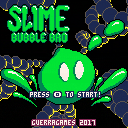
Slime Bubble Bro is a fast action platformer arcade game.
Objective:
You are the Slime Bubble Bro and your mission is to save Slimette from the evil clutches of the Skeleton Gang and their minions!
Instructions:
- <x> to jump, <z> to shoot
- Bubble up your enemies until they explode
- Push bubbles around to chain their explosions and get more points
- Bosses can't be bubbled, but you can use their minions to do more damage
26 comments










Hey guys,
I'm new to Pico-8, and I love the general concept of this! I'm already in the middle of some cool development.. and hit all the borders: compressed code size exceeded, out of memory in the late game, and generally high cpu load in the late game.
For memory profiling, I use a function to recursively count the elements in a table. This is good enough for that task.
The question is how to do cpu profiling in pico-8? The goal is to identify the parts of the code, which use up most cpu time. Something like this would be sufficient for me:
function oh_this_might_take_long()
    local start = time()
    -- .... do some intensive stuff ....
    printh("this took "..(time()-start).." seconds")
end
|
However, this would not work out very well, because time() is too inaccurate. It increments in steps of 0.03335. This is the duration of one frame (1s/30f = 0.03335 s/f), so time() does not help with this.
Any ideas on how to do cpu profiling on pico-8?
thanks,
sulai
2 comments
You can use this function in your program to do some basic memory profiling. Given the limit of 1MB memory for Lua variables, a little profiling will be much needed for many of us ;) It will return the amount of all elements of a table, including the content of sub tables.
It will not show the actual amount of bytes used, would be interesting if there is a way to calculate that? But you can use this as a rough estimation and check if your optimizations show any effect on the table size.
table={}
function table.size(t)
	local size=0
	for k,v in pairs(t) do
	 size+=1
	 if type(v)=="table" then
	 	size+=table.size(v)
	 end
	end
	return size
end
|
1 comment

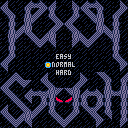
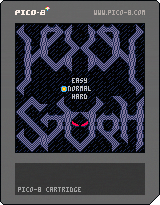
Description:
A classic-inspired jump'n gun with:
- nonlinear level layout
- a good number of enemy types
- a few bosses
- a couple of (not-so) secrets
- a cheesy story
Controls:
- Left/Right: move
- Z shoot
- X jump
- Up: something something
Details:
The game is rather short, meant to be experienced in Normal or Hard difficulties, but I've included an Easy mode with unlimited hitpoints to allow anybody to finish it by brute force (you'll even get the good ending when finishing the game this way, but you'll feel cheap inside :)
Progress is saved as long as the cartridge is not reset/reloaded so if you collect an item or kill a boss, you won't need to do it again, despite restarting the game at the beginning.
This is my first Pico8 cartridge, and probably last. It started as the Ghosts'n Goblins homage I've always wanted to make, but turned into something else as I started to deal with map/sprite size limits. I had a lot of fun making it, especially the art, but the strict limits on tokens and code size made the lazy programmer in me cry :-}
Tips:
- Enemies are deterministic and follow simple patterns, try to learn them.
- Bosses are only vulnerable in the head.
- After killing the first boss at the Cathedral entrance, you have to go back to the Cemetery and cross the open door below where you started.
- You can break some ground blocks (the brown ones with yellow dots) by shooting them.
- You need to get the 4 orbs to summon the second boss.
Changelog:
v0.999rc
- Fixed bridge area (player could get stuck in Easy)
- Fixed non-looping music
v0.99rc
- Added music during gameplay
v0.99
- Various collision detection fixes
v0.93 (Hall'o'ween)
- Halloween sprites
- Rebalanced small details to account for player feedback
v0.92:
- Repositioned enemies
- Made first backtrack/shortcut more obvious
v0.91:
- Fixed item lost after respawn
- Added visual hint to second/third screens
Known bugs:
- You can get stuck in walls at screen transitions when jumping (move backwards to get unstuck)
- Quite rare missed collisions with ground
14 comments






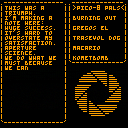
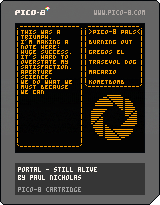
Here's my PICO-8 tribute to my favourite end-of-game music, "Still Alive" from Portal.
I also replaced the original credits with some shout-outs to the PICO-8 community! ;o)
Hope you like it and don't forget: the cake is a lie!
(P.S. - The original game music was done by Jonathan Coulton)
References used:
39 comments







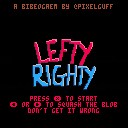
Hello! I knocked up a port of my game Lefty Righty, which is basically my "Hello World" whenever I pick up a new game engine. :)
1 comment
-- converts anything to string, even nested tables
function tostring(any)
	if type(any)=="function" then
		return "function"
	end
	if any==nil then
		return "nil"
	end
	if type(any)=="string" then
		return any
	end
	if type(any)=="boolean" then
		if any then return "true" end
		return "false"
	end
	if type(any)=="table" then
		local str = "{ "
		for k,v in pairs(any) do
			str=str..tostring(k).."->"..tostring(v).." "
		end
		return str.."}"
	end
	if type(any)=="number" then
		return ""..any
	end
	return "unkown" -- should never show
end
|
Example usage:
> print(""..tostring({true,x=7,{"nest"}}))
{ 1->true 2->{ 1->nest } x->7 }
|
5 comments

I'm trying to do some table trickery with the __newindex() metamethod, but I can't actually create a new entry in the table from inside of it unless I nil-ify the __newindex key first, because it'll just recurse back into it when I try to set something.
Supposedly, we're meant to use rawset(t,k,v) to create keys safely while inside there, but we don't have access to that on pico.
@zep, is there any chance you could give us access to rawset() in the next version, so I can do this properly? Setting the metamethod to nil and then restoring it just feels horribly inefficient and klunky, since it triples the work needed when I first set vec.x=123. I hope this is just an oversight in the list of exported Lua features.
Edit: Apparently there's a rawget() too. I should probably ask for that as well.
Please? :)
PS: Also, since I'm being all greedy anyway, next() would be nice too. ;) But not as important.
1 comment


Hi, so I bought a pocketchip just to run pico8 and i was a bit disapointed that it doesn't run near as well as i expected (stutters, slows down, etc).
Are you guys aware of something else? I love the concept of the arduboy which dedicates 100% of its very limited resources to the game it runs. I'd love something like that but for the pico8, or at least as close as possible (maybe a super light distro that boots straight in pico8 with all 'extras' removed?
Thank you.
15 comments






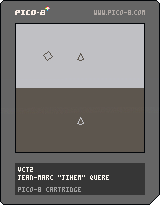
This a code sample of splitscreen in pico8 to allow 2 players to play on the same screen (and go where they want).
Enjoy :-)
0 comments
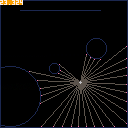
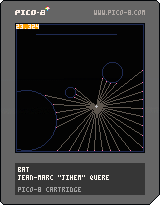
This cartridge is an exploration about 'how to show things to the player'.
Arrow keys to move, [O] button (usually Z/W key on qwerty/azerty keyboard) to change the view mode.
Sometime, I just make pico stuffs for the pleasure to scratch my head... :-)
7 comments

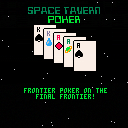
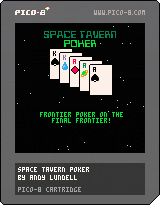
(Updated March 2025)
[box=ccffcc]You are Pat Blastrock, down on your luck space hero. After a particularly ill-fated adventure, you stumble into Space Tavern Station with only 500 credits to your name and a busted up escape pod. (It was a very ill-fated adventure.)
Luckily, if there's one thing Space Tavern Station has an endless supply of, besides surprisingly vile synth-ale, it's suckers. You're going take the only option you have left and gamble your way back to fame and fortune.
The poker played here at Space Tavern Station is not a fancy tournament. Here, they play tavern-style. You can leave the table at any time, but you can't go "all in". If you get raised out, you have to fold, so make sure you bring enough cash to play a grownup's game.
Some of your opponents might be desperate enough to bet the keys to their ship. Don't feel any remorse in taking that bet. It's not your problem how they're going to get home.
If you're light on cash, you can go to your inventory and sell something.
38 comments




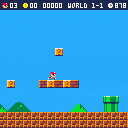
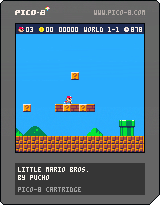
This update finalizes version 0.4. I changed what version 0.4 would include, I moved coin collection to the next release and introduced a camera overhaul to the current release. The camera overhaul is a very close match to the camera from Super Mario World. I still haven't implemented the platform snapping and free movement in the y direction when Mario/Luigi jump at max height (Equivalent to jumping with a full P-meter from Super Mario Bros. 3). I also temporarily confined the game space so you will no longer fall off the edges of the map, this is going to be obsolete once I change how we load the map data.
Thanks for checking this out, I appreciate any feedback anyone has.
Little Mario Bros.
This is meant to be a clone of the original Super Mario Bros. with PICO-8 size limitations. I'm aiming for 1:1 physics, and level design. Not sure on how many levels, I'm hoping to make the game up to the first castle.
Features by version
- 0.1 - Collision, movement, and ability to jump.
- 0.2 - Finer tuned movement, additional animations (jumping, skidding, etc.)
- 0.3 - Jump Buffering, near 1:1 physics (Missing water physics and enemy bounce)
- 0.4 - UI, minor death conditions, running animation based on speed and camera overhaul.
- 0.5 - Map overhaul to store maps as data to load on the fly.
- 0.6 - Block animations and coin collection
- 0.7 - Continue with either enemies or powerups (dreading the pixel art for big Mario/Luigi)
- 0.8 - To be continued...
9 comments




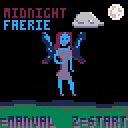
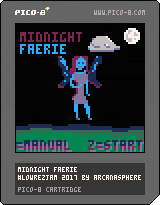
110th Place in LowRezJam, August 2017.
90s Blizzard "-Craft" games met with Cookie Clicker mechanics. Playable in under five minutes. Only one level.
3 comments

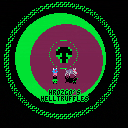
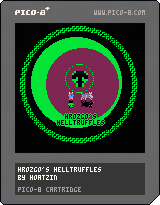
Built on top of the Collide demo, Hrozgo's Helltruffles started life as a Zelda-like adventure game engine for my class to use and build upon. It has since ballooned in scope and complexity a bit into its own thing worth finishing. I am posting it here in a not very well commented state because it is almost a pretty solid framework that others could use to tell little stories.
Ask if you have any questions about what is going on in the code! Note that collisions are currently turned off but are there and can be made to work if you want them to...
It's practically entirely coded and put together on a pocketCHIP.
3 comments

After a few days of making a few sketches around some in-the-books tricks, I got an idea during a dream and decided to make it.

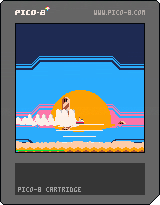
Here's the alternative version. I may use it (or a tweaked version) as a album cover if I will ever do synthwave (or vaporwave, RIP)
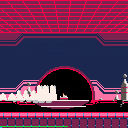
 2 comments

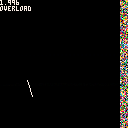
Summary: When working with _update60(), a jump in cpu load which causes it to exceed 1.0 will SOMETIMES cause the cpu load to get stuck above 1, dropping the fps to 30. To test above, tap "Z" to toggle extra computations. The CPU load should be below 1 when overload is off, and above when overload is on. cpu load tends to get "stuck" above 1.
Hi folks,
I've come across what I think is a strange bug. I created the cart above to test it. If you are interested, I suggest looking at the code - it's less than 50 lines.
I am performing arbitrary calculations in the update step, and just drawing random pixels in the draw step. Normally, the CPU load should be below 1. By pressing Z, I add extra calculations to the update step, causing the cpu load to exceed 1 and dropping the fps to 30. If you try mashing Z, sometimes the CPU load gets "stuck" above 1, even when there is no overload going on.
Does anyone have any ideas what might be happening?
Thanks,
Palo Blanco
7 comments
