


Hey all,
I was doing Ludum Dare 38 this weekend but I hated the theme and my mechanics weren't coming together so I decided to submit a mapscale function I figured out instead in case it was useful to someone.
It's basically identical to the map() function, except it takes a scale parameter also, similar to sspr (although it doesn't scale width separately from height, though you could add that with only a few quick adjustments if you wanted it). It uses sspr under the hood which is probably not super performant, but it seems to work well enough and I doubt there's a much faster way to scale a full screen worth of sprites anyways if that's what you need to do. It can be zoomed down past 1x or as high up as you want.
To try the demo just hit Z to zoom out. It does 4x,3x,2x,1x in order and then loops back to the beginning again twice as slow each loop so you can inspect how the pixels are getting smooshed if you like. It could probably be improved as when it's slow the scaling is a bit ugly, but it looks fine if you do it quickly.
Below is the code, I tried to add comments to make it a little clearer and I took as much code as I could out of the inner loop for performance. You might be able to optimize the code further, I didn't spend much time on optimization, but I think this is pretty reasonable as is. If you're scaling a full screen of sprites you probably aren't jonesing for performance anyways. I left a parameter for specifying layers but I didn't implement it, shouldn't be hard though it already pulls up the sprite id.
function ceil(num)
  return -flr(-num)
end

function map_scaled(cell_x,cell_y,sx,sy,cell_w,cell_h,layer,scale)
  local sprite_id
  local drawx,drawy,draww,drawh
  local spritex,spritey,spritew,spriteh
  local lcell,rcell,bcell,tcell,wcell,hcell
  local cell_x_current,cell_y_current
  for offsetx=0,flr(cell_w)+1 do
    cell_x_current = cell_x+offsetx --x pointing to current iterated cell

    -- these are the most i could move out of the y for loop
    -- makes it a bit confusing but otherwise lots of wasted calculations
    --these take into account a cell getting cut off
    lcell=max(cell_x,flr(cell_x_current)) --left bound of current cell
    rcell=min(flr(cell_x_current)+1,cell_x+cell_w) --right bound of current cell
    wcell=rcell-lcell --width of current cell
    spritew=wcell*8 --width of sprite, taking cutoff into account
    draww = wcell*scale*8 --width of rectangle to draw sprite in
    drawx=flr(sx+offsetx*8*scale)-(cell_x_current-lcell)*8*scale --x to draw rectangle at

    for offsety=0,flr(cell_h)+1 do
      cell_y_current = cell_y+offsety --y pointing to current iterated cell

      sprite_id = mget(cell_x_current,cell_y_current) --sprite id corresponding to current iterated cell

      spritex=(sprite_id%16)*8+(lcell%1)*8 --x of sprite (if the sprite gets cut off, it's the left bound of the cutoff)

      --these take into account a cell getting cut off
      bcell=max(cell_y,flr(cell_y_current)) --bottom of the cell is technically top of the screen. ie, lowest y
      tcell=min(flr(cell_y_current)+1,cell_y+cell_h) --top bound of current cell, highest y
      hcell=tcell-bcell --cell height

      spritey=flr(sprite_id/16)*8+(bcell%1)*8 --y of sprite (if it gets cut off, it's the lower y bound of the cutoff)

      spriteh=hcell*8 --height of sprite, taking cutoff into account
      drawh = hcell*scale*8 --height of rectangle to draw for current sprite
      drawy=flr(sy+offsety*8*scale)-(cell_y_current-bcell)*8*scale --y to draw rectangle at

      if draww > 0 and drawh > 0 then --skip if there's nothing to draw
        sspr(spritex,spritey,spritew,spriteh,drawx,drawy,ceil(draww),ceil(drawh)) --round width/height up so there are no gaps
      end
    end
  end
end
|


 2 comments


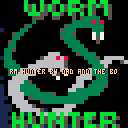
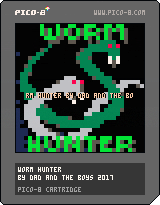
Second installment in the 'hunter-trilogy'. Two player game where the green and the white worm battle it out in a maze of DOOM! Or a traditional worm eats food game where you avoid the walls and try to make the other player hit you or the wall first.
0 comments

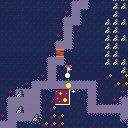
Carmina's World: a walking simulator and mini adventure game with a bunch of random stuff to try.
Controls: use cursor keys â—€ï¸ðŸ”½ðŸ”¼â–¶ï¸ To walk around and swim (if you have the lifesaver)
X to use magic (once you have the magic wand)
Another update. Mainly bug fixes. Almost complete.
1 comment


Use Arrow Keys to change dungeon size
Press Z to make new dungeon
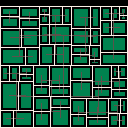
This is a dungeon created by using binary space partitioning (as described on roguebasin here: http://www.roguebasin.com/index.php?title=Basic_BSP_Dungeon_generation)
MIT Licensed
5 comments




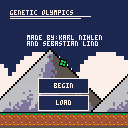
Genetic Olympics is a simulation based game that mimics Olympic Competitors competing in various events.
Important Note: After you are done playing this game. If you have the time, it would be very helpful if you could answer a couple of questions that are related to this.
>>Click here when you want to answer the questions<<
By answering these questions you are aiding us in our research about these kinds of programs. We are currently working on a bachelor thesis and we are trying to gather as much data as possible from users.
So what is there to do?
[u]You are completely free when it comes to using this program.
1 comment
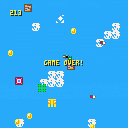
Here is our first attempt to make a game with pico-8. We are a dad and two small boys learning the joys of programming. Hope you like it!
1 comment
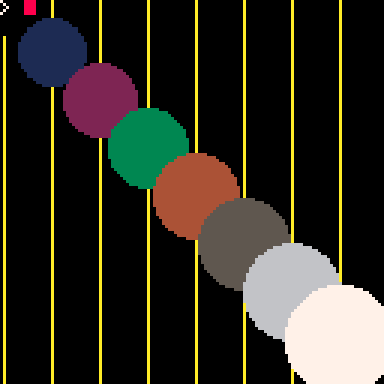

I'm working on a game using a large map, though it's made using about 6 sprites that make 3D buildings. I'm wondering if there's a way of using the Sprite Flags in the sprite editor to only Hitbox my 6 sprites instead of having to hitbox the entire map manually. Thanks in advance!
Le Dook.
2 comments



Hello Pico-8'ers!
I've been wanting to be able to make a game in which you explore a large game world that is bigger than the available map space in Pico-8 for some time now but I can't see an easy way of doing this. I've seen people using bits of the sprite space but I'm still not sure how they achieve this.
I'd like to be able to have a giant game world similar in size to that of 'Duck Duck on the Loose'
If anyone knows of ways to do this i'd love to here your ideas!
7 comments






Hi,
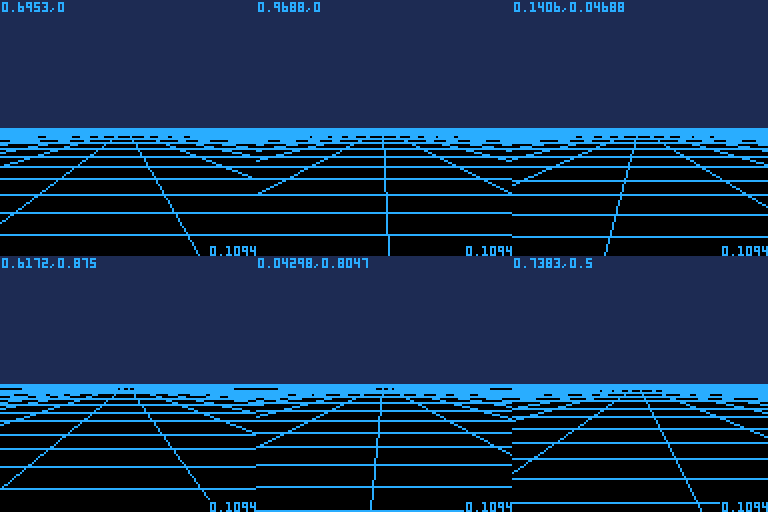
I was listening to Amiga music the other day and fell on "Vaxine", a game I played on those days for quite some hours. You ran on a flat matrix, shooting at viruses that kept trying to gather. "That would be a cool game to make in Pico 8", I thought, and voilà! Just the beginning of course. Never made anything in 3D, and well this is neither, as it's just a bunch of factors thown together to bring fake 3D. But it looks cool imo so let's see how far this can go this way.
I still have my "WhoDares" to finish though, that takes all my spare time (update very soon), so Antidote is not in a rush for now.
 3 comments


Here's a silly thing that came out of another thread where I was contemplating parsing game content out of strings, and just how far to take the idea. Eventually configuration/data formats always end up becoming programming languages (heck that's how Lua got its start), so why not just make it a full programming language from the start? Get a jump on Greenspun's 10th rule.
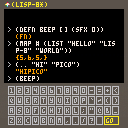
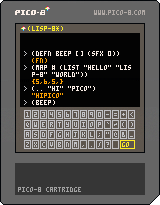
So, I implemented lisp-8, a small lisp dialect intended to be used in pico-8 carts. The core code is about 1400 tokens after some fairly aggressive (ugly) optimizations. I could cut it down by about 200 tokens if pico-8 ever exposed Lua's _G variable.
And of course, once you've got a scripting language embedded in your game, why not allow your players to type in code and make a full programming game out of it?
Of course, it might take a week to type in your program with the limited input available on pico-8. So if you don't want to type in code yourself, hit tab to cycle through some sample lisp statements.
 8 comments


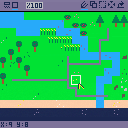
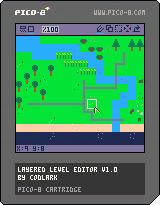
LLE is a level editor that supports multiple layers, with each layer stored on cart as different sections of the map. LLE works by loading the sprite and map data of a user's cart, making changes, and saving back to the cart. Be sure to download LLE for best effect!
For demo purposes the cart comes with a small selection of sprites and a level made with them to show off the editor can do, but otherwise to actually use LLE you have to tell it where the layers are and how big the level is; all layers are considered the same size.
working_cart = "" --file name (with .p8) of the cart you want to edit
lvl_size = {width,height} --in map cells, overall size of the level
lvl_layers = { --starting point of each layer of the level on the map
  {x,y}, --each layer is an x,y pair, like so
  {x2,y2}
}
|
4 comments





press left mouse button to start
press right mouse button to reset
music from matt tuffles pico-8 audio tutorials (a bit modified)

 0 comments

Here's an example project that shows how to use verlet physics in your projects. I'm still reading up on the subject, so this is really just a fancy demo at the moment. I'm going to add in edges and then try and figure out how to control objects with forces or impulses.

 1 comment


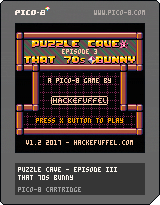
Hey everyone,
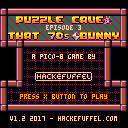
Pinkbunny is back \o/ In this third installment of the Puzzle Cave series Pinkbunny must travel back in time to the 1970s and stop Dr. Eyevil from altering our time line.
Puzzle Cave III - That 70s Bunny
- fresh from Revision 2017!
- 15 levels
- hard and slightly harder puzzles
- story and cut scenes
- music ! \o/
- a pink bunny that goes by the name of Pinkbunny
- not for puzzle solving beginners ;)
- game keeps track of your achievements during a session
Have fun!
Cheers!
Team Hackefuffel
jco, g1d30n & gizmo
P.S. Post your final score!
Edit: Version 1.2 sound bug fixed
4 comments





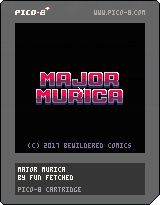
Well now, instead of going completely bonkers and making a game in secret over the course of a few months, I figured I'd do something a little different this time, and perhaps a little silly. All I have right now is this title screen that's probably consuming far too many tokens, a few sprites, and a vision. I have other obligations right now, but I'll probably chip away at this thing here and there and keep this thread updated with the latest and greatest.
2 comments


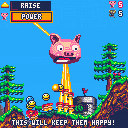
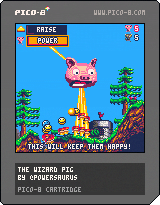
Aim
Score 10 belief points by keeping your followers happy. They like trees and plants, and eating tasty corn. They don't like swamps, being stuck in one place or things being on fire. You can also win by making your opponent's (Omnicow) followers unhappy.
Controls
Arrow keys - move
Z - use power
X - change power
Story
Once, Henry was just a regular pig. He dreamed of being a magnificent wizard who was popular and cool. Through the sheer force of his own will and the belief of the nearby villagers, who saw promise in him - he became a giant flying head with reality bending powers. Summoning a mountain from the earth, he marvelled at his power.
"I will use my powers for good, and make my followers happy, with lovely forests and magical instant-corn from the fields"
As he said this, the earth shook and a giant cow's head appeared from behind the mountain he had just conjured, spitting fire from its eyes"
"Or maybe I'll just ruin someone else's day"
[b]Powers
11 comments



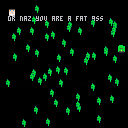
This is an amazing new game that I am developing. You begin life as a small turtle chased by spinach leafs. As each spinach leaf hits you, you gain weight and grow until you become a full 8x8 fatso. At this point, Dr. Naz appears to instruct you to lose weight.
Coming soon: a new half of of the game where you have the opportunity to lose the weight you've put on by running from the spinach leaves. After that, workout and calorie counting levels currently under production.
0 comments


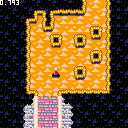
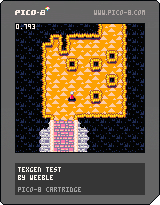
There's not much gameplay here at the moment - just wander around the maze. It's mostly an exploration of some procedural generation. I might yet try to build a proper game around it, but I thought it might be of some interest on its own.
Features:
- 16x16 room maze generated with Kruskal's algorithm plus some extra connections to make it more interesting.
- Basic random room generation so that each room has connections to adjacent rooms that match up.
- Automatic wall borders.
- Textures assigned by randomly combining a selection of 3-colour palettes with a number of different wall, floor and border textures.
11 comments


