





You can activate a Keyboard Cursor with F10, now you can move around the mouse cursor with the directional keys and have the right mouse button on space.
The question is, where is the left mouse button and how can one set that to other keys?
I would find it rather nice being able to work in Pico8 with just the keyboard. :)


 3 comments


Working on a little well known arcade dungeon crawler port for Pico-8.
Done:
- Draw a dungeon that can wrap if needed
- Draw the player sprites
- Collisions with walls
ToDo:
- Player info overlay
- Keys and doors
- Food
- Potions
- Mobs
- Mob Generators
- Level loading
- (external) Mapeditor that can generate a map text string
- ...
This is my second time doing something larger in Lua, before that i only did small scripts in it for ComputerCraft, stuff under 5 lines and such.
Regarding the drawing mechanism, i can imagine that it is cheaper with Pico-8 to simply draw the game four times than calculating wrapping the camera in Lua for the map and all objects, so for now i go with that. It is cheaper in regards of tokens too. ;)
Any suggestions on what i got so far? :)
4 comments




I was thinking I might do a pico8 game for proc jam - anyone else doing this jam?
Anyway, I already have an idea, and I'll work on a prototype this weekend. However, gfx is not my strongest point. Is anyone interested in collaborating on a proc jam entry? Primarily looking for an artist but I'd be happy to let someone else make the music as well!
2 comments




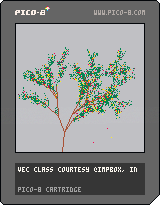
It's fall in Portland, in the couple of weeks where we actually get some color on the deciduous trees. So, this.
This is a not-a-game which generates a tree in late summer, then over the course of 12 minutes goes through the seasons. If you're going to watch the whole sequence, I'd suggest you spend some time reloading the cart to generate a new tree until you find one you like the look of.
Todos if I ever come back to this:
- draw midsummer with blue skies (light gray is pretty accurate for Portland most of the year though)
- draw the branches as filled polygons so the trunk isn't so spindly
- add a regeneration pause menu item
1 comment


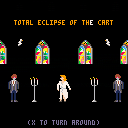
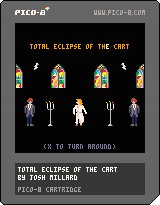
An homage to the classic Bonnie Tyler song Total Eclipse of the Heart, and its goofy, gonzo, drama-rama music video.
Now very slightly interactive: press x to...turn aroooooooound.
Other than that, just the music looping and a few thematic animations I hacked together. The arrangement is a rough -- there's a bunch of expression tweaking especially in the first half I haven't bothered with, and it has room for another channel worth of instrumentation on most patterns -- but I've already spent more time on it today than I had meant to, so I'm gonna stop here and share.
10 comments








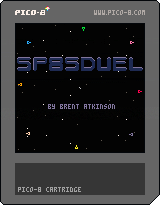
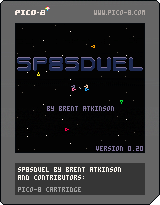
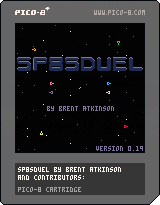
This is the beginnings of my pico-8 homage to the classic SpaceWar!
I wanted to create a version for more than two players. If you play it, I definitely would love to hear what you think and welcome suggestions.
Enjoy!
Brent Atkinson
2 comments
This is the beginnings of my pico-8 homage to the classic SpaceWar!
I wanted to create a version for more than two players. If you play it, I definitely would love to hear what you think and welcome suggestions.
Enjoy!
Brent Atkinson
0 comments
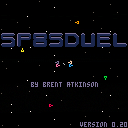
Make emp powerup more likely to spawn
Shields are now enabled on start
Reduced emp charge time
Added gravity flip power-up
Emp now disables power-ups
Power-ups now spawn until they match number of players
Reduced gravity at 50% of previous power
Kill and gravity flip are half as likely as other power-ups
Reduced initial ship velocity at game start
Added EMP power-up.
1 comment


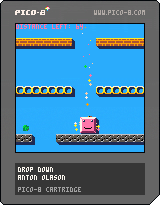
Hello!
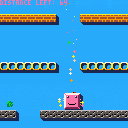
This is the first game I have made for the Pico-8. I have made some improvements from the previous version (thanks Jamish for the comment!).
There is still not a classic title screen but I think this works nicely to select difficulty and show the controls.
Controls: left and right
up to jump
Previous post:
[hidden]
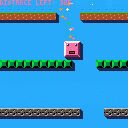
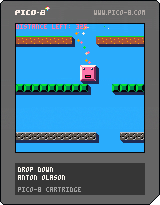
Hello! Here is a first game I made to learn the pico-8.
Controllers: move with left and right
It is not much, but it is at least resembling a proper game with an ending (which is a lot considering my previous attempts at making games). The music is a little annoying but hopefully it is better than nothing.
Please let me know what you think!
3 comments




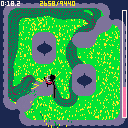
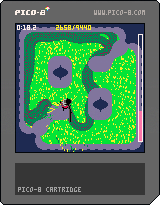
Submit a high score screenshot in the comments to get your time and username included in the level select screen!
Version 1.0
- Two new levels
- Scene transitions
- Added titles for levels
- "Congrats" and "return to menu" messages after victory
- Little menu updates
Don't think I'm making any more changes to the game for a while (unless you submit a high score, in which case I'll put your time/username in the level selection screen)
Version 0.4
Various changes:
- Two songs and mowing sfx by David Carney/DVGMusic (we're long-time collaborators!)
- Two new levels
- Main menu renders thumbnails of level layouts
32 comments



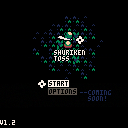
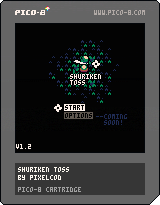
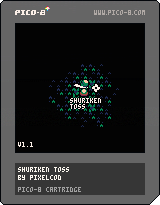
! Shuriken Toss v1.2 !
Changelog:
- Edited the Title screen slightly
- Added a menu system to the Title screen
- Added a 'Giant Shuriken' power-up
- Kunais now add to your score when they destroy a bamboo
- Some new sounds
- Bug fixes and improvements
The garden has become overrun by bamboo shoots! Destroy as many as you can before the time runs out.
Controls:
- Z to use power-ups
- Directional pad/Arrow Keys to move
! Shuriken Toss v1.1 !
 16 comments



Hello PICO-8'ers! I just got an itch.io account the other day and saw that other people had published their PICO-8 games on there.
I have exported the html and now have a .js and a .html file that I zipped together and renamed the html file to index.html as it says to do when uploading an itch.io game.
When I preview the page however, the game window seems to be the wrong size and my game view is cut off even when I have set the embedded view to 512x512.
Any help on this would be greatly appreciated, thanks!
3 comments


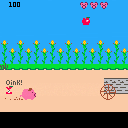
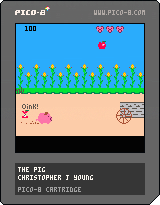
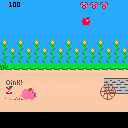
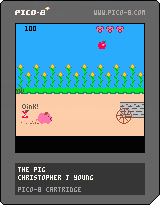
This is a game I made for my wife since she loves pigs.
Still learning how to make these but this is my first complete project.
Once there was a pig on a farm, but he had no food. The pig set off on an epic quest to chase down the farmers cart to catch the food that would rattle loose as it went over bumps in the road.
Take control of this intrepid pig and feed him by running and jumping, but beware the empty cans 'cause they be gross!
Update: I fixed the issue with stuff not actually landing on the ground (Thanks Jamish I just had gotten lazy there!). The other things that were pointed out was that a lot of cans are unavoidable and some stuff goes way over your head, that was just personal preference when I built the game. It's not supposed to be one that you can get everything or avoid all the bad stuff. if you prefer it the other way feel free to change the NEW_YUM() and NEW_BLEH() functions DX and DY values on your cart!
Oh and the little pig faces in the upper right are lives.
Glad you all like it. This is the first thing like this I have released to the internet so I'm really happy with all your comments. :)
4 comments
i have to count frames a lot because i'm using them to base the timing for the rhythm game and the clock. rather than having some global variable i increment every update (which would then require some kind of modulo operation to check, say, if we are on an even numbered frame) i decided to use the closure technique to make a counter that resets after a certain number of frames.
function frame_looper(frames)
 local f = 0
 return function()
         f += 1
         if (f>frames) f=1
         return f
        end
end
|
here i have a function FRAME_LOOPER that takes a number of frames. it creates a local variable f and then returns an anonymous function that when called returns that local variable f. we can now make a variable that uses a frame_looper as a counter.
beat_counter = frame_looper(10) |
now in my _update function i can just call beat_counter() and i'll get back a number from 1-10 depending on how many times the function has been called. rather than having to declare some random variable and set and increment it every update, that local variable f that was enclosed in the anonymous function gets generated every update.
i'm still new to all of this, but i was able to use the technique for two other parts of my code that also work on a counter like this.
function drum_beater(accents)
 local i,s = 0,0
 return function ()
    i += 1
    if (i > #accents) i=1

    if accents[i] then
      s=0
    else s=1 end
    sfx(s)
 end
end

accent1 = {true,false,false,false}
drum = drum_beater(accent1)

--[[ moonbeat:
used in _draw to flicker the
moon sprite]]--
function moonbeat(b)
 local moon = {x=80,y=40,
               r=8,col=10}
 return function()
         if b == beat_frame then
          moon.r = 10
         end
         return circfill(
           moon.x,moon.y,
           moon.r,moon.col)
        end
end

moon = moonbeat(0)
|
1 comment


This subject may have been touched on lightly already, I don't know.
As some game writers in PICO are selling their products, I would like to recommend that PICO have one of a few things.
First off, I've already written a program that can bundle PICO and a source code and have them run each other from a single EXE file that doesn't leave or use any stray files. The problem is the ESCAPE key. Once you hit it, the game stops, and the player can hit ESCAPE again and the source code is revealed.
I would like to add to COMMAND LINE options for PICO -NOESC where the ESCAPE key cannot be used.
Better than this would be to have an option to compile to a single (and possibly encrypted) EXE.
So someone could load up their game. In command mode type, "SAVE GAME.EXE" and a single executable file is created. If ESC is hit during runtime, you only get similar options like you do in SPLORE, but no option to edit or view the source.
CONTINUE
RESET CART
EXIT
Saved game files would be saved either in Users/Name/AppData ... or directly in the same path as the EXE.
Any ideas on this ?
17 comments







Despite how that sounds, no, it's not a schizophrenic having an argument with himself, although I have seen this before. :)
No, it is the unique ability of a FUNCTION in PICO to change the values of arguments as they are entered. I.E.:
FUNCTION ADDUP(VAR A,B,C) A=3 B=4 C=5 RETURN A+B+C END |
In this, while the return value is A+B+C, the argument entered for A will CHANGE, just like a local variable upon exiting the function.
X=7 Y=8 Z=9 ADDUP(X,Y,Z) PRINT(X) |
The result will be "3" since X was directly modified.
This is useful for calling functions with an input that is changed by the ending result.
While this can be done in other programming languages, can it be done in PICO-8 ? And if so, how ?
25 comments



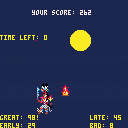
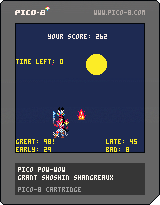
Hello fellow Pico-nites! Its my first thread here on the forum and I'd like to greet all of you in the Lakota language:
Haú mitákuyepi. Iyúha čaŋtéwašteya napéčiyutapi.
One thing I've been excited about with this "fantasy console" is that I can imagine a fantasy world where game cartridges representing indian people in a positive way came out back in the 1980s. the only indian people i can even think of in video games are T.Hawk from Street Fighter and Turok... and i'm not even sure what he's supposed to be. not that they aren't positive representations, but here I can create something that is based on real living culture and not just a stereotype. i like imagining myself back as a little kid, going to the video store to rent some NES game and finding this on the shelf. And in our real world I can begin to make and distribute that fantasy not only to console users, but to whomever i please with the HTML export.
This is certainly a lesson in learning to work with limitations, but also the first successful "game" I've ever made too! I set out with some grand ideas about the indian game i wanted to make, but then Pico's limitations (and my own) helped me to craft an idea that seemed actually possible to me. A dance game based on pow-wow dancing!
Modern pow-wows have competitive dance events with prize money. Dancers are judged on many things, including their regalia, behavior, participation in the Grand Entry, and more. This game only focuses on whether or not the dancer can step in time to the beat. It is reflective only of men's traditional dance. There are a wide variety of dances, and perhaps future versions will include more game modes to reflect that.
I plan to add more game mechanics to make scoring more fun, like bonuses for not missing a beat, time limit, and possibly some kind of special moves. These will be more fantasy like with bells and whistles. Obviously I need to add more graphics, I plan to utilize my extra sprite space (no map) to put some extra love into animation.
My biggest problem right now is the music and sound. Currently, the beat sound effects are being triggered in the _draw() function on every frame where a beat should happen (every 10 frames). I found that I couldn't get the music() function to maintain a sync with my frame counter variable T, and therefore I wouldnt be able to detect if the buttons were being pressed in time with the rhythm. Any advice would be welcome. I want to be able to add some real music.
Thanks for reading and testing my game!
update: i fixed the tolerance for beat detecting and took out some modulo operations, maybe it will work better in browser now?
update 0.2b:
- added game states (thanks misato), game now ends after 60 second time limit
- added scoring based on timing of steps
- code organized slightly better
- added closures! maybe a little clumsily, but i was excited to be able to use this functional technique in lua and pico8.
heres how i'm using it: simple counter using closures
12 comments


Yeah ! Got tired of PICO never recognizing keystrokes from the NUMBER KEYPAD for my arrows and DEL key. Getting cramps in my fingers after a-while with the PGUP and PGDN just to the right of "\"
Found this marvelous Freeware called SHARPKEYS.
https://sharpkeys.codeplex.com/
With it, you can reconfigure any key to any other key. It's quite rare when I needed an instance of the NUMBER KEYPAD arrows to have a different definition than the true arrow keys, so - I configured those keys, when pressed, to actually activate the ones that are firmly set in PICO.
NUM-7 = Home
Num-8 = Up
Num-9 = PgUp
Num-4 = Left
Num-6 = Right
Num-1 = End
Num-2 = Down
Num-3 = PgDn
Num-. = Del
And don't confuse this with CONFIGKEYS which is part of PICO.
CONFIGKEYS only configures what the SPLORE and game play will use. NOT the actual editor.
To my knowledge, there is no way to configure the exact keystrokes used in PICO's IDE.
So - with the program, you can remedy that, and likely reconfigure other difficult keys to ones that are easier for you to access from othr programs too. :)
Hope This Helps !
0 comments

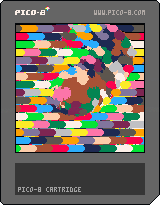
Wanted to see if I could make a post-processing effect to distort previously-drawn screen pixels.
It works, but it's probably too slow to be practical - the much, much cooler thing here is a serendipitous glitch-art effect that happens when the screen isn't cleared between frames. Hit the Z/O key to toggle that.
The distortion effect works like this: It copies the frame buffer into the sprite sheet, then redraws a portion of the screen, pixel by pixel, by reading the sprite sheet - but it modifies the sprite lookup position for each pget() call, so you get the spherical bump when it's done.
Can anybody give me some optimization tips? I feel like there's some kinda trickery out there to make it more powerful (the demo here uses radius=26, but if I put it above 28, it drops to half-fps, at least on my laptop). If you've dealt with lots (thousands) of individual pixel draws per frame, let me know what you learned!
I tried using peek() and poke(), but it seemed like it ended up being slower than pset() for drawing pixels one-at-a-time, since the image data is packed with two pixels per byte - so they had to be separated and joined a bunch of times. Maybe there's some super-lean way to do that, which I didn't think of?
8 comments


