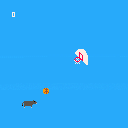
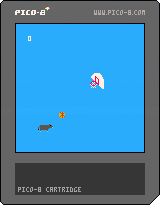


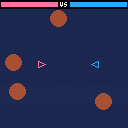
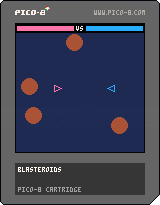
Game I created as my submission for Pico Zine #3 with a couple extra embellishments. Haven't had a chance to playtest it with a pal yet, but it seems like its definitely good fun :)


 1 comment


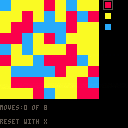
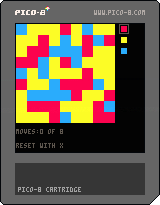

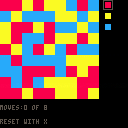
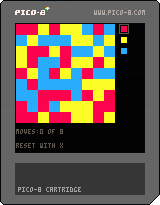
Added win message, FTW.
Prolly gonna add variable number of colors and maybe even variable block sizes. Anyone have thoughts or comments?
3 comments



Hello, it's me, Pizza.
I did a bunch of music in pico-8, like the Lemmtris soundtrack and wrote an article about making music for the pico-8 zine. I threw all of the music I did with pico-8 into an album and put it up on Bandcamp.
Well, here it is if you wanna check it out: PIZZAMAKESMUSIC – PICO-8DITION
So long
6 comments



I'll try to do a Hnefatafl game with Pico-8.
This is not going to be easy ( because I'm not really good with code), but it's a nice challenge.
The game is one of pure strategy, played on a square board. A king and a small force of defenders occupy the centre of the board. A larger force of attackers, twice as numerous as the defenders, occupy positions around the edge of the board.
What I find interesting it's the asymmetry of this game, and the challenge to do the A.I. for it.
Any help, tips, are welcome , especially for the implementation of the A.I.
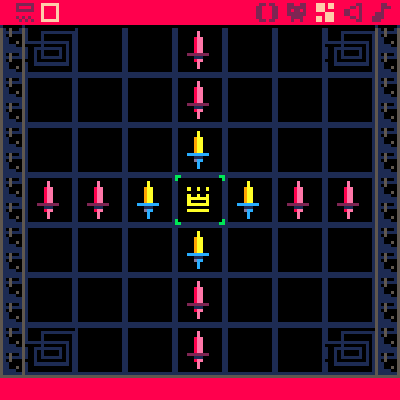
You can find more info about the game here
board
19 comments




Is there a way of achieving a blend mode with sprites?
I'm guessing it would be possible by drawing the pixels individually - checking whether there was already any value drawn in that position... but I fear this would be unusably slow.
1 comment



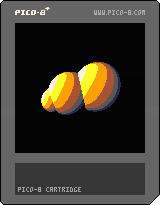
Simple raytracer for Pico8. Performance is a bit meh, but all the calculations take their toll.
Buttons don't do anything. It just calculates a picture in about 2 seconds.
I'm using a manual defined gradient for luma mapping.
Have not optimized anything and am not doing shadow rays/ secondary rays at the moment.
Aiming to get something like a classic Cornell box in the end.
2 comments


So, one of my favorite effects from the olden days was the ability to do glinting / pseudo transparency. Sadly, there is no way to do this in the PICO-8 due to cycle timing and memory issues. I would love to see the PAL call replaced with something that accepts three colors rather than two.
something like: tpal c0 c1 c2, which would take all instances where c0 is drawn over c1 with c2. It would take 128 bytes of memory, but there is still plenty of headroom inside of the draw state structure to accommodate this.
0 comments
Hi y'all!
I've been working on a reimplementation of Pico-8 in Love2D (Another lua game framework)
Mainly because I wanted to keep working on my games after I hit the token limits in Pico-8
but didn't want to lose the pico-8 feel and start from scratch.
So I'm sharing picolove with you, can grab the source on github.
https://github.com/ftsf/picolove
Requires Love2D 0.9.x from https://love2d.org
Can run a p8 cart with
love . cartname.p8 |
You can modify the love.load function to load a specific cartridge and package it into a .love file (renamed .zip) to distribute.
Have fun!!
Let me know about any bugs you find.
I know there's some issues with removing stuff with del in a foreach loop (causes a bug in celeste.p8), but not sure what's going on there.
Working on adding SFX and Music support as well as p8.png loading.
54 comments




Pico should accept command line parameter that has cart filename and path in it and when it's present, load it, so I can associate .p8 files with Pico.
2 comments

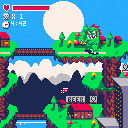
Full version available here!
What a lovely day in Whatever Land! Except for random fires in skyscrapers here and there.
In control of little Ravra, a pubescent giant monster, you must save the love of your life you just saw on TV while taking as few lives as possible along the way. Or must you?
Because I really wanted the game to include both English and Japanese text, and a minimal set of Japanese characters alone takes 1/4 of the sprite sheet and tokens, it was impossible to keep it within a single cartridge. My way around this was to have separate cartridges for the Japanese and English text and a standalone cartridge (uploaded here) including nothing but the main gameplay. So if you can, by all means do download the full version! (the filenames should be raburabu.p8.png, english.p8 and nihongo.p8, all within the same folder) (please forgive me for this dirty little cheat!)
You get the intro, main menu and endings by doing so. :)
Speaking of which, there are four different endings, seven secrets hidden within the main game and a also hidden message somewhere. Can you find them all without cheating?
12 comments



Like in Paint so you can select background and foreground color. As for color picker that is currently associated with right button, it would get remapped to middle button. So:
- Left click: Draw with foreground color
- Right click: Draw with background color
- Middle click: Pick foreground color
- Ctrl+Middle click: Pick background color.
6 comments

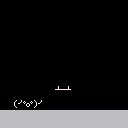
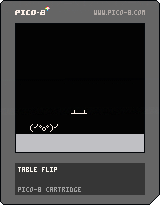
Random thought this morning + itching to sneak in a little PICO 8 after a couple weeks of being distracted = Tableflipper demo.
Controls:
- left/right: move
- z: flip out, bro
15 comments




..times before proceeding to the next one.
So we won't have to waste music space for patterns that are basically copy of previous one.
0 comments
I think palt() should be just replaced with a single variable that denotes color to be used as transparent, which defaults to 0. Because frankly, we don't need multiple transparent colors, I can't think of a single scenario where this would be useful.
6 comments
From where you could select which cartridge to load. Useful when you're unsure where it is or what the name of the cart is (and frankly selecting from the menu would be faster than typing dir, then looking for cart, then typing load cartname, esp. if cartname is long).
3 comments


So here's the thing: I have lots of cartridges. So much in fact that they take more than one screen when listing. I'd appreciate if dir command could take /p parameter that would work the same way as this parameter works for DOS dir command.
0 comments

http://pico-8.wikia.com/wiki/Pico-8_Wikia
For now it's empty, but I hope you could help fill it up with tutorials, useful snippets and other info.
35 comments





I find the syntax of sspr involves too much work, so I wrote a wrapper function that requires less arguments and less thinking.
Ladies and gentlemen... zspr
Arguments:
--n: standard sprite number
--w: number of sprite blocks wide to grab
--h: number of sprite blocks high to grab
--dx: destination x coordinate
--dy: destination y coordinate
--dz: destination scale/zoom factor
function zspr(n,w,h,dx,dy,dz) sx = 8 * (n % 16) sy = 8 * flr(n / 16) sw = 8 * w sh = 8 * h dw = sw * dz dh = sh * dz sspr(sx,sy,sw,sh, dx,dy,dw,dh) end |
Please let me know if you find it useful.
9 comments