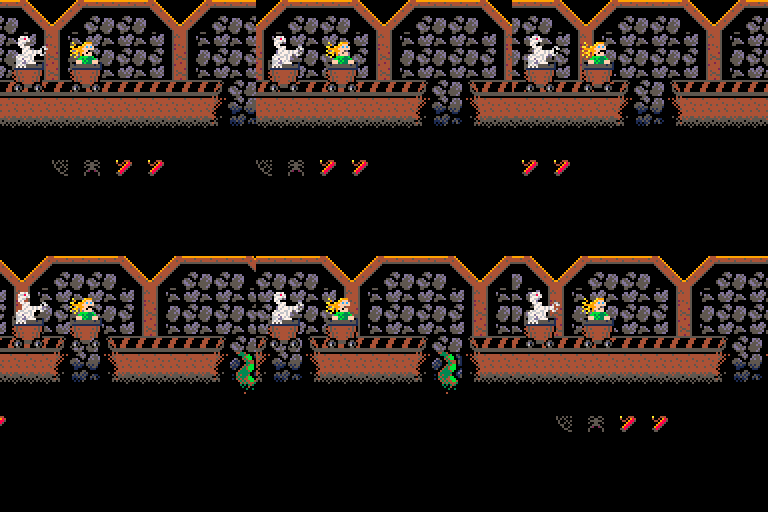
Got an idea for a chase-game... Mine Train!
- Try to reach the end of the mine and not get caught by the monsters or killed in some other way...
- Spiders from the roof.
- Tentacles from the broken underground.
- Deadly holes in the train track that has to be jumped over (yea, the cart can jump) :)
- Gain speed by picking up dynamite and throw it at the monster chasing you - and at the same time extend the distance to the chasing cart.
- And other stuff I guess... :)
Suggestions on everything welcome! Code help most welcome! ;)
/ Pingo


 0 comments
So... dumping this stuff here, since I will never be able to actually do anything with this myself. Maybe someone else will be able to actually port this?
Short story long:
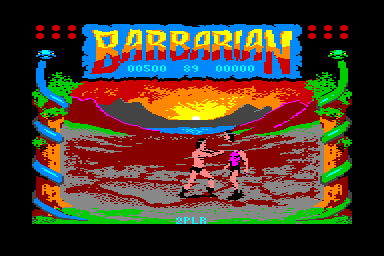
Back in 1984 I got my first computer (a VTech Laser 210), and it kind of stuck with me since then. So when I discovered some forums and stuff on that back in 2002, I made this stuff for a Barbarian port (which, as you can see, was going to be a collaboration together with Frontier and GOTO80 btw):
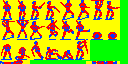
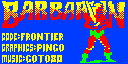
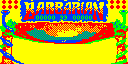
The Laser 210 has a high-res mode of 128x64 (wow!) with 4 colors. Yeah, the PICO-8 is waaay cooler! ;)
So today I ported most of this for the PICO... not completed, and the logo is messed up since I wanted to conserve sprites by re-using A and R (and it's not really working... yet...). The snakes need a lot of work, etc.
But, it seems it's possible to push most graphics into the PICO, and I think it should be possible to build the three fight areas too.
This is what the three areas looked like in the original Commodore 64 release (back in 1987):
 7 comments





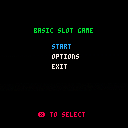
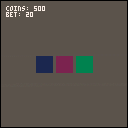
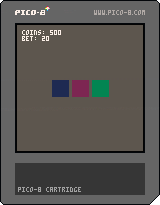
Basic slot game, new to pico-8.
Version 0.1:
-basic slot, x to spin, bit of money
Version 0.2:
-added menu
-option to select starting money
-option to restart
-more slot functionallity
4 comments



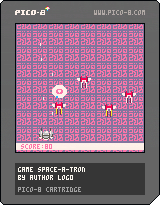
Hello,
Your spaceship participates to a galactic dance competition.
Exectute the moves that the jury gives you !
You can't die. Just shoot for the best score !! and share it in the comments <3
-- edit 1.1
- Use more readable glyphs
- Slow down ships a little bit
- Fix typos
8 comments




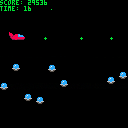
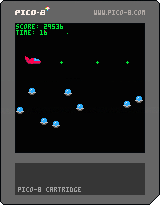

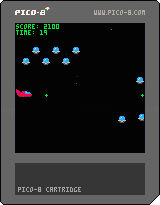
Z to move
X to spawn baddies
+100 pts for every baddie shot
-1000 pts for every baddie that escapes
0 comments



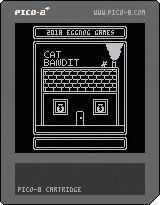
Slugs have stolen the world's supply of shiny diamonds! It's time for a hero to take them back.
You are that hero. You are ... CAT BANDIT.
Break into every last room of Slug Bank, and steal the diamonds back! Do you have what it takes to become a world-class thief?
Instructions
Arrow Keys: Move
Z: Dash
Level Challenges:
- Nab the diamond and get to the exit!
- Grab all the coins!
- Don't break any vases!
- Escape within the time limit!
- Complete all four challenges in one run!
11 comments






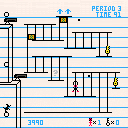
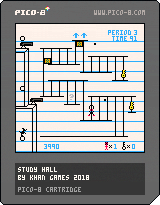
Finished a little arcade-type game that I made for the NES a few years back. Decided to bring it over to the pico8 and tweak a few things along the way.
You can change your shoe/glove color with colors you pick up throughout the game.
Should be pretty self explanatory.
Have fun. :)
9 comments






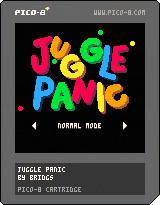
A two-player juggling extravaganza!
Controls
Left player: S / F to move; Left Shift to toss!
Right player: Arrow Keys to move; N to toss!
(Controllers recommended)
Goal
The first player to drop five balls loses!
6 comments



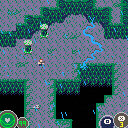
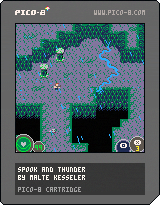
Can you conquer the storm?
Spook and thunder is a top down shooter with an creepy and ambient atmosphere.
-Arrow keys for movement
-X to shoot
-Hold and release X to throw a granade
-C to dash
Thank you for playing ; Þ
3 comments

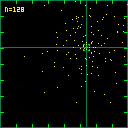
Deleted original thread by mistake...
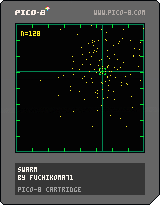
A little Particle Swarm Optimisation (PSO) demo. Move the crosshairs using directional keys. Keep "X" down and press up/down to change the number of particles (16 to 128). Move the target to a new location by hitting the "Z" key.
0 comments

Controls:
[ Player 1 ]
Move Left: Left Arrow
Move Right: Right Arrow
Move Up: Up Arrow
Move Down: Down Arrow
Shoot: X
[ Player 2 ]
Move Left: S
Move Right: F
Move Up: E
Move Down: D
Shoot: A
Pause Game: P
=============================================
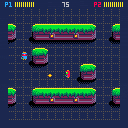
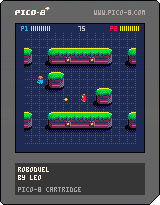
I recently followed the Dom8verse tutorial on shooting bullets and checking collisions, which is found in Pico8zine #3. After I finished the tutorial, I kept trying to add things with the hopes of learning more about Pico-8 game development (I usually learn best when I present myself a personal challenge). One thing lead to another and I ended up creating a very simple 2-player (unfortunately it does not have a 1-player mode) robot battle game.
11 comments
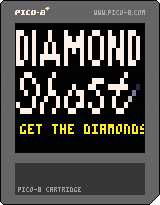
Here's DIAMOND GHOST!
A 64x64-game, quickly made to learn how to do smtng in lores.
Controls:
Arrow keys to control the ghost.
X to start game.
You only have three moves. Use them wisely!
You will gain a new life if you catch a diamond and have less than 3 lives...
Have fun! :)
/ Pingo

 17 comments


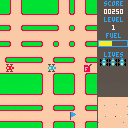
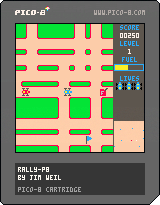
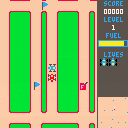
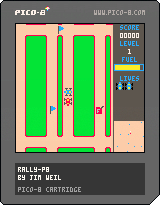
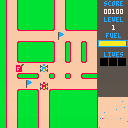
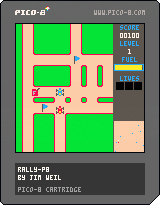
.
.
.
My first Pico complete game.
Procedurally generated levels
In game instructions
TextBox utility function: define text box location. Word wraps text passed to it. Control codes for changing colors, centering text on a line, and newline.
12 comments


I've been working on this game for about a month or so and am now ready to release it into the wild as I've finally hit a limit I cannot pass easily.
This is my first official release of a game! Exciting!
11 comments



Github Link: https://github.com/torch2424/picoDeploy
Features Snippet from the README:
🖥️ Deploy to Windows, Mac, and Linux using Electron and Electron Builder
📱 Deploy to Android, iOS, and Web with all listed features using Ionic
🚀 Performant mobile builds using Crosswalk
💾 Save file (Indexedb) listener, with Pub / Sub functionality to perform actions when the save file is changed
🎮 Mobile on screen gamepad using Google Material Icons
🎮 Usb Gamepad / Xbox 360 controller / PS3 controller support using a modified pico8gamepad
💦 Splashscreen / Video to hide the Pico 8 boot screen (Not to be mistaken with Ionic mobile app splash screen)
📺 Background image or video to be displayed behind your game
⚙️ Settings screen, with support for turning sound on / off, fullscreen for desktop, customizable gamepad color, customizable background color (if not background media), Stretch the game to full resolution, and dropdown credits.
🛠️ Build System to support multiple picoDeployConfig.json files, and copied for the correct build target set in ENV variables.
♻️ Compatible with libraries like greenworks and Cordova Plugin Play Games Services. That can be plugged into a commented PlatformSdkWrapper service, which taps into the Save file listener I mentioned above.
P.S I totally started this project before version 0.1.11 which included binary exports for Windows, Mac, and Linux. However, this project still offers a great amount of functionality for deploying and building games, that binary exports do not offer currently.
Any feedback on the tool is greatly appreciated, thanks!
4 comments


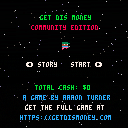
Get Dis Money Links:
Website: https://getdismoney.com/
Itch.io: https://aaronthedev.itch.io/get-dis-money
Steam: http://store.steampowered.com/app/738130/Get_Dis_Money/
Google Play: https://play.google.com/store/apps/details?id=com.teamnocomplygames.getdismoney
Source Code And Build Tools:
Source code: https://github.com/torch2424/getDisMoney-community-edition
pico8-grunt: https://github.com/TeamNoComplyGames/pico8Grunt
picoDeploy: https://www.lexaloffle.com/bbs/?tid=30920
Hello!
I just released my Pico-8 game Get Dis Money. You can use the links above to learn more about it. What is interesting, is that I was able to publish it as a full game on Steam, Google Play, and Itch.io using a build tool I made called picoDeploy. You can learn more about that above as well!
All of the code to the game's build tools is open source above, as well as this "community edition" of the game. The "community edition" is just a stripped down version of the game, but with all the main mechanics and code in place :)
I hope you enjoy! Feel free to explore any of the links I put above, and any feedback on the game is G R E A T Y L Y appreciated. Thanks!
3 comments


I understand Pico-8 has a subset of the full Lua language. However, I wonder is there enough of it there to make the following book useful: https://www.amazon.com/Programming-Lua-Fourth-Roberto-Ierusalimschy/dp/8590379868/ref=pd_lpo_sbs_14_t_0?_encoding=UTF8&psc=1&refRID=JKY5ABS0S7DB70RF732Z
Does anyone have this and did it help you?
I've been able to get by picking up a smattering of lua syntax just online, but I enjoy the idea of getting a deeper look at the language. However since Pico-8 is the only platform on which I'm extensively using Lua, I want to make sure the investment would be worth it.
11 comments




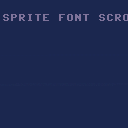
Played around with YellowAfterLife's char-functions, and ended up creating a C64-sprite-font at the same time...
I guess this has already been done a thousand times here, probably much better than this... but I just had to do my own version.
Any help with minimizing/optimizing this further would be cool.
Thanks also to Lumiette for the inspiration. :)
/ Pingo
 2 comments
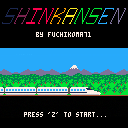
“Shinkansen” is more of a “love letter” to the people (and railways!) of Japan than an actual game, but hopefully it is still at least mildly challenging and entertaining to play…
You are in charge of orchestrating the progressive replacement of the “conventional” railway of a “Fantasy Japan” (each game takes place on a procedurally generated island that bears little topographical resemblance to the real Land of the Rising Sun) with high-speed “bullet train” lines. Your career spans what could be considered Japan’s “golden era”, the 25 years from 1964 (historical introduction of the first Shinkansen) to 1989.
Each map features 16 cities and the inhabitants’ travel pattern is peculiar: in essence, there are commuters between any two cities identified by adjacent numbers, e.g. between “1” and “2”, between “2” and “3” etc. (“16” and “1” are considered adjacent for that purpose). At the beginning of the game, travelers follow the shortest route using the existing (conventional) rail network (grey lines).
By holding the “Z” key while moving the cursor (rounded coloured rectangle) you can connect two cities with a high-speed train line, following any available route between them (you will not be allowed to move the cursor over “forbidden” terrain). It will not replace the existing conventional railway, only run parallel to it. NB: until “Z” is released, the new route is only “in planning”.
The colour of the cursor is specific to the line, of which there can be up to five: red, green, blue, orange and purple. Once the first section of a line has been opened, it can only be “extended” (i.e. any new section must start at a terminus for that line). You can switch between lines by keeping the “X” key down when pressing the left or right arrow key.
Travelers are rational agents (some would call them AI and they’re almost certainly smarter than Sophia ;-) At the beginning of each journey, they compute the cost/benefit ratio of taking the Shinkansen: in the game, the bullet train is 5 times faster than conventional railway. By default, the cost of the ticket is JPY 5,000 per section, which is 5 times more expensive than a normal ticket. Travelers will opt to take the Shinkansen if and only if the travel time to their destination is divided by at least as much as the fare is multiplied. In other words: for the default factor of 5, only travelers whose cities of origin and destination are both serviced by the bullet train will take it.
For every section traveled by one passenger on the Shinkansen, you earn the equivalent of the fare (JPY 5,000 by default). For every section traveled by one passenger on either railway (i.e. including conventional), you must pay JPY 1,000 maintenance and operations fee. In short: if 100% travelers use the bullet train and the ticket price is JPY 5,000, you earn JPY 4,000 per passenger and per section. If fewer passengers choose the Shinkansen, your margin will shrink accordingly.
Opening one new section costs JPY 1,000,000 and you start the game with a JPY 5,000,000 budget. A new line/section can only be opened if you have enough funds available.
The yellow “post-it” note contains all the relevant information needed to play the game and plan your strategy. On the top left is the year (circled, in red). On the top right is the percentage of all ongoing journeys that use the Shinkansen. The other two numbers below are respectively the annual profit/loss (reset at the beginning of each year) and the current treasury, both in thousands of JPY.
The last section at the bottom of the “post-it” note is the current Shinkansen fare (displayed on a white/green background, my best yet pitiful attempt at reproducing an authentic JR ticket!). You change the fare (by JPY 100 increments/decrements) by holding the “X” key down while pressing the up or down arrow key. By making the necessary calculations, you can adjust it down to attract more passengers, but it will of course reduce your margin. The limits are JPY 1,000 (below which you cannot possibly break even) and JPY 5,000 (above which every traveler will choose the conventional railway over the bullet train).
This is a "sandbox" game, so you set your own objective: get 100% travelers on the Shinkansen, reach the 31,999,000 treasury limit as early as possible, use the fewest possible lines to service the whole country…
The number of travelers increases over time (by one unit every year) to reflect Japan’s booming economy. In Jan 1965, one traveler is added to the population commuting between cities “1” and “2”, in Jan 1966, it’s between “2” and “3” and so forth.
P.S. This project took longer to complete than expected and as a result, the code is rather messy... Sincere apologies to my fellow programmers with higher standards!
7 comments