


I'm not surprised that I'm hitting the "out of memory" error when I put a big table of coordinates into the global scope...I'm figuring out how to deal with that right now. My question is why does it take up so much memory in the first place?
I created a table with indexes for x/y coordinates, which in turn correspond to objects in the game.
My map is made up of 16x16 tiles, so 8 per screen. When I have a 7x7 map, that's 3136 slots in the table containing tile information. That's a lot, I know. Each table element has attributes for the tile. When there are 8 attributes in the object, Pico8 shows memory at 70% - adding just one more key-value pair takes me over the limit.
How does adding a single pair take up 30% more memory?
level_grid={}
map=7
for x=1,map*8 do
	level_grid[x]={}

	for y=1,map*8 do
		level_grid[x][y]={
			tx=x,ty=y,n=0,f=0,g=0,h=0,p=0,status=0,
			o=0, -- This pair puts me out of memory. Remove it and we're under.
		}
	end
end
|


 8 comments




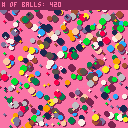
Just a silly lil' thing I made to shake off some rust after being away from pico-8 for so long.
Never been used to lua, so I wanted to practice working with tables... weee.
Still could be better optimized [ for one thing, I should be counting the ball table and printing the amount every draw call ], but this isn't really meant to be taken all that seriously :)
| [ also, if you look through the code and see anything that could be done better, please, by all means, let me know. I'd love to learn how to improve! ] |
0 comments


In my opinion, taking snippets of code/music/gfx from Pico-8 games with permission from the author to put in your own games is great as it helps build the community up and help beginners.
What I don't like is when people keep on taking other peoples games, changing some sprites, then re-posting the game as a "Hack". All this does to the community is make people appreciate the author of the "Edit" (that spent 10 minutes on the game) rather than the original creator that spent hours of their life creating these games.
On top of this, it fills up the BBS with duplicate games (that a worse versions than the original) rather than new, interesting content.
If you're going to make a "Hack" then at least make it a worth while change and credit the author with A LINK TO THE ORIGINAL GAME.
However, this is just my own opinion so feel free to comment your thoughts and ideas on the subject below.
19 comments





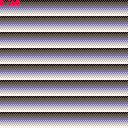
While working on my 3d engine I've written a function that I think would be generally useful and I haven't seen it done before. It draws horizontal dithered lines such that odd and even rows have an alternating checkerboard pattern. Code is obviously in the cart but I post below as well.
The code runs just as fast the native LINE function but with the bonus of optional dithered-e-ness
function dither(sx,ex,y,draw_colour,shade_colour) if (sx<0 and ex<0) or (sx>127 and ex>127) then return end sx = max(0,min(sx,127)) ex = max(0,min(ex,127)) if ex < sx then sx,ex = ex,sx end local sos = sx % 2 local eos = ex % 2 local yind = y*64+0x6000 local ctu = -1 if y%2 == 0 then ctu = draw_colour else ctu = shade_colour end if sos == 1 then sx -= 1 poke(yind+sx/2, bor(band(peek(yind+sx/2),0x0f), band(0xf0,ctu))) sx += 2 end if eos == 0 then poke(yind+flr(ex/2), bor(band(peek(yind+ex/2),0xf0),band(0x0f, ctu))) ex -= 1 end memset(yind +sx/2,ctu, (ex/2-sx/2)+1) end |
0 comments

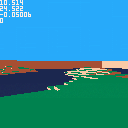
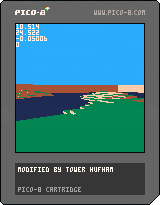
My improvement upon the CAST demo. It includes procedurally generated terrain using a basic implementation of 2d perlin noise. Z to jump, X to regenerate terrain. Excuse the debug stuff in the top left :)
Feel free to use any code snippets you find useful!
2 comments
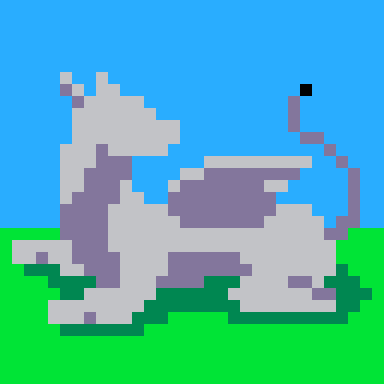

I'm doing this a lot through my games in loops and I feel like there should be a shorthand for it...?
a-=1 if a<=0 then a=0 end |
And similar type of counting, etc...
1 comment




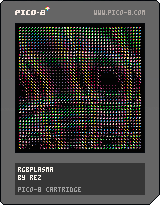
a simple plasma effect, emulating CRT screen pixels in order to display a kind of ultra-low-res hi-color effect :D
7 comments







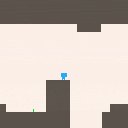
Changelog:
- Map Update
- New Cam System
- New graphics
- Name Change to match cart
+*- Many other things that I forgot about but will hit myself later for not putting them in XD
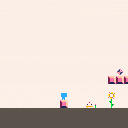
Changelog:
Initial Release!
2 comments


How to play
Ishido is a puzzle board game consisting of a set of 72 stones and a game board of 96 squares.
You place the stones onto the board, adjacent to existing stones, subject to the rule.
D-pad: move cursor
X: place a stone
Z: open the menu
Touch control is supported.
Release notes
0.31 (September 9, 2017)
- Bug fix: correct mouse event handling.
[hidden]
0.30 (September 7, 2017)
- Play music.
- Visual effects and animation.
- Save best score.
- Replay.
- Instruction.
0.12 (July 11, 2017)
- Tune title logo.
- Support mouse operation.
- Change scoring system.
0.11 (June 24, 2017)
- Suppress erroneous reset.
0.10 (June 21, 2017)
- Initial release.
(Older versions)


 10 comments


I'm making a maze game...I know how to use a tile map but I wanted to have a bigger pool of possible screen (128x128) layouts than the map offers. I'm randomly choosing screen layouts and putting them together.
My solution to this was to create 8x8 sprites that then get translated into a table of wall objects. I then loop over that table to draw the maze walls. Nothing too fancy here...checking pixel color, etc.
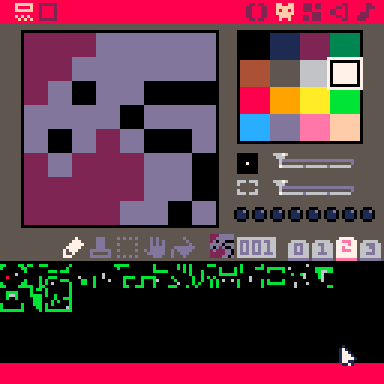
And this works great up until a point...that point being once player objects and AI objects starting moving around and need to check for wall collisions, etc. It doesn't take long for things to start slowing down once there are 100+ wall objects to loop through per actor.
So given I don't want to use maps outright yet maps are more efficient processing-wise...is there a way to create a map on the fly? Using coordinates that are derived from the sprite.
There doesn't seem to be a vanilla way to do this (which doesn't surprise me), and I hate looking for hacks to get it done, but thought it was an interesting enough question to ask. It might just be a case where I want Pico-8 to do something it's not really suited to do (at least in the manner I'm doing it and I just need to accept Pico-8 limits).
6 comments
Anyone have any links, examples or insight on how to make an object move towards a target while also going around obstacles (walls) when they hit them?
Say object A needs to get to object B (which is static). I can calculate the direction A needs to move, that's easy to get and make it move in that direction. But when it hits a wall on the way there, I'm not sure how to have it move around that wall.
I'm not necessarily interested in the shortest path, I just need A to get to B and have it be efficient enough for Pico8 to crunch it for several objects.
I'm aware that this will result in Gauntlet-style movement from the A objects around walls and such, which is fine.
10 comments



.
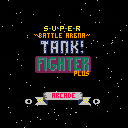
Game Menu
x or z - select a menu choice
left or right - navigate the menu choices
Menu choices:
- Arcade - As the level increases so does the arena size and the number of enemies
- Blitz - A never ending stream of 25 enemies all at once
- Info - provides control info and game credit
- Story - Gives a brief backstory
.
Main Game
x - Fire weapon
z - hold z while using left or right to get more precise (but slower) aim/turning
up - accelerate
down - decelerate/reverse
left/right - rotate/turn/aim
At your disposal are a radar and health bar int he upper right hand corner.
Collect hearts to recharge your health.
Kill as many enemy tanks as possible.
.
[b][u]Screen Shots
0 comments

Hi to all!
I've been in love with Pico8 and the whole idea of fantasy consoles for over a year now.
Today I'd like to introduce my take at fantasy console: tako80
I've been working on it for months. I just launched the site at http://tako80.net where you can read about it and find the documentation, if you happen to be interested!
In tako80 the coding is done in Javascript and its carts run on the web. I guess it might be all a bit rough at the moment (I just finished setting up the forum but I haven't tested it thoroughly, yet! :)
To promote tako80, I launched the first TakoJam. You can read about it here http://tako80.net/takojam.
The first prize is $100. I will eventually reward a second and a third prize of $50 and $20.
If you are interested, just drop me a line! Thanks :)
3 comments


-- generate tile srand(0x1b0f) for y=0,7 do for x=8,15 do local c=flr(x/2)+y if(x%2==0) c+=rnd(2)-1 sset(x,y,c%4) end end -- set map tiles for y=0,15 do for x=0,15 do mset(x,y,1) end end -- display map local t=0 function _update() t+=1 end function _draw() palt(0,false) for i=0,3 do pal(i,flr(t/4)%4==i and 12 or 1) end map(0,0, 0,0, 16,16) end |

 2 comments



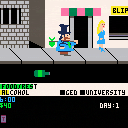
Fixed Some Bugs in the latest 1.2 version of Skid Row Joe
*You can now work at Mc Dennys
*You can now work at Sunchucks
*You can now rent at Casa de Rata
Still working on a few other bugs and the manual.
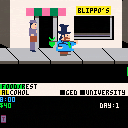
Updated Skid Row Joe with the following modifications:
*More starting money. You now start with $40 rather than $10.
*Less frequent cop and robbers.
Still working on the "can't ride the subway" problem. If anyone experiences it let me know. I'm having trouble recreating it on my end. Manual in the works.
Enjoy!
12 comments



All over the kingdom the Lich King is feared
His power and evil is total
Many have tried to destroy him
Many have failed
Will you?
Z (or C or N) to attack, X (or V or M) to jump, arrow keys to move
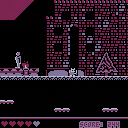
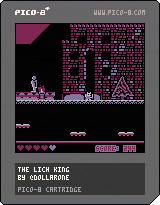
I made this game for the CGA-jam, so only 4 colours was allowed. It's by far my most polished PICO-8 game, and I think the colour restriction actually helped!
I used @mhughson's excellent Advanced Micro Platformer basecode and extended it to fit my needs. Would definitely recommend having a look if you're making a platformer.
Comments appreciated!
8 comments


Hi folks,
I made a desktop file that goes into the applications folder of your pi.
It will place pico-8 in the applications menu on your desktop undo applications and development!
cd /usr/share/raspi-ui-overrides/applications sudo leafpad pico-8.desktop |
File: pico-8.desktop
[Desktop Entry] Encoding=UTF-8 Version=0.1.10C Name=Pico-8 Comment=PICO-8 is a fantasy console for making, sharing and playing tiny games and other computer programs. By lexaloffl Categories=Application;Development; Exec=/<install directory>/pico8 TryExec=/<install directory>/pico8 Icon=/<install directory>/lexaloffle-pico8.png Terminal=false Type=Application |
FYI: <install directory> is in my case /home/pi/pico-8
0 comments


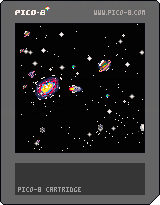
Hey!
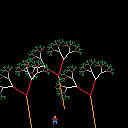
I've started working on a personal project to make some interesting visual cartridges and until now I've only been tinkering with rectangles, individual pixels and stuff like that, so I thought I'd give it a try and make some sprite-based visuals. I'm too bad at pixel art sadly :\
I hope this didn't turn out too bad, let me know!
Obviously I'm still a beginner, I haven't even been lurking a lot so I still don't know the best tricks, the cart takes a lot of tokens and it isn't optimized at all but I thought I'd share anyway.
Press left/right to change direction.
3 comments