I think it would be nice if Pico-8 owners would get a discount since this is basically a pack of P8+Voxatron.


 5 comments






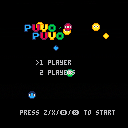
Adding for 0.4
- Title screen
- Multiplayer
- sound fix
Need to add:
- Rocks
- Score
- Link beetween the puyo of the same color
Not much with this update but i've got a title screen now !
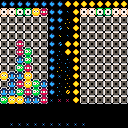
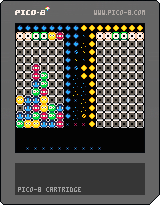
Adding for 0.2 :
- Sound effects
- Game over and restart
- New "annimations" and new design for the puyo
- Use of btnp for the better control -thx mccolgst-
- Next duo of puyo on the top right of the gametable appears
Need to add:
- Multiplayer
- Music -it will be horrible, hue-
- So need a button to mute the music
- Rocks
- Score
- Maybe add a link beetween the puyo of the same color
Hope you'll enjoy my game. Still have work to do.
7 comments





The splore local cartridge storage file browser does not show the game title.
If I download a game from the bbs, the filename is some number. The file browser inside pico-8 only shows this number. But it should show the game's title.
Also there seems no way to change sorting in the splore browser. Is it stuck at alphabetic?
0 comments
I wish there was a standard gamepad to go with this standard console. This seems to be a huge oversight on an otherwise great project. Games as well as Pico-8 itself seem to use a whole bunch of different keys and "buttons" such as "z","x","menu","esc", "space", "enter" etc.
For a game console, it seems very keyboard-centric, what is the standard gamepad for this?
Also, what are the gamepad mappings from these "keys" to usb controllers on host system/SDL buttons? How do I control pico-8 with a gamepad? The manual refers to z,x,"menu" and I need other buttons to play such as "Esc" "space" etc? So what is "menu" what is "Esc" on my gamepad?
Some games use even more keys and some use other keys, there seems to be no consensus.
In short, it seems impossible to navigate the Pico-8 and play all games with only a gamepad.
For example how do I quit a game with a gamepad? It seems I need to press Esc on the keyboard. But for some games, to start I need to press space, for some I need to press z or x. It seems completely chaotic.
Also, there seems to be a menu that pops up with "enter", but there is no "quit pico-8" menu option. It all seems very ill-thought out and not controllable with a gamepad consistently.
EDIT: For example, in the game "Serpent's Shadow" I have to suddenly press "v" to continue to the next level. In another game, jump and run were set to "x" and "c" instead of "z" and "x". So even if I use some remapping tool to map my gamepad to z,x,enter,esc,space, I will still not be able to play games that make use of v, and c or any other key.
7 comments







This quirk exists in Pico8 0.1.10C, and possibly other versions. Try this code out, and you'll see the results for i>=16 are the same:
for i=1,20 do print(i .. ' ' .. 1.11^i) end |
1.11 raised to the 20th power (equal to ~8.062) is still well within the overflow limits of pico8, but currently pico8 limits the possible exponent to 16 (resulting in ~5.309).
Here's a workaround for raising to higher power (if y is a positive power), that takes advantage of the property x^m * x^n = x^(m+n):
function pow(x,y) local r=1 while y>0 do r*=x^min(y,16) y-=16 end return r end |
Using this you can get the correct results. Just wondering, is this limitation intentional? It makes sense for integers, because 2^15-1 is the greatest positive integer you can express, and occasionally you might want to do 2^16 (if you're careful about the sign bit), but for fractions it seems a little strange. It's kind of uncommon to do this kind of math in pico8, so I could maybe live with it being a quirk of pico-8 though. If this behaviour isn't changed, could this limitation be documented in the manual?
4 comments


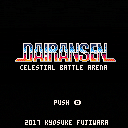
This is Automatic battle game by various characters.
Just choose your teammate,and just watch battle.
4 comments


Hey everyone! I made a some little helper functions for allowing some basic handling of positive integers greater than 32767. Feel free to expand/modify these. Use for whatever, no attribution required.
This could be useful for a score counter in a game or experience points in an RPG. There's a minor overhead in code-size and in performance, so these are when you really need a little bit of of extra precision for your numbers.
Unsigned Integer Decimal Strings
This first method handles numeric strings holding arbitrary unsigned integers. I haven't added sign handling or fraction handling, so this is for unsigned integers only, but may come in handy for score / experience counter sort of things. I also added a comparison function so you can tell if a decimal string is greater than/less than/equal to another one.
The disadvantage is number of allocations required for calculating intermediate results, lots of concenation and substring ops. But if you're doing this for non-time critical functionality, and want the extra digits, it's pretty handy.
function decdigit(s,i)
 local c=sub(s,-i,-i)
 return c~='' and 0+c or 0
end

function declen(s)
 for i=1,#s do
  if(sub(s,i,i)~='0')return #s-i+1
 end
 return 1
end

function decadd(a,b)
 local s=''
 local c=0
 for i=1,max(declen(a),declen(b)) do
  local v=decdigit(a,i)+decdigit(b,i)+c
  c=0
  if(v>9)v-=10 c=1
  if(#s>0 or v>0 or c>0 or i==1)s=v..s
 end
 if(c>0)s='1'..s
 return s
end

function deccmp(a,b)
 local m=declen(a)
 local n=declen(b)
 if(m<n)return -1
 if(m>n)return 1
 for i=1,n do
  local u=decdigit(a,i)
  local v=decdigit(b,i)
  if(u<v)return -1
  if(u>v)return 1
 end
 return 0
end

-- Addition test cases
print(decadd('1','1')) -- 2
print(decadd('999','1')) -- 1000
print(decadd('123456789','99999')) -- 123556788
print(decadd('10009','20009')) -- 30018

-- Comparison test cases
print(deccmp('2000','200')) -- 1 (a>b)
print(deccmp('2000','1000')) -- 1 (a>b)
print(deccmp('2000','2000')) -- 0 (equal)
print(deccmp('1','00001')) -- 0 (equal)
print(deccmp('200','2000')) -- -1 (a<b)
print(deccmp('1000','2000')) -- -1 (a<b)
|
2 comments

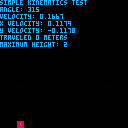
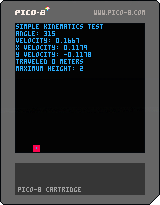
Title says it all, I made this as a project for my AP physics class. I'm attempting to simulate realistic two-dimensional kinematics using pico-8.
Please tell me if I've gotten the math wrong anywhere :D
1 comment


Dig Dig is an infinite driller game. You control a tiny little driller digging for gold and gems and maybe even some cool skulls! Collect fuel canisters along the way to keep the adventure going.
Includes a high score table as well, so get cracking!
Controls:
Arrow Keys - Drill in that direction
8 comments






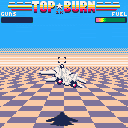
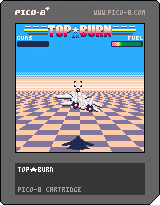
This is my PICO-1k jam entry. The entire source code is 1024 characters in PICO-8, including the comment at the top. Arrows to fly, button (z on keyboard) to fire.
--top*burn
a=48n=32k=64_={}camera(-k,-k)c=16x=0y=0t=0o=0g=0q,b,r,s,h=sqrt,btn,rnd,spr,sspr::a::l=t%8/4map(0,0,-k,-k,c,c)for j=3,k do
z=j/4h(q(q(z))*c-l,1,k+k,1,-j*n,j,k*4*z,1)end
l=l<1o=max(o-1,0)f=b(4)and o<n
if f then m(r(3))o+=2
if(o>n)o=98
end
i=l and o>n and s(124,-k,-40,4,1)or h(0,56,min(o,n),6,-k,-a),l and t>650or h(a,n,n-t/n,8,n,-a)
i=b(1)p=24m=sfx
if(i and x<c)x+=2 p=c
if(b(0)and-k<x)x-=2 p=c
if(b(2)and y<n)y+=1 p=k
if(b(3)and-n<y)y-=1 p=74
s(86,x+8,a,4,2)
for e in all(_)do e.x+=e.d e.z+=.1 j=e.d<0w=88z=4/e.z
if(e.l==0or e.z>k)del(_,e)
if(e.l)e.l-=1 j=r(2)>1goto e
h(56,k,c,c,e.x*z+24*z,a*z,c*z,c*z,j)w=k
if(f and max(abs(u/z-e.x-21),abs(v/z-e.y-8))<8)e.l=8m(3)g+=.75
::e::h(0,w,56,24,e.x*z,e.y*z,56*z,24*z,j)end
if(r(98)<1)d=sgn(r(2)-1)add(_,{x=r(n)-d*k-c,d=d,y=r(k)-a,z=1})
z=.7u=x*z+13v=y*z-8s(2,u,v)
if(f and l)s(c,u*.9,v*z)s(17,u,y*z-5)z+=.1 s(38,x*z+10,y*z-2,2,1)z+=.1 s(46,x*z+14,y*z+1,2,1)
s(p,x,y,6,3,i)s(240,-30,-41,g,1)flip()t+=1
if(t<999)goto a
::g::s(137+t%2*k,t%192-140,-n,7,1)flip()t+=1
goto g
|
2 comments

PICO-8 allows 65536 characters, which on one hand is a tight limit for some projects. But, on the other hand, we've seen amazing things from Tweet jam in 140 characters or fewer.
That made me wonder...can a whole PICO-8 game be written in 1024 characters (1k)? There are some impressive JavaScript 1k demos. Let's see what we can do!
Rules:
- Entire program source code lists as 1024 characters or fewer inside PICO-8, including comments.
- Must be a playable game, not just an animation.
- No limits on music, sprites, or map, since they don't count toward PICO-8's character limit.
1 comment
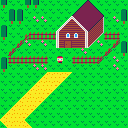
A small thingy inspired by Earthbound Beginnings.
Highly WIP.
Uses my new technique for big maps in Pico-8.
1 comment


I was exploring a way to manage double-acting press button.
In hope this helps.
Have a nice day :-)
0 comments

Hi,
Will PICO-8 ever be available for Android?
It will become portable!
I know, there's a device called PocketChip but I don't want to shell out 69 bucks for that.
2 comments


Hi all.
A newbie question!
I am using the PGET command to read the value of a pixel as you move a point around the screen.
The code I have written seems to work fine in the X axis, but the y-axis is offset for some reason.
If you move the point over the yellow square from left to right, the PGET command successfully reads the pixel colour value.
If you move the point over the yellow square from top to bottom, the PGET command is offset by approx 6 pixels.
Strange.
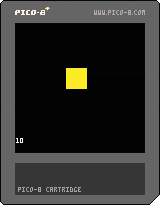
Am I missing something?
Any advice would be very much appreciated.
Many thanks
Paul :-)
PS:
Code pasted below.
x={}
y={}
x=50
y=50
cls()
function _update()
if btn(1) then x=x+1 end
if btn(0) then x=x-1 end
if btn(3) then y=y+1 end
if btn(2) then y=y-1 end
a=pget(x,y)
end
function _draw()
rectfill (0,0,124,124,0)
rectfill (50,50,70,70,10)
pset(x,y,7)
print(a)
end
2 comments


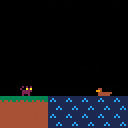









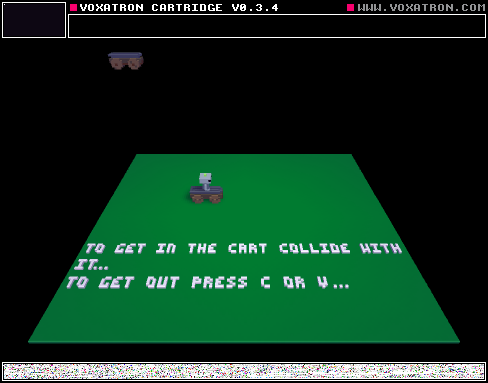
Press C or V on Keyboard to get out of the cart
to get in the cart jump into it :)
Feel Free to re-mix
0 comments

Hello, Picos.
I am trying to integrate an HTML5 API into an exported HTML5 PICO-8.
My current solution plan is to find the code which checks the function name.
If the function name checking (example the function name is "foo"), then it will trigger the API function.
Unfortunaltey, I still couldn't find that code so far.
I also have checked the _emscripten_set_main_loop, but couldn't find something that direct me to that code yet.
I also have learned that the code for the cart is in var _cartdat at line 71 (I used Notepad++) (compressed).
The other is that gfx on line 4 and map on line 36.
So, can anyone guide and help me to find it?
Thank you very much.
1 comment
I'm considering making a jrpg in Pico 8 at some point. Yes, I know it is a very tired genre. However I really don't mind, I still love it.
One thing I was wondering was how to make an overworld that's larger than the 128x64 cels in the built in map memory.
My current idea is to represent the overworld in terms of geometry instead of in terms of a grid, rendering the tiles manually (or temporarily filling a portion of the map cel memory). So I'd have like, a mountain range defined as a rectangle, and then I'd overlay rectangles to give them a shape, and have some logic for arranging the tiles around the edges to look correct, etc.
Then individual tiny dungeons perhaps would just be hard coded in the map cels. Not sure.
I have seen several adventure type games in Pico 8, but...are there any that are trying to give the appearance of being "vast?"
I am really interested in the idea of packing a lot of engaging gameplay into a tiny space like this.
7 comments