



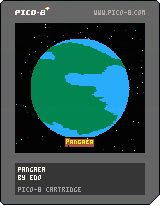
I made a small demo of a rotating globe. The texture effect works visually.
Feel free to reuse the code to improve it or to make awesome games!


 0 comments

So this needs some explanation. I've never made anything even slightly resembling a video game before. I'm a completely amateur programmer. I'm mostly a journalist and a writer.
For a recent story I wrote, I had to set a goal for myself that I could accomplish in one week. I had seen some Pico-8 games floating around and wanted to give it a try, so I made a game about the experience I had writing the article.
It's pretty raw. It's basically a Simon Says race against the clock, there's no music and the only difference between the levels is you have less time each time. But I've never done anything like this before and I learned a lot in the process. And I had a lot of fun. I hope to improve on this and make another game soon :)

 1 comment




I have pico 8 up and running on my pi2. Everything seems fine except every special key (alt, shift, page-up, etc..) generates a space. Or at least something that looks like a space. This only happens in the console, the editor is fine, and works as expected. The keyboard is a generic en-usa usb keyboard, that works as expected everywhere else in the pi. My distribution is retro-pi current and up to date.
12 comments







Hi! Some folks on the IRC were struggling with metatables, and Ivoah suggested I post an explanation here to help more people get to grips with them. Here goes nothing:
A table is a mapping of keys to values. They're explained quite well in the PICO-8 manual so I won't go into more detail. In particular you should know that t.foo is just a nicer way of writing t["foo"] and also that t:foo() is a nicer way of calling the function t.foo(t)
A metatable is a table with some specially named properties defined inside. You apply a metatable to any other table to change the way that table behaves. This can be used to:
- define custom operations for your table (+, -, etc.)
- define what should happen when somebody tries to look up a key that doesn't exist
- specify how your table should be converted to a string (e.g. for printing)
- change the way the garbage collector treats your table (e.g. tables with weak keys)
25 comments









 3 comments



I discovered PICO-8 four days ago after reading a news in The Verge about the upcoming PocketCHIP. I purchased a license (the voxatron bundle) to see what it was about and since I can't stop playing with and the numerous games / demos.
I looked at some code, read some posts on the forum and thought it could be even more funny to code.
So I decided to start with a Lode Runner remake as my first program.
It might be a bit ambitious as it's been almost 15 years I haven't coded anything serious but I have some time and I'm decided to learn.
It's still at the very early stages, I managed to fit the first level into to 128x128 and draw the sprites set :
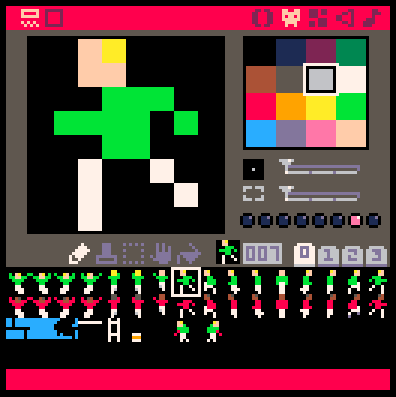
and I can display them together :
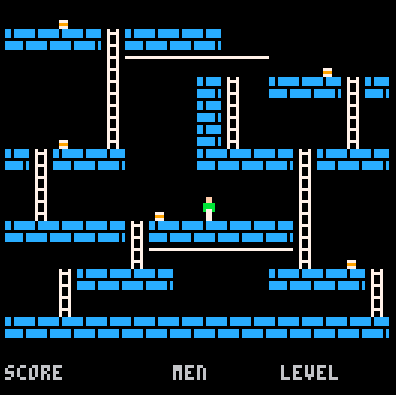
But that's it for now...
Part 2
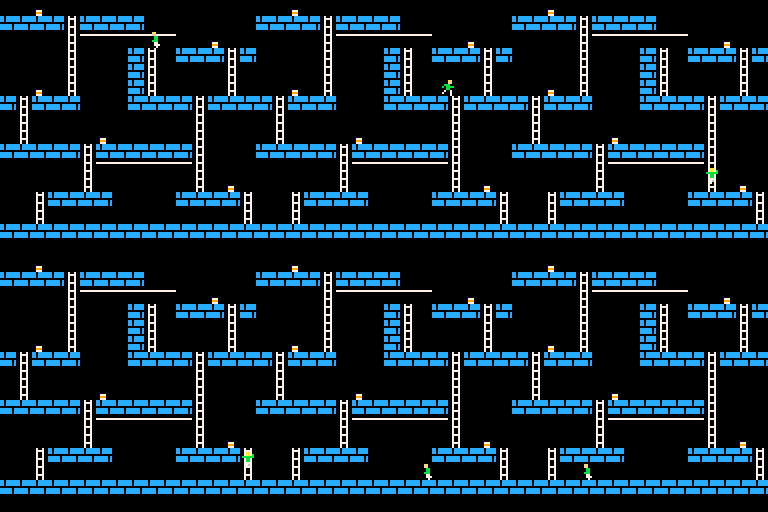
Today, after a long weekend, I'm back to PICO-8 devellopement.
Lode Runner runs !
 26 comments




When compiled to HTML, it was surprisingly easy to inject data inside a PICO-8 cart.
The memory starting at 0x4300 (user data) maps to index 0x10DA1C of the heap in JavaScript. You can get and set the data easily using JavaScript (wait till the cart is loaded):
Module.getValue(0x10DA1C); Module.setValue(0x10DA1C, 3); |
Then read it or set in PICO-8 like this:
peek(0x4300) poke(0x4300, 3) |
I'm using it for a multiplayer game where I want to allow several players selection only when there is an internet connection (I haven't worked on the multiplayer communication yet though).
The user data section is 6912 bytes long, so that's a lot of data for PICO-8.
Potentially this technique can be used to do all sort of really cool things like leaderboard inside the cart, downloadable levels or players, syncing several players together (chat, collaboration games, multiplayer games...).
Caveats:
- Not sure if the index in the heap will remain stable across releases. Is it even stable across carts? It must be decided by some internal logic in Emscripten.
- It works only in web mode of course.
- It works only when embedded in a particular web page.
11 comments








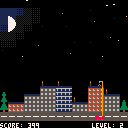
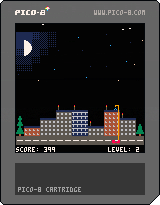
My first attempt at coding something which resembles a video game in Pico-8 :-)
You're the driver of a semi-automatic roof repairing cart and you're undoing the damage caused by the meteorites. The roof of each house can only take so much damage before the entire house is destroyed.
Controls:
LEFT, RIGHT: Drive left and right.
UP, DOWN: Extend or retract the arm of the vehicle.
Z: Make the arm repair the roof. Make sure you're properly aligned with the roof.
Scoring:
+25 points to undo the damage caused by one meteorite strike.
Level up after 200 points scored. A randomly chosen house will grow in size upon leveling up.
Thanks for playing :)
3 comments

How can I version control pico-8 source code? It seems like the output is a binary (which technically can be checked in but would be difficult to diff).
How are others doing it?
3 comments


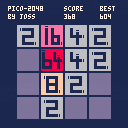
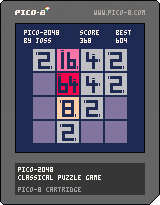
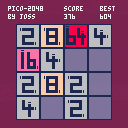
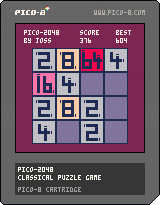
My first game with Pico-8, Pico-2048 !
I like to start a new game engine by program a classic ... yes, 2048 is now a classic ^^
They have two different concepts with "2048". I don't know which is the best and let's players decide.
First Concept
Near "Three" where tiles moving step by step. I like this version, it's more strategic and the player can do what he really want :
Second Concept
Near the original "2048" where tiles moving until they can't. More action, more luck ... more fun :
 10 comments






As I've been reading around game dev boards, seeing a lot about front-loading arrays (tables) with common objects when the game boots. Then just cycling through those arrays to find an unused object and update its variables...essentially just recycling the same objects over and over. I get it and I'm doing that but...
Right now for my shooter game I'm building my array of objects as-needed. So rather than seed a table with 50 bullet objects at the start, I'm adding to that array as bullets are created, then reusing slots as they get deactivated.
Both methods use recycling so that's good. My method is working fine but wondering if there are any big gains in doing the pre-load at boot over build-as-you-go. Or if it's negligible to even worry about.
4 comments


I am sure this has been brought up a few times already. I would really like to see a new version of pico-8 have a widescreen option.
120x160 would be much better, although I am not sure that is possible. Now that people love pico-8, and they want to expand it to the physical world with LCD screens, it seems time to update the aspect ratio from 4:3 to 16:9
I understand it is meant to be retro aspect of 4:3, but that also means it is not fully compatible with 99% of flat screens! I have found a few 8" screens that are 4:3 ratio, but why spend $100 on a screen, just to remove the the black bars? This creates an retro game problem of having empty screen space on each side, making the player wish their screen was a bit taller, every single time they go to play a game. If there were more pixels instead, say 120x160, then the older 4:3 ratio games could have the black bars on the side, and still be compatible with the new, widescreen version.
I feel like this is the natural evolution of what pico-8 users want: we want to use any screen without compromising our screens potential. The new rpi 3 has 2GB of ram, so maybe 120x160 would run well, or maybe the engine is at it's limitations already. I am very happy pico-8 is now catching on like wildfire! I feel that widescreen support would make it unstoppable!
What do you guys think? 120x160, 96x128, or let's be stubborn and stick with 128x128, potentially decreasing new user appeal.
25 comments






Time for another jam! EDIT: The theme is Chain Reaction.
EDIT2:
and... that's time! Thanks everyone who contributed a cartridge! If you submitted something with the p8jam2 tag, you can now rate other p8jam2-tagged carts at the top of the cart's thread.
If you'd like to continue working on your cartridges, feel free -- but please leave the compo version at the top of the p8jam2-tagged threads until voting finishes in one week (June 5, 24:00 PST). Good luck!

Same deal as last time, except with some limited theme voting:
Duration: The Jam will take place from 00:00 PST on Saturday the 21st of May 2016 and will finish at 24:00 PST on Sunday the 29th. So, it spans 2 weekends and 5 weekdays. You can spend as much or little time on your carts as you like. Tiny silly cartridges are more than welcome.
24 comments



I had an idea for a musical game for the Pico, and wanted to verify whether the idea would work within the audio limitations first. Turns out, it wouldn't - but the toy I used to verify that turned to be lots of fun and took on a life of its own, so that's a win, I guess :).
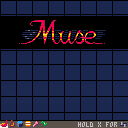
Z - add/erase notes | select options in the menu
X - change instrument
hold X - back to menu
Just put some notes on the grid to get a feel for it. You can save your songs to the cart itself, and I guess also share your crazy creations as cartridges here using that option:). There is also a demo song in there if you want to check out one of mine (disclaimer: not a musician by far, listen at your own risk).
Have fun! All comments, suggestions and ideas much appreciated :).
13 comments









I discovered Pico-8 because I ordered a PocketCHIP, so in my mind, I'm making games with a handheld in mind...but that's just me, for all I know.
How and where do you most often play Pico-8 games?
On your living room TV with controllers?
On your PC?
Just using the keyboard?
Some custom housing you've made for your Pi with joystick and buttons?
...?
Just wondering so that I might be able to do some testing with alternative devices and setups.
It seems like the Pico-8 will get to other platforms at some point so it's good to think about where people when designing your game.
18 comments




I just recently got Pico-8 and I'm already a huge fan. I have a few suggestion of things that could hopefully rather easily be implemented into the editors which might help some people, such as myself :)
-
The ability to scroll the map with the arrowkeys. I find it a bit cumbersome to use space and drag around the map, especially since the map window is so small if the sprites are visible at the same time.
-
Be able to switch "sprites" by right-clicking on them. This might be a little more tricky but it's a feauture I really like from Charpad (C64 map and tile-editor). If you right click on a sprite it will swap place with the currently selected sprite and "remap" them on the map. This is just for tidyness - makes it easier to move things around.
-
Make "delete"in the music editor work aswell as backspace, and make one of them step down one step like the editor does when placing notes.
-
Make delete in the sprite editor clear the currently selected sprite to the currently selected color.
- Adding keyboard-shortcuts for the draw and fill-tools in the editor.
4 comments


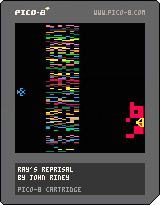
Remember Yar's Revenge for the 2600? I do. Just getting started on this little clone. No gameplay yet, just getting the pieces in place. Let me know what you think!
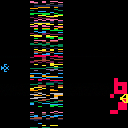
 2 comments


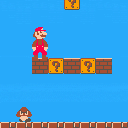
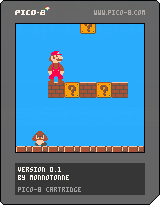
A port of the original super mario bros onto the pico-8. It's still very much a work in progress and lacks key features such as items, enemy AI, and falling into a pit crashes the game. But the basic engine and collision detection is all there, so feel free to play around with it if you want.
Let me know what you think, and what areas it can be improved upon.
6 comments


A little fun thing I did with Zep's Hello World program. This could be amazing as an actual boot screen xD
0 comments