


Hi folks! If you were eagerly anticipating the Advent Calendar's return this year, do not fret! The shadowy cabal behind the calendar has not forgotten.
We've decided to release a slimmed-down calendar this year, with twelve entries for the 12 days of Christmas. Check back starting on December 14th for the usual daily installment of holiday cheer.
Happy Holidays from the Pico-8 Advent Calendar Team!
Game Threads:
Totally Accurate Holiday Bowling by @freds72: https://www.lexaloffle.com/bbs/?tid=45701
Mitt's Marble Adventure by @TheTomster: https://www.lexaloffle.com/bbs/?tid=45710
Winter Wars by @2Tie
2018 Throwback - Secret Santa by @Liquidream: https://www.lexaloffle.com/bbs/?pid=59306


 27 comments















Controls
[CURSOR KEYS]: Move character
[X,M,V]: Switch elf (if available)
[Z,N,C]: Switch outfit (if available)
Simply bump into things to INTERACT.
Stand still for a few seconds to view your INVENTORY.
About the game
Fiss the elf is once again on a mission to seduce Santa. This time, her life might just depend on it! Get help from friends, manage Fiss' libido and complete your horn collection to truly make it a Christmas Eve to remember!
A more ambitious sequel to last year's "Get in Santa's Pants".
No explicit content is shown, but the game contains suggestive themes, mountains of innuendo and teeny-tiny pixel butt.
25 comments




I'm running the Linux version of Pico-8
The load command works with some carts but doesn't work with others. The only output from the pico-8 console is "could not load". If I launch splore, then I can launch all carts from splore.
I just recently reinstalled my system and the problem started after that.
7 comments



I'm brand new to making music and I'm interested in hearing about how different people approach composing for their games. Not in terms of using the music editor—I'm fine with that—but more about your process/workflow for creating the music itself. You can assume that I understand about scales/modes, keys, chords, chord progressions, etc. and feel free to sling around jargon/technical terms if you want I can always go look up anything I don't understand.
I realize that everybody goes about things their own way; I'm not looking for a "right" way to make music, more just interested in peeking into people's brains while I try to figure out my own way of doing it.
The kinds of things I'm interested in (not an exhaustive list!):
- How do you start? With the main melody? With a beat? Chords? Something else? Do you always start the same way or does it depend? On what?
- Do you create your music from scratch directly in the PICO-8 music editor or do you use something else, like a DAW and then "translate" the music over into PICO-8?
23 comments



On the Mac, when Pico 8 is running when the Mac hibernates, after I un-hibernate the Mac Pico-8 no longer plays sounds. I have to restart Pico 8 to get audio working again.
I'm using MacOS Catalina 10.15.7 and Pico 8 0.2.3
3 comments



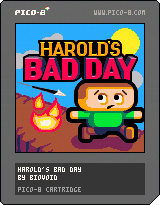
A precision puzzle-platformer aimed at speedrunners that turns one of the oldest videogame tropes on its head.
In other games, dying is bad, and your remaining lives are just chances to try again... right? No, not on Harold's Bad Day.
Finish as quickly as possible, while trying to save as many Harolds as you can for a perfect run.
My first PICO-8 release - hope you enjoy!
107 comments



For some time now I have been thinking about making a large 128x128 LED Display for the PICO-8 and finally I did it.
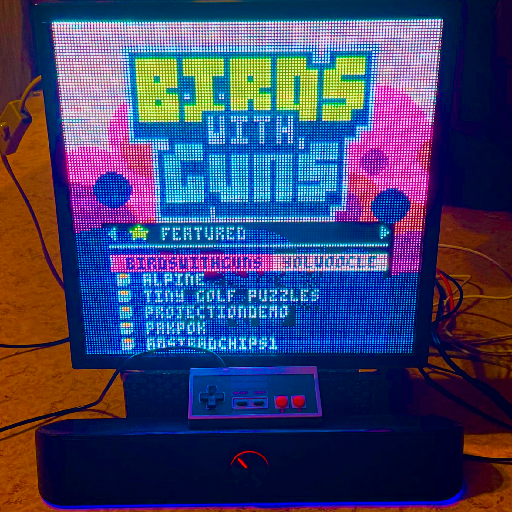
What i used for this project:
- P2.5 RGB pixel panel HD display 128x128 (https://www.aliexpress.com/item/4000057689390.html)
- Raspberry PI 4
- Analogue of Adafruit RGB Matrix HAT for connecting Raspberry with LED Matrix (https://www.amazon.com/Adafruit-RGB-Matrix-HAT-Raspberry/dp/B00SK69C6E/)
- 2.1mm Plug to Screw Terminal Block to connect the pixel panel power supply to the RGB Matrix HAT (https://www.amazon.com/Adafruit-Male-DC-Power-Adapter/dp/B00KAE41RE)
- Additional longer hub75e 16pin cable to daisy-chain martrices inside pixel panel diagonally
Selected pixel panel is well assembled, it is easy to arrange all Raspberry PI guts inside case, but:
- It has a pre-installed LED matrix controller, but it is not required for this project, so this is an extra cost
- 16 pin cables too short to daisy chain 2 matrices for use with RGB Matrix HAT
14 comments

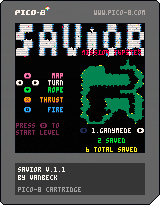
Hi all,
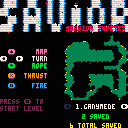
My first Pico-8 game, very much inspired by Oids and Thrust.
Rescue the little guys, get them to the landing pad at the top of the level.
Aliens will try to stop you, study their behavior and plan your strategy.
Watch your fuel level, shields will replenish slowly but this takes up fuel.
Passengers are heavy, you can carry 5 at a time but can you really?
Fly in a straight line away from the moon to exit the level.
Left and Right to rotate.
Up while landed to show map.
Down to drop rope.
A to thrust.
B to shoot.
8 levels, each one trickier than the last - have fun!
Updated to get rid of some bugs and slightly easier to control.
2 comments






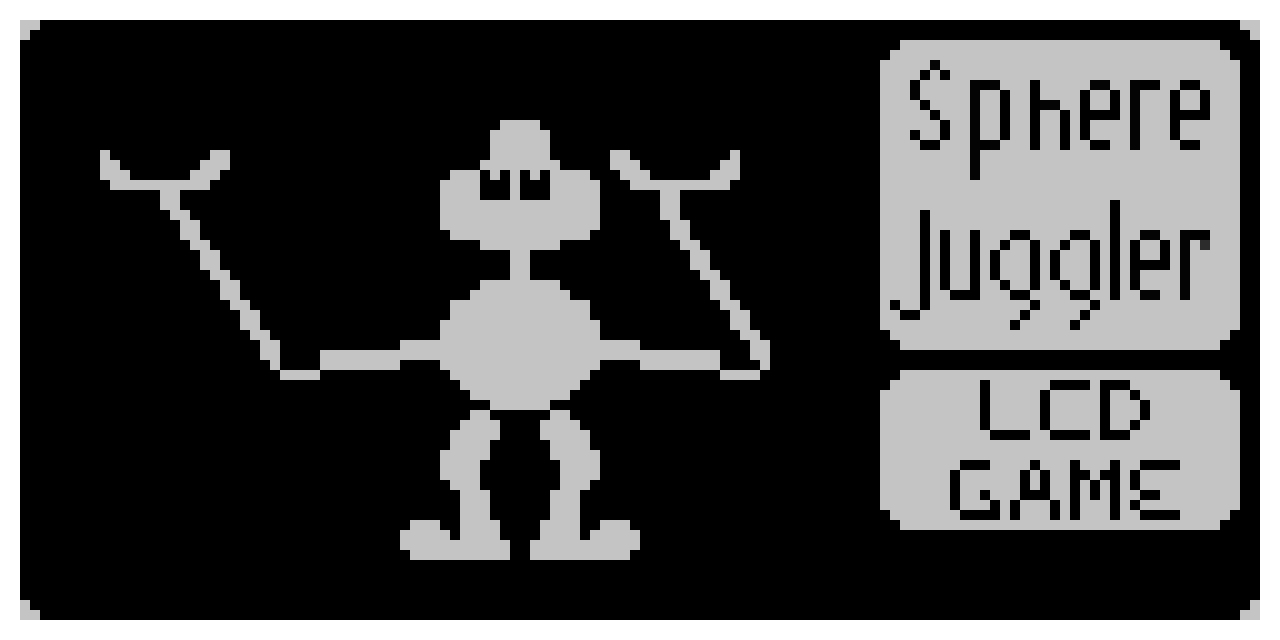
Thanks for checking my cart out.
I'm just working on re-creating some classic lcd games in pico-8. Maybe if I'm ever good at it, I'll try to make a collection of these games.
I'm much prouder of the score read-out than I should be.
Please let me know if you find any errors or bugs.

|
[0x0] |
3 comments

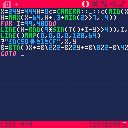
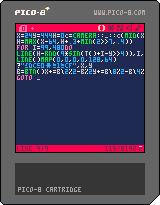
During some glitchy sandstorm effect testing for a tweetcart, I managed to hard crash the Pico-8 executable completely. This minimal code reproduction does it consistently on my machine after about 10 seconds of moving around. It seems to be related to the interaction between sin, rnd, and line, because removing those line()s fixes things. Likely a specific hex value in line() blows up somewhere, and rnd hits it occasionally with this setup?
Warning: I have no idea what this code will do on the BBS. Run at your own risk, as it consistently crashes the PICO-8 exe completely in just a few seconds!

 8 comments


Not sure if bugs is the right place to put this...
Is it possible to retrieve a variable within a table within a table within a table and so on?
tables = {
   table = {
   a = {x=0,y=0}
   b = {x=64,y=94}
   c = {x=0,y=0}
   }
}

print(tables.table[2][2],0,0,1) -- this is not how it works |
If I wanted to print "b.x" and "c.y" at the same time in the most conventional way possible, how would I go about that?
3 comments

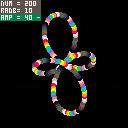
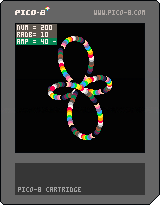
For some reason Pico-8 is the only environment that really beckons me to be creative. For the most part I really like the challenge of making something interestingly complex, with minimal code.
Controls:
Up and Down : Move through parameters
Left and Right : Change currently selected parameter by 10
X and C : Change currently selected parameter by 1
Left + Right : Reset current parameter to 0
X + C : Change between discrete steps [-] and continuous analogue steps [~]
There is a mouse position option [MSE] that is intended for use on touchscreens, turn it off at desired location to hold it in that position.
On top of the obvious messing about, I found that when AMP and RADB are in the high thousands, and are relatively close to each other in value, other different patterning emerge.
1 comment



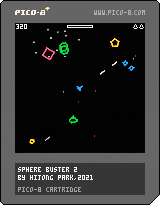

This is my last pico8 vector game project and a sequel of my first pico8 game, Sphere buster.
Multiple gameplay options are available to make it play like either asteroids or asteroids deluxe.
I kinda burned up making vectors so I'll make pixel games again after this project. I'll also dig tic-80 to port some of my pico8 games and make new games that utilize its superior performance and more buttons.
Anti-aliased vectors by elice and freds72.
8 comments



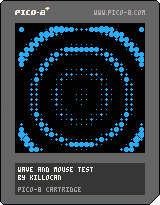
This is a test using mouse's coord capturing and a little animation using distance from mouse + a sine wave to make it look cool hehehe.
I've been doing some tests and mini games on pico 8 for a while, but never uploaded any of it. I'm posting this demo just to learn the process of setting up a cart online.
Cya \o
2 comments

