


i have to count frames a lot because i'm using them to base the timing for the rhythm game and the clock. rather than having some global variable i increment every update (which would then require some kind of modulo operation to check, say, if we are on an even numbered frame) i decided to use the closure technique to make a counter that resets after a certain number of frames.
function frame_looper(frames)
 local f = 0
 return function()
         f += 1
         if (f>frames) f=1
         return f
        end
end
|
here i have a function FRAME_LOOPER that takes a number of frames. it creates a local variable f and then returns an anonymous function that when called returns that local variable f. we can now make a variable that uses a frame_looper as a counter.
beat_counter = frame_looper(10) |
now in my _update function i can just call beat_counter() and i'll get back a number from 1-10 depending on how many times the function has been called. rather than having to declare some random variable and set and increment it every update, that local variable f that was enclosed in the anonymous function gets generated every update.
i'm still new to all of this, but i was able to use the technique for two other parts of my code that also work on a counter like this.
function drum_beater(accents)
 local i,s = 0,0
 return function ()
    i += 1
    if (i > #accents) i=1

    if accents[i] then
      s=0
    else s=1 end
    sfx(s)
 end
end

accent1 = {true,false,false,false}
drum = drum_beater(accent1)

--[[ moonbeat:
used in _draw to flicker the
moon sprite]]--
function moonbeat(b)
 local moon = {x=80,y=40,
               r=8,col=10}
 return function()
         if b == beat_frame then
          moon.r = 10
         end
         return circfill(
           moon.x,moon.y,
           moon.r,moon.col)
        end
end

moon = moonbeat(0)
|


 1 comment



This subject may have been touched on lightly already, I don't know.
As some game writers in PICO are selling their products, I would like to recommend that PICO have one of a few things.
First off, I've already written a program that can bundle PICO and a source code and have them run each other from a single EXE file that doesn't leave or use any stray files. The problem is the ESCAPE key. Once you hit it, the game stops, and the player can hit ESCAPE again and the source code is revealed.
I would like to add to COMMAND LINE options for PICO -NOESC where the ESCAPE key cannot be used.
Better than this would be to have an option to compile to a single (and possibly encrypted) EXE.
So someone could load up their game. In command mode type, "SAVE GAME.EXE" and a single executable file is created. If ESC is hit during runtime, you only get similar options like you do in SPLORE, but no option to edit or view the source.
CONTINUE
RESET CART
EXIT
Saved game files would be saved either in Users/Name/AppData ... or directly in the same path as the EXE.
Any ideas on this ?
17 comments









Despite how that sounds, no, it's not a schizophrenic having an argument with himself, although I have seen this before. :)
No, it is the unique ability of a FUNCTION in PICO to change the values of arguments as they are entered. I.E.:
FUNCTION ADDUP(VAR A,B,C) A=3 B=4 C=5 RETURN A+B+C END |
In this, while the return value is A+B+C, the argument entered for A will CHANGE, just like a local variable upon exiting the function.
X=7 Y=8 Z=9 ADDUP(X,Y,Z) PRINT(X) |
The result will be "3" since X was directly modified.
This is useful for calling functions with an input that is changed by the ending result.
While this can be done in other programming languages, can it be done in PICO-8 ? And if so, how ?
25 comments









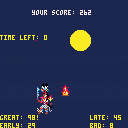
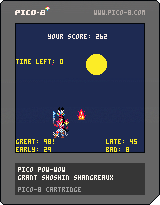
Hello fellow Pico-nites! Its my first thread here on the forum and I'd like to greet all of you in the Lakota language:
Haú mitákuyepi. Iyúha čaŋtéwašteya napéčiyutapi.
One thing I've been excited about with this "fantasy console" is that I can imagine a fantasy world where game cartridges representing indian people in a positive way came out back in the 1980s. the only indian people i can even think of in video games are T.Hawk from Street Fighter and Turok... and i'm not even sure what he's supposed to be. not that they aren't positive representations, but here I can create something that is based on real living culture and not just a stereotype. i like imagining myself back as a little kid, going to the video store to rent some NES game and finding this on the shelf. And in our real world I can begin to make and distribute that fantasy not only to console users, but to whomever i please with the HTML export.
This is certainly a lesson in learning to work with limitations, but also the first successful "game" I've ever made too! I set out with some grand ideas about the indian game i wanted to make, but then Pico's limitations (and my own) helped me to craft an idea that seemed actually possible to me. A dance game based on pow-wow dancing!
Modern pow-wows have competitive dance events with prize money. Dancers are judged on many things, including their regalia, behavior, participation in the Grand Entry, and more. This game only focuses on whether or not the dancer can step in time to the beat. It is reflective only of men's traditional dance. There are a wide variety of dances, and perhaps future versions will include more game modes to reflect that.
I plan to add more game mechanics to make scoring more fun, like bonuses for not missing a beat, time limit, and possibly some kind of special moves. These will be more fantasy like with bells and whistles. Obviously I need to add more graphics, I plan to utilize my extra sprite space (no map) to put some extra love into animation.
My biggest problem right now is the music and sound. Currently, the beat sound effects are being triggered in the _draw() function on every frame where a beat should happen (every 10 frames). I found that I couldn't get the music() function to maintain a sync with my frame counter variable T, and therefore I wouldnt be able to detect if the buttons were being pressed in time with the rhythm. Any advice would be welcome. I want to be able to add some real music.
Thanks for reading and testing my game!
update: i fixed the tolerance for beat detecting and took out some modulo operations, maybe it will work better in browser now?
update 0.2b:
- added game states (thanks misato), game now ends after 60 second time limit
- added scoring based on timing of steps
- code organized slightly better
- added closures! maybe a little clumsily, but i was excited to be able to use this functional technique in lua and pico8.
heres how i'm using it: simple counter using closures
12 comments






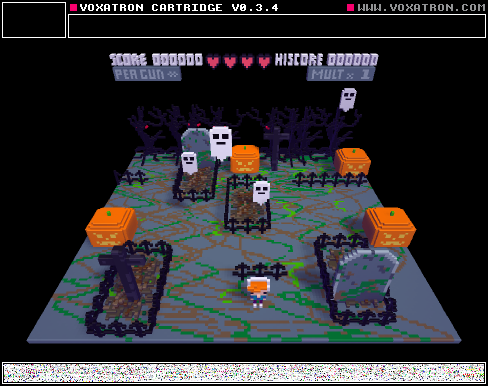
Yeah ! Got tired of PICO never recognizing keystrokes from the NUMBER KEYPAD for my arrows and DEL key. Getting cramps in my fingers after a-while with the PGUP and PGDN just to the right of "\"
Found this marvelous Freeware called SHARPKEYS.
https://sharpkeys.codeplex.com/
With it, you can reconfigure any key to any other key. It's quite rare when I needed an instance of the NUMBER KEYPAD arrows to have a different definition than the true arrow keys, so - I configured those keys, when pressed, to actually activate the ones that are firmly set in PICO.
NUM-7 = Home
Num-8 = Up
Num-9 = PgUp
Num-4 = Left
Num-6 = Right
Num-1 = End
Num-2 = Down
Num-3 = PgDn
Num-. = Del
And don't confuse this with CONFIGKEYS which is part of PICO.
CONFIGKEYS only configures what the SPLORE and game play will use. NOT the actual editor.
To my knowledge, there is no way to configure the exact keystrokes used in PICO's IDE.
So - with the program, you can remedy that, and likely reconfigure other difficult keys to ones that are easier for you to access from othr programs too. :)
Hope This Helps !
0 comments




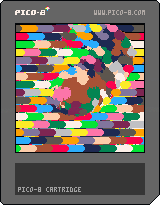
Wanted to see if I could make a post-processing effect to distort previously-drawn screen pixels.
It works, but it's probably too slow to be practical - the much, much cooler thing here is a serendipitous glitch-art effect that happens when the screen isn't cleared between frames. Hit the Z/O key to toggle that.
The distortion effect works like this: It copies the frame buffer into the sprite sheet, then redraws a portion of the screen, pixel by pixel, by reading the sprite sheet - but it modifies the sprite lookup position for each pget() call, so you get the spherical bump when it's done.
Can anybody give me some optimization tips? I feel like there's some kinda trickery out there to make it more powerful (the demo here uses radius=26, but if I put it above 28, it drops to half-fps, at least on my laptop). If you've dealt with lots (thousands) of individual pixel draws per frame, let me know what you learned!
I tried using peek() and poke(), but it seemed like it ended up being slower than pset() for drawing pixels one-at-a-time, since the image data is packed with two pixels per byte - so they had to be separated and joined a bunch of times. Maybe there's some super-lean way to do that, which I didn't think of?
8 comments



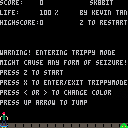
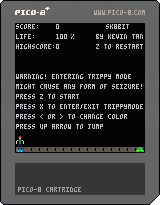
Hello, long-time listener, first-time caller here. First time making a game, as it goes, I guess. This is me trying to learn by doing, both game design and Pico-8.
This is available on Github, too, just because that's a toolset I use more regularly, but I'll endeavour to update in this thread and the code repo at the same time.
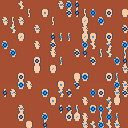
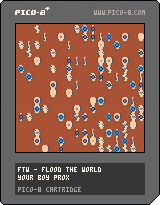
Name: FTW - Flood the World
Concept: You get three seconds to pick somewhere to unleash a storm. You get a score based on how big a flood you make.
Each tile on the map has a randomly-assigned amount of “slope” which determines how much accumulated water is needed to spread to neighbouring tiles. Each tile also has an amount of water within it, which accumulates as the flood spreads.
Progress: Procedurally generated map with two bits of data per tile - one for slope, one for collectable water. Map being represented by sprites depicting how much/little hill and water there is per-tile, but at the moment just flat top-bottom hills existing, need to do neighbour recognition to form river-type shapes that join up properly.
Map can be sized dynamically and seeded according to how much impenetrable hill is placed (fully dark tiles) vs spreadable hill (any tile with beige on it). Map is scrollable, currently set at 150x150 because that seems like the biggest it will feasibly go, at least the way I’m storing it right now ;)
Next: Make joined river graphics make sense to the human eye.
Any feedback welcomed, either conceptually, about how I'm misusing Pico-8 or anything else. This is the first time I've really spent more than an hour on anything with Pico-8 so I'm very much learning as I go.
 1 comment
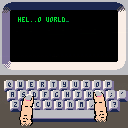
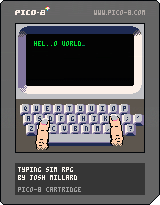
(Ooh, this cart clipboard thing is new since I last posted!)
Typing Sim RPG! Very early work in progress, but I've resolved to start posting works in progress to the BBS more because it's fun to share and I should let folks play with the things I post gifs of on twitter.
CONTROLS:
- arrows to move the fingers
- z to type with left finger
- x to type with right finger
GOAL:
Right now all you can do is type. This is the, uh, open-world part of the game.
WHAT'S THE BIG IDEA THOUGH:
I want to turn this into a proper RPG. You'll start with a character creator where you name your fingers, select skin tone, nail polish, finger size, etc. You'll select starting stats that affect things like finger dexterity, shakiness, precision.
And as you complete typing quests, you'll earn XP you'll be able to boost those stats to improve your ability to translate dpad/button input into accurate typing. You'll maybe find magical equipment (probably mostly rings given the context) that'll help out your typing in various ways. And so on.
BUT DOES IT SUPPORT DVORAK:
Yes, and also Colemak. But for now those are only accessible by going in and tweaking the code a little.
9 comments




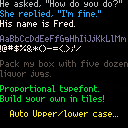
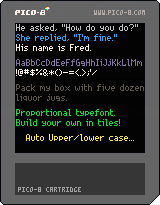
Usage and routines included inside.
I mentioned this method earlier to someone - I guess they never got around to doing it. It's overdue so here it is.
0 comments



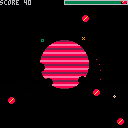
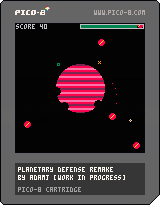
Remake of the classic Atari 800XL game Planetary Defense by Charles Bachand and Tom Hudson with a little but notable modification of the original gameplay: The amount of shots you can fire is limited and you need to recharge by staying near the green orbital base.
Shoot the giant red bombs out of the sky from the orbit. Don't hit your own planet. Don't let the bombs hit the planet either. Once any bomb reaches the core of the planet (coordinates 63:63 on the screen), game ends. 10 points for shooting a bomb.
Arrow keys: Aim
Z: Shoot
X+UP/DN: Alter the orbital speed
11 comments


While there are some definite head-turning elements in PICO that help game writers, occasionally I will come across something - strange.
And this is one of them.
cls()
for i=0,3 do
  for j=0,3 do
    print(j.." "..i)
  end
end
print""
print(i)
print(j)
-- ^ nil ??
|
That's right, if you run this, instead of getting "4" and "4" for the end it gives NIL.
What gives ?? Is FOR (variable) even using a variable ?
3 comments

I couldn't help myself, naming the title that; just thought it was too much of a cliche to miss.
Anyways, my name is Rollerstar and I am an Australian Indie Dev!
In the coming weeks I will be doing my final exams for secondary school! (Yea I'm pretty young...)
So on the balance of study and play, I will hopefully be working on a few exciting projects :P
I only discovered PICO-8 about a week ago, I was on itch.io looking for web games when I came across several titles which all had the same start screen. Originally I thought this must be included in all the games because of all the game jam they were participating in and after a quick google search, I couldn't find anything.
However eventually I stumbled upon this 'fantasy console' and I've been intrigued ever since, I think the whole thing is frikkin awesome and I cannot wait to delve into this new and exciting world!
So I guess if you're interested in seeing what I come up with, keep your tabs open and maybe, eventually.... I'll have something to show!
Glad to be a part of this community and see you all soon :P
Rollerstar[i]
6 comments

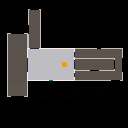
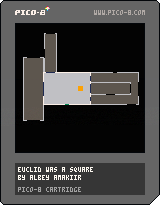
Made for the Sydney NSI Game Jam 11 in Australia.
The theme was Mad World, and the t-shirt was bloody awesome.
I made a non-Euclidean maze.
It's not so much a game as it is cool tech with flimsy gameplay.
I have not worked out my math brain this hard for a long time. So much math debugging. D:
11 comments

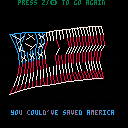
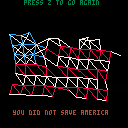
Version 2.0
Made some changes to make this thing a bit cooler:
-
Overhauled the cloth sim so it operates in 3D now. It's projected orthographically ("just uh, ignore the z value for rendering," in this case), so there's no parallax - but even so, allowing points to move on the z-axis produces much more believable motion. I'm leaving the old version up for comparison. Particularly, the mostly-intact flags don't hold themselves upright like a rectangle made of jello anymore.
-
Added basic "quad rendering." It draws two extra pixel-lines to connect pairs of simulation-lines. Makes it seem like the simulation is much higher-density than it actually is - score! (The cloth sim uses 7 rows with 10 particles each). For style, some of the simulation lines are now invisible (like the horizontal lines along unbroken stripe segments, and all the non-star diagonal structure lines)
- Added an extra prize when you win. It doesn't tell you in-game, but you can mash the "cancel" button on the victory screen to stress test it. Be careful not to hit the OK button, since that still acts as the reset button, like usual.
[b]Version 1.0
20 comments







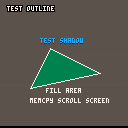
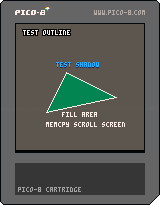
I'm seeing a few similar graphic effects that seem to be of use in games. The most of which is having an outline appear around text and to shadow it.
I also saw someone working on a "FILL" routine but it kept crashing because it was recursive.
Here are truly 5-lines of code with one routine to each. Ah, I didn't say how LONG each single line of code was though, did I ? :)
While I have you on the horn, I was hoping someone could submit source for a few useful routines not just for me but likely others:
1. Draw Hollow Oval & Filled Oval
- Draw Polygon & Filled Polygon (w any # of points, not just 3 or 4)
6 comments


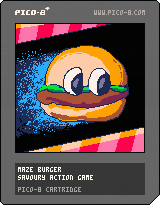
1.03 Updated label image.
Guide the sparks to the flag. Avoid the enemy blobs. Rotate the maze to escape.
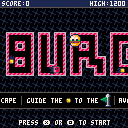
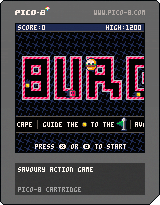
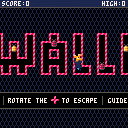
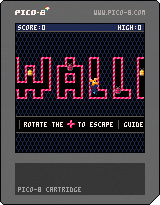
1.02 changes
- Wallflower becomes Maze Burger for whimsy and visual clarity
- Directional indicator when adjacent maze cell can be rotated
- Persistent high score
 6 comments


Now that I'm remembering code I wrote on other computer platforms (ow my head !) I am reminded of one unique feature that the Commodore Amiga 1000 had, and that was HARDWARE SPRITES.
Yessirree, I did not remember until now, just how powerful these little things were.
You had 16 of them, they used color sets 17-19, 21-23, 25-27, and 29-31. They could be any size vertical but only 16-pixels across. Not very exciting in itself, but let me explain.
In the Commodore Amiga, you could use one of these hardware sprites and it would appear on top of graphics. No, that's not correct. They would appear on TOP of graphics. That is, you did not plot them, you INVOKED these sprites, and when you did, when you changed their position, for instance, the background of what was beneath them was always remembered and untouched.
In the Commodore Amiga, you could give a hardware sprite an acceleration, that is, you could give one say AX+=.1 and AY=0 and it would creep to the right across the screen, but ALSO continue to creep even after you stopped running your code.
Curious little things. With the many ignored suggestions, I'd like to add this one, that PICO have the ability of being able to work with 16 "hardware" sprites. However, instead of being limited to 8 or 16-pixels across, you can choose the number of tiles it works with.
It also would not have a limited palette but be able to use the full 15-color set (with zero to show background through).
The advantage of this would be clear. You could invoke these sprites and not have to worry about "cleanup" behind when they moved off of an area. By giving them an acceleration, they would continue to move and not need code to continuously "push" it.
Additionally, you could not READ these sprites. That is, if you had a solid black screen and you invoked a sprite, say 8x8 that was white to appear in the top-left-hand corner, reading directly the pixels there would STILL be black, as these "hardware" sprites have their own invisible layer and would not be read by PGET().
MHWSPR(n,x,y,h,v) Make HW Sprite ID #n from tile set position x,y size across h and v down
RHWSPR(n) remove HW Sprite ID # n
HWSPR(n,x,y,a,b) move sprite #n to pixel x,y or, if zeroes, a & b are acceleration with real numbers.
s=(HWSPRCOL(n)) return 0 if no collisions or ID # if collided into other HW sprite
Collision checking is done by overlapping pixels, not area.
4 comments

