Could someone please post a fully working example program making use of the CSTORE command and how to maintain user saved data even if the version changes by creating a 2nd file as the instructions hint at ?


 8 comments


Just starting out. So much to learn in PICO ! Just found out today that <> is not recognized, no, you must use ~= ... Screwy !
I'll be working on this cart quite a bit now and when done, hopefully it will be an effective notepad and maybe even give you some good ideas on coding and design. :)
5 comments




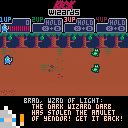
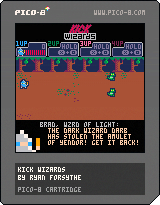
Straight from the back of a pizza parlor circa 1995, Kick Wizards is a 4 player beat-em-up styled after the TMNT and X-Men arcade games.
Tap the attack buttons to do quick attacks, hold them to charge the spells. With multiple players, if someone dies, charge a spell near their gravestone to ressurect them. Charging spells near healing crystals will gain you back some HP.
I've been working on this cart for about a month and a half; I started work on it just before The Lair was released. Hopefully there's room in the pico-8 universe for two D&D-themed beat-em-ups.
I'm currently working on finishing up the final boss behavior and building up a couple more levels of maps, but it's getting to be very very slow going since I am continually running up against the token limit. Each new feature requires a substantial refactor in order to open up 50 or 60 tokens. Minification pros, if you want to take a spin through my code and let me know if you see any easy wins, I'd appreciate it.
Otherwise, let me know what you think. I'd especially like to hear about playtests with 2 or more players, that aspect of the game has had way less testing than single player.
5 comments





I'm going to keep this consolidated to one thread hereout.
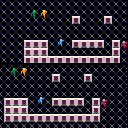
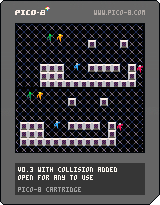
This cart is a sampler of basic game functions that I find useful and others might want as well. I'm using these carts personally as a launchpad for more complex game mechanics.
In this cart, you will find functions and methods for:
Storing entities in tables
- One or Two players
- Single Screen or Split Screen
- Scrolling Maps
- Basic Map Tile Collision
My wishlist of things to add (but not until I have a clean method for it):
- Entity collision
- Particle effects
Again, I'm doing this to help myself, but hopefully I can help others. If you see a function or technique you think would be a valuable contribution, or a cleaner way of doing the things I've done, by all means! Make another version of the cart and load it to the thread!
4 comments


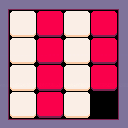
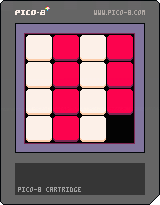
What I'm aiming to build is a sliding number puzzle, having recently bought a small plastic one at a novelty store/truck stop and remembering the simple fun of such puzzles as I solved it over and over again in the car. What I hope to is finish this cart, and then use the 15-tile sliding mechanics to create a new, more interesting game. perhaps a dungeon-crawling RPG, or something in the vein of the "Dungelot" series of games on iOS.
This cart is very nearly nothing at all. I'll be honest: I really just want to work on this some more on another PC, as well to test the new SAVE/LOAD @CLIP feature. What little programming there is is probably insanely messy and childish (I'm still blindly learning how to program with Pico-8, almost-exclusively through trial-and-error), and there are literally only three sprites, which are all of them no more than glorified squares.
If you think you can use this nearly-nothing for something, have at it, though!
1 comment





Reading about the educational license on the site it says:
"...allowing users who are teachers or administrators at a school, workshop, or other educational space to install and use the software on any computers in that space."
So, does that mean my existing license for PICO-8 is valid to use with my students at school, or do I have to purchase a new copy specifically tied to my school email address to use in school?
Thanks!
4 comments



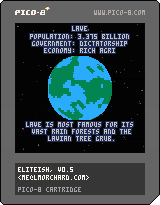
Update v0.5: Quick fix to make the auto-switch timer work again
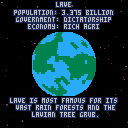
Update v0.4: Got the goatsoup planet descriptions correct for most planets. A few have drift where names are generated randomly. Sped up & improved planet texture generation
Update v0.3: Realized I was generating Galaxy 2 for Elite. Small tweak, and now we're in Galaxy 1 starting with Lave! The goatsoup planet descriptions are still wrong, though.
Update v0.2: Added a timer to switch planets automatically every 15 seconds, so I can use it as eye candy on my PocketCHIP on my desk
Use left & right to switch planets. Buttons z & X control the speed of the star field.
Mainly a tech demo / experiment, right now. I took the C code behind Ian Bell's "Text Elite" and gave a try at translating it into Lua. From there, I dropped in some star field and rotating planet code. That makes for a little info display on imaginary planets for some eye candy.
5 comments













Hi everybody!
It's been some time since I posted around here, and worked with Pico8 in general. Was a tough summer. But I come back with a second wind, partly because of the arrival of my PocketC.H.I.P.
Last Friday I started a project while I was on a train, to test out the device and how comfortable was to actually code with it. And I decided to post here some updates about the development of said project. So, without further ado:
--------------------------------------------------------------------------------------------------------------------------------Behavior Trees
Most of you probably know about them, and have worked with them. For those which do not, I'll provide a quick explanation. Please correct me if I'm wrong, as I'm by no means an expert in this matter.
The Behavior Tree is a model widely used in the videogame industry to create goal-oriented plans using small, self-contained, behaviors. They came out in a conference about Halo 2 AI systems, and since then they've been used in lots of different projects, even outside of the domain of videogames (robotics, etc).
A behavior tree(BT) works by going through its nodes, from the root towards the leaves, computing these nodes according to certain rules.
The possible outcome of a node Tick() function is either Success, Failure or Running (usually). Each node computes its Tick() function analyzing the outcome of its own children.
e.g: The Inverter node's Tick() will return Success if its unique child returns Failure, and Failure if it returns Success.
So, in each Tick() (usually inside an Update() function), the tree will be computed and only some behaviors will activate, creating a composed, more complex, behavior.
If you're interested in reading more about them, here are a few nice links to articles and posts:
Gamasutra Article
6 comments




Greetings:
I got inspired into making music again after looking into vaporwave. The problem is that I never was any good at making music. After tinkering a bit in the note editor in the Pico-8, I decided that I am better off learning from actual good loops and making a song off them.
The problem here is that the Pico-8 uses both a bar-based editor and a sort of tracker in composing its notes. So far, there doesn't seem to be any way to import any music or even loops into the Pico-8 cartridge format.
Is there some place where I can find loops in either the public domain or Creative Commons (preferably BY or BY-SA) and are in a format that lets me transcribe then into the Pico-8?
2 comments

I'm new here and trigonometry is still a bit complicated for me. I'm not quite sure where to start on this, so sorry I can't really be specific, but I've been wanting to make a field of view.
I have no idea how to tell the game which squares to check for vision and how to block vision. As a newcomer to all this, what do I need to learn?
7 comments


I just had an Idea while messing with my TI-84 plus CE calculator. What if, When the full version of Pico-8 comes out and they start making ports to other platforms, they made a version for the TI calculators that had color screens like TI-84 Plus CE or Nspires. I don't know if that would be possible but I like the idea. Let me know what you think. Maybe one day they can make a port for it. :D
-DerpsMcPineapple
1 comment


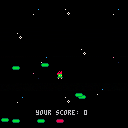
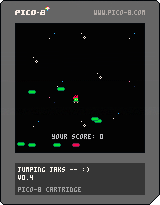
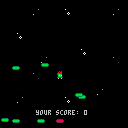
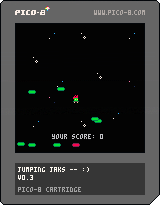
Version 0.4!
CHANGELOG
- Red platforms now drop down as you hit them, but not enough you can jump on them forever
- Added yellow platforms that slide from left/right at random speeds
- for difficulty increased the change of getting non green platforms the higher your score
- background slowly moves as you play, not sure I like that yet.
- platform won't generate with X starting past 120 now so they aren't half off the screen
- increased the randomness of Y when generating platform so they hopefully aren't as grouped
 3 comments
Well, THIS was a surprising side of myself to find coming to life while messing with PICO-8. Little as I've been able to really sit down and focus, I've actually started getting more into hardware and Linux now as a result of my exposure to it! I've already built a "Picade Console unit," and got that loaded up with some games... for some weird reason, Emulation Station still having trouble launching PICO-8, even though it can see the games there for it. I've done the "sudo chmod +rwx pico8" thing too. But nevertheless, the controller/unit was FUN to build, and that's something I really haven't done in a good ten years now. I'm up and playing a bunch of cool classics with it, too! I'm probably gonna get a full Picade Cabinet kit when they become available again, too! :D
Also, after MUCH delibration, my PocketCHIP finally shipped as well! It's only been a day now, and I had to do some calibration to the touch screen, but developing for PICO with it is still fun and solid! The somewhat nonstandard punctuation is a little tricky at first; but once you get acquainted a bit, it's pretty solid. I didn't have as much trouble hitting diagonals as I expected to have, from what I've heard here - but getting my right thumb back on the 0/+ keys (the Pocket edition equivalent of o/x or z/x) usually involved me looking away from the screen for the placement. It also felt weird trying to compose sound with "Q 2 W 3 E 4 R T 6 Y 7 U" since the number keys THEMSELVES were in a piano-like arrangement at the top of the screen (that might be one version difference worth considering); but once I popped up an octave and stuck to "Z S X D C F V B H N J M," it wasn't so bad. Then if I needed the top octave, I'd just change that bit in the tracker view. Editing sprites, maps, and even code felt natural as feck, though. And it's kind of a neat touch that it boots in Splore mode... but I can understand why the regular version doesn't do that.
It also feels REAL DAMN GOOD to have my first entire weekend off since June. T.T But I suppose without that intense grind, I wouldn't be swimming in all the cool nerdy wares I have going on now! And it's all 100% thanks to the PICO-8 community.
0 comments





Because F7 does not work in Pico-8 on Pocket C.H.I.P., how can I make screenshots for my Carts (apart from buying Pico-8 for other platforms, that'll come much later ;) )?
On Next Thing Co. forums some ppl sugested xfce4-screenshooter in the terminal but I doesn't work for me.
It makes screenshots but seems to not be saving them to clipboard so pico8 can't grab them.
Or is there a folder I shoud be saving them to?
Halp plox
8 comments