



Created so I could learn how to handle tracker and maps (sort of...)
Inspired by tjheslin1's Interstellar I took yet another try to learn how trackers work and I just had to choose my favourite tune from Terminator 2!
Made in Pocket C.H.I.P. where I coudn't manage to make a screenshot so tips would be appreciated!
This is also my introduction to Pico-8 community!
Cheers everyone!!


 2 comments






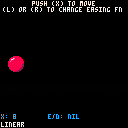
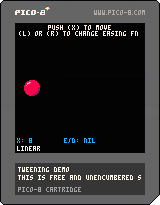
For the game I'm working on I built a super tiny tweening system for making it easier to move things around. This cart demonstrates a few different easing functions that plug into the system.
Tweening is a way of moving an object from point A to B. You specify where you want the object to go, and how long you want it to take to get there, and the tweening system takes care of the motion. I find it super useful for making games, especially for adding little bits of polish to your game. It's easier to just say "move the ball to x=104 in 60 frames" than it would be to calclate the required speed every time. You can also use an easing function to tell how it should get there, allowing it to accelerate slowly or bounce or spring back.
Tweens have four parameters: the property we want to update, the value we want to end up with, the length of time we want it to take to reach the target value, and the easing function. We'll store those values in a table, and each frame we'll look at each entry in the table and update the target property as needed.
The tween function begins tweening a property:
function tween(target, property, destination, duration, func)
  local tween_info = {
    target = target,
    property = property,
    base_value = target[property],
    change = destination - target[property],
    duration = duration,
    elapsed = 0,
    func = func
  }
  add(tweens, tween_info)
end
|
1 comment


So I've been looking for a quick and portable developer environment for me to gamedev on the go, and I thought pico-8 was it; but after trying for a while I'm not entirely sure....
I've already gotten a pocketchip and pico8 on pc >_>. But it feels really confusing after using Unity, gamemaker, and other more graphically based programs. I've tried making a sort of starting point for quick deving with objects and built in collision detection but its really difficult....
Any suggestions on where to start again or if there's a different programming environment I could work with?
EDIT:
I'm asking because I was trying to find a very quick and portable developer environment and that seems to be very hard to find and I'm not sure if this is right for me because I want to dev on the go >_<
5 comments






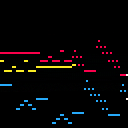
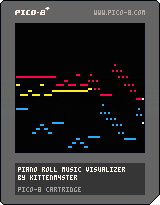
I recently made a program that can translate (some) MIDIs to PICO-8 tracker format and I thought I'd also make a fun visualizer to show it off :)
The music you see (and hear) above is J.S. Bach's Sinfonia 15 in B minor (BWV 801). It was translated from a MIDI file (that I found on the internet somewhere) into PICO-8 tracker format by the aforementioned tool:
https://github.com/andmatand/midi-to-pico8
This visualizer takes a simple approach of displaying whatever notes it sees are currently playing each frame (if any notes changed) so it may skip notes if the notes ever change faster than the FPS (this cart runs at 60). A more robust visualizer could be written, but I just wanted something that could display most normal songs for fun :)
You can use this visualizer to display your own music by downloading this cart and uncommenting one or both of these lines in the _init() function (and changing the path string appropriately):
-- load the music and sfx data from another cart --reload(0x3100, 0x3100, 0x1200, 'othercart.p8.png') -- permanently store the music and sfx data loaded above --cstore(0x3100, 0x3100, 0x1200) |
14 comments






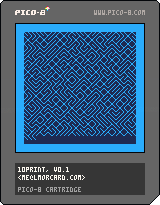
This is a simple one - it's an over-engineered Pico-8 version of this Commodore 64 BASIC program:
10 PRINT CHR$(205.5+RND(1)); : GOTO 10 |
It's a random maze generator, and some folks wrote an interesting book about it
31 comments




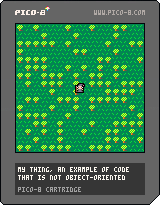
Or you could read that subject line as, "No Objects For Noobers."
For those of you confused or confounded by Object-Oriented programming, you might be happy to know that PICO will also accept the standard spaghetti-code variety. That is where there are no system interrupt or timing routines.
How do I use a single tile to create a perfect black outline around a sprite that is already 8x8 pixels in size ? You'll have to look at the code to find out. :)
Based on DittoSlash's test cart.
9 comments


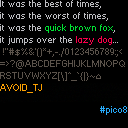
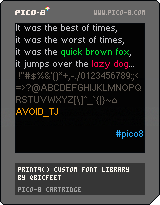
Inspired by LRP's lowercase font, I made a little library that lets you print to the screen using a custom 9px variable-width font that is defined entirely in code. In other words, nice and readable text that doesn't use sprites. The cartridge includes the hastily coded example usage you see above.
What's included:
init_print9

    initializes font data, must be run before print9() can be used

print9 str [x] [y] [col]

    prints to the screen using a variable-width 9px custom font
    if x or y are left blank it will continue printing where it last left off
    col is text color

    optionally returns the x-coordinate of the cursor, which is useful if you
    want to continue where you last left off (for example, when typing one
    character every frame)

    do note that print9() uses up a reasonable amount of cpu, typing out the
    entire lowercase alphabet uses up about 10% of the cpu @ 30fps
    my suggestion for longer text (i.e. dialogue boxes) is to draw to regions of
    the screen that are not cleared every frame and only clear when necessary

is_bit_set var pos

    checks if the pos-th bit (including fractional part) in var is set or not
    used internally by print9(), but hey, it's a nice utility
|
11 comments




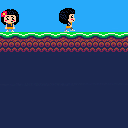
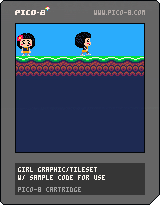
Posting this for anyone who wants to use it. I had made this as practice awhile back and I hate to see the graphics go to waste. Originally I thought maybe I'd make a LITTLE COMPUTER PEOPLE clone (if you remember that for the C64) or some sort of sidescrolling adventure game, or even maybe as a "cheerleader" for a shooter/puzzle type game (she could react to how well or badly you're playing.)
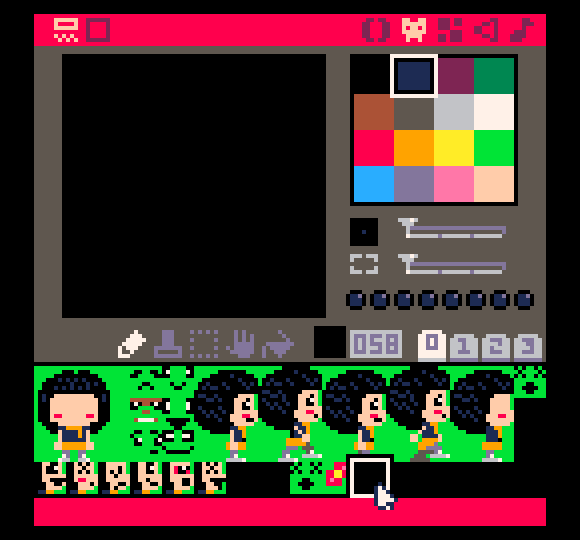
If you download the cart, you'll see that there are 2 sprites with blank faces, a lot of faces for front and profile view (demo only uses 1 face), and a ground tile set, and a flower accessory sprite, and a walking sprite which does have a face.
 2 comments

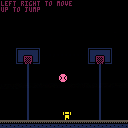
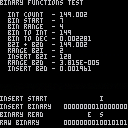
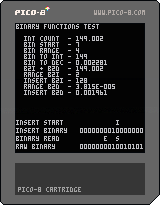
64 values of save data ain't enough for you? Try using this! These functions will allow you to save up to 2,048* values in persistent data! Anyone's free to use it in their own projects; I'm personally releasing this under CC4-BY-SA to allow works using these functions to be sold.
*If you only accepted ON and OFF as acceptable values.
Here's a comprehensive manual on how to use these functions:
[hidden]
============================================================

                 Pico-8 Binary Functions Set

                                             PRGM ver. 1.1.1
Created by A-zu-ra                         MANUAL ver. 1.1.2

============================================================

This function set includes functions that will:
  - Convert a given integer into a 16-item table of
    binary values
  - Read a portion of the generated 16-item table
  - Insert a given table into another table at any position
  - Converts a given table of binary values into an integer

Through these functions, you can essentially use one integer
to serve multiple purposes. This document will not only
cover how the functions work, but also how to apply them in
the context of Pico-8's persistent data.

Included with this function set is a brief test program
showcasing all of the functions in action.

    INT COUNT increments once a frame in both whole number
    and decimal and is a base for all of the functions in
    the test.

    BIN START is the START variable of binread.
    BIN RANGE is the RANGE variable of binread.

    BIN TO INT tests reconversion of binary back to integer.
    BIN TO DEC tests reconversion of binary back to decimal.
    B2I + B2D is the values of BIN TO INT and BIN TO DEC
    as a single value.

    RANGE B2I is the integer value of binread.
    INSERT B2I is the integer value of binread inserted into
    another table via binins.
    RANGE B2D and INSERT B2D work the same as RANGE B2I and
    INSERT B2I, but for the decimal subset.

The bottom of the function test contains the RAW BINARY of
the integer, as well as the range of binread and starting
point of binins visualized. In the test code is a section
that has EDIT THESE BELOW VALUES! and EDIT THESE ABOVE
VALUES!, so feel free to experiment with the values to get
a better feel of how things go together.

------------------------------------------------------------

inttobin(value, decimal)

    value     An integer within Pico-8's acceptable range
              (-32768 to 32767)
    decimal   A boolean that decides whether or not to pull
              from either whole number or decimal (0 or 1)

    RETURNS a table with 16 values of either 0 or 1

    This function takes an acceptable value that you give it
    and creates a 16-value table, each containing either a
    0 or a 1 in it. The following examples are formatted to
    be human readable; the order is reversed when the table
    is created (i.e. the first example below is, from the
    table's perspective, 0000100000000000).

    16        0000000000010000
    136       0000000010001000
    9570      0010010101100010
    -32768    1000000000000000
    -3530     1111001000110110

------------------------------------------------------------

binread(table, start, range)

    table     A table generated via inttobin
    start     The starting point to read from
              (remember, tables are 1-indexed)
    range     How many values from the starting point
              to read from

    RETURNS a table with a number of values
    specified in range

    This function takes a table that is generated from
    inttobin and extracts a user specified portion of it.
    This function requires two more additional values: the
    starting point (so you can choose from a different
    section of the table), and a range (so you can extract
    larger values).

    Since the table has the binary values in reverse order,
    the function will appear to go from right to left when
    imagining the ranges in a human readable order. The
    following examples will hopefully give a better visual
    of this.

    Assume that table is {1, 1, 0, 0, 1, 1, 0, 0,
    1, 1, 0, 0, 1, 1, 0, 0}.

    (table, 1, 1)                   S
                     0011001100110011   bintoint: 1
    (table, 1, 5)               E   S
                     0011001100110011   bintoint: 19
    (table, 4, 7)          E     S
                     0011001100110011   bintoint: 102
    (table, 9, 4)        E  S
                     0011001100110011   bintoint: 3

------------------------------------------------------------

binins(table, table2, start)

    table     The table you want to append values to
    table2    A table generated via inttobin or binread
    start     What point in the target table to start at

    RETURNS the target table with table2 appended to it,
    starting from the bit position specified by the user

    This function allows you to combine one table into
    another at any place. It's advised that you calculate
    the size of the table that you want to insert if you
    plan on using this function multiple times on one table.

    Much like the binread function, the function will appear
    to go from right to left when imagining the start point
    in a human readable order.

    Assume that the target table is empty.

    table2 = {1, 0, 0, 1} -- 1001
    (table, table2, 1)                   S
                          0000000000001001   bintoint: 9

    table2 = {1, 0, 1, 0, 1, 1} -- 110101
    (table, table2, 4)                S
                          0000000110101000   bintoint: 424

    table2 = {0, 1, 1, 0, 1} -- 10110
    (table, table2, 7)             S
                          0000010110000000   bintoint: 1408

    Remember to calculate your table sizes.

    table2 = {1, 0, 1, 1} -- 1101                YES
    table3 = {0, 1, 1} -- 110
    (table, table2, 3)            3    2
    (table, table3, 8)            S    S
                          0000001100110100   bintoint: 820
                          (Both tables added in with no
                           problems)

    Otherwise, calling the function again will overwrite
    those bits if the sizes conflict with the positioning.

    table2 = {1, 0, 1, 1} -- 1101                NO
    table3 = {0, 1, 1} -- 110
    (table, table2, 6)            3 2
    (table, table3, 8)            S S
                          0000001100100000   bintoint: 800
                          (Table 3 overwrites last two bits
                           of table 2)

------------------------------------------------------------

bintoint(table, decimal)

    table     A table generated via inttobin, binread, or
              binins
    decimal   A boolean that decides whether or not to write
              to either whole number or decimal (0 or 1)

    RETURNS an integer representation of the binary table

    This function will take a binary table that you give it
    and convert it back into an integer.

    0000000000001000    8
    0000000001000010    66
    0000101000101000    2600
    1000100100001000    -30456

------------------------------------------------------------

How to apply code in context with Pico-8 persistent data

-- Two 8-bit values (43 tokens)
c = {}
v = {6,6}
for i=1,#v do
 binins(c,binread(inttobin(v[i],0),1,8),((i-1)*8)+1)
end
f = bintoint(c,0)

(Throw f into persistent data via dset)

To adjust this for other equal bit values, replace B and
adjust the amount of items used in the v table:

for i=1,#v do
 binins(a,binread(inttobin(v[i]),1,B),((i-1)*B)+1)
end

         #v  B   Max     Leftover bits
16-bit   1   16  65535*  None left over
15-bit   1   15  32767   1 bit
14-bit   1   14  16383   2 bits
13-bit   1   13  8191    3 bits
12-bit   1   12  4095    4 bits
11-bit   1   11  2047    5 bits
10-bit   1   10  1023    6 bits
9-bit    1   9   511     7 bits
8-bit    2   8   255     None left over
7-bit    2   7   127     2 bits
6-bit    2   6   63      4 bits
5-bit    3   5   31      1 bit
4-bit    4   4   15      None left over
3-bit    5   3   7       1 bit
2-bit    8   2   3       None left over
1-bit    16  1   1       None left over

*Any number past 32767 will be represented as a negative
 value counting towards 0.

-- Different size bit values (47 tokens)
d = {}
s = {5,8}
v = {31,255}
c = 1
for i=1,#v do
 binins(d,binread(inttobin(v[i],0),1,8),c)
 c += s[i]
end
f = bintoint(d)

(Throw f into persistent data via dset)

To adjust this for other values and bit sizes, ensure that:
  - s and v have the same amount of items
  - the sum of all numbers in s is less than or equal to 16
  - the values in v are within the boundaries of the
    respective bit count specified in s

============================================================

Version History

PROGRAM                                          TKN    BYTE

    v1.1.1                                       161     418
        Optimized inttobin function.

    v1.1.0                                       171     435
        inttobin and bintoint can now read from and write
        to decimal.

    v1.0.0                                       136     377
        Initial release.

*Token and byte values based on the functions alone;
 they do not factor in the included function test.

MANUAL

    v1.1.2
        Modified examples for applying code in context with
        Pico-8 persistent data to work with PRGM v1.1.1.

    v1.1.1
        Changed version number system.

    v1.1.0
        Added explanation of additional test functions,
        as well as new decimal option for inttobin and
        bintoint.

    v1.0.2
        Removed mention of empty table generation in the
        function summary.

    v1.0.1
        Added bintoint readouts on binread and binins.

    v1.0.0
        Initial manual.
|
9 comments

Changes 21/09/2016
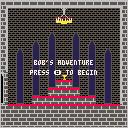
- Player can attack, killing zombies in two hits
- Bugfix: Health bar is now accurate
- Player animations (Attack, Die)
- Zombie animations (Hit, Die)
- Sounds(Music, player jump, player attack, zombie hit, player hit)
Changes 23/09/2016
- Bugfix, after dying, the death animation does not trigger again when hit
- You are given a message and the ability to reset the game after dying
- Torches are now animated
Changes 07/11/2016
- Enemy archers
- Health pickups
- Collectibles (main game objective)
- New Music
- New sounds
Sadly, I haven't added a boss, but this is what I would call the "finished" product, other than perhaps a nice boss fight.
27 comments






Is there any way to for a cart to check so it knows if it's running on a PocketCHIP or not?
Some variable to check or feature to detect some how?
13 comments






OVERVIEW
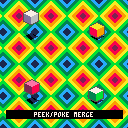
This cart is a bit of a demo of a few shadow methods I've given some thought to. The first two techniques work best at 60fps, but the final technique I think is suitable at any speed.
UPDATE
The original cart had an issue where the "peek/poke merge" technique could not draw starting at odd numbered X coordinates. This has been fixed (but made things a bit more complicated)
METHODS
1 ON/OFF SPRITE:
This method uses a solid shadow sprite that cycles between on/off every frame
2 ALTERNATE PATTERNED SPRITE:
This method uses two sprites with an alternating pattern that is cycled every frame
5 comments


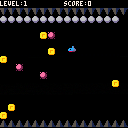
You're a submarine of a worn-out article.
When ballast isn't taken, you don't sink.
You'll collect all treasures!
[Left][Right] : Move
[Down] : Drop Ballast
[Z] : Game start
I made a simple game for friend who begun to learn Pico-8
foreach isn't used, 306 lines.
バラストを取らないと潜行できないポンコツ潜水艦で宝物を集めよう。
カーソルキー←→ : 移動
カーソルキー↓ : バラストを捨てる。
Z : ゲーム開始
Pico-8を勉強中の知人のためにシンプルなゲームを作ってみました。
foreach不使用。306行のプログラム。
10 comments


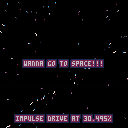
Update v0.2: Now you can press O & X for throttle, and there's an impulse drive / warp factor readout. Why? I dunno. It's cool I guess.
Thinking of making a space game, but I made this bit of eye candy first!
2 comments



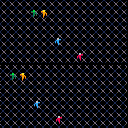
This is round 2 of my "template" cartridge for building a basic game with multiple players, screens and additional entities.
I have now added an animation script, which will allow the writer to load in animation sequences (as sprites) ahead of time, and have a simple function called to advance the animation frame at the right time.
Animations can utilize the same sprites in multiple places, control the timing of the animation, and of course loop.
Anyways, I'm building these for my own foundation, but I hope anybody else can get some knowledge from them.
P.S. this cart uses Lua's fancy "multiple return values" feature, which now that I understand, is like a super power.
0 comments
UPDATE:
version 1.4 - 2018
Major update!
- fixed major bugs concerning player alignment on the map (for real this time)
- updated the title screen - it's flashier now
- added more sound effects and audio cues
- added more dialogue with more NPCs to talk to
- some NPCs now say different things depending on player progress
- sprinkled in a couple new easter eggs
version 1.26 - 2016
- added missing image flip when turning left towards obstacles. Thanks to dw817 for pointing that out.
version 1.25 - 2016
- minor improvements to marinara behaviors
- fixed some positioning issues
- made an in-game tip easier to discover
- final boss is now slightly harder
version 1.2 - 2016
- Fixed slime behaviors. They no longer scale the walls when blocked in by the crate. Thanks to dw817 for pointing that bug out!
version 1.1 - 2016
- Fixed problem where entering the pizzeria caused the player to lose alignment with game map.
- Fixed some grammatical errors.
- moved a dungeon key slightly so it's more visible.
Controls:
Btn 4 (Z) to pull crate or turn 180(when not next to crate)
Btn 5 (X) to use weapon
This game took about a month to make. It's similar to my last game, EGGHUNT, in terms of the layout and walking, but is much more complex as this game has enemy AI, weapons, and crate pushing.
ENJOY!
7 comments
