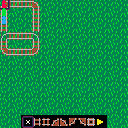
A calculator forum I'm part of (cemetech.net, check 'em out!) was holding a programming contest recently.
The goal was to make a calculator game with the theme "trains".
My initial goal was to make my game in PICO-8 and then port it to the Nspire calculator, which also uses Lua.
I finished the PICO-8 part, but never got it ported :(
You can play the PICO-8 version though :D
There isn't any actual game, it's just a simple train sim.
The controls should be pretty intuitive, you can combine tracks by laying them on top of each other.
EDIT: Updated with smoke!


 4 comments

.jpg)

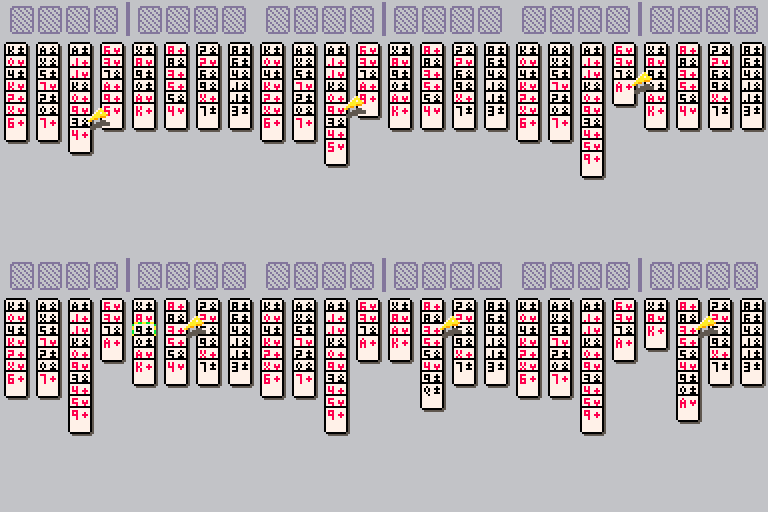
Had a little bit of time last night to add in moving cards around as well as selection animation. Anything can be moved anywhere right now, but with that out of the way I think it's time for logic next
 4 comments


I am told with work and assembled that this will run PICO-8 as well.
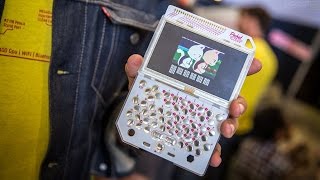
The portable console here certainly looks a lot sturdier that the POCKET CHIP. Does anyone know about this device and/or have gotten it to work with PICO-8 ?
Or better yet, is there somewhere this can be purchased assembled with PICO-8 installed ?
0 comments
Having purchased PICO-8 I am definitely working on my game. I can say it will be a card game with some rather unusual playing cards and - believe it or not, some actual music. I'm finally understanding how to write music in the blessed thing.
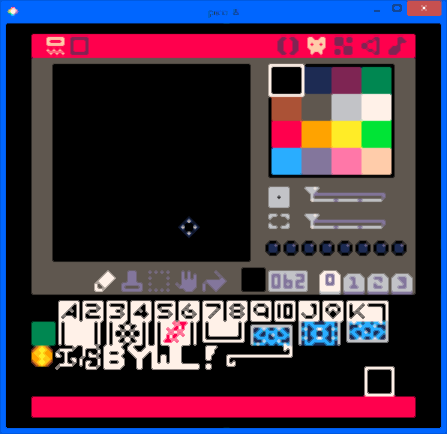
So are you ready to purchase the POCKET CHIP ?
Yes, I understand. You have questions. I have questions, too.
I found this rather informative video in Youtube HERE:
https://www.youtube.com/watch?v=QnDbB6YlPvo
And he does seem to go in some nice detail about the hand held system.
I am understanding it is not very fast. He earlier demonstrated in a previous video on the $9 chip (rather famous chip now), that it can barely run an NES emulator and is 1-2 frames per second when attempting to play an online Youtube video. That says a lot to me.
I suspect then it does not play offline videos very quickly either nor may it play audio files such as .Mp3, .OGG, or .WMA very well. I would need someone who has the device to correct me on this - and I hope I am wrong.
 0 comments

Hello, I decided to make a post because I have a couple of programming questions on how to execute or fix up particular things. As I mentioned in the thread title, I am a complete novice when it comes to programming so a couple of these questions might be dumb or excessive or a little hard to convey.
Weeks ago, I got a Pocket CHIP, and been currently enjoying trying out all the games, and trying to put a game together of my own for the first time ever. I’m currently putting together a game with my girlfriend as a player character (serving as the showoff motivator), which I do intend to just share the whole thing with her only. Maybe I’ll try the challenge of re-skinning the mechanics to publish to the site, though I thought I might be getting of myself there, haha. The game is a one-stage shooter, trying to fend off enemies as long as possible. Something relatively simple and not too crazy. I got the assets set, got my sound effects, tunes and learned some of the core basics through the Squashy tutorial in fanzine #1, and managed to a few of the basic parts working. The main problems lie with assembling it altogether and it feels so very daunting.
Since the resources for pico-8 is relatively outside of studying the game code (which 98% of is over my head), there’s a few parts I couldn’t find concrete answers to, and hoping you guys will give me a step in the right direction or point out which of the four fanzine’s addresses my problem, which I could’ve overlooked.
Here are the main things I want to resolve:
~Button input at specific moments~
This has been driving me nuts the past few days. So basically, the game will have multiple screens where the layout is essentially titlescreen > excuse plot blurb > main game > game over (then back to titlescreen). I set the titlescreen at the _init function and btn(4) to advance the screen. I used this wikia entry (http://pico-8.wikia.com/wiki/Multiple_States_System) for the multiple screen idea and managed to setup drawing the different screens.
Here lies my problem. Btn(4) is used for multiple things and it seems to be interfere with one another. I want it to be used for both advancing the screen and as the shooting button, but it seems to do one thing only or tries to do all at once. For instance, I played around with the setup where if I btnp(4) it suppose to go to the next screen. I did the if statement twice and used an and indicator to specify which screen btnp(4) goes to depending on mode I’m in. It either skips the second screen and jumps straight to the game while firing a single bullet or does not advance from the second screen.
I haven’t had luck trying to remedy the solution. I wonder if there is some way to assign a button for multi-purpose, depending on what part of the game I’m at, while disabling the other instances of btnp(4) in a function. Maybe it’s something to do with having all the other functions in the _update function screwing around.
~Bullet Limit~
I managed to construct a bullet via the dom8verse tutorial in fanzine #3 so the shooting itself is ok thus far. I didn’t implement the hitbox yet so hopefully that will go ok.
Only minor issue is that if I hold the button while in one place or strafing left to right, it’s a rain of rapid bullets. Makes things potentially too easy. I wonder if there is a way to limit the number of bullets that shows on the screen at once. Say, I want only 3 to appear at the screen at one time. Is there a way to manipulate that?
~Random enemy spawns~
I couldn’t find some info on it that breaks it down, and didn’t attempt it yet. I presume that will be the most challenging aspect. The way I envision it, there are two enemy sprites (with a simple 2 frame animation), and would spawn somewhere around y=128ish axis while their x position is random. What would be a good code to first determine which sprite gets picked then pick out where in the x axis they come from.
For movement, I’ll try to study up and tweak the pong ball movement to mess with walking patterns so hopefully that will turn out ok… I hope. Then there’s figuring out collision detection with moving targets which I did not really look into just yet.
Optional bonus:
~Saving high score and name input~
I thought it would be a neat idea to do that, but do not know how to, well particularly inputting letters in x strings. I’d like to know how to do that, but not really a big deal the parts mentioned above are a much bigger deal.
It’s probably a bit much to ask at once since this seems to be practically building a game. I apologize about it. I just dunno how to tackle all this since I’m an absolute beginner, relying on a few scattered cheat sheets, and can’t seem to find the solutions on my own. The concept seemed relatively simple in my head, but actually attempting it and realizing some of the complexities, guess I went a little over my head with all of this. Thank you very much for your time guys.
5 comments



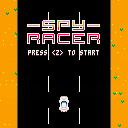
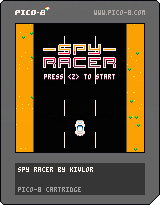
This is my first real attempt at making a PICO-8 game :) It's a simple infinite runner that borrows heavily from Spy Hunter. There's a lot more to add (sfx, music, bullets) but I'm happy with what I was able to achieve in half a day.
UPDATE 04/09/2016: Added a bunch of things, bullets, missiles and sfx :D
UPDATE 25/09/2016: Ammo limit, SCREEN SHAKE and moar
12 comments

Just got my PocketC.H.I.P. and figured it was time to dive in and give creating something a shot. Figured a card game would be within my skillset to create, so here it goes
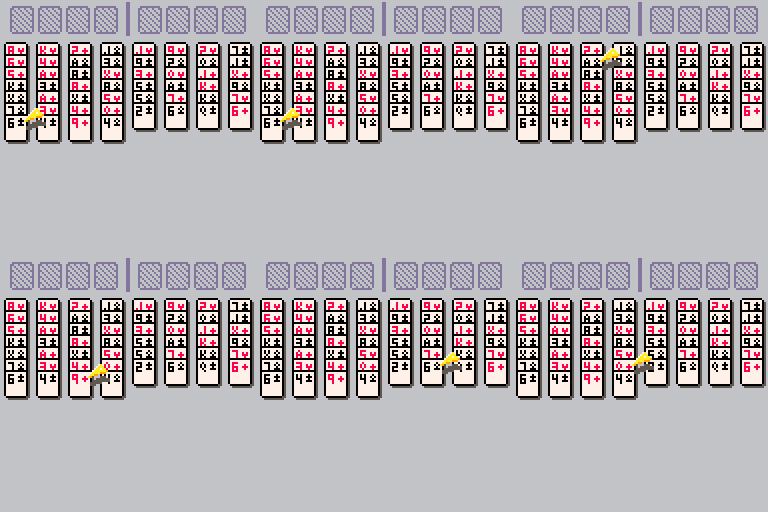
Have the deck randomization, board dealing and cursor working so far. Cards can be moved (in code), but I think it's time to start working on a bit of the logic that makes Freecell well, Freecell.
0 comments

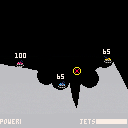
Mega Tanks is a Scorched Earth clone for Pico-8, featuring random, deformable terrain generation, rubbish sound effects and turn-based play for 2-4 players.
Controls:
Z to shoot, hold down for increased power.
X to bring up the weapon selection, although right now all weapons are the same.
Left and right to move
Up to use your jets
*Down to move your aiming reticle.
The direction of rotation of the reticle is reversed every time you release the key, to stop players having to wait a whole cycle if they miss the angle they want slightly.
This is naturally unfinished but is mechanically complete. I intend to add more weapons over time :)
Small update: shells now collide with tanks :)
6 comments




UPDATE
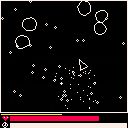
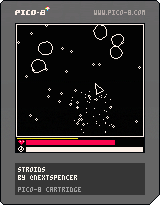
Update:
Well I really thought I was going to just upload this and be done with it, but it turns out there were some low-cost, high-return changes I could make quickly that would immensely improve quality. So I did.
They are:
-Title screen is no longer just a hand written title, but in fact a super fancy title.
-New sound effects
-New ability (hold X) to slow time for a limited time. Collecting debris from asteroids powers up this ability.
-Old "level" system now counts as a score.
-Per @johanp's request, the smaller particles have significantly reduced screen time. This reduces clutter quite a bit
-Ship repair speed and damage resistance slightly increased to offset the fact that they were intended to be upgrade-able.
-Screen is now kept apart from UI with an added border for clarity
-Bullets and ship have little trails that follow them now. Cute.
I was hoping to add more art to the cover, as well as infinity more things, but I need to get started on a new project for September, so I'll probably just leave it here. Thanks for playing!
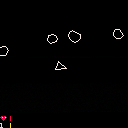
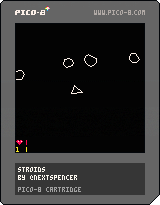
Old version:
 5 comments



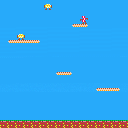
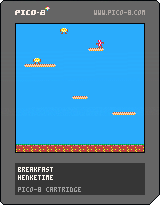

So as I said in my previous blog entry, I'm making a Pico-8 stand for (retro) conventions, and the most important thing to do for such an event is something that make you visible, and nothing is better than a flashy logo for that.
As my stand is about Pico-8, the logo has to be Pico-8's!
I've resume working on the logo today on the electronic side and mais small PCBs to support the LEDs that will be used to illuminate the logo:
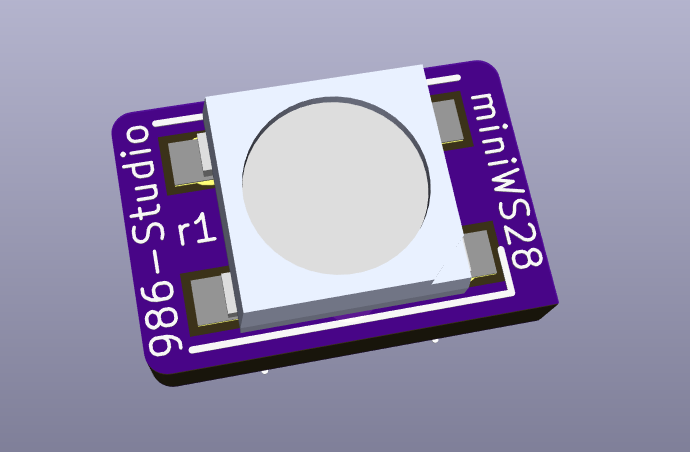
These PCB are incredibly small: 6*9 mm, yes they are really really small :)
They are intended to fit into one of the sandwitch layer of the full logo, that's why they are so tiny.
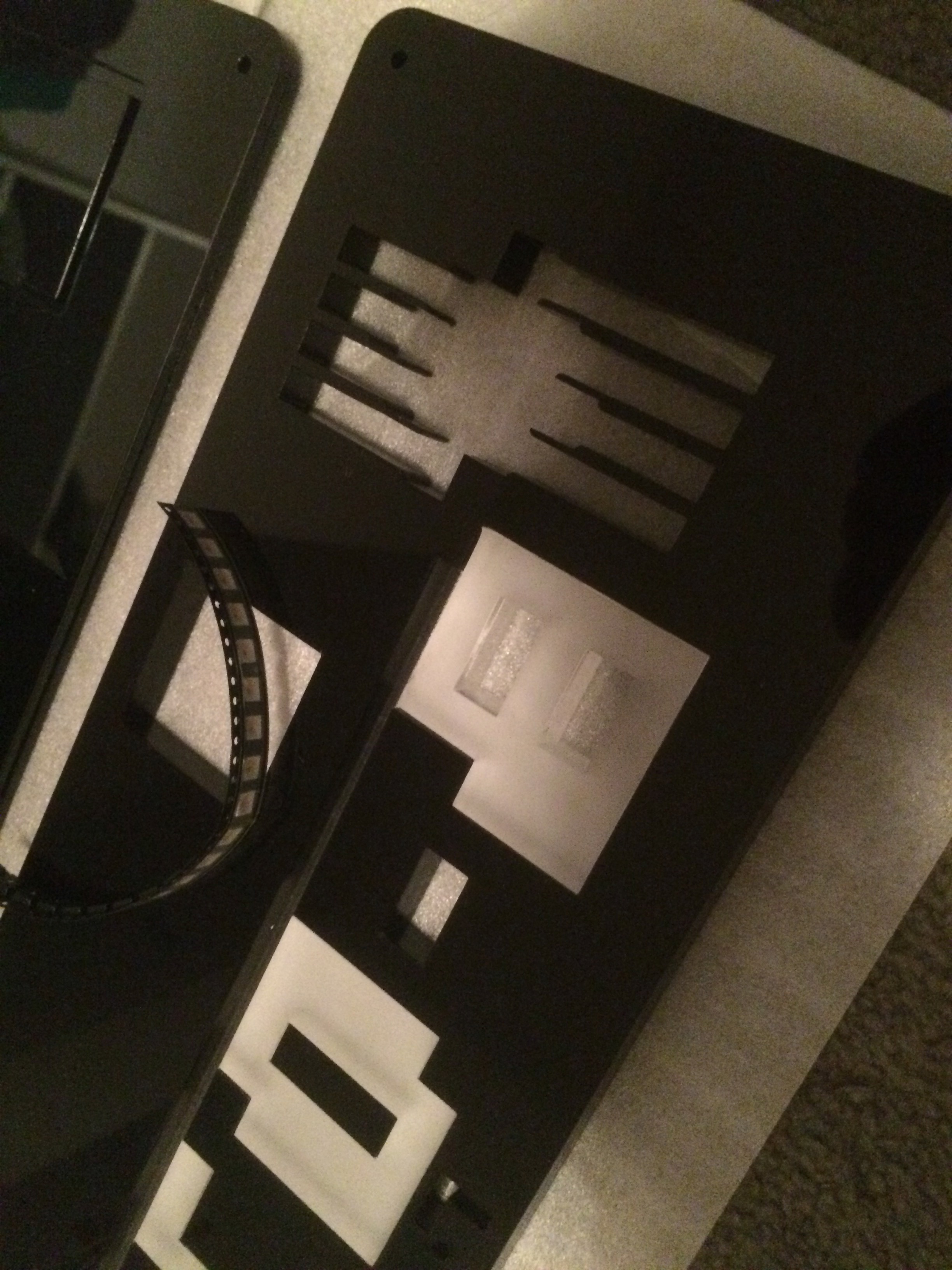
I've just ordered them so I should not get them before about 2 weeks, I hope less but it's unlikely.
As soon as they are there and mounted I will show you the result on the logo :)
Next update will be about the Raspberry Pi light Pico-8 OS :)
0 comments

Hi guys,
A game I was working on :)
Zep, PICO-8 is amazing.
The game should be self-explanatory, and I hope you guys like it.
Dave
3 comments


Welcome to the ultimate collab experience, the Pico8-Collab16 Cart!
This is a "game jam" of sorts, to make a pico8 cart with sixteen (16) games in it by multiple developers!
We have a channel on the Pico8 discord for anyone who is looking for help or coordinate. Check out the #pico8-collab16 channel. Here is an invite: https://discord.gg/Dut34b3
[#28617#]
[#28411#]
[#28366#]
[#28145#]
[#28144#]
[#28066#]
[#28003#]
[#28002#]
[#27938#]
[#27932#]
[#27883#]
[#27882#]
[#27877#]
[#27822#]
[#27814#]
[#27758#]
 137 comments








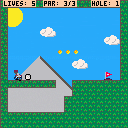
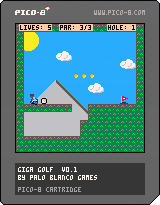
Directions for 9Hole, a golfing-platformer.
Controls:
Arrows to move
Button 3 (C or Z) to jump
Button 4 (X) to swing your club. Hold the button and release for a stronger swing!
When the ball is airborn:
- arrows to influence its movement (VERY important) - arrows have more effect after the ball has bounced off something
- press jump to return control to the player before the ball starts moving
Goal: Get the ball to the flag under par, then get yourself there in one piece!
Hello everyone,
I really, REALLY wanted to wrap this game up, but due to events in my personal life coming up I may not get a chance to finish this anytime soon. I really wanted to share what I have, so here is my first game, 9Hole!
It is heavily a work in progress, and it is missing:
-Sound
-levels
-all sorts of polish
I am really enjoying Pico-8, and it is a testament to the quality of the console that I was able to bang this out in a few free hours (I estimate I've played with Pico-8 about 10 hours total, from downloading to publishing).
One day soon, I hope to finish this. In the meantime, I could use your feedback!
I wanted to make a golf game that didn't involve a timing-based swing mechanic. There is some timing here, but the ball is really controlled well with the arrow keys. It can collect powerups, beat-up turtles, and bounce off springs! I was a little inspired by an old Itchy-and-Scratchy Gameboy game where you platformed and played minigolf. I think the golfing in my game is harder, but the platforming is very simple right now.
Thanks to everyone who has been fooling around here - I have been very inspired by everyone's creations!
-PaloBlanco
6 comments
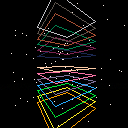
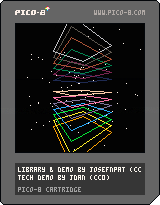
Big shout out to jdan for Perspective Toy, on which the guts of the library is based on.
This library takes about ~300 tokens without the demo code. It provides a public line and a point drawing function.
Big thanks to jdan - this library is now under CC0.
Example usage:
function _init()
  camera = cameralib.new()
end

function _draw()
  camera:point( {0.5,0.5,0.5} )
  camera:line( {1,1,1}, {-1,-1,-1} )
end
|
This demo is obviously a bit more complicated :)
13 comments



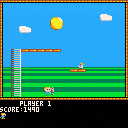
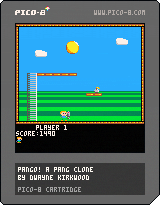
Hey All! Pang is definitely my favourite arcade game, and so for my first ever game project, I figured I'd take a shot at replicating it. The result has been surprisingly good! Please check it out and leave feedback :)
The game is marked as WIP as I know of a couple of little bugs, and the 2 player mode has never been properly tested. Will update soon and incorporate any feedback that makes sense!
edit: removed disclaimer about 60fps limitations :)
10 comments



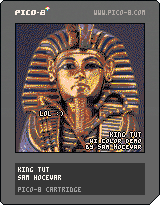
Will not work well on slow machines or in the web player.
I’m toying with both hi-color images (using 60Hz flickering) and data compression, this is my first attempt. The image size is 128×188.
The picture is of course a tribute to the Deluxe Paint series!
1 comment



My entry for Ludum Dare 36: Hieroglyph
Submission URL: http://ludumdare.com/compo/ludum-dare-36/?action=preview&uid=113445
Itch.io: http://avivbeeri.itch.io/hieroglyph
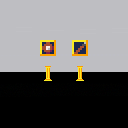
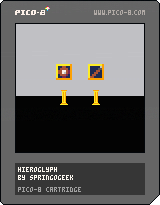
You have entered the temple of an ancient civilisation, and you must decode their hieroglyphics in order to uncover their secrets.
Thanks to previous research, you know that they have a 4 letter alphabet, and they modify the glyphs based on their period in time.
Controls:
(Press) Arrow keys - Enter glyph
(Hold) Z and X - Modifiers
5 comments

Changing the root_path and cdata_path in config.text do not appear to work on macOS.
steps
- launch pico-8 and shutdown
- change location of root/data in ~/Library/Application Support/pico-8/config.txt to new dir.
(line 46, 50) - relaunch pico-8 and browse
not sure if this is the same issue reported earlier with command line -home flags under win or not but wanted to report this.
1 comment


Hi, when I press the F7 key (with the Pocket CHIP keyboard) to do a cartridge label it looks like it doesn't do anything. I also tried all the F* keys but nothing works, when I save the cartridge to the .p8.png format the center of the cartridge is just a color, not the picture.
Is this a bug ? Is it mapped on another key ?
Or maybe I'm just stupid and I do it wrong, that's possible ^^'
11 comments