


64 values of save data ain't enough for you? Try using this! These functions will allow you to save up to 2,048* values in persistent data! Anyone's free to use it in their own projects; I'm personally releasing this under CC4-BY-SA to allow works using these functions to be sold.
*If you only accepted ON and OFF as acceptable values.
Here's a comprehensive manual on how to use these functions:
[hidden]
============================================================

                 Pico-8 Binary Functions Set

                                             PRGM ver. 1.1.1
Created by A-zu-ra                         MANUAL ver. 1.1.2

============================================================

This function set includes functions that will:
  - Convert a given integer into a 16-item table of
    binary values
  - Read a portion of the generated 16-item table
  - Insert a given table into another table at any position
  - Converts a given table of binary values into an integer

Through these functions, you can essentially use one integer
to serve multiple purposes. This document will not only
cover how the functions work, but also how to apply them in
the context of Pico-8's persistent data.

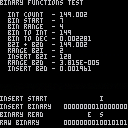
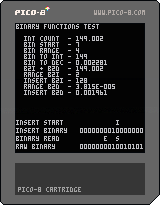
Included with this function set is a brief test program
showcasing all of the functions in action.

    INT COUNT increments once a frame in both whole number
    and decimal and is a base for all of the functions in
    the test.

    BIN START is the START variable of binread.
    BIN RANGE is the RANGE variable of binread.

    BIN TO INT tests reconversion of binary back to integer.
    BIN TO DEC tests reconversion of binary back to decimal.
    B2I + B2D is the values of BIN TO INT and BIN TO DEC
    as a single value.

    RANGE B2I is the integer value of binread.
    INSERT B2I is the integer value of binread inserted into
    another table via binins.
    RANGE B2D and INSERT B2D work the same as RANGE B2I and
    INSERT B2I, but for the decimal subset.

The bottom of the function test contains the RAW BINARY of
the integer, as well as the range of binread and starting
point of binins visualized. In the test code is a section
that has EDIT THESE BELOW VALUES! and EDIT THESE ABOVE
VALUES!, so feel free to experiment with the values to get
a better feel of how things go together.

------------------------------------------------------------

inttobin(value, decimal)

    value     An integer within Pico-8's acceptable range
              (-32768 to 32767)
    decimal   A boolean that decides whether or not to pull
              from either whole number or decimal (0 or 1)

    RETURNS a table with 16 values of either 0 or 1

    This function takes an acceptable value that you give it
    and creates a 16-value table, each containing either a
    0 or a 1 in it. The following examples are formatted to
    be human readable; the order is reversed when the table
    is created (i.e. the first example below is, from the
    table's perspective, 0000100000000000).

    16        0000000000010000
    136       0000000010001000
    9570      0010010101100010
    -32768    1000000000000000
    -3530     1111001000110110

------------------------------------------------------------

binread(table, start, range)

    table     A table generated via inttobin
    start     The starting point to read from
              (remember, tables are 1-indexed)
    range     How many values from the starting point
              to read from

    RETURNS a table with a number of values
    specified in range

    This function takes a table that is generated from
    inttobin and extracts a user specified portion of it.
    This function requires two more additional values: the
    starting point (so you can choose from a different
    section of the table), and a range (so you can extract
    larger values).

    Since the table has the binary values in reverse order,
    the function will appear to go from right to left when
    imagining the ranges in a human readable order. The
    following examples will hopefully give a better visual
    of this.

    Assume that table is {1, 1, 0, 0, 1, 1, 0, 0,
    1, 1, 0, 0, 1, 1, 0, 0}.

    (table, 1, 1)                   S
                     0011001100110011   bintoint: 1
    (table, 1, 5)               E   S
                     0011001100110011   bintoint: 19
    (table, 4, 7)          E     S
                     0011001100110011   bintoint: 102
    (table, 9, 4)        E  S
                     0011001100110011   bintoint: 3

------------------------------------------------------------

binins(table, table2, start)

    table     The table you want to append values to
    table2    A table generated via inttobin or binread
    start     What point in the target table to start at

    RETURNS the target table with table2 appended to it,
    starting from the bit position specified by the user

    This function allows you to combine one table into
    another at any place. It's advised that you calculate
    the size of the table that you want to insert if you
    plan on using this function multiple times on one table.

    Much like the binread function, the function will appear
    to go from right to left when imagining the start point
    in a human readable order.

    Assume that the target table is empty.

    table2 = {1, 0, 0, 1} -- 1001
    (table, table2, 1)                   S
                          0000000000001001   bintoint: 9

    table2 = {1, 0, 1, 0, 1, 1} -- 110101
    (table, table2, 4)                S
                          0000000110101000   bintoint: 424

    table2 = {0, 1, 1, 0, 1} -- 10110
    (table, table2, 7)             S
                          0000010110000000   bintoint: 1408

    Remember to calculate your table sizes.

    table2 = {1, 0, 1, 1} -- 1101                YES
    table3 = {0, 1, 1} -- 110
    (table, table2, 3)            3    2
    (table, table3, 8)            S    S
                          0000001100110100   bintoint: 820
                          (Both tables added in with no
                           problems)

    Otherwise, calling the function again will overwrite
    those bits if the sizes conflict with the positioning.

    table2 = {1, 0, 1, 1} -- 1101                NO
    table3 = {0, 1, 1} -- 110
    (table, table2, 6)            3 2
    (table, table3, 8)            S S
                          0000001100100000   bintoint: 800
                          (Table 3 overwrites last two bits
                           of table 2)

------------------------------------------------------------

bintoint(table, decimal)

    table     A table generated via inttobin, binread, or
              binins
    decimal   A boolean that decides whether or not to write
              to either whole number or decimal (0 or 1)

    RETURNS an integer representation of the binary table

    This function will take a binary table that you give it
    and convert it back into an integer.

    0000000000001000    8
    0000000001000010    66
    0000101000101000    2600
    1000100100001000    -30456

------------------------------------------------------------

How to apply code in context with Pico-8 persistent data

-- Two 8-bit values (43 tokens)
c = {}
v = {6,6}
for i=1,#v do
 binins(c,binread(inttobin(v[i],0),1,8),((i-1)*8)+1)
end
f = bintoint(c,0)

(Throw f into persistent data via dset)

To adjust this for other equal bit values, replace B and
adjust the amount of items used in the v table:

for i=1,#v do
 binins(a,binread(inttobin(v[i]),1,B),((i-1)*B)+1)
end

         #v  B   Max     Leftover bits
16-bit   1   16  65535*  None left over
15-bit   1   15  32767   1 bit
14-bit   1   14  16383   2 bits
13-bit   1   13  8191    3 bits
12-bit   1   12  4095    4 bits
11-bit   1   11  2047    5 bits
10-bit   1   10  1023    6 bits
9-bit    1   9   511     7 bits
8-bit    2   8   255     None left over
7-bit    2   7   127     2 bits
6-bit    2   6   63      4 bits
5-bit    3   5   31      1 bit
4-bit    4   4   15      None left over
3-bit    5   3   7       1 bit
2-bit    8   2   3       None left over
1-bit    16  1   1       None left over

*Any number past 32767 will be represented as a negative
 value counting towards 0.

-- Different size bit values (47 tokens)
d = {}
s = {5,8}
v = {31,255}
c = 1
for i=1,#v do
 binins(d,binread(inttobin(v[i],0),1,8),c)
 c += s[i]
end
f = bintoint(d)

(Throw f into persistent data via dset)

To adjust this for other values and bit sizes, ensure that:
  - s and v have the same amount of items
  - the sum of all numbers in s is less than or equal to 16
  - the values in v are within the boundaries of the
    respective bit count specified in s

============================================================

Version History

PROGRAM                                          TKN    BYTE

    v1.1.1                                       161     418
        Optimized inttobin function.

    v1.1.0                                       171     435
        inttobin and bintoint can now read from and write
        to decimal.

    v1.0.0                                       136     377
        Initial release.

*Token and byte values based on the functions alone;
 they do not factor in the included function test.

MANUAL

    v1.1.2
        Modified examples for applying code in context with
        Pico-8 persistent data to work with PRGM v1.1.1.

    v1.1.1
        Changed version number system.

    v1.1.0
        Added explanation of additional test functions,
        as well as new decimal option for inttobin and
        bintoint.

    v1.0.2
        Removed mention of empty table generation in the
        function summary.

    v1.0.1
        Added bintoint readouts on binread and binins.

    v1.0.0
        Initial manual.
|


 9 comments



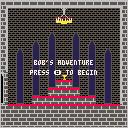
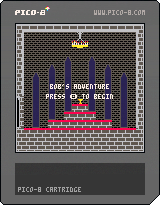
Changes 21/09/2016
- Player can attack, killing zombies in two hits
- Bugfix: Health bar is now accurate
- Player animations (Attack, Die)
- Zombie animations (Hit, Die)
- Sounds(Music, player jump, player attack, zombie hit, player hit)
Changes 23/09/2016
- Bugfix, after dying, the death animation does not trigger again when hit
- You are given a message and the ability to reset the game after dying
- Torches are now animated
Changes 07/11/2016
- Enemy archers
- Health pickups
- Collectibles (main game objective)
- New Music
- New sounds
Sadly, I haven't added a boss, but this is what I would call the "finished" product, other than perhaps a nice boss fight.
27 comments






Is there any way to for a cart to check so it knows if it's running on a PocketCHIP or not?
Some variable to check or feature to detect some how?
13 comments






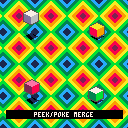
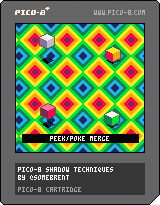
OVERVIEW
This cart is a bit of a demo of a few shadow methods I've given some thought to. The first two techniques work best at 60fps, but the final technique I think is suitable at any speed.
UPDATE
The original cart had an issue where the "peek/poke merge" technique could not draw starting at odd numbered X coordinates. This has been fixed (but made things a bit more complicated)
METHODS
1 ON/OFF SPRITE:
This method uses a solid shadow sprite that cycles between on/off every frame
2 ALTERNATE PATTERNED SPRITE:
This method uses two sprites with an alternating pattern that is cycled every frame
5 comments



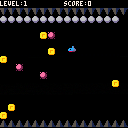
You're a submarine of a worn-out article.
When ballast isn't taken, you don't sink.
You'll collect all treasures!
[Left][Right] : Move
[Down] : Drop Ballast
[Z] : Game start
I made a simple game for friend who begun to learn Pico-8
foreach isn't used, 306 lines.
バラストを取らないと潜行できないポンコツ潜水艦で宝物を集めよう。
カーソルキー←→ : 移動
カーソルキー↓ : バラストを捨てる。
Z : ゲーム開始
Pico-8を勉強中の知人のためにシンプルなゲームを作ってみました。
foreach不使用。306行のプログラム。
10 comments


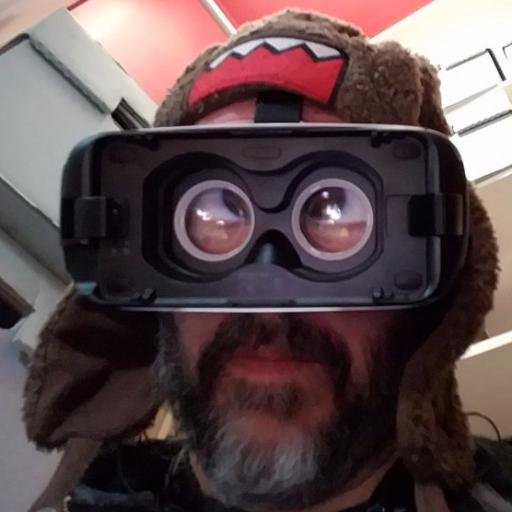

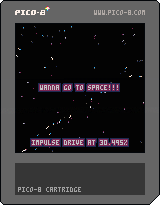
Update v0.2: Now you can press O & X for throttle, and there's an impulse drive / warp factor readout. Why? I dunno. It's cool I guess.
Thinking of making a space game, but I made this bit of eye candy first!
2 comments






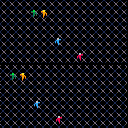
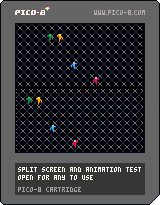
This is round 2 of my "template" cartridge for building a basic game with multiple players, screens and additional entities.
I have now added an animation script, which will allow the writer to load in animation sequences (as sprites) ahead of time, and have a simple function called to advance the animation frame at the right time.
Animations can utilize the same sprites in multiple places, control the timing of the animation, and of course loop.
Anyways, I'm building these for my own foundation, but I hope anybody else can get some knowledge from them.
P.S. this cart uses Lua's fancy "multiple return values" feature, which now that I understand, is like a super power.
0 comments


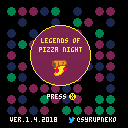
UPDATE:
version 1.4 - 2018
Major update!
- fixed major bugs concerning player alignment on the map (for real this time)
- updated the title screen - it's flashier now
- added more sound effects and audio cues
- added more dialogue with more NPCs to talk to
- some NPCs now say different things depending on player progress
- sprinkled in a couple new easter eggs
version 1.26 - 2016
- added missing image flip when turning left towards obstacles. Thanks to dw817 for pointing that out.
version 1.25 - 2016
- minor improvements to marinara behaviors
- fixed some positioning issues
- made an in-game tip easier to discover
- final boss is now slightly harder
version 1.2 - 2016
- Fixed slime behaviors. They no longer scale the walls when blocked in by the crate. Thanks to dw817 for pointing that bug out!
version 1.1 - 2016
- Fixed problem where entering the pizzeria caused the player to lose alignment with game map.
- Fixed some grammatical errors.
- moved a dungeon key slightly so it's more visible.
Controls:
Btn 4 (Z) to pull crate or turn 180(when not next to crate)
Btn 5 (X) to use weapon
This game took about a month to make. It's similar to my last game, EGGHUNT, in terms of the layout and walking, but is much more complex as this game has enemy AI, weapons, and crate pushing.
ENJOY!
7 comments

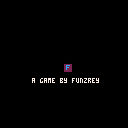
Just a little boot-screen for my games. If you want to re-use to make your own logo, go ahead! I'm working on a game called BallQuest and I might add this to it.
0 comments


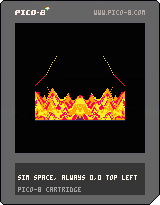
Watch sand fall in interesting patterns.
Looking for advice on optimising (and profiling?) this. On my old macbook pro it runs at around 10fps at best. I can't see any profiling tools built in to p8 but maybe I missed something? What's generally considered slow? I've sped this up by reducing the size of the simulation and mirroring, so it's really only running a 45x64 sim.
Things I'm thinking about:
- some sort of "active islands" system for not updating the whole sim every update
- not clearing the screen but remembering the part of the screen that are unstable, to reduce rendering costs, but I think (again, no way to measure) that it's update-bound.
6 comments

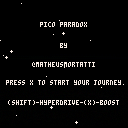
Hello guys! This was my submission for the Fermi Paradox jam and first "finished" pico8 project!
'Til the very end of this project there was no gameplay, so we squeezed some in. But you can just wonder around space and hyperdrive as you like (I find it pretty fun by itself).
There are probably a few bugs, but I haven't got the time to test it properly.
If you want to decrypt this simple puzzle, there's a hint bellow!
===========================================================
Puzzle Hint:
Example:
l u i y o u h e r ( lukeiamyourfather )
_u k e_a m y r f a t h
===========================================================
Description:
Wonder around Star Systems trying to find and decrypt alien transmitions.
This is an experiment project for the Fermi Paradox Jam.
===========================================================
Controls:
Arrows: Right/Left - Rotate Ship - Up/Down - Accelerate/Deaccelerate
X: Faster Acceleration
Shift: HyperDrive
Landing: Collide with the planet to land and move forward to take off
===========================================================
Made by:
@MatheusMortatti - Design, Code and Art
@PHString - Design and Writting
1 comment

OVERVIEW
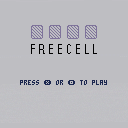
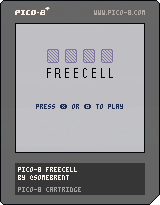
Welcome to exciting world of Freecell! Oft overlooked for the also-bundled-with-Windows Solitaire, Freecell is the thinking man's card game. Reorganize your eight cascades from King to Ace by making use of your free cells and return them to foundations to clear the board.
As an aside, this is the first game I've written. I wanted to take on something relatively simple to get a handle on PICO-8 and learn a little bit about organizing a game. If you encounter any bugs, let me know. I'm on twitter too - @somebrent
GAMEPLAY
The goal is to fill your four foundations with each suit starting with the Ace and ending with its King.
The board consists of
- four free cells (upper left)
- four foundation pools (one for each suit, upper right)
-
eight cascades of cards
- Cascades are dealt at random, but cards can be reorganized by alternating colours in descending value. (e.g., a red 2 can put moved to a black 3)
- Any single card can be moved to any free cell.
- A group of cards (a tableau) in valid order can be moved to another cascade if there is enough free cells or empty cascades to facilitate the move, and if the final card at the destination keeps the tableau in valid order.
- By reorganizing the cascades and moving cards to their foundations, [i]nearly
22 comments

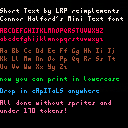
A while back, RhythmLynx posted a couple lowercase fonts that tried to use as little sprite space as possible. I had a lot of fun trying to pack the characters into overlapping regions on the sprite sheet to use even less sprite space.
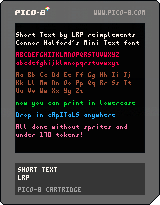
But, recently I had an idea to skip the sprite sheet entirely and define each character as binary data that can be stored as a number in a table. This is the result. Press z to swap between demo text and a reference guide. The reference guide is stored on the sprite sheet, but is not used for the lowercase print function.

Some explanation hidden...
[hidden]
A number in pico-8 is stored in 32 bits (4 bytes), something like this:
0 0000000 00000000 00000000 00000000 ^ ^^^^^^^ ^^^^^^^^ ^^^^^^^^ ^^^^^^^^ | | integer part | | decimal part | | negative sign |
In hexadecimal, the integer and decimal parts are separated by a period, just like in base 10.
a = 30.25 b = 0x1e.4 assert(a==b) |
In Short Text, each character is laid out on a 4x8 grid. Each column is then treated as a byte and joined together into a number. For example, the letter "b" looks like this, where . is a blank pixel and # is a used pixel:
#... #... ##.. #.#. ##.. .... .... .... |
Converted to binary, starting from the bottom right and working up then left, we turn this into...
00000000 00001000 00010100 00011111 |
which, in hexadecimal, is written as 0x0008.141f, roughly 8.079.
So, we build a table that assigns this number to B.
... chars\["b"\] = 0x0008.141f ... |
Then, when we want to draw b, we just check each bit in that number and draw the ones that are set onto the screen.
5 comments

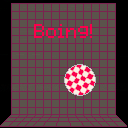
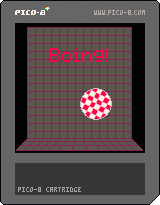
Boing! v0.1
My first cartridge submission, Yay!
Boing! is an Amiga themed YASCL (Yet Another Sqaushy CLone) cart. I installed pico-8 and got started by following along with the Squashy article from Pico-8 Zine #1. After I finished the article, I wanted more, so I began playing around. Eventually, I created an Amiga theme by adding sprites, a map instead of a solid background, a Boing intro screen, and a guru meditation crash when the game ends. It may not be immediately obvious, but the player's final score is displayed as the first half of the guru meditation error code.
It still needs music and perhaps a cracktro ;)
-Mike
6 comments


Hi,
i've been interested in developing some games in my free time for a while. I've tried the free versions of some other software and just never got around to finishing any projects. Is Pico 8 a good place to start? I like the simplicity of these cartridges i've played. I'm just looking for some advice if I were to buy the software and get started.
10 comments


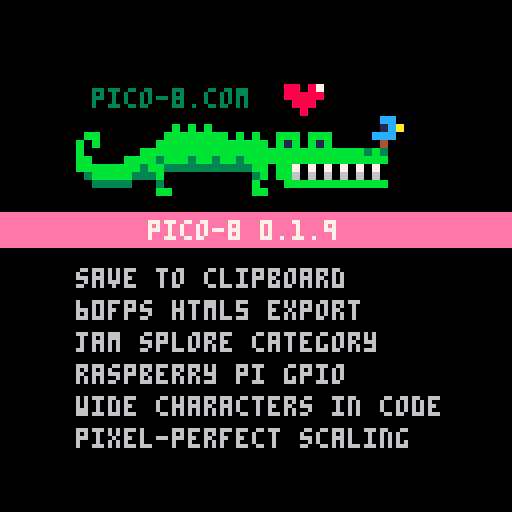
Hey All -- PICO-8 0.1.9 builds are now live on Lexaloffle and Humble!
Posting Carts via Clipboard
The handiest new feature is being able to post cartridges to the bbs via the clipboard, without ever saving it as a png. Use "SAVE @CLIP" to copy to the clipboard as text, and then paste it into a post (hit Preview to make sure it worked and to get rid of the wall of text). You can also copy carts from the BBS (look for 'Copy' under each cart) and paste it back into PICO-8 with "LOAD @CLIP")Posting GFX via Clipboard
You can also do the same thing with sprites. Using CTRL-C in the sprite editor also stores a copy of the sprites as text in the clipboard, and can be pasted back and forth to BBS posts. Here's an example: (click the 40x8 and then CTRL-C the text to copy&paste it back into a cart)
34 comments







I'm not sure if I chose the right category for this :)
Anyways, I made a simple yet useful pingpong-value function. It's useful for animating sprites back and forth in a loop. I decided to share it with you - feel free to use and modify it for any of your needs!
//PingPong value
//-----------------------------
//Loops x from a to b and
//then from b to a (inclusive)
function pingpong(x,a,b)
  local d=b-a
  local p=x%(d*2)
  if p>d then
    p=2*d-p
  end
  return p+a
end

//example usage
//-----------------------------
frame = 0

function _update()
  frame+=1
end

//constantly animates sprite from
//16 to 24 and back from 24 to 16
function _draw()
  spr(pingpong(frame,16,24),58,58)
end
|
0 comments
I Did A Thing
0.1.0 contains XSPR, a library for managing simple sprites. (xspr:up, xspr:down, xspr:right, xspr:left, xspr:draw)
0.0.1 is cart 28298 and i'm not going to bother to embed that here.
2 comments