



New! Map! And mostly working collisions, but only with the horizontal and vertical lines... and sometimes you go right through... but hey, some progress. The AC is still broken here, that's my excuse. It's hard to work on games when you're melting.
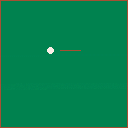
It's not titled yet, and certainly doesn't meet the theme yet, but I figured I'd post what progress I've got. My plan is to do something mixing pool and minigolf... apparently something similar existed on the NES under the name of Lunar Pool, but I didn't learn that until after I got started. At the moment, all I have is a cueball you can smack around a bit, though.
Also, since a couple of my short utility functions were first written before the jam, I should probably share those, along with a couple of library-type things I've written since Feel free to use these in however you like... CC0 for a license. Credit, while appreciated, is not required.
button = { left = 0, right = 1, up = 2, down = 3, o = 4, x = 5}

do
  local realcolor = color
  color = {
    black = 0, darkblue = 1, purple = 2, darkgreen = 3, brown = 4,
    darkgrey = 5, grey = 6, white = 7, red = 8, orange = 9, yellow = 10,
    green = 11, lightblue = 12, lilac = 13, pink = 14, peach = 15
  }
  setmetatable(color, {__call = function (t,n) realcolor(n) end})
end

function round(n)
  if (n >= 0 and n%1 >= 0.5) n+=1
  if (n < 0 and n%1 < 0.5) n+=1
  return flr(n)
end

function pop(list)
  ret=list[#list]
  list[#list]=nil
  return ret
end
|


 4 comments




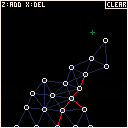
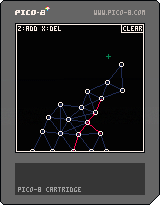
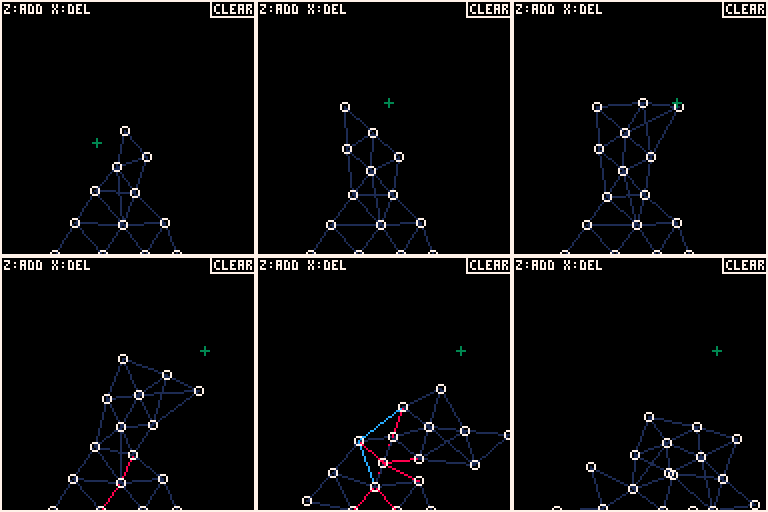
Structure is a rigid body simulation where you can add and remove points and struts. Essentially, this is "World of Goo" without the, well... "gooiness."
Z: add point and connecting struts to the nearest points
X: delete point and connecting struts
CLEAR: clear the screen
The jury is out on whether I will adapt this to fit the jam based on a loose interpretation of "CHAIN" reaction.
Electric Gryphon
9 comments







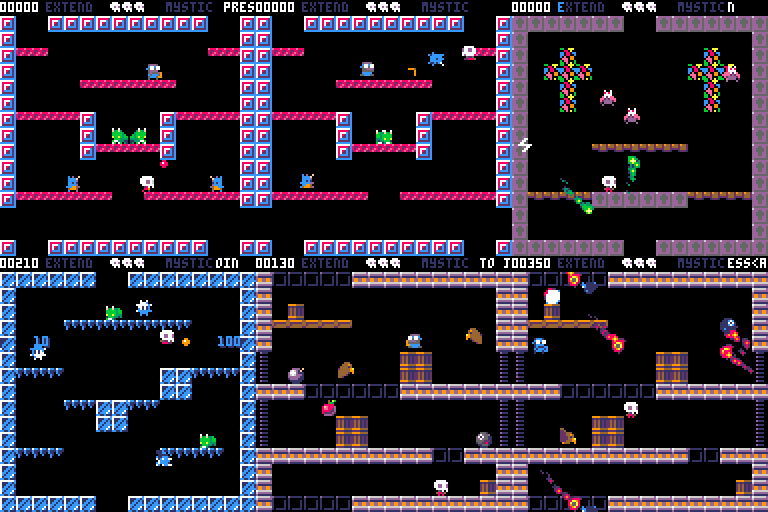
This is a bubble-bobblish platformer game for 1 or 2 player.
Mist and Grim must travel through the 22 levels and defeat the overlord.
Player 2 can join anytime during game. Players share lives pool but not score.
I had no chance to test the 2 player mode so please notify me if unexpected things happens.
--- MIST CONTROL ---
<arrows keys> move left and right
<z> jump
<x> fire or grab/throws stunned monster
--- GRIM CONTROL ---
<SDEF> move left and right
<TAB> jump
<Q> fire or grab/throws stunned monster
--- PREVIEW ---
--- VERSIONS ---
V1.03
- bugfix : fixed the h=nil error
- bugfix : fixed a display bug on gameover fade
V1.02
- bugfix : no more freeze with cornucopia after coconut spawn
- bugfix : overlord is now moving correctly
- bugfix : on 2 players game, the level is now skipped correctly even if one of them is dead.
65 comments






I'm trying to run PICO-8 on a chromebook. ARM cpu, 2gb ram. I have problems, and I understand it's not supported but hey, maybe someone can help!
I set the chromebook in dev mode, downloaded the ARM PICO-8 compiled for raspberry pi, unzipped it, remounted the partition so to run executables:
sudo mount -i -o remount,exec /home/chronos/user |
But when I run pico this happens:
chronos@localhost ~/pico $ ./pico8 ./pico8: error while loading shared libraries: libbcm_host.so: cannot open shared object file: No such file or directory |
So I downloaded all the libraries for the Pi firmware and put them in a neat directory and repointed the LD path before starting the pico:
LD_LIBRARY_PATH=$LD_LIBRARY_PATH:"`pwd`/libs" && ./pico8 |
and the result is a disappointing:
* failed to open vchiq instance |
This happens because... there's no /dev/vchiq device.
So I'm a bit at a loss. I understand that i'm far far away from supported-land. But I imagine it would not be too hard for you fine people to provide an ARM version compiled for something that is not a Pi. Beside, chromebooks are getting increasingly common and cheap, and it would be great to be able to PICO on such a cheap portables!
13 comments




Cessare
A tiny game inspired by something I enjoyed on my old PowerMac, somewhen in the 1990s. It is my first project with PICO-8, so we're still getting to know each other. Also, zep's hello.p8 demo helped me a lot in making the intro screen. :)
Following keiya's suggestion I added random level generation (which saves a lot of map space). :D
7 comments




JAM VER.
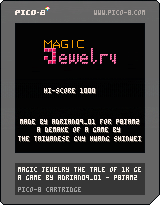
POST-JAM VER.
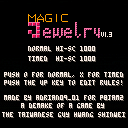
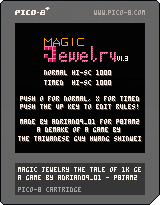
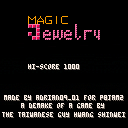
A GAME FOR P8JAM2
FEATURES
- Chain-react, flip, delete and stack your way to higher levels
- 8 songs
- 8 level colors
- A Magic Jewelry demake
CHANGELOG
1.3 - added rule editor
- fixed bugs
- added a continue cheat (try to guess it)
6 comments


Hello.
The "PICO-8" would like to use a USB memory stick.
So, I put the file "config.txt" in the same folder as the PICO-8.
However, it did not work.
How, the "PICO-8" Can I use a USB memory stick.
3 comments



Mostin's having a Meltdown, can you help him locate his car keys?
He told me he lost them down out back near the barn gate, but that's a long long hike.
Over massive mountains and deep valleys, but it's all right, because he'll give you a pay of 60 Noblus!
Worth it, ... right? ... right? ...
EDIT: Alright, final p8jam2 version, I think I've gotten down what I wanted to accomplish.
7 comments


Overworld Controls:
◁ ▷ △ ▽ - Move
Ⓧ - Interact, continue dialog
Ⓞ - Speed up dialog
Combat controls:
◁ ▷ △ ▽ - Change selection
Ⓧ - Activate
Ⓞ - Cancel / Back
Standard Pico-8 keyboard assignments:
Arrow keys = ◁ ▷ △ ▽
Z,C,N = Ⓞ
X,V,M = Ⓧ
P,Enter = Pause menu (useful for resetting the game to play it again)
For the best experience, take the time to try interacting with all the objects, too!
38 comments
.jpg)




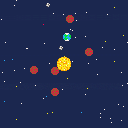
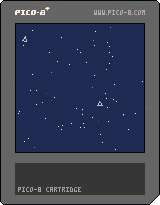
Another space-themed mini screensaver, this time with stars AND planets!
You might notice that the planets fling each other around a little and fly through the sun, which is "normal."
Eventually I'll fix the drawing system so it can't switch between foreground and background while close to the sun.
PS: If you don't like your current system you can reload the cart to get a fresh set of planetoids :^)
0 comments


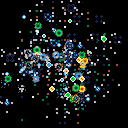
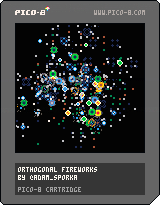
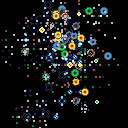
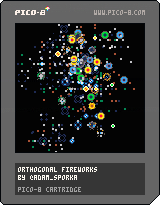
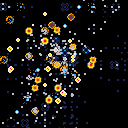
A tiny silly cartridge with firework particles for the #p8jam2 :-)
Update 1.2
"Score" is shown. Not that you can anyhow alter the outcome, but it still feels kinda nice when you go over 1000. Once I scored over 1700. The thrill of it! :-)
'Z' will restart with the score shown at the end of the firework.
'X' will restart with the score visible during the process.
Update 1.1
Added more colors.
Sometimes the particles pop diagonally.
 22 comments

Older versions:

-- My week was more booked than expected and didn't had a lot of time working on this project, I hope to finish the principle of it before the deadline. At least, there is no music and fancy graphics, but the first part of this mini game is done! --
Welcome new researcher, and welcome to the CERP, as you already now, the CERP stand for "Centre d'Etude pour la Recherche Pixeleaire" also know as the Center for Studying Pixels.
You've joined us to run the the SPC, the Small Pixel Collider, and despite some controversy, we hope a lot from that device as it will help us to understand more about the matter we are made from.
So please take a seat in front of that computer, and train with the SPC simulator installed on it, to be ready to use the real one as soon as you are confortable with the device!
First part of the experiment:
As you know, to run a pixel collider, we have to make the pixel move fast enough for the final collision.
Your first task will be to accelerate the pixel using alternatively the Left and Right button up to 88mph, once that's done, press que Z key start the experiment and go to the second part of the experiment.
We have a lots of hope in you and the SPC and we are sure we will find all the answer to our existential questions!
--
It is not linked to my game, but when writing the presentation it made me think about that comic:
http://www.bouletcorp.com/hidden/quantum-pixel/
2 comments

Hi,
I ordered PocketC.H.I.P and can't wait for pico-8.
If I want to use pico-8 on my computer do I have to buy it separately? Or after I buy it bundled with PocketC.H.I.P can I download it for my computer too?
3 comments


This little cartridge was a result of me wanting to learn about the sin() and cos() functions.
If you want to see any improvements or changes feel free to tweet me @c_noteclip or leave a comment!
:^)
0 comments

I'm trying to figure out how to make my camera area shift based on when the player is a certain distance from a center zone. I don't want my player in the middle of the camera all the time. I want them to "push" the camera zone around as they get to the edges...but then push the camera back when they hit a certain distance in the camera zone.
That's confusing, maybe...how about this...
There's a 128x128 "free zone" where the player moves around freely. They go right and when they hit x128 it switches to camera mode and the player can keep moving right until the edge of the world. Once they get to the edge, they need to go back to the left, but on the way back the camera needs to move when they hit the half way point of the viewport they're in...as opposed to moving the camera when they hit the left edge of the camera viewport.
It's like a lot of the old NES games where you'd move forward once your character hit mid-point, but if they turned around the camera wouldn't move anymore. Kind of like Metroid was.
Sorry if that's still as clear as mud...but if you think you know what I'm trying to accomplish, any insight or thoughts are appreciated. I know camera() is the key but everything I try to calculate doesn't work out...
10 comments

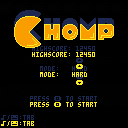
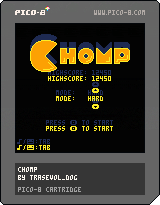
CHOMP
Chomp is a Pico-8 game were you have to chomp down pellets and other fruits as they keep coming faster and faster!
Unlock the two harder modes by reaching 10000 points in the previous mode!
In menus, use circle and cross keys ('z' and 'x' on keyboard) and the arrow keys to navigate.
Once a game launched, press any Pico-8 button to CHOMP.
The game is controller compatible.
Do share your highscores as well as what you think of the game in the comments! :D
If you really like the game, please do consider supporting it on itch! All income goes into making more games!!
8 comments


The code below should draw 10 squares, there is only one variable that define the size (b.s in _init), but sometimes some squares appear with a width different of the height. I don't know if its a bug, or I'm using rectifll in the wrong way.
blocks={}

function _init()
	for x=1,10 do
		local b={}
		b.x=rnd(100)
		b.y=rnd(100)
		b.s=rnd(15)
		add(blocks,b)
	end
end

function _draw()
	cls()
	for b in all(blocks) do
		rectfill(b.x,b.y,b.x+b.s,b.y+b.s,4)
	end
end
|
3 comments

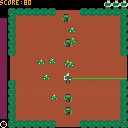
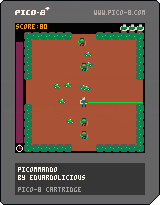
Wrapped up my second game, and this time it's an actual game! glares at Blocksy
PICOMMANDO
A top down twin-"stick" shooter, since I felt that wasn't a very active genre around here. Utilizes P1 controls (arrows) for movement, and P2 controls (ESDF) for shooting. This may change in the future, specifically when I get a PocketCHIP and need to figure out what layout will work best there.
Zombies will come running at you from the entrances and from the corners at various speeds and in various numbers. Firing excessively will drain your clock, but successfully killing a zombie will restore some time.
Features high score saving to cartdata to give some sort of goal/objective. My high is around 600 on this build, a no-prize for whoever beats it first.
I consider this 'finished' but I'm interested in feedback on the gameplay loop, i.e. is it too hard, are the zombies too fast, is there enough time on the clock, etc as well as feedback on the controls.
Enjoy!
(p.s. this is my first stab at making any sort of music in any capacity, ever. hopefully it's not too annoying)
(p.p.s. before anyone says so, yes, I know, my main function loop got completely out of hand and should be broken up into about 40 or so actual functions. This was my big lesson learned to apply to Game #3 lol. So use the source however you like but PLEASE try not to learn anything from it)
6 comments

