





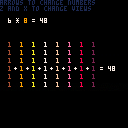
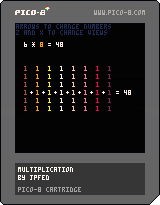
Another educational toy cart for my son. Not terribly interesting for the grownups here, but it shows the effect of changing the operands of a multiplication operation.
Controls:
Left/Right : Choose which operand to select
Up/Down : Increase/Decrease the selected number
Z/X : Choose a different visualization of the multiplication operation


 1 comment


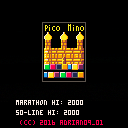
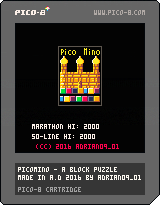
Picomino is a block stacking puzzle game made from boredom.
Select your mode, level and music and start stacking!
MARATHON
Stack your blocks into lines as long as it's possible. Don't top out or it's game over.
50-LINE
Stack your blocks to make 50 lines as fast as possible. Don't top out or it's game over.
CONTROLS
Left and Right - move block
Up - hard drop
Down - soft drop
Z/Button 1 - rotate
X/Button 2 - start/pause
SUPPORT ON ITCH.IO
https://adrian09-01.itch.io/picomino
5 comments


Version .3 update: Added attacking while jumping, double-jumping, and fixed the scores and glitches. Let me know if you find bugs!
This is still my "first game", it's a full screen, enhanced version of the Lowrezjam submission I made.
Two players versus only at the moment.
Controls are simple. left and right to move your player, up to stab upward, down to block. Buttons to jump and attack.
There's an AI in the works but it's laughably, three-stooges stupid at the moment. Graphics are still being tweaked (clouds are janky). Also, the scoring isn't displayed because I have to recode it for 4 or more characters, but you can still win by knocking the other person off the ledge 7 times.
Challenge a friend, see what you think. I'll finish the AI, recode the scoring, and maybe speed up the combat a little. Add a double-jump maybe.
Under the hood, feel free to peek. The platform collision is all done by one ground_check function. hit detection is done by the sword leaving 'hit bits' on the map. (this led to funny bugs of there being invisible 'mines' around the map when the bits didn't clear properly).
I'm being guarded and cautious. Whatever. Enjoy.
6 comments




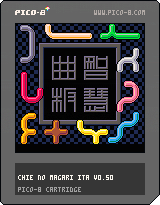
How to play
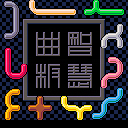
There are 10 different pieces.
You must place all of them into the frame without overlapping.
X: pick or release a piece
D-pad+Z: rotate or flip
(Please see the instruction at the bottom of window)
Release notes
0.50 (Apr 30, 2016)
- Play music.
- Tune visual of gallery.
0.30 (Apr 25, 2016)
- Initial Release.
(Older versions)
[hidden]
 8 comments



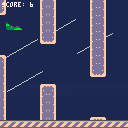
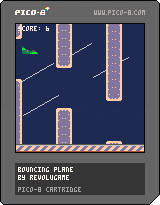
Bouncing Plane is a Flappy Bird like.
You are lost in a storm and you have to survive as long as you can.
-- CONTROLS
[UP] to jump
0 comments






Hi. I'm trying to learn about collisions using the DOM8VERSE section of zine 3 but I'm getting weird error messages whenever I try and use a foreach.
For example, when I try this:
function _update()
if btnp(5, 0) then
add(objects, bulletconstruct(player1.position.x,player1.position.y))
end
foreach(objects, function(obj)
obj.update(obj)
end
end
.. I get ')' expected ( to close '(' at line 0.0003891 near 'end'
I've tried adding and taking away brackets, as well as 'end' statements but I can't get it to work. Thought it was strange as I'm copy pasting zine 3 code.
Anyone know the solution?
2 comments


So I've set PICO-8 up to run from RetroPie, and it all works great, except for exiting. When I type SHUTDOWN to exit PICO-8 and return to retropie, PICO-8 just freezes. Does pico8 need to be run from within it's directory, or can it be run from anywhere? (not like move the executable, but be in a different folder when running it)
2 comments


As seen being indicated on the forum, I used GamepadTool to map a Dualshock 3 on my Mac, as I wanted to use the D-Pad instead of the left stick.
After an extensive search, it seems to be impossible to map all d-pad buttons to the stick, at least by using the current SDL mapping. leftx and lefty only accepts one input, as it is not possible to create a virtual axis.
Even if the SDL2 source code actually says that "Buttons can be used as a controller axis and vice versa", pushing a button only sets a positive value to the axis. This results to be able to turn right and down, but not left and up.
So, I was wondering if it was possible to add
[b]dpleft[/b] as an alternative to [b](negative) leftx[/b] [b]dpright[/b] as an alternative to [b](positive) leftx[/b] [b]dpup[/b] as an alternative to [b](negative) lefty[/b] [b]dpdown[/b] as an alternative to [b](positive) lefty[/b] |
in a future release of Pico-8?
9 comments





Hello!
Is there a good way to play cartridges in the browser with a gamepad/joystick? Is it even possible to use gamepad input with javascript?
I plan to do a local PICO-8 game jam and I would like show the outcome on a website for a larger audience to play. If this way would offer gamepad support it would be so much better.
I can use a third party software to map gamepad input to individual keyboard keys. But that is a lot of installation and config work and I would rather have the visitors "just play".
Any ideas? Thanks!
3 comments



Probably no one remembers me, considering I haven't posted anything in 2 months. I am very sorry about that. Im working on PicoStrike PicoCity and Widfords+. Considering that Im bit rusty on skills, please don't get mad if my levels suck. PicoStrike has been very stressing, so bye!
0 comments

To allow more room for maps in my current project, I'm planning to use many of the sprites flipped to achieve more visual variety. While I can easily do this for sprites representing the player or enemies, I'm not sure how to implement it for the maps. I don't believe I can use the map() function, even with the flexibility of its layer flags option. I could of course store a table representing the map, with additional flags to indicate whether or not a cell should be flipped, and draw each individual sprite instead of using map(), but I'm worried this will be too slow and generally cumbersome.
Is there a good way to go about this or am I stuck using no flipped sprites for maps? Or should I instead be looking at ways to compress the map data so I can use more room for sprites?
5 comments



Good day, and thank you for looking at this tutorial i put up for the convenience of developers who wish to understand
palt() and how it can be utilized.
the command is used to render colors as transparent when sprites or graphical commands are used. This command also avoids any other edits to the palette that are initiated in the code used.
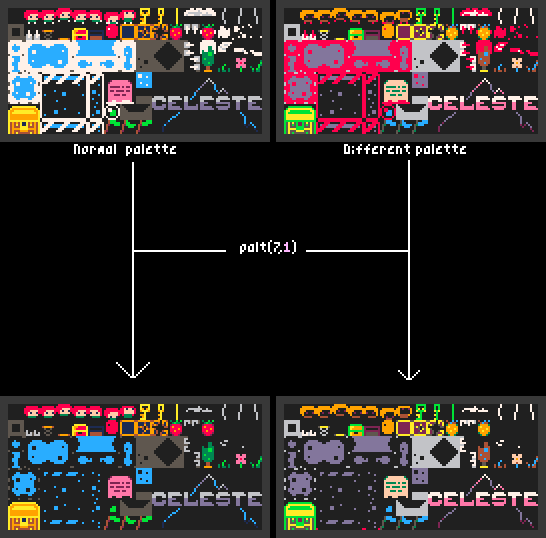
syntax for palt is simple: first parameter chooses color to render transparent or not, second parameter is boolean and decides for the color to be transparent. palt( x , true ) would make the color x not render.
this should be a useful command when using another color as transparency.
I want to show you how sprite packaging [as i call it] can be utilized in pico8, to provide for bigger sprite space for sprites that containt up to 4 colors.
- Sprite Packaging for 2 color sprites -The most efficient way i get 4 sprites from one is to stick them together and draw them as if they were different sprites.
-- a should be 1 , 2 , 4 , 8 function sssspr( x , y , w , h , dx , dy , a , c ) for i = 0 , 15 do --remove unverified colors if (i/a)%2 < 1 then palt( i , true ) else palt( i , false ) end -- turn verified colors into c pal( i , flr((i/a)%2)*c ) end sspr( x , y , w , h , dx , dy ) palt() pal() end |
2 comments

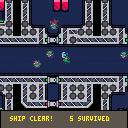
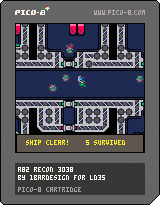
A space-horror mystery game about finding a sneaky shapeshifter amongst your crew - get them before they assimilate everyone - including you! Made in one weekend for Ludum Dare 35.
Figuring out how to identify the shapeshifters is half the fun, so I wont spoil it!
Hard mode makes more shapeshifters at the start.
It still needs a proper aftermath, so I might revisit it if I get some time this week. Posting to cartridges rather than WIP because I might not.
Have Fun!
7 comments




Hello, Zep,
In MacOS X, when using the "ls" command, in the file list pico-8 shows the ".DS_Store" hidden files.
These ones are used to store view options for the folders.
Here you can see a picture:
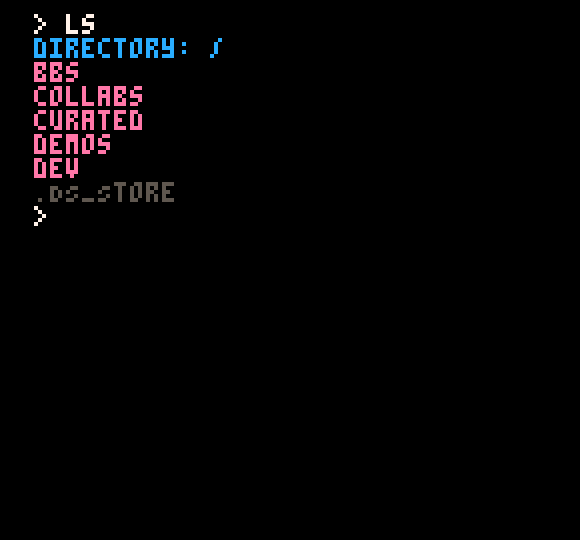
It'd be nice if these hidden files (or any dot-files at all) were hidden from the pico-8 console.
Thank you in advance !
1 comment

I just participated in the LowRezJam and since the theme was making a game in 64x64 resolution I though the PICO8 would be perfect for this.
I would like to share the game that I created for the jam with everybody here.
We must play the fox is a simple stealth game about Foxy a cute fox that loves eggs. He has to take as many as he can before being noticed by the chickens.
The map is procedurally generated so every time you play it will be different.
The game has developed by 4 people:
- misato, mapedorr - developers
- robrechtJ - developer and game art
- milesgordon - music and fx
Take in account that it is not finished yet. This is as much as we could develop in the time of the jam. It is playable but there could be bugs and it lacks some functionality that we though about but we didn't have time to implement.
This is our very first time doing something for the PICO8. I hope you enjoy it as much as we enjoyed making it!
0 comments

Hi,
For reasons I don't understand, the two cartridges I've submitted to the Pico-8 BBS abruptly stopped working via the web player, following the upgrade to 0.1.6. They start the boot process and then drop into the command line (and the window freezes). The most recent cartridge worked yesterday (when I first uploaded it). I upgraded my local version of Pico-8 to 0.1.6 and both of my cartridges play fine on my machine.
Any ideas?
2 comments



Hi,
With PICO-8 0.1.6, you can now programming using OOP design. This sample use setmetatable to build a constructor.
Regards,
jihem
19 comments




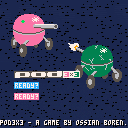
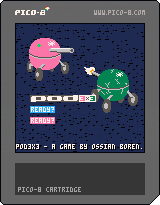
ok so finally i'm releasing my game on the bbs. it was previously on itch.io (pay what you want) so if should you want to pay for it, or just want to check out the page, go here: https://catnip.itch.io/pod3x3
pod3x3 is a somewhat unusual take on the RTS genre, with the constraints of the 2 player 8 bit pico-8 console in mind. the result is something more in likeness to a fighting or dogfighting game. a game of zoning and feinting to get the upper hand of your opponent. easy to learn, hard to master. the game can be played 1 vs 1, vs AI or AI vs AI.
but first things first:
how to play pod3x3
in pod3x3, each player give orders to 3 pods each. these pods are somewhat like tanks. you cycle between your pods with button 1. with the up and down buttons, you set the active pod's throttle. with the left and right buttons, you can change the pod's direction. the pod will try to match its rotation and velocity to the selected direction and throttle, even if you cycle to another pod later.
every pod is equipped with a turret that will automatically target and shoot at the nearest enemy. when a pod is selected, you can see the turret's current range as the circle around the pod. the range is bigger the faster you go, but it is also offset so that the turret have a harder time shooting backwards. this is the key to winning the a game of pod3x3.
if you're in a bind, you can hold button 2 to activate a shield. you can only use the shield on the active pod, and the pod cannot shoot while using its shield. however, the pod only takes 1/10 of the usual damage when the shield is up. the shield uses a shared meter that regenerates when not in use.
oh and one last trick — if you press button 1 and 2 at the same time, you e-brake. e-braking resets all your pods throttle to 0.
the arena is the big white circle. if a pod moves outside the circle, the autopilot is engaged and the pod is steered back into the arena. after one minute, the arena will start shrinking, watch out!
controls
title screen
ready player — button 1
activate AI — button 2
in-game
throttle up/down — up/down
change direction — left/right
switch pod — button 1
shield — button 2
e-brake — button 1+2
keyboard
up/down/left/right — p1: arrow buttons p2: e/d/s/f
button 1 — p1: z or n p2: tab
button 2 — p1: x or m p2: q
3 comments

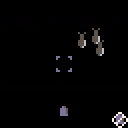
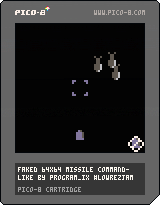
Submitted to #LOWREZJAM: https://program_ix.itch.io/mslcom64
In MISSLCOM64, you control the missile defence system for a small town that's under attack. Move the cursor with the arrows and send bullets up to destroy the missiles with Z.
Made in about two and a half hours. Hinged on the realisation late the night before submission that I could hack my own sprite function to make PICO-8 effectively 64x64 (by stretching EVERY sprite*2). Unfortunately this meant to stay within the 64x64 grid, I had to do a lot of manual drawing of text and write a custom function to draw numbers based on sprites too. Still, I think it came out pretty well. If I'd come up with a way to do text without drawing it in the spritesheet, I would have had an easier time I think. (And given how quickly I did the numbers rendering function, it would have been well worth the time invested.) But it would've meant either custom sprite sizes for text, or having a lot less text onscreen. So whatever.
For those interested, the function to 'convert' PICO-8 to 64x64 is this:
FUNCTION SPR64(S,X,Y) SSPR((S%16)*8,(S/16)*8,8,8,X*2,Y*2,16,16) END |
0 comments