


Currently, in Heavy Duty Sprinkler I'm burning through tokens like a crazed maniac with AK-47 and a flamethrower and I worry that by the end of it I will have no tokens left. What are some of the ways you can reduce token amount?


 4 comments




Hi guys!
First of all, great forum :) I really enjoy playing the games people are making with Pico.
I coded a little graphics importer for Unity3d that might be useful to keep going with
Pico8 projects after gamejams, etc ... You can see a video of it in action here :
[vine]https://vine.co/v/ejd02L33PI7[/vine]
Pico8 - Unity
Who knows? Maybe this is the beginning of a .p8 reader / player for the Unity engine :)
Probably there is no need for this because Pico8 itself is made with LibSdl 2 and it should be
ok to port it to other systems and have multiplatform players etc ... What do you think?
0 comments
I think yout should change "shutdown" command to "exit" or at least alias it to it. It just seems more natural to type in "exit" when you're done for anybody who had to use CLI of some kind (even as savage as windoze's cmd).
0 comments


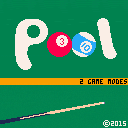
Working on a pool game. Also includes Loop.
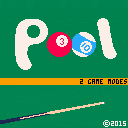
Added zoomed out mode to pool. Press button 2 to toggle zoom. Also added a check so that any ball that makes it outside the bounds of the table is considered to have gone in a pocket (because I think the most likely way to achieve that is by bouncing through a pocket in some strange way).
 16 comments





I think it'd be just more readable than current 4x4 one. The downside would be only 16 columns and 16 rows of text visible at the time, but frankly I'd gladly trade screenspace for easier reading.
1 comment

http://www.retrovgs.com/home.html
It is based on FPGA and ARM for more demanding stuff. I wonder if it would be possible to make HDL for fpga that would run Pico-8 games if it ever takes off...
1 comment
So you can put your pico-8 games on your own site/dropbox/whatever. Ability to make standalone export (pico-8 with embedded game that launches after you click exe) would also be great.
26 comments
.png)




I'm not sure if this was a style choice, but the PNG format is a container format and supports ancillary tags for proprietary meta data. This is how Spore stored creature data inside the picture.
This will give you more flexibility in the future when it comes to storage size, color depth, and not losing fidelity when it comes to the screenshots in the container.
13 comments

There is a strange bug in v1.1 that returns a decimal value when I do this:
FOR I=0,3 DO K = PEEK(I) L = BAND(K, 15) H = SHR(K, 4) PRINT(L) PRINT(R) END |
The output is:
0 1 2 3.125 4 5.25 6 7.375 |
My assumption is rather than converting to an integer and shifting, you're returning i / 2^s without casting to an integer in the result.
4 comments
Before I'll ask the question, I'll tell you something so this makes a little bit more sense.
In original Super Mario Bros game for the NES, levels had something called "blocks". Each "block" represented one level feature - be it first mushroom on 1-1 or end stairs after each level. Every block had unique id and actual level was just 1d array that showed what "blocks" in which order were making that specific level.
It would look something like this (in P8 terms):
level1 = {0,0,1,4,3,7}
|
and blocks would be defined in map space. Each block having couple of tiles
It was done, obviously, to save cart space in order to make bigger game.
I plan to do something similar for my next game (after Heavy Duty Sprinkler will be done, which is my "learning" game), however I don't know how I would detect collisions.
Let's say each "block" is 8x16 (WxH, in tiles). Drawing those, no problem, just something like this:
map (8*blockid,0,0,8,16) |
6 comments
I've been tweaking around with pico-8 for around a week now, and it's reminded me many times of a game called Hammerwatch. One of the cool features it has is a quite good selection of graphical post processing effects simulating a CRT tv.
What I'm suggesting is to add similar effect, separately from the games, treating the pico-8 program kind of as an emulator. This way you could really get the old-school wibe going.
As for what effects I'm talking about, pictures speak better than words.
And before you go, I'll leave you with this.
4 comments


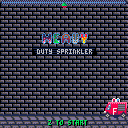
Oh noes! The fire had started at the Warehouse! And there are people there!
enter...
HEAVY DUTY SPRINKLER!
The ultimate AI, sentient fire extinguishing tool!
Control it with LEFT and RIGHT arrows and rain water by pressing Z!
Don't overdo it though, as water is precious and for any unit of water used, you'll have to hang on for another second before firesquad arrives!
You need to save PEOPLE, by putting out any fire that is WORTH 5 POINTS. Don't rain on people too much, as water is under HIGH PRESSURE and if too much of it lands on a person, it'll PEEL THE SKIN OFF!
After each LEVEL you'll be presented with screen that will show how many PEOPLE you SAVED (each of these worth 15 POINTS added to your SCORE!) and how much of WATER you used (not necessarily in that order).
For every SAVED LIFE you'll be saved 5 SECONDS of waiting on the next level!
I am not a big fan of my music.
[b]Credits where credits due:
46 comments





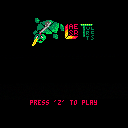
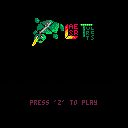
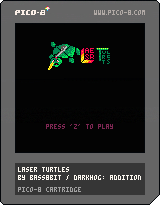
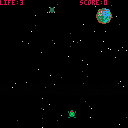
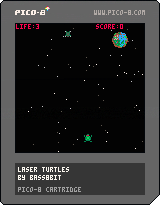
i think this is almost the final version. Many thanks to the people who played this game, others who gave me suggestions and darkhog who collaborated with gfx and code.
21 comments


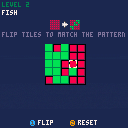
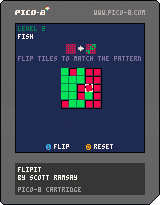
My first PICO-8 game: FlipIt.
Click on a tile to flip between red and green. Adjacent tiles will also flip (top, bottom, left, right)
Use the direction/arrow keys to navigate the cursor on the grid.
Button 1: flip the highlighted tile
Button 2: reset the current level
Ten levels total.
2 comments


As you can see, the status bar in the map editor is pretty empty.
What I propose is to put there x/y of map tile that is under cursor. This would save lot of headaches during "tile counting" that is now necessary to get beginning of the level when you have multiple of them.
3 comments

Pretty much like C64 allowed it. Changing the font would have few limitations compared to using spritedata:
- Each character would be 1-bit ONLY (e.g. pixel is either on or off)
- Changing characters will affect how code editor and command mode is rendered (mainly to give you live preview of your changes) so if you like writing in flowers and bushes, that's your problem ;).
This would allow to customize our games even more.
16 comments







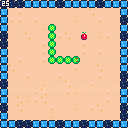
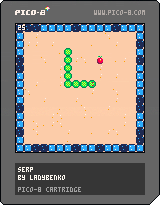


This has been my little baby over the past week or so. It started with jotting down the train game by @PROGRAM_IX from the Pico-8 zine #1, and then making it my own. I ended up using over half my tokens, two sprite banks, and the entire map space. I will leave it to you to discover its mysteries. Playing alongside a warm beverage recommended.
v1.1: Small update to effectively double the rate you gain resources.
7 comments

Hello, I've got Pico-8 and playing around with it right now. However, when making music for the game, I've encountered a problem: when sounds have different speeds, they don't line up properly and there's a pause until slower one finishes playing. Well duh? But here's a thing: In "slower" sound I didn't use up all the lines and "actual" sound ends well before faster sound (background bass) plays out.
While I agree sometime pause may be important, I'd strongly prefer if "stop right there" effect would be added that stops sound on that specific line instead waiting until its "natural" completion (all lines played out).
0 comments
So I've found old pastebin with Pico-8 keys and apparently some of them still works.

:)
The only problem now is that I don't know how to get back to that page (closed that tab and it's hard to navigate this site).
0 comments

