
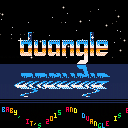
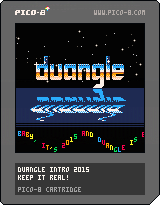
This is kind of a parody of old amiga cracktros from a parallel universe, where duangle is a demoscene group, and so are all the people in the greetings!
1.1: added new greetings


 9 comments









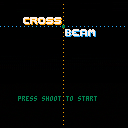
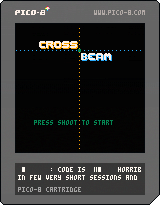
Save humanity from extinction:
Shoot and Cross your beams to destroy invaders!
- Up/Down to move BLUE shooter
- Left/Right to move YELLOW shooter
- Their intersection is a GREEN beam
- Z to shoot
- Kill the enemies with the righ beam color or they will spawn 2 other enemies! (killing a blue or yellow enemy with the green intersection = fail)
POST YOUR HIGH-SCORE
Feedbacks appreciated :)
Updated : added music made with a friend. Only problem : I forgot that I had SFX and he made a 4 channel music :s so I had to mute the drums... (at least I will not do that mistake again)
This is my first game with pico8, it was a lot of fun to do! I don't have a lot of spare time and Pico8 allows very short code/creation sessions! Thanks Zep!
9 comments




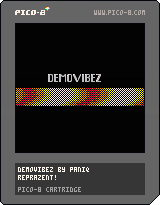
This is my first cartridge, a tiny self-running intro with music that does a dithered sinus effect. This started as a fullscreen effect but I had to reduce the amount of pixels to fit the CPU limit.
ph34r!
0 comments
So I finally had some time to play with Pico-8 yesterday, and wrote two tiny cartridges, and instead of spamming zep on Twitter I thought it would be more useful to post my thoughts here, in order of appearance.
-
Jelpi is a pretty impressive demo, i love everything about this handheld console that never existed :D
-
There should be a version of the manual that looks like a 90's devkit manual black & white hardcopy, with a serious layout like the devkit cost $10k. But this is a bootlegged copy of the manual, so it got xerox smudges, is not fully level and is obviously copied right out of a bound book, and right on the first page it says stuff like "FOR YOUR EYES ONLY. YOU ARE CONTRACTUALLY BOUND TO NOT DISCLOSE ANY INFO" etc. On the second page there's a pompous introductory text from the company founder that flaunts the pico-8's luxurious capabilities, telling you how you can be proud to be able to develop for this console and how it's lightyears ahead of the competition. The manual is not even a full copy, it seems like it's just the most important pages copied out; the pages are numbered like 110-112, 351, 430, with paragraphs that make reference to appendixes that don't exist ("see Appendix E for chipset layout").
-
It's obvious that this pico-8 firmware is the devkit, which starts with a prompt. I imagine a "consumer device" would boot right into the cartridges. :-)
-
First I thought Lua's numeric type had been downgraded to signed short, but then I realized it's actually fixed point 16bit for both integer and fractional part. Very cool.
-
I'd remove all references to Lua and give this language a different name, e.g. Picoscript or Picolua; otherwise I'd just expect everything to work the same way; it's sufficiently different, i think. Considering how all the commands are named, PicoBASIC seems most fitting.
- I thought that it would be more useful to arrange the palette in a way that makes the 4-bits more significant (e.g. LRGB), similar to how the default EGA color palette is arranged. In EGA, bit 3 effectively changes brightness (sort of) without altering hue, that allows for very easy lighting tricks. The numeric bits correspond to RGB, so you can fake additive light effects with simple bit twiddling. Here, i'd ultimately do it with a lookup table; I guess it's too late to change it anyway.
16 comments





Hello!
This is the prototype version of:
---- The Aggressive Botany League ----
a local multiplayer plant based deathmatch
Plant seeds into walls to push your opponent into the ocean (or to squish him!)
--- Controls ---
-
Movement
Player1: arrows
Player2: EDSF -
Wall breaking:
Face a wall and press Z (player2: TAB) 3 times to break it - Plant seed:
Face a wall and press X (player2: Q) to plant a seed into it
There are 4 types of seed (green, yellow, red and black) each with a different effect
You can carry only one seed at a time
best played with 2-4 gamepads
enjoy!
2 comments



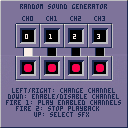
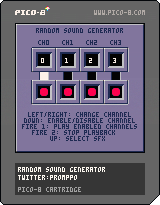
A toy that pokes the sfx RAM full of random garbage and lets you play the results on multiple channels. It'll mostly sound like generic computer ambience from an old educational film.
The randomly generated sounds will be stored in the ROM on startup, so comment out the cstore() at the end of the _init() function if you want to save your sounds for posterity's sake.
Disabling a single channel should technically stop playback on that channel, but it occasionally won't. This might be due to the weird looping points that the program generates for each sfx.
2 comments








So I'm getting ready to make a new game, in which the player will be able to push other objects around in an AOE.
I have a table, ACTORS, which will hold all my actors; each one will have x/y coordinates.
So, to get everything within radius R of point X, Y:
function get_near(x,y,r)
  for i in all(actors) do
    --use some math to get the hypotenuse
    vx=i.x-x --get the distance on X
    vy=i.y-y --same for Y
    --SOME TRIG GOES HERE
    --Sorry, still a little fuzzy on my trig
    if(result<r)then
      add(list,i)
    end
  end
  return list
end
|
Which would return a list containing...what, exactly? This is where I run into the problem.
If adding an item from one list to another copies the original to the new list, then I get a list of actors that's basically useless--I can't push them around, because if I do anything to list, it won't affect actors.
However, if adding an item from one list to another creates a pointer to the first list, then I'll be able to use this to conveniently push stuff within a certain distance.
4 comments


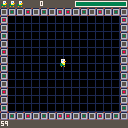
you are a duck!
z to sprint, x to quack (this will be tied to an eating mechanic later)
Spent a couple of hours working on this today once I realized I had access to Pico-8 :D.
Once time runs out, nothing happens. There is no score yet. You have three lives with no way of losing any of them.
There are no goals except for being a duck.
No real gameplay yet, but I'm posting it here to force myself to update it and to keep working on it.
0 comments

Limitations always make me think about breaking them, and when last time I realized that you can “load()” cartridges while your program is running, that seemed something exploitable :)
So here is one way to circumvent the limitations somewhat: You can only fit one “fullscreen” picture in the gfx space in pico-8 - BUT the cartridge change and load is fast (at least compared to changing a physical cartridge :) ) so what if I put more pictures my program need in other cartridges, and load when I need?
Turns out it can be done. :)
Here is a demonstration: a “fullscreen” anim player. It reads the frames from the cartridges in the “frames” directory, and copies the contents to the screen.
It is not that fast as I hoped to be, but it is still useable. It plays an animation with no problem, and with some planning it should be useable for other purposes too (while something else is still happening on the screen, like a game for example :) )
As the screenshot shows: it consumes 96% of cpu time, but only in the frame when the load and refresh happens. (I refresh every third frame, that’s how the average is around 32% - two frames with zero cpu load, one with 96%).
In theory you could spread the cartridge load and the refresh to different frames, but unfortunately the load is not “silent” (it prints a message to the screen), and that scrolls/writes in the picture. I couldn’t come up with a way to hide that yet, but the separete load/update lowers the max cpu usage to 49.6% (the average is stays the same, because now we have one frame with zero, and two frames with roughly 49%).
But of course an animation player is really the stress test of this technique. Apart from… you now, actually playing animations (like intros or something) you don’t really need to refresh that fast probably, and loading data from other cartridges can be used a number of different ways: backgrounds for an adventure game or transition screens, or replacing the tileset for an another world in the game, etc.
I have the sample for you to download (I don't think it will work in the web player), but it seems that I can't post any links in this forum, so please go to my blog post on tumblr and download from there if you want to check it out: http://blog.ccatgames.com/post/118623662172/still-playing-with-pico-8-limitations-always-make
1 comment



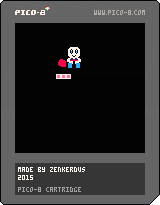
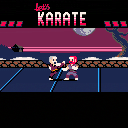
Might as well call this the finished version, since barring optimization and cleanup I'm out of space.
CHANGES:
-There wasn't really much point in moving away from your opponent, so backward movement has been replaced with a longer backstep that can be used to avoid attacks
-Tweaked a few pixels
ADDED:
-Logo graphics
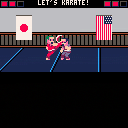
-2 new backgrounds (chosen randomly for each round)
-Randomly generated character appearances (loser's character gets replaced after each round)
-Characters now have shadows
-1 new music track
-Options menu to change/disable the music and choose between 3 CPU difficulty levels
FIXED:
-Player 2 could still go slightly outside the screen's bounds
KNOWN BUGS:
-There's a certain set of inputs that will prevent a character from going into the win pose after knocking an opponent out, thus being able to move around freely and preventing the round from ending. I have no idea how to do it apart from buttonmashing. The CPU will occasionally manage to do this, since technically it's constantly buttonmashing. Don't think of it as a bug, think of it as the ultimate victory celebration!
 12 comments





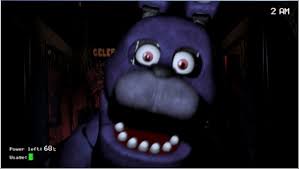


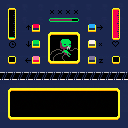
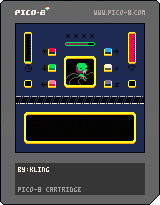
to put it simply, this is somehow a fnaf clone, its a stress management game, here is how it works:
your objective is to keep the being alive until the green bar (time) fills up.
there is a purple bar in the middle which will decrease with time
press x to fill it
press the button required on the bottom of the screen the number of times necessary
the being will lose life if:
you press a button that is not required or press it more than its required
you take too long to press the required buttons and they build up
you press x and any other button at the same time (you can press the other buttons at once, however)
you let the purple bar get empty
the being recovers if:
*you press the required buttons, the required number of times.
2 comments
Neil (nknauth here in this forum) had this awesome idea to use my image importer to create custom covers for cartridges.
I myself wondered if one could use a cartridge cover other than a screenshot, but my best idea was “Probably at some point I should ask zep if he can enable using some other images. Maybe. Someday.” :)
But neil's idea is actually working. Needs a small amount of hacking though: simply loading an image, taking a screenshot, loading an another cartridge, and saving that cartridge by hand just produces a gray square on the cart instead of the image.
BUT using this code in the image loader works:
function _update()
if (btnp(4)) then
load(“road”)
end
if (btnp(5)) then
save(“road.png”)
end
end
function _draw()
cls()
sspr(0,0,127,127,0,0)
end
So the steps are:
- Create an “image cartridge” with the code above, but replacing “road” for the target cartridge name.
- Import the cover picture into this “image cartridge” by using the image importer from my previous post, or simply just drawing directly in Pico-8
0 comments


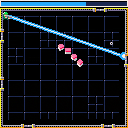
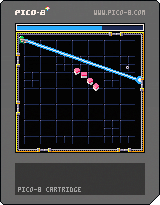
Hello this is the third and probably my last entry for More Is Better Jam. ( I have to leave until next week)
This one is still unfinished, I wanted to add a progression system with powerup unlocks.
As a result the late levels are quite difficult since you will have to play them without the powerups.
Instructions :
- Save the 32 Files left on your computer by fighting viruses waves with your sweet laser beam and shiny green armor
- The laser beam always target the grey ring
- You can't move the ring, it moves by itself and will probably do it in the direction you dont want it to.
- Your laser beam consume energy : no energy = no laser beam
- Refill your energy by approaching the ring. It works only if you dont fire.
19 comments