


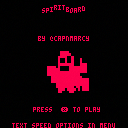
A cute game about 3 girls playing with a spiritboard and getting more than they bargained for! Started out as a cute spiritboard thing like an 8 ball but became a visual novel without me realizing it.
If you want the executables there is a itch.io page it also contains the full code with comments which I sadly had to strip for the bbs release.
The question menu is controlled with x to go to the top of the menu and c to select. Enter opens the start menu.
To use the paste option on the question menu you must first paste into the game before it can access your clipboard.


 5 comments



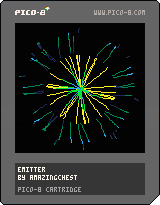
This is my second experiment with PICO-8, this time making a flexible and customizable particle emitter system. In this demo I've pre-made several different emitters that you can view by pressing (left) or (right).
Particles are only rendered as lines, but there are a lot of options to control how they look and behave. It took a while to figure out how to handle colliding with the edges of the screen such that it was accurate no matter how fast the particles were traveling or how long their trails were. Here's just the particle update function to see what's going on:
function particle:update()
  if self.age < self.lifespan then
    if self.jitter > 0 then
      local curr_jitter = rnd(self.jitter)-self.jitter/2
      local curr_angle = atan2(self.dx,self.dy)
      local curr_mag = sqrt(self.dx^2+self.dy^2)
      self.dx = cos(curr_angle+curr_jitter)*curr_mag
      self.dy = sin(curr_angle+curr_jitter)*curr_mag
    end
    self.dx = (self.dx+self.xgrav)*self.drag
    self.dy = (self.dy+self.ygrav)*self.drag
    local next_x = self.x+self.dx
    local next_y = self.y+self.dy

    local line_pts = {{self.x, self.y}}
    line_pts.segments = 0

    while self.collide do
      -- left collision
      if next_x < 0 and btwn(self.y+((next_y-self.y)*self.x/(self.x-next_x)),0,screen) then
        self.y  += (next_y-self.y)*self.x/(self.x-next_x)
        self.x  = 0
        self.dx *= -self.bounce
        next_x  *= -self.bounce

      -- right collision
      elseif next_x > screen and btwn(self.y+((next_y-self.y)*(screen-self.x)/(next_x-self.x)),0,screen) then
        self.y  += (next_y-self.y)*(screen-self.x)/(next_x-self.x)
        self.x  = screen
        self.dx *= -self.bounce
        next_x  = screen-(next_x-screen)*self.bounce

      -- top collision
      elseif next_y < 0 and btwn(self.x+((next_x-self.x)*self.y/(self.y-next_y)),0,screen) then
        self.x  += (next_x-self.x)*self.y/(self.y-next_y)
        self.y  = 0
        self.dy *= -self.bounce
        next_y  *= -self.bounce

      -- bottom collision
      elseif next_y > screen and btwn(self.x+((next_x-self.x)*(screen-self.y)/(next_y-self.y)),0,screen) then
        self.x  += (next_x-self.x)*(screen-self.y)/(next_y-self.y)
        self.y  = screen
        self.dy *= -self.bounce
        next_y  = screen-(next_y-screen)*self.bounce

      else -- no collision
        break
      end
      add(line_pts, {self.x, self.y})
      line_pts.segments += 1
    end

    self.x = next_x
    self.y = next_y
    add(line_pts, {self.x, self.y})
    line_pts.segments += 1
    add(self.lines, line_pts)

  elseif self.maxlength >= 1 then
    self.maxlength -= 1
  end
  -- trim the lines
  while #self.lines > self.maxlength do
    del(self.lines, self.lines[1])
  end
  -- get older
  self.age += 1
end
|
1 comment





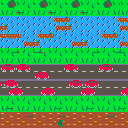
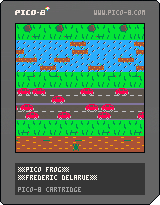
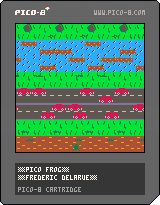
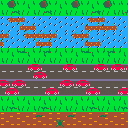
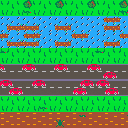




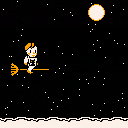
-- 12/1/17 --
Version 1.666 !
A new item and a new #3CJam cart have been added!
Sorry it's not much of a puzzle to unlock this one :/ If I'd had space, I would have done something neater, BUT.. there are also now TWO Spiritboard-inspired masks to find :)
(also button prompts have been fixed)
-- 11/29/17 --
EDIT: Bugfix release has replaced the original version:
-Corrects some issues with cart loading
-Music is less random (now only cycles when using a door)
-tweaked a few puzzles
-note: Do NOT mess with haunted hardware -- who KNOWS what could happen?
-note: Also do NOT mess with controller 2. I mean, who KNOWS what could happen??
-note: Do NOT experiment with items -- who KNOWS what could happen?
-note: Do NOT, I repeat do NOT look for odd-numbered houses. They probably don't even exist anywhere. It isn't healthy to imagine such things. Try to stay grounded instead.
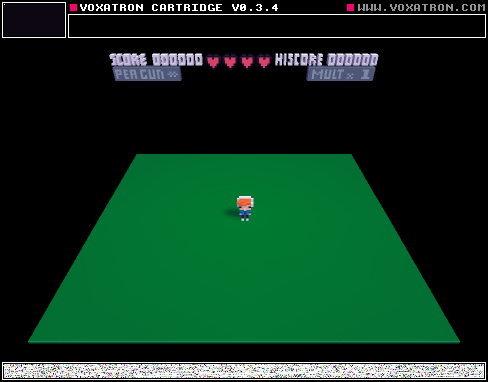
The #3CJam 2017 hub cart is finally complete!
This isn't the witch game that castpixel and I started on as a 3cjam entry. It's.. something else.
"What is it, then?" you ask??
Well.. You'll have to explore and find out for yourself. :)
If you get stuck, feel free to post here in the thread or twitter.
Manual:
11 comments





Try the following code, in which a negative number is repeatedly multiplied by a fractional value:
k=-1 for i=1,33 do k*=0.5 end print(k.." or "..tostr(k,true)) |
As of 0.1.11d, you'll end up with "-0 or 0xFFFF.FFFF" as your output, or negative zero.
There are arguments for the concept of negative zero, particularly when you're working with floating-point numbers—but I'm not sure it makes sense within the context of Pico-8's fixed-point values. Unlike unsigned zero, negative zero is unstable in a fixed-point representation. If you multiply 1000 by 0, you get zero. But if you multiply 1000 by negative zero (0xFFFF.FFFF), you get -0.0153.
In other words, unless you handle negative zero as a special case (e.g. compare to an epsilon value), it's possible you'll introduce numeric drift.
It also leads to other weird behavior. Try this:
k=-1 for i=1,33 do k=shr(k,1) end print(k.." or "..tostr(k,true)) |
The output will also be negative zero, which makes very little sense to me. Bit-shifting past the range of the number should yield 0; if I were using k as a bit field, e.g., I wouldn't necessarily want a shift-right to mean "multiply by 1/2."
SHORTER: it seems like negative zero in Pico-8 is either a bug or just a bad idea. But maybe someone can explain why it should be there?
8 comments





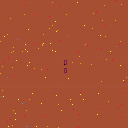
made a 40 mins game cause why not
- you move with arrows
- and move in small steps by holding X + arrows
- get diamonds, highscore, post here!1
LOL
0 comments

Hello,
Sorry, it's probably been covered before, but I'm trying to get my latest PICO-8 thing (done in 0.1.11D) to work on a Pocket CHIP I borrowed. As you might imagine, it doesn't work/won't load.
What's the easiest way to get the Pocket CHIP up to date? (this is someone who has never really fiddled with one and have just borrowed one from a colleague)
Cheers,
Roy
1 comment


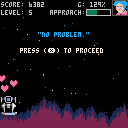
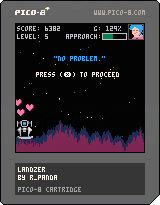
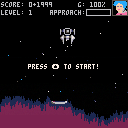
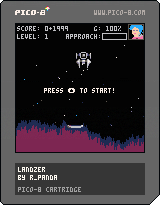
Landing Simulator 2017
Fly for the high score based on how fast you complete the levels using the arrow keys to maneuver through space and time.
My first PICO-8 project, based on the second tutorial from the "Game Development for PICO-8"-zine by MBoffin. A small and rough expansion to get my hands dirty. Sorry about the lack of music, I limited this project to focus on programming patterns and a few visual effects.
My high score: https://twitter.com/r_pdx/status/935305070157094912
3 comments


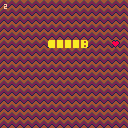
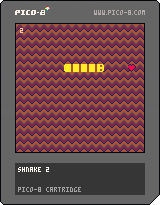
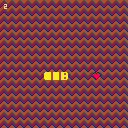
Me learning how to program :)
CHANGELOG
Version 0.9.1 :
- Fixed crash upon restart
Version 0.9 :
- Snake grows
- Aligned every object to a virtual grid. Now "collision" code is much more simple.
PAST VERSIONS
0.9 :
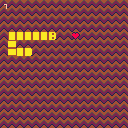
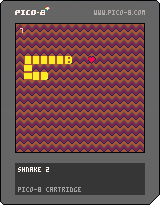
Alpha :
 0 comments



The game launched properly under Windows 7 on the same PC, but fails to launch or create a config file in windows 10.
codo_init
platform: Windows
codo_system_init
codo_reset_timer
codo_gui_init
codo_keys_init
codo_text_init
codo_video_init
codo_mouse_init
codo_joystick_init
codo_joystick_init
found 0 joystick(s)
ok
ok
codo_set_screen 0 0 32 b
retrieving desktop resolution: 1280 800
EDIT: Dell Latitude E6400
0 comments



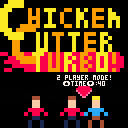
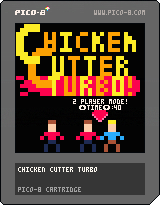
The definitive version of Chicken Cutter. I'm going to leave this alone for now, as the features I want to add would require a complete revamp of the code I'm just not ready to tackle yet.
Additions
+Multiplayer Mode
+Difficulty/Time Settings
+Return To Main Menu Without Reboot
Original Game: https://www.lexaloffle.com/bbs/?tid=30321
Code, art and sound by me.
Please let me know if you find any bugs or glitches!
0 comments

Dear all,
I'm trying to get my head around functions (in general, not just _init, _update & _draw) and I'm looking at the platform tutorial, PicoJump, in issue 2 of the fanzine. There's a function named CANFALL() that I'm having a problem with deciphering...
FUNCTION CANFALL() V=MGET(FLR((PX+4)/8),FLR((PY+8)/8)) RETURN NOT FGET (V,0) END |
I understand the MGET line and how it's placing the value of the tile underneath the player into to the variable 'V'; however, I don't understand the line:
RETURN NOT FGET (V,0) |
I can't work out if it's returning true or false based on sprite V!
Any pointers for a layman like me?
Many thanks.
T.
2 comments


I know there is plans in the future to add a leaderboard system to Pico-8, but I was wondering if there were plans to maybe add a really limited networking system, kind of like a 56K modem. This would allow for some pretty creative ways to interact with servers, websites, and even other carts. One idea of mine was you would host your own leaderboard system on a Heroku app and the distributed carts adding to the leaderboard system. Another idea would be an old-fashioned BBS that used Pico-8 as a frontend. Thoughts?
4 comments




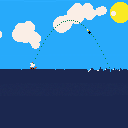
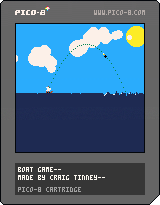
Hello!
This is my first experiment using pico-8, a basic water simulation that hopefully is simple enough to be used in other projects.
The two main things used to make this simulation is;
1) A vertical force applied to each point on the water surface, positive if the point is below "sea level" and negative if it is above the same point.
2) Diffusion of each point relating to its neighbours, which looks like this;
local diff = dampm * ( pt(i+1) + pt(i-1) +pt(i+2) + pt(i-2) +pt(i+3) + pt(i-3) +pt(i+4) + pt(i-4) ) * (-8*points[i]) points[i] -= diff*damp*dt |
Where dt is time since the last frame, diff & damp are value multipliers and pt(n) being a function that returns the values from the points
5 comments


If I really have to post my sloppy noob code I will but I am hoping that I can get a quick answer.
When my player sprite moves onto a grid flagged 1 then that grid is solid and the sprite stops moving. If the flag is 2 then it moves to a different room AKA different MAP() value(s)
This works as it should but the solid collision still applies to the tiles from the previous room. I do not understand this because the solid function should update when the new map tiles are drawn.
In other words. It looks like my character is in a different place but all the solid grid tiles are from the previous "room".
2 comments
