




Hey, Zep, I know there's a built-in OS, but I think it would be cool if people cool make their own to use and share like carts.
But what would be great is if you could put in code that will allow you to run cart from the carts from the forum like the default OS
Appreciated if you at least read this post


 1 comment

Are you able make a cart open automatically when pico-8 is opened?
Is it also possible to make custom key commands?
2 comments





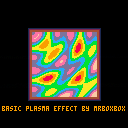
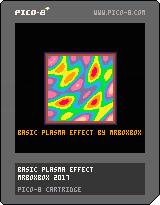
I'd like to get in to the demoscene and decided to learn how to do some well-known effects. This is a basic demoscene plasma effect.
http://lodev.org/cgtutor/plasma.html
this webpage helped alot!
1 comment
I'm going to talk about how to do this on Mac OS, sorry PC users
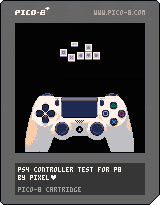
in order to do this, you will need to plug your PS4 DuelShock© controller into your computer
Then you will have to purchase Joystick Mapper
Then open joystick Mapper and make a new preset
Then config the preset to Pico-8 controls
Tip: press scan to easily pick the button/joystick you want to use
When done, exit the window and press the box in front of the preset to activate it
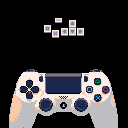
then use the controller test i supplied below to test it, change the settings if needed
Viola!
 8 comments






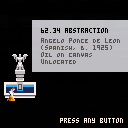
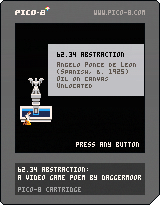
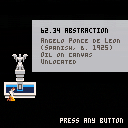
I made this for my college art museum; they were looking for writers but I'm not really, so I said I would make a video game "poem" of sorts instead, and they indulged me :)
It was in response to an exhibit that included some "lost works" — pieces that are listed as being in the museum's collection, but cannot be located; instead we just had the label information of the missing work of art.
This game is inspired by that label information; I knew nothing about the painting other than what is there on the title page.
It's not much of a game; not much to do but walk and read. Thank you for your indulgence and time, if anyone plays it! It's short, maybe 5 or 6 minutes long.
Many thanks to oli414 for his dialogue text box lib which i keep using.
And to Robby Duguay for the song "Melancholy" from his "9 Songs in Pico-8".
And morgan3d for introducing me to PICO-8, and zep for making it (also I think I have bits of code in this from both of you.)
Changelog:
1.02 yeah I f**ked up on 1.01 it's all better now :S
1.01 Adjusted "GAME OVER" sequence at very end
1.0 Original release
 7 comments



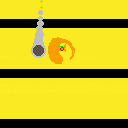
Faerie Hitball is more or less an exercise in making a game entirely on a pocket C.H.I.P. There are many like it, but this one is mine. You play a glowing butterfly-winged creature with a racquet. Follow the ball and hit it with that racquet, see if you can break the high score of buffer overflow!
Controls: arrows (move) + button 0 (swing dat racquet)
0 comments


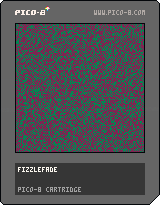
I saw a couple of articles earlier about the Fizzlefade effect from Wolfenstein 3D. It's a transition effect that draws over random pixels, but never draws over the same pixel twice.
I thought this was a cool trick, and I wanted to try it out and see it in action, so I implemented the Feistel network technique from antirez's article. Posting here in case anyone likes the effect and wants to recycle the code.
38 comments







Hello you guys !
I'm a new user for a few days now, and I'm having a really strange issue. For whatever reason, btn(0) doesn't work anymore. Not only on my own tries, but also any game from SPLORE. I tried like everything :
- simple reboot
- try with success my keyboard on any other app (even carts from the web player of PICO-8 that DO work !)
- uninstall / reinstall PICO-8
- try the zip version without installing...
- assign another key to "LEFT"...
nothing works. It's just not possible anymore to use the btn(0). I'm running the windows version, using windows 7.
Can someone help me with this ?
Thanks a lot !
2 comments
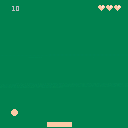
NOW IT WORKS :D
sorry about that.
hopefully next time I won't have to look up the code to stop or move something.
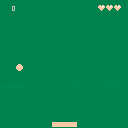
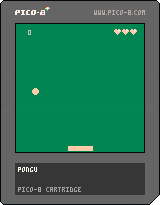
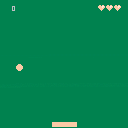
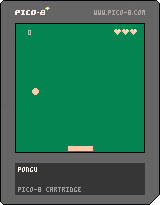
I have now added code to stop the paddle on the screen sides!!!!!
I am a bit ashamed that I had to look up the simple code though :<
anyways I learned how to stop them :D
 3 comments


Hi there,
I wrote a script which helps to write lua code in an external editor. The script listens to changes in the .lua file and re-integrates the lua code back into the .p8 cartridge. Each time you save.
So you can happily change lua files and edit assets in Pico-8 and everything gets merged back as soon as you save. Write some code in your editor, switch to Pico-8 and press ctrl-R to reload. It's quick :)
Works great for me in Intelij Idea, where I have syntax highlighting, code analysis and code completion. When trying to call a function, the IDE even shows the function parameters and lua-doc. What more can you ask for?
Some other things the script can do for you
- include library code (#include library)
- remove debug code on release (#define debug, #if debug, #end debug)
- strip comments if you hit the size limit (please consider that comments are helpful for the Pico-8 community ;))
- convert pico-8 specific statements like += to plain .lua. Some IDEs might work better with plain lua.
That's it, hope you like it. Download it here:
https://github.com/sulai/p8lua
Have a look in the python file, there is more detailled und up to date instructions on the features.
PS: one down side though: the script works for Linux only at the moment, since it uses pyinotify for getting notified about file changes. I'm happy to accept pull requests if you want to port it to windows, maybe doing polling on the .lua files.
3 comments

Ok So I will be using this thread to document my probably ultra-slow progress into programming.
I will be making a clone of Atari's "Asteroids", all to teach myself to program, and hopefully motivate me to do things....
So far what I am needing to do is:
Make a Title Screen
Make the Ship
Design the Asteroids
the UFO
Add a score board
Lives
maybe a level count?
I have 0 knowledge how to do this so it will be nice to see if I can do it!
I've thought about using sprites for everything game related, like the ship, UFO, and asteroids.... However I've also though about making it like the 2600 asteroids, without a definite sprite sheet and just use it's basic syntax to draw these things.
any tips would be very helpful as well! I look forward to making something we can all enjoy...hopefully!
6 comments




hi,
i like to make a raspberry pi pico 8 console. is there a way to end a game and go back to splore with gamepad only? i can t find anything about this. cause the console will have no keyboard, so no esc button.
kind regards
husten
5 comments



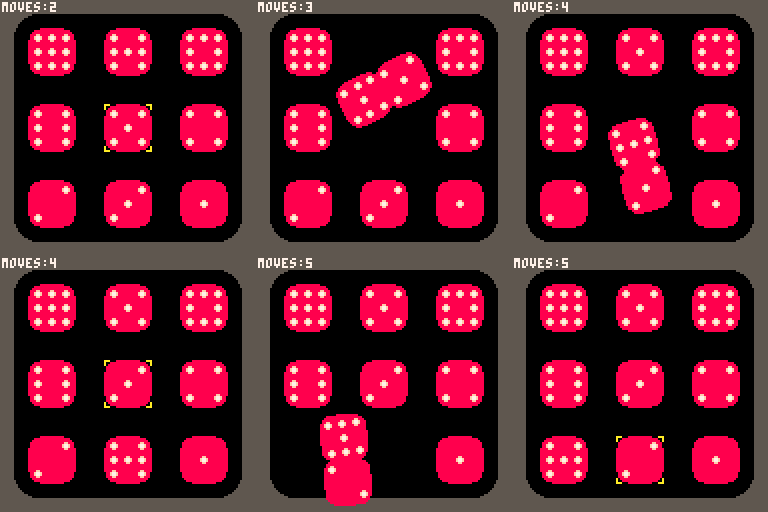
I'd like to share my first PICO-8 project. It's a puzzle game of my own design. You need to restore the puzzle by swapping pairs of tiles. The difficulty is that not all tiles can be swapped. It's up to you to discover which tiles can be swapped. Figuring this out is only the first step. The real challenge has then only just begun!
v0.2 After solving the puzzle (within a reasonable amount of moves) you now get a solve key, which grants you entry into the game's Hall of Fame. Capture it. You can reply to this thread with the screen capture. The keys are unique, so don't "re-use" the key of someone else. Furthermore, you really need to solve the puzzle. You cannot cheat by inspecting the source code either.
4 comments
So my Chip came in yesterday, and it's awesome. I've owned Pico-8 on PC/Mac forever but never did anything beyond playing games.
I've done a little pong type tutorial thing and am thinking about doing a small easy game to teach myself stuff about Programming.
My knowledge is about 0 sooo there's that haha...
I think I'm going to start with an asteroids clone to see if it's easy enough for me to understand things like data arrays and tables, also because I love asteroids :D
wish me luck!
(Also if this isn't the right forum area please move it, I had no idea where this post belongs)
1 comment
In case your game gets slow, it's always helpful to identify the parts of code that take up too much time to compute. This is how you can measure execution time:
local start = stat(1)
-- .... do some intensive stuff ....
printh("this took "..((stat(1)-start)*100).."% of a frame")
|
Hope it helps, and thanks to @Felice for pointing out how to accomplish this.
sulai
0 comments

I've been working on my first Raycaster and I ran into a problem I can't seem to fix.
I think it has to do with the CAMX variable, and the Ray Hit section of the code (Specifically CAMX's implementation in the RDIRX and RDIRY values).
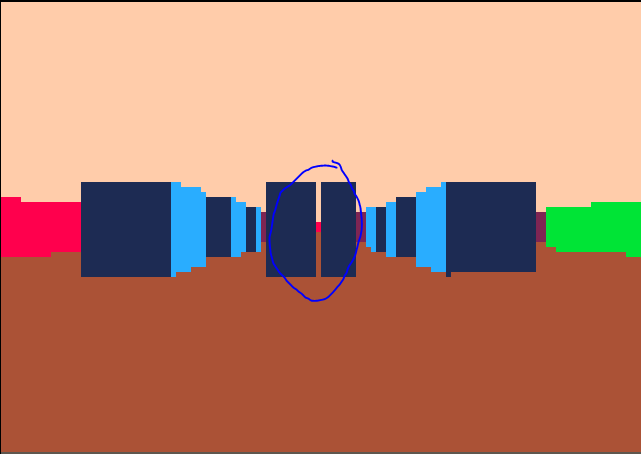
Depending on the direction I'm facing I get lines that go straight through everything (With virtually no line-height).
I've also noticed that this bug tends to only happen in the reverse SIDE as the wall it's supposed to hit,
Front wall (SIDE 0) has a line that has the color of a SIDE 1 wall.
Here is how it looks:
Here's the code:
5 comments


So i read the manual, watched the tutorials and also looked at the [keys] section under https://neko250.github.io/pico8-api/.
Problem is that i cannot find basic keyboard inputs, let's take the waveform editor. You click a note. You accidently click too high or too low, so you have to precisely align between the other notes before you can 'fix' it, and that requires carefully not moving right or left (or else it will affect the other notes).
I use a high dpi mouse on a pro gaming surface and i slowed down my cursor, still is tricky. Aren't they controls like Shift+Up to go higher tone, or anything of that nature?
Note: the same is true for most editors includied in Pico. In order to be productive we need to have more shortcuts.... or am i missing something?
== UPDATE ===
Making matters even worse, some shortcuts do not even work at all. Speed using < or > ? yeah right. Not a mac osx .
== UPDATE2 ===
Reading through the manuals and forums, the absense of < >, snap to Cm pentatonic but more important the complete absence of 'backspace' (and therefore the ability to delete notes)[b]
3 comments


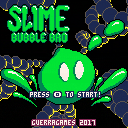
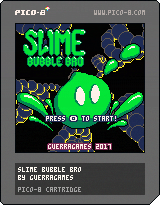
Slime Bubble Bro is a fast action platformer arcade game.
Objective:
You are the Slime Bubble Bro and your mission is to save Slimette from the evil clutches of the Skeleton Gang and their minions!
Instructions:
- <x> to jump, <z> to shoot
- Bubble up your enemies until they explode
- Push bubbles around to chain their explosions and get more points
- Bosses can't be bubbled, but you can use their minions to do more damage
26 comments





Hey guys,
I'm new to Pico-8, and I love the general concept of this! I'm already in the middle of some cool development.. and hit all the borders: compressed code size exceeded, out of memory in the late game, and generally high cpu load in the late game.
For memory profiling, I use a function to recursively count the elements in a table. This is good enough for that task.
The question is how to do cpu profiling in pico-8? The goal is to identify the parts of the code, which use up most cpu time. Something like this would be sufficient for me:
function oh_this_might_take_long()
    local start = time()
    -- .... do some intensive stuff ....
    printh("this took "..(time()-start).." seconds")
end
|
However, this would not work out very well, because time() is too inaccurate. It increments in steps of 0.03335. This is the duration of one frame (1s/30f = 0.03335 s/f), so time() does not help with this.
Any ideas on how to do cpu profiling on pico-8?
thanks,
sulai
2 comments


