

A simple remake of a classic game.
The main purpose of this cart is the procedurally generated sunsets though.
Can you survive into the night?


 1 comment


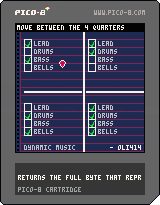
Demo Controls:
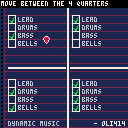
Position the pointer in one of the 4 quarters using the arrow keys to change the music.
The music will change depending on which quarter you're in. The check marks in these quarters show which channels are enabled for each quarter.
The changes will go into effect as soon as the pattern ended.
Background Story:
I came up with the idea of having the music chance depending on where you are while still keeping the same song. I quickly ran into an issue. I realized that there was no way to make this happen using just the "music" function.
Later that day I found out about the "peek" and "poke" functions: allowing you to directly read and write to ram. I found out where to find the music pattern section and started mapping it out to get more control over it.
[b]Music in RAM:
0 comments

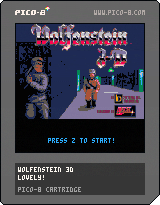
Added HotSoup's door sfx. Much less ear bleed.
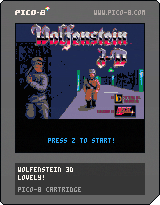
Here's a thing.
Mostly works.
Loads missing. Only 1 level. You get the idea.
Didn't bother re-drawing the art, just passed it through a palette converter.
39 comments







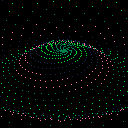
Here is my vortex thing,
feel free to remix it if you want :)
x and c do create random vortex
arrow keys do other interesting things
 4 comments

..
Pongatron
(basically Pong, but with some cool fx)
my first experiment in pico-8
based on pico-8 fanzine tutorial by Alex Mole (@TheRealMolen)
twitter: @umutdervis
strangecat.net / umutdervis.com
..
2 comments
.png)
Hi,
there is a way to set up a controller on the games played in bbs?
I ask this question because with the mobile version of the site i can finally play with my phone, but the touchscreen controls are not for me, and i wanted to know if i can use a BT controller..
Thanks everyone!
14 comments



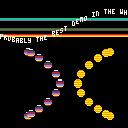
Updated the cartridge with some input from Atlantis regarding the scrolling text and added a few effects in the process. I tried to achieve a simple blob-sine effect and some raster bars.
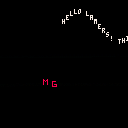
Just trying to achieve some demo effects
2 comments

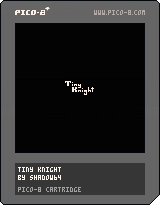
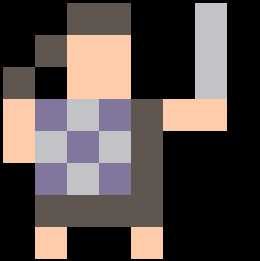
TinyKnight is a game that I made for WDBT2. It was a jam that I started with some friends. The idea was that we would all learn to make something in PICO-8 over the weekend. This was my idea.
There's definitely not a whole lot there gameplay-wise and I'd REALLY love to spend more time on the music, but what can I say? I can do more later, but a jam is a jam. Here's the jam version of the game in a "finished" state.
1 comment





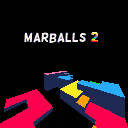
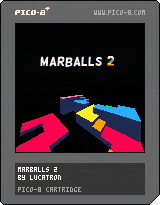
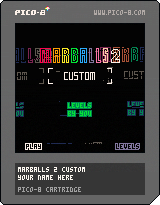
A sequel to Marballs, now with verticality, orbs and jump pads!
Controls:
Roll around with the arrow keys, jump with Z and use X to pause and restart.
Use the pause menu (ESC or enter) to return to the main menu.
To swap to 45° controls choose "swap controls" in the pause menu.
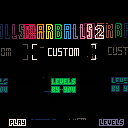
Custom Level Packs
Create and share your own levels using the custom cart below!
 54 comments





1.0.1: Quick fix for the title screen
The main slowdown factor of the whole thing is this:
for x=0,127 do for y=0,127 do if brd[x][y] != 0 then pset(x,y,brd[x][y]) end end end |
I have to copy everything from the board to the screen, every frame. Maybe someone could help with a more efficient way to do that?
Sometimes, very rarely, snakes just crash into themselves when nothing happens. Should maybe fix that.
The stupid AI is surprisingly good at beating me. I should probably practice some curve fever.
Feedback is greatly appreciated!
3 comments
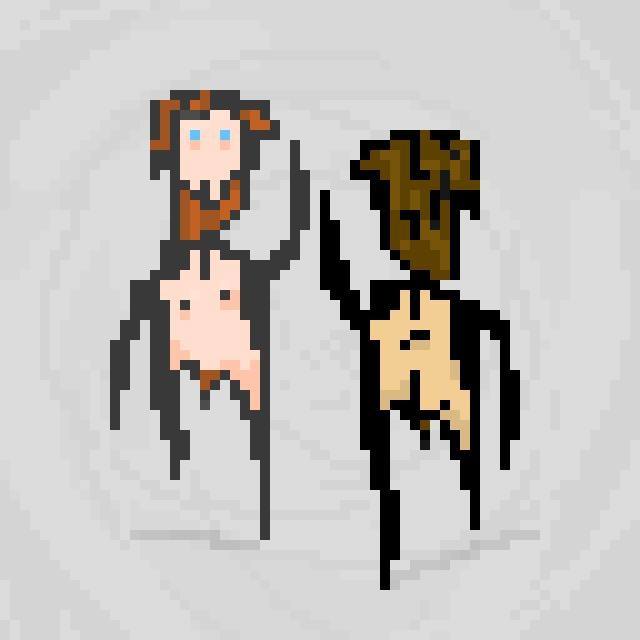

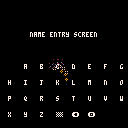
First cartrige! Hey!
Made a name entry screen for exercise. Can type strings, can make beeps and blops. Nice sparkling like in Game Genie menu included!
Amount of letters per line and the charset can be customized, left arrow, dither and button o symbols are reserved for special buttons
1 comment
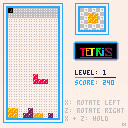
So I made a tetris clone a little while back, I used the 8x8 spirtes as whole blocks. Which worked well with the flag collision thing, but it couldn't fit on the screen, so I'm back with 5x5 blocks and as far as I'm aware there's no way to use the map + flags for sprites under 8x8 besides maybe a virtual screen that your code scales down. I also started off with all the blocks as ints in an array[ 220 ], but these 1 based arrays are throwing me off, I eventually just scrapped it because the code was a mess and currently have an object { x, y, type } for each block, which really isn't efficient but w/e. Feedback/Criticism welcome, new to Lua and Pico and any suggestions on how you guys tackle collision under 8x8 would be stellar.
3 comments





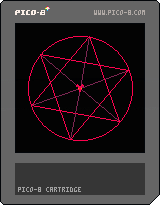
Play with the buttons and make your own spoooOOOooky spinning thing.
Great screensaver for baby rooms!
Oh and by the way, the music is an augmented 4th, aka a tritone or the "chord of evil" which was literally banned by the church at one time. :)
edit: oops I just realized I uploaded an old version. This one works...
4 comments




Is there anyway to set a minimum number for the RND() function so that you can set a range (min to max) instead of the default 0 to max?
3 comments
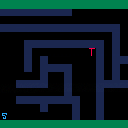
Here is a short implementation of a pathfinding algorithm (a*) in pico 8.
Your press Z (A button) and the S moves to the T. Press again once it reaches it's destination and it randomly picks two more locations and does it again.
Not necessarily the most performant- but works well enough at small scale.
 0 comments
Just messing around in the tracker. Music was converted from an old Amiga .mod by Jester, logo stolen from the internet. Code is an attempt at a water effect that went wrong. (edit: reflectsize=28 looks ok, ish)
(also Happy New Year!)
2 comments


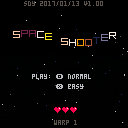
I decided to learn pico-8 and this is my first attempt at a game. Many of the components of this game have come from posts and ideas in the forum. The main inspiration was the shooter in 16 gifs. The music is also from another cartridge -- credit given for both in the code and in the scrolling credits.
I haven't tested this out on different devices yet... so let me know if there are any issues.
Scott
update 2017/13/01
Ok, made a few minor updates as well as the suggestion to make the game over not transition right away. Hmmm, I thought I had a screen shot, but it doesn't seem to have made it -- the game is still tuned for a score of about 1000 and/or level 10 (if starting at level 1). It starts slow, but gets crazy quickly. My screenshot was a typical game for me (with laptop keyboard) -- level 17, normal speed, 1250 or so score and 12% accuracy (that's what the game's tuned for).
While at the menu -- use arrows left and right to get more hearts... arrows up and down to change starting level.
6 comments


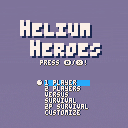
This is my latest work in progress.
Needs a lot of love at the moment, but some people in the community are dying to have a go at it.
It needs mostly to have the AI become more exciting.
Also, the many promised modes of the title screen aren't implemented, everything will be 1-player at the moment.
2 comments