





That was a requirement, for me, to have splore working as it is intended to, the problem is, there is no internet connexion, and I can't use my phone tethering as it wasn't in a location where I can use it.
The problem is, we can use splore for exploring folder, but you will have all the other part to be not working because, of course, no internet access.
After some quick test while using PICO-8, I finally found how it get data from lexaloffle servers, at least I found something, but there were missing informations.
The way ZEP have made that is in fact quite clever, as he used something similar as the way we save carts, all the data are transferred in the form of pictures, when PICO-8 request a new cart set from the BBS it receive a PNG file. The clever part is, it's not done the same way, but data about the cart is also stored in the picture in a similar way as it is done on the cart, it took me a couple of minute to figure how it is working.
As all my Pi (I manage to get 4 of them running during the convention) were to be connecter on the same network + a pocket chip on wifi, I took some standard network hub & wifi ap for that, nothing really fancy, but the tricky part was to make sure that everyone speak the same thing and especially that any device can connect without the need to spend hours in network configuration, especially because PICO-8 use hardcoded values to search for lexaloffle servers, so I had to trick it for that.
After some time spent on searching for a solution, I was going to use all the big tools for DNS/DHCP because haven't found a proper and simple tool, it was just when I read about dnsmasq which was the exact tool I needed for the job.
dnsmasq is a simple tool that provide:
- DHCP
- DNS cache and server
all of that using simple text file for the configuration (for those who have to install and configure a Bind server, you know how easy is it to configure this beast! :D)
So the next step was to install this tool on the Raspberry Pi that was to be used as the main server, and copy configure it to at least give proper name to my device that I was going to connect so I was able to remote connect on them without any hassle.
The last step was to make the offline BBS itself, it took me a couple of hour to have something that was looking like it's working, but hand't a PICO-8 to test, so I had to wait a little bit, and it worked on the first try.. :D
Where I was really impressed is my search is way more faster than the one the official BBS, but as my search is only done on cart name, I suppose that the official one, is going that on the full content of the BBS, including posts, that may explain the slight different in generating the answer.
My offline server also honour the "Featured" category, but with a really different algorithm. My server know how many times a cart has been requested by a PICO-8 and will use that metric for the featured list. Maybe not the best, but as there is no real BBS with the favorite star button, I can't use that.. ;-)
The other part of my offline BBS was to make a tool to dump the BBS, there are already some tools that you can find, but they way they get the cart is a bit clumsy and it does not work well, the one I've made was using my knowledge on how the BBS is working and use the same mechanism as what PICO use to get data from the BBS.
As a proof it is working here is a dump, in form of an HTML page, of the dump I've made just before the convention that has been used during the weekend:
http://box.godzil.net/~godzil/pico8/


 3 comments





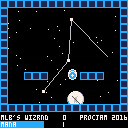
WIZRND, a pico-8 contribution to #ProcJam 2016 (https://itch.io/jam/procjam).
arrow keys to move
up to jump
down while standing to channel a shield
z to shoot lightning, x to shoot a magic missle
You can play it on itch.io here: https://topphysicist.itch.io/wizrnd
... or on github here: https://mattleblanc.github.io/WIZRND/
The main idea behind this project was to learn about developing for the PICO-8 platform -- although I have some programming experience, I've never made a game before. My goals were to simply make anything that was remotely playable, which actually didn't take that long.
Since I'm interested in procedural generation anyway and didn't have a lot of spare time to make a game in, contributing to #ProcJam was the perfect excuse for me to actually learn how PICO-8 works. Turns out, it's super fun and very straightforward.
The source code is freely available here: https://github.com/mattleblanc/WIZRND
0 comments

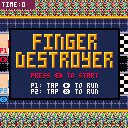
Hi, here is a simple two player game I made yesterday.
You have to be the first one to cross the finish line.
Controls:
Player 1: Press "►" (right arrow) repetitively to run
Player 2: Press "X" repetitively to run
Enjoy the game, and please don't hurt your fingers too much :)
2 comments



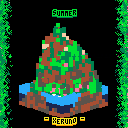
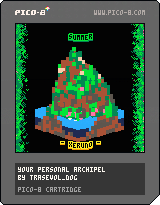
This is my entry to ProcJam 2016!
Feel free to have a read on the code of this thing. The voxel drawing part should be very easy to extract from the rest.
The first quarter (first spritesheet tab in the editor) serves as a map for the voxel drawing, using layers of 16x16 pixels.
The island is generated using custom cellular automata, each layer being a new step based on the previous one.
The seasons are all about reading the voxel map and replacing the colors.
The name generation is [b]super rudimentary
4 comments






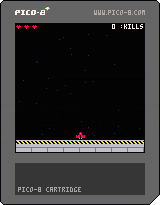
Just finished participating in Procedural Generation Jam 2016, with my entry 'Test Pilot'.
R&D have gone a little crazy and designed thousands of difference spaceships for the local fleet.
As the resident hotshot pilot, you''ll get the chance to fly each machine around and see which performs the best.
Controls:
Arrow keys - Move
O (z) - Fire weapons

 0 comments


Hi all,
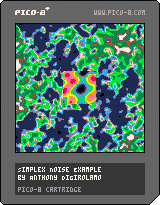
I'm working on a space game with procedurally generated planets and thought others may benefit from the simplex noise functions I'm using.
This is ported the reference examples at:
http://staffwww.itn.liu.se/~stegu/simplexnoise/Noise.lua
The whitepaper can be found here:
http://www.itn.liu.se/~stegu/simplexnoise/simplexnoise.pdf
Feel free to use. Be aware that perlin noise (predecessor to simplex noise) has a patent. Here's an alternative: OpenSimplexNoise
7 comments






Hey!
I assume that the printh() command on windows outputs text directly to Console(CONOUT$ a console's active screen buffer), thus bypassing STDOUT and STDERR. (Correct me if I am wrong)
I think it would be better to output to STDOUT or STDERR, because Console isn't a stream and can't be redirected. (For example to pipe the output into another program).
2 comments


A prototype of a small 2-player fighting game. Heavily work-in-progress as you may have noticed!
0 comments

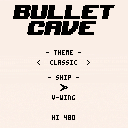
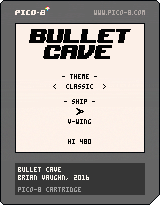
How far can you make it inside bullet cave?
1) Don't let enemies pass you or spikes will grow from behind
2) Shooting (Z) enemies grows the cave; avoid the walls
3) Use your freeze power (X) to invert enemies and make the cave shrink
4) Collect power-ups to change your weapon and gain freeze power
Can you unlock all 20 items? 10 themes and 10 character ships available
Featuring...
- Ship designs from @guerragames @qbicfeet @westfellapps @joshmillard @pixelartm
- Original music by Brian Follick, @Gnarcade_VGM
- 6 weapons of destruction
- 20 unlockables
Plays great on the PocketCHIP too, just search for "bullet cave" in Splore.
Please report any bugs in a reply or message @morningtoast on Twitter.
8 comments






I'm so excited about the new Pocket C.H.I.P. where I will be creating games on. That's why I just created my account.
PRE-ORDER CONFIRMED! Thanks for your pre-order! It’s confirmed in our system and estimated to ship this November . Look for another email from us to confirm your shipping address closer to your estimated ship date. Date 11/12/2016 |
And that's it. I wish all of you an awesome weekend.
0 comments

-----UPDATES-----------------------------------------------------------------------------------------------------------
1.1
- Made it a LOT more clear that you can not use your powers at the start(changed text, effects,controls etc)
-
Thanks Morning Toast
-
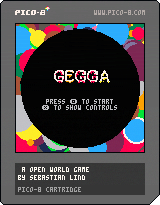
In a world where robots are taking over, you are the only one who has a chance to defeat them.
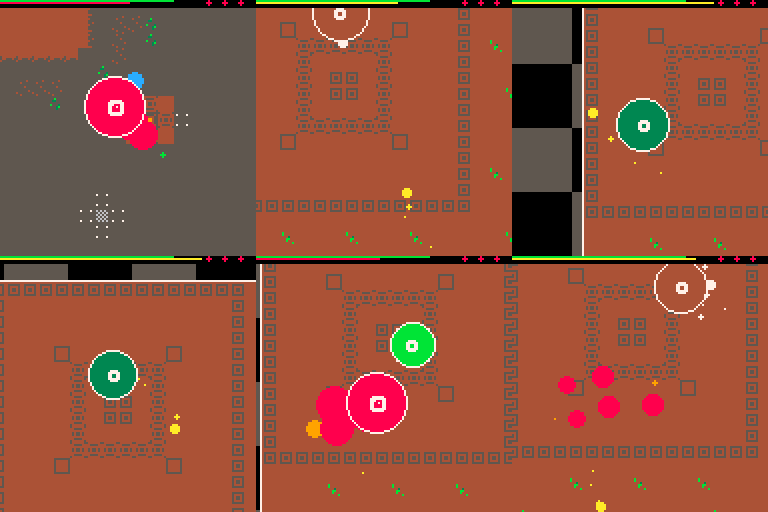
The game is a open world- adventure- arcade game were you can explore and tackle all the bosses in any order of your choice.
At your arsenal you have the ability to grow and expand at your command, giving you different stats and attributes in three forms:
- Small but fast,
- Medium, absorber of bullets,
- Large, slow but a lot of more damage than the other.
You have to decide which form is best at every encounter and managing your stamina meter.
The game is as big is going to get without using procedual-content, so the whole map is used, 80 % of the spritesheet, and 7839/8192 tokens used! No music, because that would only sounded terrible for your ears !
Hope you will have a good time and a great day!
/[i]Elastiskalinjen (Sebastian)
3 comments

I have been working on a little project aimed at teaching myself the LUA language one bit at a time.
to this end I used the basic timer I developed to control 4 sprites animation.

I have also created a little hitbox around it so that it can be shot and the animation stop.
0 comments
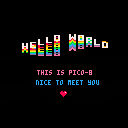
I wasn't originaly planning making this cart. For a presentation about PICO-8 (that didn't happen in the end) I wanted to have a cart that was running in background while the audience was entering the room and waiting for the talk to start.
I really like the Hello World cart from ZEP and its music and selected this one, as a nice Hello World is good way to great people.
As I was boring trying to find things to say and what to show on stage, I started to play adding things to the original hello world cart, and playing with it playing with it, it ended in something that could be use for more than just a playfield, so I didn't stop adding thing to it and added what is the most essential to a demo/invitintro: a scroller.
So yes this cart is based on the Hello World cart and music, I hope ZEP will not take my pico-8 licence because of that.. ;)
And the block text effect is also from the invitintro for the second jam, there is a small change, but the base is that,
The moving logo use nearly the same code as the starfield.
I do like the final result, it's a simple but nice looking graphical art ;)
Enjoy!
Edit: Run it on PICO-8 for the best result, on the HTML version it seem to be a bit slower on some effect than on the real thing
(This demo look really nice on a Pi attached to a CRT!!)
0 comments

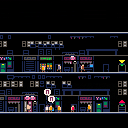
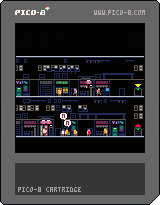
A concept testing learning a new language as the main game mechanic.
You are in immigrant in a new city. You don't know the language and you must survive.
The goal is to get the orange pineapple-looking thing.
Figure out how to get it by observing the world and its inhabitants.
(concept isn't finished - no beginning or ending)
Controls:
Left/Right arrows
Z/X - action/select
3 comments



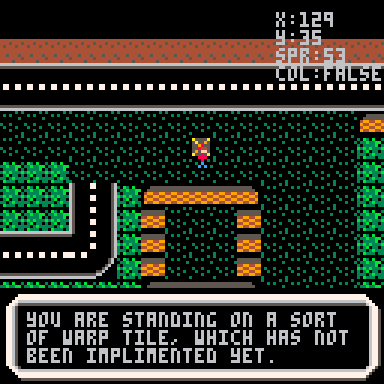
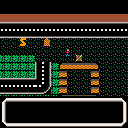
Working on a game with a scrolling overworld, with collisions. Not sure yet what it will become, so basics for now.
v0.20 (2016/12/13):
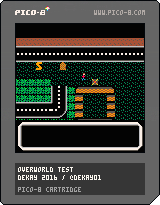 20 comments

Posted some thoughts on Twitter but figured I'd put them here for the masses to debate...
Zep tweeted about adding some more categories to the forum including Snippets, Music and some others. However, I feel one category the BBS is lacking is simply a Games category.
We have a Cartridges category and while every Pico-8 creation is a cartridge but not every cartridge is a game. There are a lot of (wonderful) non-games getting posted everyday...from art to demos to whatever. When I load up Splore, there's a lot of non-game stuff to sift through to find new games (or discover old ones).
I'd also throw in there that since Pico-8 is the promoted gaming feature on PocketCHIP, when new PocketCHIP owners boot up Pico-8, they should be able to dive into the games right away. PocketCHIP owners give us an immediate and captive audience so lets show them the games that make Pico-8 so great.
So that's one thing...
I'll also throw out there that it would be great to see the Featured category in Splore be curated rather than simply ordered by star ratings. The Featured category could change out daily or weekly or whenever to promote all the great carts we're creating (even non-games). New releases, older carts...it would help discoverability more and give newer developers some early smiles. Not that Celeste, Dusk Child Hug Arena, et al aren't awesome games but the well of games is deep so why not take advantage of that?
I know content management is time consuming and maybe the site isn't readily available to support these types of things, but I think it's worth considering. I'd also be happy to help if it's a matter of man power.
And that's that...just some thoughts that have been simmering.
8 comments






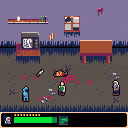
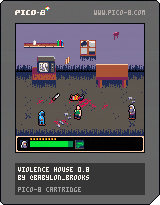
Fight your way through the violence house and defeat the master of violence. Can you survive the violence? Warning: contains blood and violence.
This ended up evolving into my first real pico-8 game, even though it started as more of an experiment. It's basically a standard beat 'em up where you're trying to progress through a house filled with dudes who are trying to kill you. I think Splatterhouse was my main inspiration here, since it was the only real beat 'em up I played as a kid. Anyway, it's essentially feature-complete, but really poorly balanced and without a lot of polish. Not to mention short. But I learned a ton while writing it, and that's the important thing.
[b]Features:
4 comments




Hello there.
This is my first post. I will try to write about PICO-8 from a view of amateur who try to solve problems and write about them. Write about his first steps in programming, music creating etc.
CHAPTER ONE: PICO-8 and DROPBOX
It was not so hard to see, where to start. PICO-ZINE makes great introduction especially with the SQUASHY game. But lets start with something other.
How to start pico in another directory:
If you got Dropbox and you are using PICO-8 on more than one computer, than is a really good way to store your project on Dropbox. I`ve got really trouble to change the config where the directories are for PICO. So lets see how to do it:
This steps will be for those, who are running PICO-8 for the first time.
If you got config.txt, just skip to step 6.
|
2 comments
