





Hello, world !
I've made a Sublime Text package to support and speed up PICO-8 development.
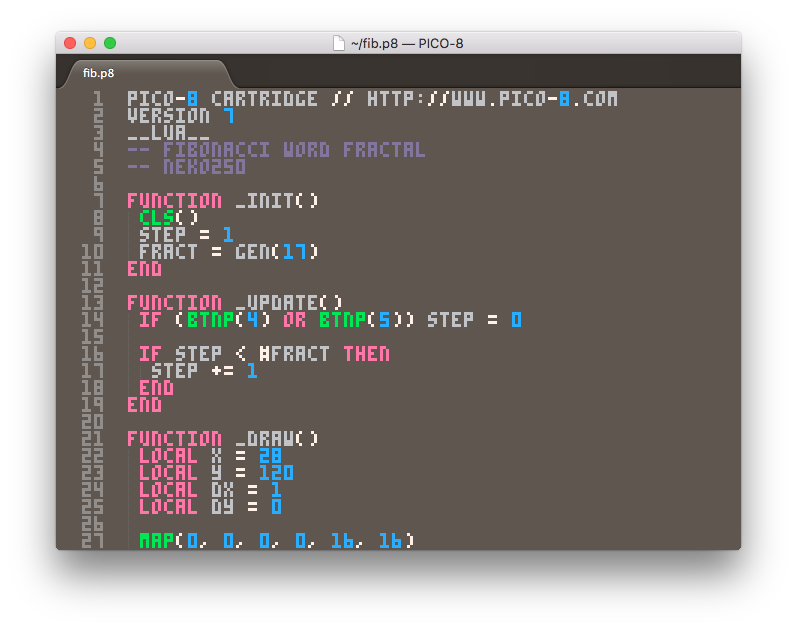
The package includes:
- .p8 language definition (by Overkill).
- Syntax highlighting (by Overkill).
- PICO-8 .ttf font (by RhythmLynx).
- Cartridge runner to launch your cart right from Sublime Text.
- Code completion based on the PICO-8 API.
- Code snippets.
If you have Package Control installed, just follow this instructions to get it:
- Open the command palette with "ctrl+shift+p" ("cmd+shift+p" in OSX).
- Run "Package Control: Install Package" command.
- Search for "PICO-8" and install it.
- Restart Sublime Text (if required).


 36 comments










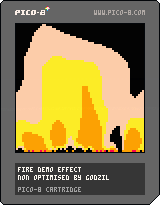
The classical fire effect found in lots of demos.
Pico is not really adapted for such an effect as pget will take the real color palette number and working, even on 64x64 buffer pixel per pixel is a really slow process.
Anyway, the rendered effet is not too bad 'even with only 7 colours used in the palette :D)
Enjoy!
1 comment


I have a question on the pico-8 palette. Sometimes I observed the behavior, that some colors changes on the pico-8 palette, when messing around with .png's.
For example, if I save screenshot directly from pico-8 and open it in an editor, that red, i.e. is sometimes displayed at R 251, G 0, B 61.
When I open the official pico-8 palette in one editor (in that case PikoPixel, OS-X), than red is again R 251, G 0, B 61. If I open the same file in another editor (Pyxel Edit, OS-X), then red becomes R 255, G 0, B 77. If I import the same image as palette in Pyxel Edit, red again becomes R 251, G 0, B 61.
Is someone able to explain this behavior? Or had similar observations and can help by adding use-cases?
2 comments

I wrote a little tool, that converts 128x128 .png images to native .p8 code. It does not import the image to mapdata, (like https://www.lexaloffle.com/bbs/?tid=2715), but converts it to native code.
https://github.com/nodepond/pic2pico/
Currently only exact matching colors are transfered into code.
This tool might be useful, if you want a background, but also have sprites for i.e. displaying text. Of of the next features might be some compressing of image data, to show even more images.
2 comments


I know it's best to put your games "everywhere" but I really don't really want to spend all that time to re-post things 50 different places. So where do you think is the best place to post and share Pico-8 games?
Itch.io seems to be the go-to spot as promoted even here by Pico8 but I know of Kongregate and probably others too.
I've never really bothered to share anything I've made outside my own blogs and stuff (never really had stuff worth sharing) so just wondering what people's experiences are with promotional sites, etc.
1 comment


Hey guys!
So, I've never coded in my entire life. A few weeks ago I found out about PICO-8, and all I wanted was to learn how to write code so I could make my own games. So now I'm doing just that. These coming 100 days, I will be trying to get a grasp of coding. Not by reading it or watching video’s about it, but by actually start to code as quickly as possible, and learn from my mistakes.
I made a tumblr where I will be posting daily updates how my adventure is going. I mostly created the tumblr to keep myself motivated, but I would love to get some input about my coding from you guys. The tumblr is http://100daysofpico8.tumblr.com, and I just posted about my first session with it, and figuring out the file system (I know, riveting stuff, but even that is new for me.)
I hope you guys will join me in my adventure, and laugh at my mistakes as I hopefully will after these 100 days. Thanks!
2 comments


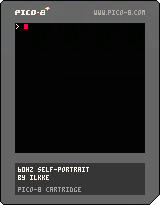
So this is just a little hack making use of the new 60Hz mode introduced in recenlty released 0.1.8
It uses 60Hz interlace to display 32 colours on pico-8. The downside is that the HTML build will only show one of the two images, so please view this on a 'real' pico-8 :)
Of course one can get a lot more than 32 colours using this method, but I opted to keep it simple and just use extra 16 colours that are halfway between the default ones. This also made it easier to write a custom export script that would convert a 32 col image to two pico-8 images.
Enjoy :)
9 comments





update: 30/60Hz (through pause menu), minor graphic changes
here's a cart to test user inputs
useful to check your gamepads configuration, keyboard jamming etc.
shows the first two players on start, you can select other players through the pause menu.
3 comments
Hello PICO-Sphere.
We had a game jam last week at the design faculty of the TH Nuremberg. A room full of design students were given a Jelpy cart (extended with various new tricks) and created graphics, levels and sound over five days. Here is the result, 8 sweet jump’n’runs, playable in the browser:
http://d.th-nuernberg.de/pico8/
p.s.: Is it ok to post this in the Cartridges forum?
0 comments
Holding alt and pressing left or right to tab through the different editors will also move the code editor cursor left/right.
Can be somewhat annoying when you're looking at sprite indexes and going back and forth rapidly.
0 comments


Hello.
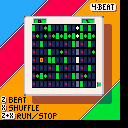
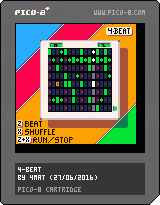
4-beat is a little proof-of-concept drum machine. I was trying out some beat syncing ideas by writing into the sfx data while the music player is running. No features, only 2 speeds :), but more in sync that my previous version.
Some extra controls are:
X+Up/Down = Change tempo. (only fast and slow)
X+Left/Right = Change shuffle rhythm.
Oh, you can only play 4 drum sounds on each beat obviously. :)
thanks, 4mat
6 comments




Wizardish - A First-Person Grid-Based Dungeon Crawler! (or Wizardish for those who like to be brief), created by Eduardolicious, is exactly what it says on the tin: a dungeon crawler, in first-person, that is grid-based.
But wait a second, what's this? First Person!?! On the Pico-8??? AWESOME!
Yes, Wizardish, in the vein of early RPGs like Ultima and, well, Wizardry, is a first-person dungeon crawling game where you down potions to regain health and fight monsters straight out of a tabletop RPG. Sounds great, right? Well, let's dive in and find out if Wizardish lives up to the task.
Well, for one, the music is epic. The song, titled Castle Ruins, composed by 0xabad1dea fits the dungeon-crawling DnD-style perfectly. It's foreboding, but adventurous. However, the track is short, and loops fairly often, and thus can become somewhat repetitive after a couple minutes.
Speaking of repetitive, this game is a hardcore tribute to it's inspirations, and not just in sound design, which (save the music) is minimalistic at best, but also in graphic design. The walls are represented by simple lines, with scenes differentiated only by the placement of these lines. There are no textures in the environment, save treasures and goblins.
Regardless, this is a Pico-8 game [b][i]in 3d!
0 comments
Wizardish - A First-Person Grid-Based Dungeon Crawler! (or Wizardish for those who like to be brief), created by Eduardolicious, is exactly what it says on the tin: a dungeon crawler, in first-person, that is grid-based.
But wait a second, what's this? First Person!?! On the Pico-8??? AWESOME!
Yes, Wizardish, in the vein of early RPGs like Ultima and, well, Wizardry, is a first-person dungeon crawling game where you down potions to regain health and fight monsters straight out of a tabletop RPG. Sounds great, right? Well, let's dive in and find out if Wizardish lives up to the task.
Well, for one, the music is epic. The song, titled Castle Ruins, composed by 0xabad1dea fits the dungeon-crawling DnD-style perfectly. It's foreboding, but adventurous. However, the track is short, and loops fairly often, and thus can become somewhat repetitive after a couple minutes.
Speaking of repetitive, this game is a hardcore tribute to it's inspirations, and not just in sound design, which (save the music) is minimalistic at best, but also in graphic design. The walls are represented by simple lines, with scenes differentiated only by the placement of these lines. There are no textures in the environment, save treasures and goblins.
Regardless, this is a Pico-8 game [b][i]in 3d!
0 comments

I cant get the -home flag to work. I want to store every thing in the pico8 directory so i can make it dynamic and portable. But pico8.exe - home .\ dose nothing. Neither dose hardcoding the path like pico8.exe - home c:\pico-8\
With quotes or without, does not seem to make a difference.
2 comments

Hey All -- PICO-8 0.1.8 builds are now live on Lexaloffle and Humble! Note that there was no 0.1.7 release for Desktop; there were in-development versions of 0.1.7 released early for web and Pocket C.H.I.P. to resolve pressing issues, so I'm calling this 0.1.8 to keep version numbers in sync across platforms. New stuff:
60 FPS support
This breaks the 'every cart runs the same on all PICO-8s' rule of PICO-8's design philosophy a little bit, but I think it's worth it! On all of the desktop host platforms, it is now possible to make cartridges that display and update at 60 frames per second instead of 30. You don't get any more CPU though, so that means half the usual CPU allowance per frame. From the manual:
:: Running PICO-8 at 60fps If _update60() is defined instead of _update(), PICO-8 will run in 60fps mode: - both _update60() and _draw() are called at 60fps - half the PICO-8 CPU is available per frame before dropping down to 30fps ** please note that not all PICO-8s support 60fps. On machines that do not support it, _update60() will instead be called twice per frame and _draw() at 30fps. You can check the behaviour of your program running at 30fps by adding the following snippet to the bottom of your code: u60=_update60 _update60=nil function _update() u60() u60() end |
21 comments




It's a very nice and warm day outside so why not use it to sit inside doing something completely pointless? But sort of fun. So, I created a prototype of Pico-8/Kongregate API integration that uses the GPIO ports to translate Pico-8 scores etc. to the API. Of course, you are not limited to Kongregate, you can use whatever JS API you have access to. Quite easy to roll your own, too.
The idea is that the game updates the GPIO ports and the JS backend polls the ports. The Pico-8 HTML5 export sets the pico8_gpio array and it corresponds addresses 0x5F80... in Pico-8 memory space.
In short: my code in Pico-8 poke()'s a value in ports 0x5F80 and ..81 (we need to split the value into two 8-bit values as you can see in the code below), which is always one larger than the previous value in there. The JS code notices the value has changed and knows it has to read whatever is in the ports and act accordingly. I set a value that tells what the rest of the ports mean, e.g. 0 for a new high score in ports 3 and 4 that has to be posted.
In the game I have a delay after setting the values so that the JS code has enough time to read the values before they change (I set a bunch of these stats at game over). This could and should be handled with the JS setting a value in a port that tells Pico-8 it should continue but I didn't bother to do that.
Check the game on Kongregate, you can see there's my score in the leaderboards to prove it works. ;)
8 comments







In case you didn't notice, 0.1.8 was released yesterday and it (well, the unreleased 0.1.7) adds a new MENUITEM function, which allows us to add new options to the pause menu (and also doesn't have the syntax coloring in the code editor, just saying). This is a very nice addition and I think we should have a bit more control over the pause menu. I think there should be special update and draw functions specifically for when the pause menu is open, and maybe even pause and unpause functions. This idea, oddly enough, comes from the Nintendo Wii, which allows games to do things while the HOME Menu is up. For example, some puzzle or quick-action (WarioWare) games might show a black screen behind the HOME Menu, so you can't see the game, and one game I had actually rendered a moving snow effect over the game in the background of the HOME Menu. I liked this small detail on the Wii, and think some PICO-8 games might benefit from this. For example, maybe a timed game might want to keep the timer running while the game's paused, or a game could say "PAUSED" above the menu, along with the player's score and time. Of course, the pause menu should always render over everything, and the menuitem command (and maybe some others, like BTN) probably shouldn't work while the game is paused. Let me know what you think of my idea down below.
15 comments


certain characters are not rendered correctly, such as × (multiplication cross), áéíóú (accented vowels), and quite probably others.
i checked the bbs's html and didn't see it declaring an encoding. this might be solvable with a simple <meta charset="utf-8"> although i'm not sure if anything else is awry.
0 comments
So... Two updates for PICO-8 were released... and neither of them are mentioned on the blog? Am I missing something or did I just log into the website at the weirdest time, while they're still typing the blog?
5 comments
