



always wanted to try out pico-8 and thought p8jam2 would be a good excuse! it was a lot of fun
this is a sequel to an earlier game i made called cure which you can play here: https://ianmart1n.itch.io/cure
it's local multiplayer so find yourself a nearby friend for the full experience


 2 comments



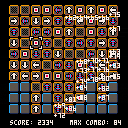
In this experiment, you have to reveal each cell of a grid, by selecting one with the cursor and the Z button, and play with the chain reactions.
Each cell has a particular type : there's arrows, which trigger the pointed cell when revealed, colored arrows, which will reveal the whole line from their cell to the grid border once shown up, red dots that show the next immediate cells, and grey cells that don't do anything !
Each time a cell is revealed during a chain reaction, a combo counter will be incremented and the cell will produce more points.
But attention : selecting a cell with the cursor costs points, and the more cells you manually reveal, the more points you'll lose while showing the first object.
The X key show you the whole grid for a few seconds, allowing you to plan you next moves more efficiently. But be warned that it like the reveal button, it costs more and more points as you use it.
Plus, you can hold it as much as you want to keep the grid revealed, but your score will decrement fast once the reveal timer is up.
I'll be honest, it could be way more polished. But I'm too tired at this moment to keep working on it :) (or write a descent english description .___.)
Thus said, I hope you'll like it. It's been a pleasure to work on this and participate to this jam, and finally be able to send my first cart to the BBS !
Lots of love. <3
7 comments




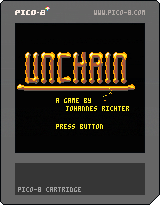
I had a little more time for the second jam and made a platformer called Unchain.
Collect all the golden chain segments and make your way to the exit.
Avoid the robotnics at all cost! Maybe you find some blue energeticon balls, to blast them into bits.
Capture the flag to mark a safe point.
Left/Right - walking
Up - Jumping
X - run/hang/slide down
Y - shoot
It takes a bit of practice to master the jump/hang/jump again. Like in the real world!
Really wanted to make something out of the basecode I wrote for fanzine #2.
There is plenty of things to add, better in game music, more types of robots and the cage with the princess (that needs all the chain pieces to abseil her from the ceiling)!
Well, I might get to that at a later point.
4 comments

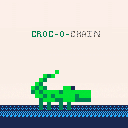
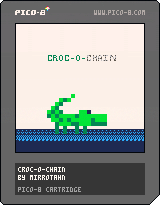
I have never used Pico-8before, or made a game, but I really wanted to participate in this event because it sounded so fun. Sadly, my vision for the game was beyond my skill so I haven't been able to finish this game by deadline. I am sharing what I have and will share the final game when I finish it. I hope you like my Croc-O-Chain in progress game!!!!
6 comments




Hello,
I made a retro style box art for the amazing game Mistigri in the free, open source application GIMP. I wanted to mimic the old school Nintendo black box games. You can view the large faux box art here:
I am considering making a few video tutorials to show other users how to do it. Is any interested?
If so, I could post a few videos in a couple of weeks. I would be curious to see what others design. Maybe someone could make a template, so it is easy for everyone to make consistent covers.
 12 comments



You are searching for gold and glory (and loot!) so you have decided to join a competition to enter a cave and kill aliens. The more aliens killed, the more points you will get.
To do so, you have your powerful lighning gun. It splits in two every time it touches an enemy generating a nice chain reaction (and killing more aliens at one!)
Are you ready for the challenge?
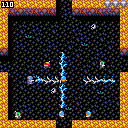
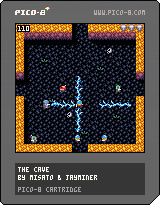
The game was made by a team of 2:
- jayminer : graphics, music, sfx and those nice effects in the start and game over screen
- misato : coding
Unfortunately we didn't have time to add a lot of ideas like the loot, different caves, etc. We also know that difficulty should be better adjusted (it's now easy). However we plan on updating it after the jam ends.
Enjoy it!
7 comments



So I've been chugging along with my pico8jam2 entry, and one thing that is nice is that there's a -run flag. But because I'm using an external editor and a build script, I need to reload the entire binary every time I make a change. The only thing that takes forever is the intro screen:

I know that it's part of the "fantasy console" but it'd be REALLY nice to have a -skipintro flag just for development, so that I can get my app running as quickly as possible for quick iteration.
15 comments






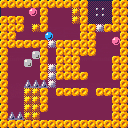
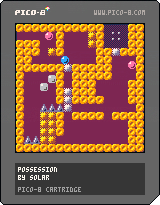
Unpolished! Ambitious mechanic! Probably infuriating!
Mash the arrow buttons to transfer "possession" of the blue and pink balls. When a ball is possessed it can break through the silver barriers. Everything else is just chaos. Press X to restart the level.
4 comments



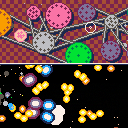
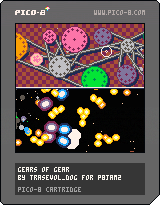
Ever wondered what being a space weapon engineer feels like?! Wonder no more and be one in Gears of Gear!!!
This isn't a game! It's a toy!! Make cool stuff happen with gears!
Controls are on the title-screen.
The different types of gears modify the behavior of the canon on the bottom half of the screen when they are connected and spinning. Having several gears of the same type does increase their effect.
You can access the trunk by pressing Z at the top of the screen.
This is about 40% of what I originally intended to do for p8jam2. But then life and bad organization happened and I had to improvise to get something somewhat finished.
I wanted to make a shmup and I'm still going to do it (probably) so consider this as a demo or a prototype or something!
[u]Secret feature:
10 comments





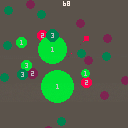
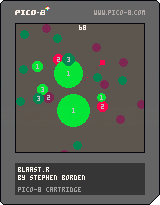
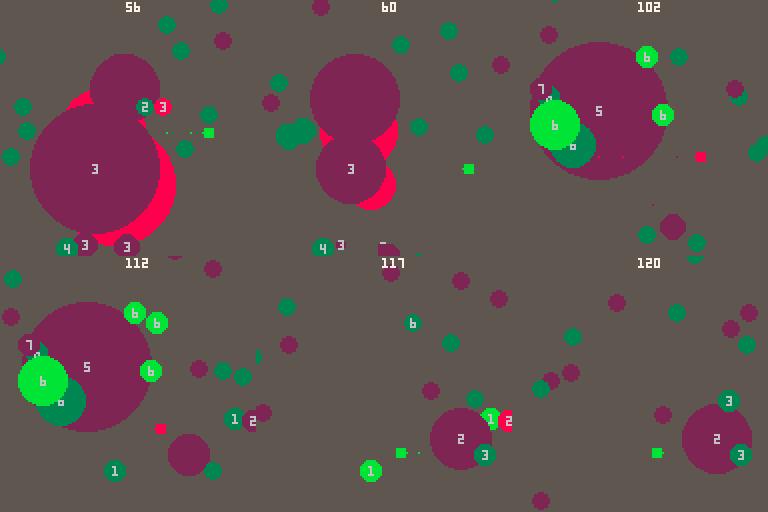
My first pico-8 game, for jam #2. It's a shmup inspired by Ikaruga and Everyday Shooter. If you play, post your high score!
Controls
arrows move
Z and X change color and shoot
Hint
You can shoot an explosion with the opposite color to slow it down and make it stay around longer. The idea is to make it possible to set off a chain and then try to keep explosions worth more points around a bit longer to keep a chain worth a lot of points going.
 5 comments





ARROW KEYS : Move the cursor.
Z : Place new move locus. (you will hear a confirmation noise, and a failure if you cant)
X : Interaction Key, hover over the '!' and hit it to hear an interaction sound, context menu to be added in.
Things to do.
Add in procedurally generated rooms, from other script.
Add in extra sprites.
Tidy up collisions.
Probably should think about writing a story...
0 comments
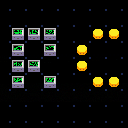
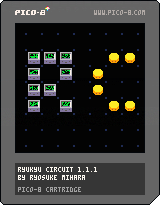
This is not a game but a musical toy.
You can make music by placing blocks.
Updates
v.1.1.1:
- Added cart label image
v.1.1:
- Refined the block selector
- Added: glitch noise
- Added: twinkling signals
- Fixed: Beepers won't get hit in some cases
Controls
arrow keys: move cursor
z: place a block / remove a block
x: switch to block selector
<block selector>
left or right : change block
z/x: switch to circuit editing
Blocks
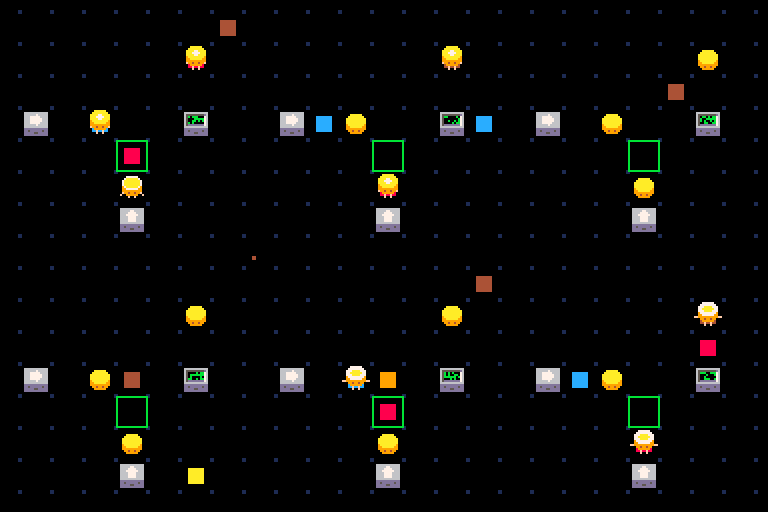
Signal Generators (right/down/left/up/rotating): generate signals periodically.
 12 comments


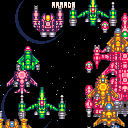
My first Pico-8 cart. Just a graphics demo to learn a few things. Any thoughts/critiques are welcome.
Pixelart taken from here, with minor modifications
Music hastily swiped from Ultima VII Jukebox
The whole thing took wayyyy longer than I would've liked, but doesn't it always? Maybe next time I'll make something with gameplay.
2 comments
I'm making a circle grow by simply increasing its radius. However, I want it to grow slower than +1 per frame. I'm doing this now by making a counter var for the circle, checking it against a frame timer and then moving on. I end up using this method a lot for various things and that makes me believe there is a better way.
This method clearly works but is there some sort of shorthand or anything I can do to get the same result?
circle={x=64,y=64,r=1,t=0,f=3}

function _update()
	if circle.t>=circle.f then
		circle.r+=1
		circle.t=0
	end

	circle.t+=1

end

function _draw()
	circ(circle.x, circle.y, circle.r, 10)
end
|
3 comments


I went over to TigSource to just browse around now that I'm back into making games and noticed they have a forum gallery of all the images shared in the threads. It's very basic but shows you a TON of images all at once that you can browse through. The Pixel Work and Mockups galleries were very nifty and game me some new games ideas to boot!
http://daid.eu/~daid/tigsource_pics/
Whole point being, it's great for inspiration and learning. I'm not the best at sprite drawing but by finding some on TigSource that fit the minimal nature of Pico-8 and copying them, I feel I have a better understanding of how to break down an image into an 8x8 square.
Sure, some of it is just changing colors but hey, gotta start somewhere. I'm feeling a little left behind with all the great sprite work around here, so I gotta do what I can to catch up ;P
2 comments

The following behavior is consistent with Lua 5.1 so I don't want to call this a bug (better to match the official interpreter than diverge), but it's a gotcha that affects Pico-8 programmers and might justify adding in support for more Lua keywords. In short, #t is inconsistent after some table operations.
function p(t)
  for k,v in pairs(x) do
    print(k..': '..v)
  end
end

x = {1, 3, 5, 7}
p(x)  -- 1: 1, 2: 3, 3: 5, 4: 7  (ok)
print(#x)  -- 4  (ok)

x[2] = nil
p(x)  -- 1: 1, 3: 5, 4: 7  (undocumented: pairs() skips nil values)
print(#x)  -- 4  (ok, though larger than the number of values returned by pairs())

x[4] = nil
p(x)  -- 1: 1, 3: 5  (consistent)
print(#x)  -- 1  (wat)
|
3 comments
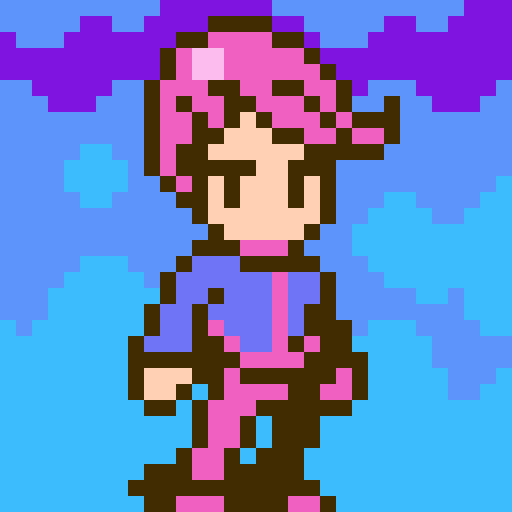
The PocketCHIP comes with a touch screen, so I'm wondering if Pico-8 games will be able to take advantage of that event?
I know we'll be able to use the touch for drawing sprites in the editor and stuff, but what about in the game. Will there be a ontouch() function or something like that? Or does a touch just register as a Z or X key press?
10 comments



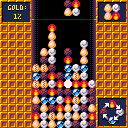
Here's my entry for p8jam2. I only had a few time to work on it, and maybe I wont have time to finish it before the jam end.
--- RULES ---
- mathcing 3 elements morph them to the next element in the morph wheel.
- chaining more than 3 transformations will let you create gold nugget.
- Try to reach the best gold score.
- Eggs are useless and can be destroyed by transforming nearby elements
--- CONTROL---
- UP : turn piece
- LEFT/RIGHT : move piece
- DOWN : drop piece
The game is somehow playable, but is quite unbalanced. you can still use it as a sandbox.
15 comments





Hello!
I am currently working on a cart which will likely be distributed on a USB drive as 'extra content' for a music EP I'm writing. I am new to Lua (and to game dev, beyond Twine, in general) but getting on nicely with the development itself (using Jelpi as a platformer template which is fantastically helpful - thank you Zep!) but am currently having difficulty with the distribution side. I obviously want to use an HTML5 export so it can be run by people without the console, and have inlined the .js file into the HTML so it's a single file rather than a collection of two.
I would really like the shortcut to the HTML file to reliably have its own custom icon regardless of system or browser, and also wouldn't mind it opening in an 'unbranded' window rather than the default browser, for which I assume I need to use some kind of wrapper. I've tried AppJS, Fluid and NWJS, which all yield the same result: a page with background and buttons but no actual game showing up in the window. Has anyone managed to successfully wrap a PICO-8 game to give it a vaguely native feel?
Many thanks!
1 comment


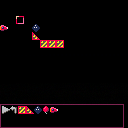
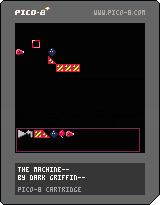
TLDR: This is a very buggy basic implementation of TIM, only not so Incredible since it's totally broken and lacks the game part. So it's mostly about crashing pico with overflowed math using bowling balls that are apparently covered in flubber. :D
I am probably going to miss the jam deadline for this one, my weekend exploded on me. The trig and collisions also gave me hell the last few days trying to figure it all out, so now this is mostly a featureless demo of some basic line based collision code.
I want to upload what little I got working at least. As I get the rest of the game systems in place, I'll update this with stable-ish versions. By no means is this a game yet, but I thought some of you might like to poke around and see how the game is structured or how you can start doing line based sprite collisions.
Notes:
directionals - move cursor
Button 1 - puts things, picks things up
Button 2 - enter parts bin mode, leave it(you can also leave by grabbing a part with button 1)
-Press the play button to start the simulation. While running, press again to stop. Stopping it will "revert" parts back to original positions and speeds.
-The reset button does not work yet.
-The rocket part is a wip, and does not have a concept of thrusting yet. It simply starts with some momentum and will run out once it hits a wall.
-Gravity is totally placeholder and completely wrong. In real life, objects do not care what weight they have, but I needed something quick slapped together to test the collisions. I aim to fix this later with a proper calculation instead.
-The momentum from bounces is either wrong, or the balls are bouncing multiple times off a platform sometimes. They seem to just gain momentum as they bounce. This is basically what's been giving me hell and is eating my time. :(
-there is no friction yet, so sadly no rolling or anything like that.
-I left the debug line drawing code in place, the red lines are what the "collision engine" is seeing. Each frame it loops through moving parts and checks for collisions with any lines nearby(It only can see a single block in any direction to keep it running smooth).
-If you want more parts to play with, you'll have to add more parts manually through code in _init(), though the existing part spawning code is simple enough. (partID,x,y are the parameters in case you can't figure it out yourself.) Be careful adding moving parts, as they take a lot more memory then the walls and ramp. Note that if you wish to grab the part it MUST be on a multiple of 8, or in other words, "on grid".
-The parts in the parts bin auto-sort themselves, though I have not tested the wrapping part code yet. It's supposed to wrap part placement to keep them in the bin if you go over a single row. No vertical scrolling has been implemented yet.
Anyway, I hope at the very least some of you can learn something from this version's code. I'll keep poking it, though my progress is very slow. I deal with trig and code in my other things, so lately I'm too tired to think straight when I get to pico8. ;)
I also have not come up with a good way to store puzzle data yet. I'm thinking of using the map or sprite data somehow. The real game I'm copying has user made levels, I'm not sure I'm skilled enough to tackle that yet. Pico's saved data limits are really hard. :/ But fun to try to use, as most of it! :)
0 comments