


UPDATE: final version
Goal is to get the Lemming to the small green tree (to the next screen).
He is able to climb 1 block unit.
Since he has no parachute, he dies if the cliff is higher than 2 units.
Buttons:
arrows .. move/rotate block
c .. drop block
x .. restart level (if no chance of winning)
3 Levels for now.


 12 comments







I've run into a problem where nested menus are reading the same btnp input and I was wondering: is there a simple way to clear or ignore all the input until the next frame?
There is probably a different way to do it, but my code is kafkaesque and has gotten progressively worse as I've tried to solve this problem, so I felt it in poor taste to subject you to that.
4 comments




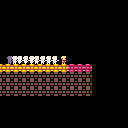
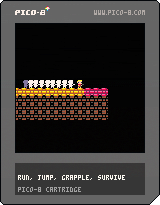
Small twitch based platformer I made to familiarize myself with Pico-8 coding.
Left and right arrow keys move the character.
Up arrow allows the character to jump, either holding the key or pressing the key once more in the air allows for a slightly less powerful double jump.
z allows the character to grapple to a green block. Hold z to remain grappled.
The grapple hook is designed to emulate a spring, by pressing left and right the character can swing, by pressing the down arrow key you can tug on the rope to help build momentum to reach higher areas.
Feedback is welcome and much appreciated.
Credit: Collision code is heavily based on the methods used in Jelpi with modifications.
2 comments


My program is 14524 characters so far (when saved), but when I copy and paste its own contents back into itself this count increases to 15298. It decreases again on save.
This is an increase of 774, which is also the number of newlines present in my code. Maybe windows is adding returns to each newline, causing the discrepancy? I'm experiencing this copying from Sublime Text into the pico-8 editor, and also selecting all on the editor, then copying and pasting over all contents.
3 comments


I figured that I should probably do this since there's a cover of Megablast for practically every sound chip ever. I think it's a law or something, and I don't want zep to get in trouble with the computer police.
0 comments

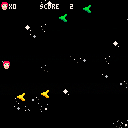


Hello, i'm rather new to this and I am having issues firing a projectile when I press the z key. This is in a simple game I am making. My code is below:
x = 64 y = 64 function _update() if (btn(0)) then x=x-1 end if (btn(1)) then x=x+1 end if (btn(2)) then y=y-1 end if (btn(3)) then y=y+1 end if (btn(4)) then shoot(x,y) end end function _draw() circfill(x,y,7,8) end function shoot(bullx,bully) local x = bullx local y = bully local k = y while k <= 128 do k = k + 1 end end |
Currently It just flys off the screen super quick, how would i slow it down?
3 comments



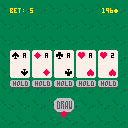
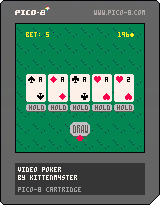
Standard 9/6 Jacks or Better video poker
Controls should hopefully be straightforward (directional buttons and primary action button, e.g. Z), with the following notes:
-Press up to scroll up to the pay table above the play area.
-Secret quick-draw feature: After holding, you may press the secondary action button (e.g. X) to instantly "draw"
Note: This game makes use of audio/video synchronization (particularly in the intro) that seems to not work very well on the web version (on my computer at least; maybe you will have better results) and it looks/sounds way better if you run it in the native PICO-8 client.
Good luck :)
EDIT 2015-06-11: Updated for PICO-8 0.1.1 compatibility
EDIT 2017-06-16: Fixed coin-count display bug, adjusted several sfx volumes to avoid distortion
EDIT 2018-04-10: Added support for some things that did not exist in PICO-8 when I first made this: saving to cartdata (and "cash out" menu option to reset), button glyph on title screen
22 comments







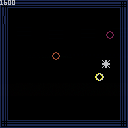
Either P1 button (X/Z by default) will start/restart the game, arrows move. You'll see that the circles follow you in a very predictable pattern. All you have to do is use that pattern to your advantage by making them overlap. Enjoy!
In 2011 I threw together a silly game called Just Evasion using OpenGL and some dodgy C while waiting for a flight. It was my first proper game, in that it was the first game I'd ever felt was remotely finished. Later that summer I made a Flash version of it using Adam Saltsman's Flixel library. Since I've started messing about with PICO-8 I have had many vague game ideas that didn't go anywhere, but one night I thought of trying to remake this old thing again and so here we are. It doesn't ramp up in difficulty the way the original did, but the core stuff is the same. And it was my first attempt at spriting up some letters, which was great fun and brought me back to the old days designing typefaces on copybooks at school. Vibrant times.
0 comments
This works:
t = {}
t[1] = 'a'
t[2] = 'b'

print(t[1]) -- outputs "a"
print(t[2]) -- outputs "b"
|
whereas this does not:
t = {}
--t[1] = 'a'
t[2] = 'b'

print(t[1]) -- outputs "false"
print(t[2]) -- outputs "false" (expected: "b")
|
nor does this:
t = {}
t[1] = 'a'
--t[2] = 'b'
t[3] = 'c'

print(t[1]) -- outputs "a"
print(t[2]) -- outputs "false"
print(t[3]) -- outputs "false" (expected: "c")
|
So apparently if numbers are used as table indexes and they don't start at 1 and proceed contiguously, the rest of the table (after the break in continuity) behaves as if it's empty...or something.
It works as expected in normal Lua 5.2.3 btw
3 comments
Adjustments to the collision detection.
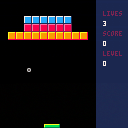
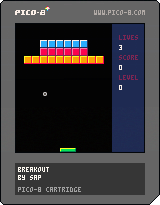
A simple game to test the waters. Mostly playable. A few bug fixes and polish left. :]
 2 comments



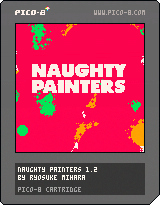
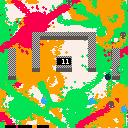
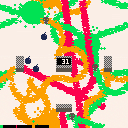
A local multiplayer competitive game.
Paint the most area of the floor with the color you are assigned to win.
Catch bombs to paint large area at a time.
[b]Controls
9 comments






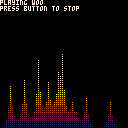
Update: tweaked the cooldown
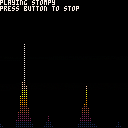
just a simple demonstration of the undocumented feature of stat(x)
using the demo musics of course
feel free to use it in your music carts :D
6 comments

How do you achieve smooth character movement?
Normally, you'd take a speed value and multiply it by a delta time value so your character moves the same speed regardless of the clock speed. Pico-8 is frame limited to 30 FPS, but it still seems like my character jumps and hops by small amounts if I press and hold a button down.
Is it the right way to put: if btn(0, 0) x += 1.3 (or whatever) in the _update() and then spr(1, x, y) in the _draw()?
4 comments

I'm not a lua expert, so I can be totally mistaken on this - please correct me if so.
I can't see any reason why a variable should be global in pico-8... Defining as a local outside any functions, makes it accessible from that file (or module? or what is the correct lua terminology for this?) and since pico-8 only has one code file, that is essentially makes it global.
And as far as I know locals are way faster in lua than globals.
So I suggest just removing the keyword, and making everything local by default.
If there is a reason for globals, I would still ask for local-by-default, and suggest introducing a "global" keyword - just to save on the code size.
Again, I don't know much about the inner workings of lua/pico-8, so just ignore this if it doesn't make any sense. :)
3 comments
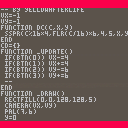
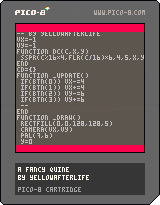
Update: Actually, why not go a bit further, and create a code viewer. Includes a custom font by me.
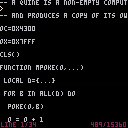
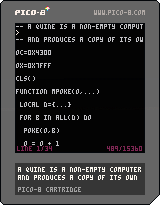
A quine is a non-empty computer program which takes no input and produces a copy of its own source code as its only output.
This achieved by having the program modify it's own source and re-launch via the "run" command.
Essentially it does this:
print([[ (original program source here) ]]) |
1 comment
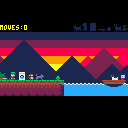
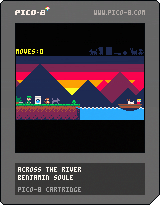
-- GOAL
Can you bring the wolf, the goat, the cabbage, the hunter, the gun, the monkey and the washing machine on the other side !?
-- RULES
- You can only get one of them in the boat at a time.
- You can hide one object in the washing machine.
- When you re not around your folks will interract this way :
you can learn these rules by playing or read them by clicking the 'show' button
37 comments




is it possible to avoid the aliasing when you move diagonally?
like a movement vector of {1,1} is okay because you are moving full pixels, but { 0.707, 0.707 } starts to alias.
is there anything to be done here?
0 comments

