The more I've been experimenting with the #INCLUDE command, the more I'm realizing that when you compile to an executable that - well ... you're not.
You can test this quite easily by using my homebrew Pico-8 compiler.
It's very simple.
-- external p8 compiler -- written by dw817 -- note: you must compile this -- program to exe in order to -- use it cls() repeat flip() until forever |
First, type out this code in the P8 source-code editor. Don't add anything else.
Save it. Run it. Press F7 for a screenshot even though nothing is there.
Now remove those 3-lines of repeat, flip, and until forever.
Go to sprites, mapper, sound, add stuff if you want. You don't have to.
When you're done with that, return to the sourcecode and add just below cls() the line:
#include source.txt |
Now save this to a filename as a normal .P8 first. You'll get a warning that "could not #include file: source.txt". But don't worry about that. It worked. Then export as an EXE.


 5 comments




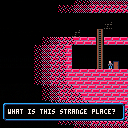
I wanted to share a little work-in-progress I've been tinkering on.
Dungeon guy doesn't know what he's searching for. Maybe treasure? Maybe a way out? Maybe dungeon girl?
All he knows is to keep searching.
Levels are randomly generated and get progressively larger.
The only objective so far is to find the key and the exit door.
2 comments



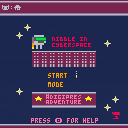
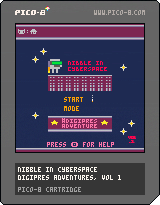
Nibble in Cyberspace: #Digipres Adventures, Volume 1
Nibble lives in cyberspace but their very reality is crumbling before them. Help Nibble fight entropy itself by following good #digipres practice - collect strategy and policy to actively tackle the degradation of the digital world around them. Along the way, avoid all the risks, viruses, physical damage, power surges; and try and get your score high enough to avoid the complete collapse of cyberspace.
Nibble is an infinity game. The game will eventually self-destruct, but can you prolong its existence by following good practice?
Nibble in Cyberspace teaches players that good digital preservation will help our digital materials last longer, but there is a cost to inaction as well. Players are invited to get the highest score they can before the eventual collapse of everything around.
After all, you can't beat entropy, but you can fight it as long as you try.
 0 comments
Zep, your front page HERE:
https://www.lexaloffle.com/pico-8.php
When I click on any of the games, the middle screen stays dark and does not load any game as intended.
I'm using Windows 10, 64-bit, Firefox Quantum v69.0.
If it doesn't work here chances are it doesn't work there for someone else. Thought I'd let you know ...
. . .
Solved. Just needed to clean the internet cookies for Firefox. Runs well here now.
3 comments

Hello.
Now that I've learned where the files are located, I've started to put together a little engine for myself that can create a nice list of Pico-8 games.
Here is what I've done so far:
https://dw-817-blog.tumblr.com/
sorry, had to shift some things around.
Hover over the cart to get a brief description and list the author.
Unlike embedding once you click the game it goes straight to the post in Lexaloffle where the game was released so not only can you play the game but read the author's comments, comments and questions from others, if you're logged in get a chance to add your own comments.
Special thanks to kittenm4ster and BoneVolt for their excellent programming and carts in the current list.
If it all looks okay, feel free to reply and post your game information and I'll add it to the list.
All I need is the URL address of where your game is (in Lexaloffle), it will look like this:
http: // www . lexaloffle.com / bbs / ?tid=00000
4 comments

.
.
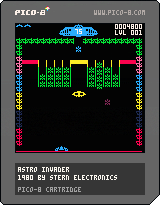
This one is an oldie that some may remember. Wasn't the greatest of arcade games but for a time as a youth it was the arcade game I had the most access too.
Tried to make this pretty faithful to the original although I think it is too easy. Per the original there are two alien deployment patterns that alternate on levels. The large yellow UFO's also deploy as in the original. And the point value for the UFO's changes depending on the shot number you are on. Hint: 16th shot for max value.
29 comments


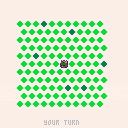
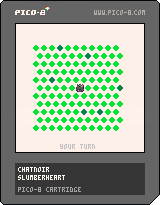
A demake of gamedesign.jp's "chat noir".
Updated, thanks to your valuable feedback.
Three difficulty modes:
- normal: 6 spots are blocked at start.
- easy: 12 spots.
- practice: 18 spots.
Visible distance is now a toggle and does not reset the current game.
Moves is now a separate setting, 1 or 2 per each of the cat's one move.
Wins are tracked in the upper left-hand corner. Plays are not counted.
Cartdata saves win count, difficulty, visibility, and move setting.
After a win or loss, the game waits for a button press to reset.
9 comments


Hello. As you know I've been recently experimenting with the new #INCLUDE command.
I have now recently found that if you use PRINTH it APPENDS text to a file, it does not overwrite it. If there is some way to overwrite the data, then this program could be run more than just a few times.
BUT IT DOES WORK.
You can indeed load a text file as data for PICO-8. Modify it. Save it back. Then re-run the program to see all the changes recorded without having to save anything to SRAM or 256-byte storage.
One problem I ran into is that #INCLUDE can also not be used in a comparison. For instance, this:
IF 1==0 THEN #INCLUDE DOESNOTEXIST END |
Will crash because it ignores any commands around it and WILL INCLUDE that data if it exists and crash if not.
Here is the program. It does work a few times. Can you make it so it's perfect and can be run over and over again ?
-- test load and save text file
-- by dw817

cls()
game_name=""
game_x={} game_y={} game_r={}
game_c={}

#include gamedata.p8l

repeat
cls()
print("name="..game_name)

for i=0,15 do
  circ(game_x[i],game_y[i],game_r[i],game_c[i])
end

color(6)
print("",0,90)
print"left for new name"
print"right to clear name"
print"up to clear circles"
print"down to create new circles"
print"press 🅾️ to save"

flip()

if btnp(⬅️) then
  game_name=""
  for i=1,3 do
    r=flr(rnd(17))+1
    game_name=game_name..sub("bdfghjklmnprstvwy",r,r)
    r=flr(rnd(5))+1
    game_name=game_name..sub("aeiou",r,r)
  end--next i
elseif btnp(➡️) then
  game_name=""
elseif btnp(⬆️) then
  for i=0,15 do
    game_x={} game_y={}
    game_r={} game_c={}
  end
elseif btnp(⬇️) then
  for i=0,15 do
    game_x[i]=flr(rnd(128))
    game_y[i]=flr(rnd(128))
    game_r[i]=flr(rnd(16))+16
    game_c[i]=flr(rnd(15))+1
  end
elseif btnp(🅾️) then
  t=""
  t='game_name="'..game_name..'" '
  for i=1,4 do
    t=t.."game_"..sub("xyrc",i,i).."={"
    for j=0,15 do
      if (i==1) v=game_x[j]
      if (i==2) v=game_y[j]
      if (i==3) v=game_r[j]
      if (i==4) v=game_c[j]
      if v!=nil then
        t=t..v
        if j<15 then
          t=t..","
        else
          t=t.."}"
        end
      end
    end--next j
    t=t.." "
  end--next i
  printh(t,"gamedata")
  sfx(0)
end

until forever
|
5 comments

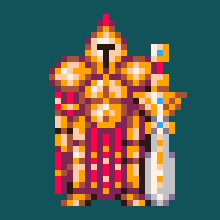
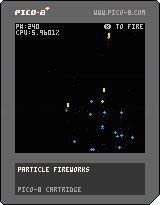
Will post here my experiments with particle effects...
Experiment 1: Fireworks... basic explosions
version 1: very basic approach
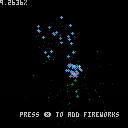
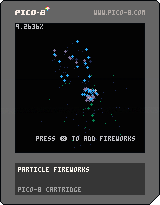
version 2: added gravity pull and callback update/draw for particles to operate multiple particle types (f.e. rocket and spark in the test)
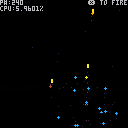
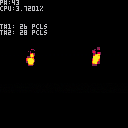
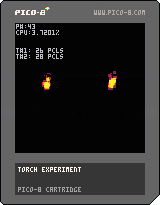
Experiment 2: Additive blit particle fire
version 1:
 3 comments

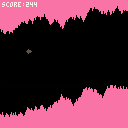
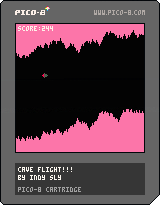
here's the first pico game coded by Indy - my 7 year old boy!
the game starts straight away with gravity dragging you down - simply press the up arrow to boost your thrusters and stay in flight - but be careful not to boost them too much that you go into the ceiling!
5 comments


I have got a rectangle drawn on the screen but need help. When I move it left to right it gets bigger. I want it to stay the same size and just move. Can someone please help me with my code
x=1
x1=5
y=2
y1=2
speed=2
function _init()
cls()
end
function _update60()
if btn(0) then x=x-speed end
if btn(1) then x=x+speed end
end
function _draw()
cls()
rect(x,y,x1,y1,8)
end
1 comment
I have an assignment where I have to make a ball move and make a paddle move. I cannot move onto the next step because I can't seem to get the paddle to move when i press the buttons. Any help would be appreciated. Here is what I have for a code so far.
ball_x = 3
x_speed = 1
ball_y = 15
y_speed = 1
ball_round = 3
col = 0
pad_x = 52
pad_y = 120
pad_dx = 0
pad_w = 24
pad_h = 3
pad_c = 7
function _init()
cls()
end
function _update()
ball_y = ball_y+y_speed
ball_x = ball_x+x_speed
col=col+1
pad_y = pad_y+pad_dx
pad_x = pad_x+pad_dx
pad_c=pad_c+1
buttpress = false
if btn(0)
then pad_dx =-5
end
if btn(1)
then pad_dx+=5
end
if not (buttpress) then
pad_dx = pad_dx/1.7
end
pad_x+=pad_dx
if ball_x > 127
then x_speed = -2
end
if ball_x < 0
then x_speed = 2
end
if ball_y > 127
then y_speed = -2
end
if ball_y < 0
then y_speed = 2
1 comment
There are not too many string-handling libraries I have come across in Pico-8. And for visual text this is not too surprising considering the small-size of the screen. :)
However, the point of this cart is to demonstrate a few things. One of which is that it is indeed possible to load a text ".txt" file inside your program. Now unfortunately the TXT file's contents cannot be changed once loaded. Like if you made a loop to view the contents each time.
But this does free you to use any other editor like NOTEPAD to prepare text data inside it.
For instance, you will need this. Highlight all of it, press CTRL-C. Bring up NOTEPAD. Press CTRL-V. Then save it on your HD as YUKON.TXT in a place you normally save your PICO-8 carts.
text=[[ Day had broken cold and grey, exceedingly cold and grey, when the man turned aside from the main Yukon trail. It was a steep bank, and he paused for breath at the top, excusing the act to himself by looking at his watch. It was nine o'clock. There was no sun nor hint of sun, though there was not a cloud in the sky. It was a clear day, and yet there seemed an intangible pall over the face of things, a subtle gloom. This fact did not worry the man. He was used to the lack of sun. It had been days since he had seen the sun, and he knew that a few more days must pass before that cheerful orb. The man flung a look back along the way he had come. The Yukon lay a mile wide and hidden under three feet of ice. ]] |
1 comment


|
[8x8] |
Was thinking of some things I'd like to see in future PICO. Reiterating the post as quite a bit has changed since its initial writing.
Some of these suggestions are possible, others are not. What are some of your suggestions that you think would be acceptable for the next update in Pico-8 ?
Going to start latest suggestions as replies to this thread as this one post has gotten rather large.
Here we go ! First off, 2 errors:
!! Fix parenthesis error. This gives error: IF (K=="(") X=X-1 ... gives error because parenthesis is character to check.
!! Fix error with modulos when using high negative numbers. ?-32767%10000 yields 7233, incorrect.
11 comments




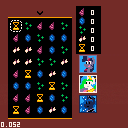
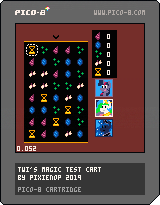


I've been looking everywhere for this, and I can't find it.
What are the characters used for Pico-8's special characters (up, down, left, right, X button, O button, house, cat, etc.) during the external editor code export? I'm asking this because I want to make a extended Pico-8 font for use in Atom.
I don't own a Pico-8 (yet!), so I can't find out for myself.
2 comments

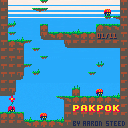
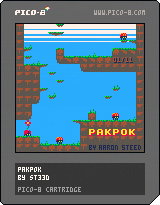
Left,Right to move.
Z,X to jump. Hold jump to glide.
Wanted to make something with the game-feel-onomatopoeia of "pak-pok". There's a lot of this in games (eg: Mario turtle shells) but the "pok" usually ends in death.
My last cart-game featured a lot of death so I felt like making something nice instead. But then I kinda needed spikes. Sorry. It's a little bit violent, but no one dies.
This game is built on top of the simple platformer engine I posted here: https://www.lexaloffle.com/bbs/?tid=35086
Thanks to the following for helping test the game: Mark Foster, Hafiz Azman, Dugan, Paul Jeffries, Martin Ferenc, German Gonzalez
20 comments





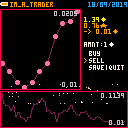
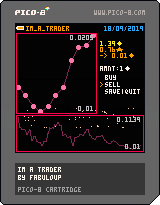
A simple trading game.
Buy and sell a crypto-currency to improve your income.
Gameplay
When you launch a new game you can see a dashboard.
The graphic on the left represent the value of the crypto-currency during the last ten days (in-game).
The graphic at the bottom represent the value of the crypto-currency during the last hundred days (in-game).
The current in-game date is on the top right corner.
Under the date you can see :
- the amount of money you have
- the amount of crypto-currency you have
-
the amount of crypto-currency converted in money (according to the actual conversion value)
- the amount(amnt) of money you want to convert
9 comments

Hello.
There are a few kinds of Pico-8 programmers out there. Those who like tabs and those who do not.
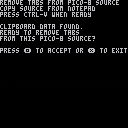
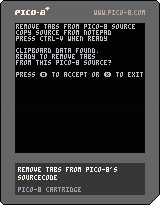
I fall into the latter category. So - what is the best way to remove tabs ? Well sure you can do it yourself - or you can rely on my rusty trusty Pico-8 program to do it for you !
NOTE: This program should be run NOT online but in LOCAL mode as it saves a file to your hard-drive, the corrected .P8 file called, "notabs."
Now at first I was using an index to read the string, but of course numbers only go up to 32767 so I had to use a different method. The code now will accept a program of ANY size now. Quite nice.
To use you have a few choices. If you know for instance that the code does NOT use the shift letters to create the Up, Down, Left, Right and other fancy icons in the source, you can use good old notepad.
Load up the .P8 file there. Run my program. Then copy all of the notepad contents (CTRL+A) (CTRL+C) to the clipboard. This is important to do in this order as when you first run my program it CLEARS the clipboard data first.
Right, then press CTRL-V. Press (O) to accept and after a short moment, whammo, you have a newly saved file called notabs.p8l ... be aware there is a trailing "L" on the file !
Rename to take it out and you're all set. Now if it crashes because of hitting a custom icon or arrow key, you'll have to load the original P8 in a more robust viewer like FIREFOX as an offline text file.
THEN run my program, open the P8 as a local file in Firefox.Press (CTRL+A) (CTRL+C), return to my program, press CTRL-V, and the P8 it saves should then run perfectly.
There may be an easier way to do this - but not with Pico-8 I think. :)
Any way to LOAD a text data file would be awesome, don't think that's going to happen though.
[b]HOPE THIS HELPS !
2 comments

When running the time() function, suspending a cart using esc and then resuming it using resume causes the time to increment faster. I am able to reproduce this on both machines I have access to by printing the value in a draw loop:
function _draw() cls() print(time(),1,1,7) end |
I am using version 0.1.12c
8 comments