

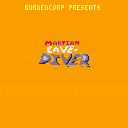
My expansion on Dylan Bennett's Cavediver game from their Gamedev With Pico zine (https://mboffin.itch.io/gamedev-with-pico-8-issue1).
Controls:
- Button 5 : jump / start (x by default)
- Button 4 : start Crazy Mode (z by default)



 1 comment



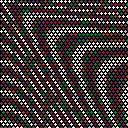
::★::cls()
for y=0,42 do for x=0,31 do
sx = 1+x4 + (y%2)2
sy = 1+y*3
d=.25t()sqrt(sx^2+sy^2)
q=cos(d/20-t()/4)2
circfill(sx,sy,1,5+q1.5)
end
end
flip() goto ★
0 comments

this is an unfinished mod
don't try to beat it until it's finished
actually, don't try to beat it after that either.
 1 comment


Hi there! I've fallen in love with Pico8 over the past few weeks. This is my first post here on the forums, and I thought I would share my Pico Pi project with you all :)
I am in the planning phase of this project, the purpose of which is to create a dedicated Pico8 machine in the style of the Commodore 64, using only keys that the Pico8 software utilises.
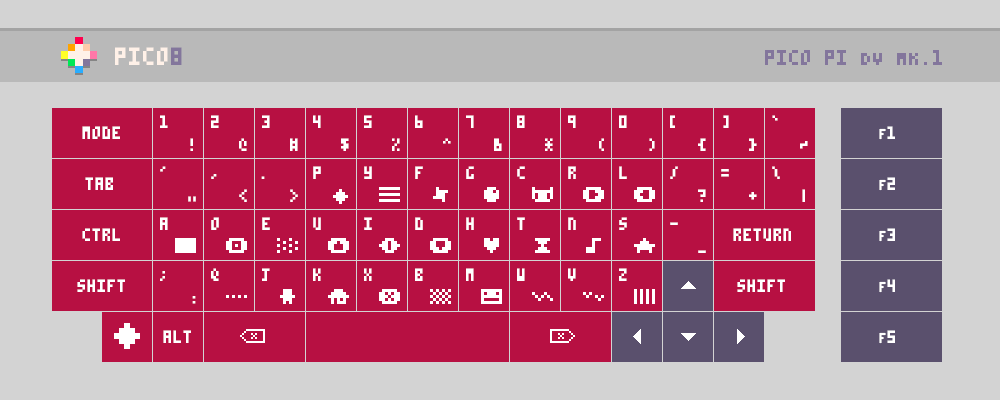
Planned Features:
- Ortholinear DVORAK key layout (can make key template file for QWERTY version available)
- Primary and Shift characters printed on each key
- Side-loading floppy disk drive and SD card reader for loading physical game carts
- Two front usb ports for controllers
- Rear ports: HDMI, Ethernet, USB, Power, (and RCA, for old TVs, if I can manage it)
- PICO8 logo key is actually the PAUSE key
I'm planning to hand-wire the key switches to an Arduino Pro-Micro inside the case, which will connect internally to the Raspberry Pi via USB. I also want to create custom controllers that can plug into the front of the unit via USB.
2 comments




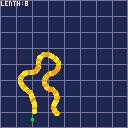
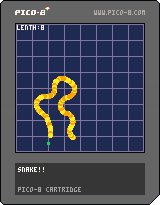
Snake, the game that you have probably heard of has had an upgrade.
This new version has:
Rotation
Curves
More than 4 directions!
Music
And probably more!
Use arrow keys to control the snake and remember,
DON'T DIE!
.
.
.
PS: I'm not the first person to do this.
1 comment

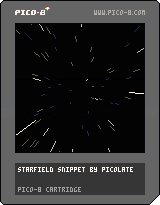
I began editing my Starfield cart to remove the parts that aren't necessary and fix a couple things. So here's a few cartridges that you can modify and drop into your own programs, as well as a tweet length (exactly 280 characters!) starfield cart.
Edit: moved this to code snippets where it belongs.
Starfield Snippet: this cart is medium size, including more rendering code so you can do things like modify the position of the camera and including the function that allows the user to change the speed of the stars. Also fixes a color bug in the original and adds a new dark blue transition color as suggested by @Liquidream.

 0 comments
.
.
Hey all,
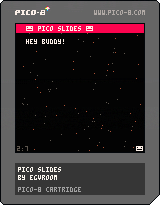
Recently I was delivering a presentation about Pico-8 to a class and it occurred to me.. "Why not use Pico-8 to create your slides? Deliver everything from within Pico-8".
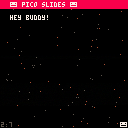
So that's where Pico Slides came from.
Here's a 1.0 version you can use for your own use. The code is commented and if you run the cart you'll see placeholder slides which show you what Pico Slides can do.
Feel free to edit/add awesome stuff. It's pretty easy to watch the slideCounter and hardcode some other items, even games, to happen between slides.
Have fun.
Shane.
Note! The particles code is from some else's particle cart. I can't, for the life of me right now, find the original cart to give credit so please, if you know, just let me know and I'll credit where credit is due !:)
3 comments



Hey, I'm trying to figure out why btnp(x) seems to be true for one frame after stat(31)=="x" is true in devkit mode, or if I'm doing something dumb.
Here's an example cart. Press X, and it will show display the number of the frame that it registered the devkit keypress and the X button press respectively. There seems to be one frame difference.

My actual usecase is this: I have a password input in a game where I want to record numerical input from the devkit keyboard, but I also want it to record the X button, which confirms the password. Unfortunately, the 8 key is mapped to the X button; when they're also recorded on different frames it becomes a little convoluted to separate the two.
7 comments




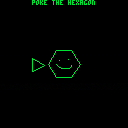
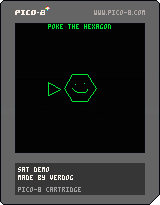
I tiny little demonstration of the SAT theorem being used for collision detection. Probably isn't perfect, probably is slow, and probably has bugs... but it appears to work at first glance, at least :)
2 comments

Hi all,
I've been working on tac08 for the last few months and while it is still is in development, its probably at a stage that other people may find useful. Check it out on github here:
https://github.com/0xcafed00d/tac08
What is tac08?
tac08 is an emulation of the runtime part of the Pico-8 fantasy console written in C++. It takes a .p8 (text format) Pico-8 cart file and runs it closely as possible to the real Pico-8 software.
What isn't tac08?
tac08 is not a replacement for Pico-8, it provides none of the content creation components of Pico-8, such as code editing, sprite and map creation and music tools. You will still require a copy of Pico-8 to make games. Also if you just want to run Pico-8 games you will have a much better experience with Pico-8 than tac08
Why was tac08 written?
tac08's target audience are developers that want to do one or more of the following:
- To enable Pico-8 games to be run on platforms that Pico-8 itself does not run on.
4 comments




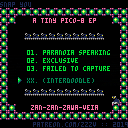
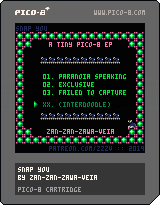
Hiya,
Pico-8 is really exciting to me cos I covet old-school music disks by demo crews and this environment leaps out as a way of making them on my own. I've been making my own music for a very long time and do now and then attempt to learn a new discipline so I had a lot of fun with this.
I kinda adore the internal tracker and all its quirks; watching the SFX channels move at independent speeds was sort of eye-opening to me in all sorts of ways.
This has no game-play elements and the code is not going to help anyone progress (in a positive way, at least); it's purely an ego project. Enjoy!
2 comments


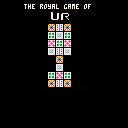

|
[0x0] |
The start of an implementation of the Royal Game of Ur.
Ur dates back to at least 2400 BC, and was an extremely popular strategy race game for millennia. Hopefully I can do it some justice with my implementation!
Update 2019-02-20
The intro screen is complete and the play-screen is under way.
We can now see pieces on the playing field, and soon we will have the ability to move pieces.
Update 2019-02-21
- Swapped the color on the play pieces to show up against the background.
- Added piece selection and random CPU move selection
TODO:
- Cleanup and simplify piece selection
- Add check for valid moves
- Add check for piece collision.
- Redo gameboard to simplify collision detection
The Rules Of Ur
- Turns alternate between players
- On your turn: roll 4 4-sided dice marked 0,0,1,1 and count up the total spaces to move (0 to 4)
- Select a piece to move the number of spaces rolled
- If your selected piece ends its move on a square occupied by an enemy piece, you send that piece back to its owners starting area
- A piece on the
0 comments

Hi,
I'm using a metatable for particles in my game. For example, when the player dies the sprite explodes in a burst of pixels. I use rnd() to off-set the player position with a random number, and as I generate a lot of different particles (based on the colors the character is composed of) I want to move the for-loop into the constructor.
Unfortunately, for some reason the randomness doesn't work when I build the for-loop inside the particle constructor. Compare these two examples:
For loop in caller function
particles={}
particle = {
	x_offset=0,
	y_offset=0,
}

function particle:new(o)

	self.__index = self

	local pi = setmetatable(o or {}, self)

	pi.x=pi.x-rnd(pi.x_offset)
	pi.y=pi.y-rnd(pi.y_offset)

	add(particles,pi)

end

function game_over()

	for i=1,6 do
		particle:new({x=p.x,y=p.y,x_offset=12,y_offset=8})
	end

end |
Result: I end up with 6 particles, each with a different x and y value due to the rnd() function being passed the x_offset and y_offset values.
For loop in constructor
particles={}
particle = {
	x_offset=0,
	y_offset=0,
}

function particle:new(count,o)

	self.__index = self

	for i=1,count do
		local pi = setmetatable(o or {}, self)

		pi.x=pi.x-rnd(pi.x_offset)
		pi.y=pi.y-rnd(pi.y_offset)

		add(particles,pi)
	end
end

function game_over()

	particle:new(6,{x=p.x,y=p.y,x_offset=12,y_offset=8})

end |
Result: I end up with 6 particles, but they all have the same x and y values. As if the rnd() is called only once and then applied to the other 5 iterations of the for-loop.
Questions
- Why does the code behave this way?
- What's the right pattern to apply here?
12 comments

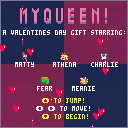

I can't seem to find any tutorials on how to make monsters move or patrol or have movements routines.
Nothing fancy, something like:
Go from A to B, wait a few frames, go to C, wait again, go back to A and repeat.
The monster doesn't even have to notice the player, just walk its path.
I've tried with loops but I can't make it work.
Thank you very much!!! :D
2 comments
Just a small snippet from a token-saving discussion on the Discord last night.
If you need to iterate over neighboring tiles (for example when writing a path finding algorithm for 7DRL), this natural approach is pretty token heavy:
-- four directions, 29 tokens
for direction in all{{-1,0},{0,-1},{1,0},{0,1}} do
 local x,y=direction[1],direction[2]
end

-- eight directions, 45 tokens
for direction in all{{-1,0},{0,-1},{1,0},{0,1},{1,1},{-1,-1},{1,-1},{-1,1}} do
 local x,y=direction[1],direction[2]
end

-- eight directions, 43 tokens
directions={0,-1,-1,0,1,0,0,1,1,-1,-1,1,1,1,-1,-1}
for i=1,16,2 do
 local x,y=directions[i],directions[i+1]
end

-- eight directions, 30 tokens
directions={-1,0,1}
for x in all(directions) do
 for y in all(directions) do
  if x!=0 or y!=0 then
   --
  end
 end
end |
Why not use trigonometry?
-- four directions, 16 tokens for i=0,1,0.25 do [ [size=16][color=#ffaabb] [ Continue Reading.. ] [/color][/size] ](/bbs/?pid=62065#p) |
4 comments



I decided to start a library of scripts to help those transitioning from visual scripting to lua.
You should be able to copy and paste code into your new script object put object in the room and run it with "Crt+R"
If something doesn't work please let me know.
Feel free to ask questions.
Have fun
/Digital Monkey
Lua scrip to print.
place scrip object in the room.
function draw()
    boxfill(0,0,63,128,128,63,3)
    set_draw_slice(120, true)
    print("printing", 48, 11, 7)
    print("in voxatron 3.5b", 40, 20, 7)

end |
This is basic player controllers
control the box with arrows, z and x
x = 64  y = 64
updown = 30

	function _update()

	 if (btn(0)) then x=x-1 end
	 if (btn(1)) then x=x+1 end
	 if (btn(2)) then y=y-1 end
	 if (btn(3)) then y=y+1 end
	 if (btn(4)) then updown=updown-1 end
	 if (btn(5)) then updown=updown+1 end
	end

	function _draw()

	clv()
	boxfill(x,y,updown,x+10,y+10,updown+10,14)
	boxfill(0,0,63,128,128,63,3)
	set_draw_slice(50)
	print("control the box", 33, 10, 7)
	print("using arrows, z and x keys", 10, 100, updown-1)

end |
Scrip to change rooms made with "function draw()"
on J and K button press
(It's a flip book to go back and forth between rooms)
I made this by looking at script from GARDENING by: PROGRAM_IX
5 comments


Remember SAM? (https://simulationcorner.net/index.php?page=sam).
Would it be possible in some way to use the white-noise for samples and/or digi-speech?
I'm not talking about a full-blown conversion of SAM (https://github.com/s-macke/SAM), but maybe a smaller version. Also - shouldn't it be possible to use at least 3-bit samples on the PICO-8? (https://gist.github.com/munshkr/30f35e39905e63876ff7)
I'm not the person to dive into this, but maybe someone else might be able to do some sort of conversion of the above. Personally, I would really enjoy being able to have short/small samples and make the Pico speak!
/ Pingo
25 comments