



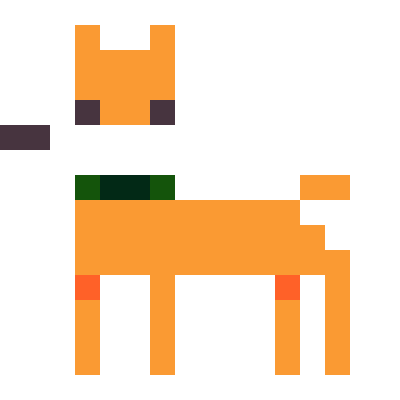









I don't like scratch its basicly same thing as coding but in blocks, plus I suck at coding, and I want to try somthing new instead
I need help, like how hamumu.com made his games like dr lunatic supreme with cheese it has game maker without need for code.
you can also find his game on itcho


 2 comments




.JPG)
brooches
hello
this is a kind of test post.
nice to meet you.
I work in Pico Pico Cafe in Kichijoji/ Tokyo and post some pictures of things I work on.
ocojo :)
1 comment


| Pico8 use 2 functions to update stuff at a regular basis. One _update() function called every 1/30s (or 1/60s since the 0.1.8 version) and one _draw() function that do the same thing. |
That allow, for a project use that use the second as a time unit, to not slow down that unit.
From manual: _draw() is normally called at 30fps, but if it can not complete in time, PICO-8 will attempt to run at 15ps and call _update() twice per visible frame to compensate.
e.g., If I decide to make a sprite move from A to B in exactly 1 second but have a render process slower than 1/30s. I can put the move process in the _update function and the rendering in the _draw() function. The animation will not be smooth but the sprite will move from A to B in exactly 1 second.
This is true if the _update() function do not take more than 1/30s to execute.
This simple separation is only used for that purpose.
For my shmup project (bullet hell/danmaku) project, it's different.
0 comments




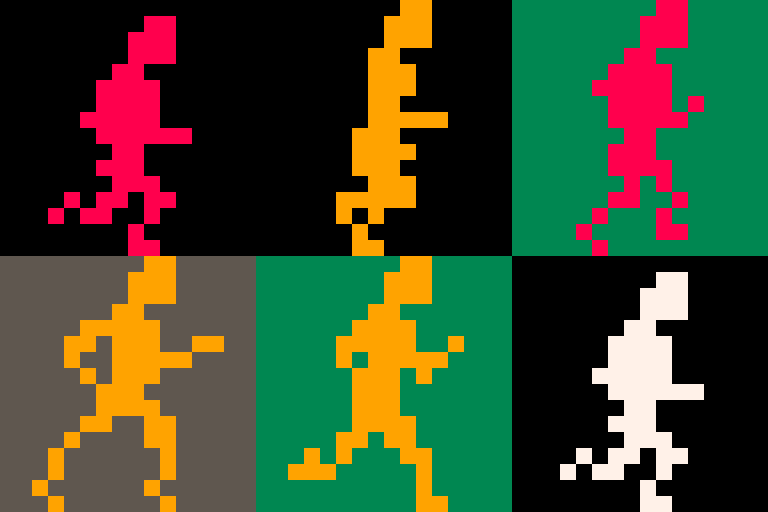


Porting a classic C64 game over to Pico-8. This has been a fun project so far.
Though I barely even have a game, the very basic core elements are there.
Still have to program in all the mini-games, and work on that god-awful layout I have on screen right now.
Is that broken for anybody else?
Oh no, idk what happened to this - I can't find my local copy and my copy here is b0rked too :\
9 comments


Hello everybody! I normally use Gamemaker Studio but my graphics card crapped out on me and I only have a Linux laptop as a backup which Gamemaker Studio doesn't run on. Fortunately, Pico-8 does run on Linux! I've owned Pico-8 for a while but never really used it so I figured this was a better time than any and I'm pretty glad I did now. This program has really made me appreciate the Lua programming language. It's super simple to use and learn. Over the past few days I put together a simple starter project that lets you not worry about the boring stuff and just jump straight into making your game. The only thing I didn't write myself is the insert function which is edited from Adam Scott's "Missing Built-ins" extension.
Features:
-Sprite animations
-Sprite origins
-Automatic depth sorting
-Mouse support
Plans:
-Integrate map editor
-Collision system
-more to come? we'll see.
4 comments


Overview
So the other day I delved deep into trig to pull out the bare minimum of what makes things move in circles.
The problem I've had in the past is that I often looked at games or demos that incorporated a lot more things, so I often would make incorrect assumptions about how to implement these types of things. My hope with this tutorial is to just show you the absolute bare minimum of what you need to get a sprite moving in a counter-clockwise circle, and explain everything line by line as best I can.
Here is what we are making:

To make something move in a circle, we have to use trigonometry. This tutorial is going to explain the trig functions we'll be using so that you can hopefully use them on your own without copy and pasting.
Prerequisites
To get the most out of this tutorial, you just need pico8 installed.
The gist
A sprite moving in a counterclockwise circle
radius = 30 originx = 64 originy = 64 angle = 0 while(true) do angle += 5 if (angle > 360) angle = 0 cls() x=originx + radius * cos(angle/360) y=originy + radius * sin(angle/360) spr(0, x, y) flip() end |
Rendering with pico8
[b]NOTE: Skip this section if you want to get right to the trig! Just go to "Show me the trig!"
4 comments




Being a fan of 8bit and 16bit graphical adventure games from back in the day, I've set off on the mission to create one on the Pico. With the understanding on the size limitations of the Pico-8, I'm building a game engine that is utilizing as many reusable components as possible. I'm documenting my efforts on my blog at: http://whiteoutlabs.com/game-development/pico-8-sprite-animation-basics/
 10 comments







Alright. I'm finally getting somewhere with my level code, physics, and... well, I'm still WORKING on my composition stuff, too. But now I'm also starting to work on enemy AI. And here's another spot I'm kind of fresh to.
See, past projects I've worked on include fighting games - which are essentially just really big FSMs, and the AI uses some conditions like player distance or input to determine appropriate responses (some MegaMan bosses do this, too)... and music games, which is really just about lining up targets with precise timing and that's really all there is to it. Making shots doesn't seem any different than making fireballs in SF, either. But making enemy AI for platformer and top-down-adventure games is kind of a different thing; and I could use some guidance - heck, maybe even outright collaboration with.
There's four titles of enemies I'm trying to reasonably replicate here:
200X - a MegaMan knockoff.
Concert of the Damned - something between Zelda II and SotN, maybe a little Shovel Knighty too.
Gentroid - Yet Another Metroid Fangame (there's a good grip of these, it seems - and Cow has the physics/feel to that DOWN! Perhaps I should just step aside...)
...and an as-of-yet-to-be-determined title that's in line with Zelda 1 and/or Gauntlet; maybe a bit Isaacy, but certainly not Isaac. Save for maybe boss influence, we'll see where that goes.
How do some of you do your enemy AI? I know really simple stuff could be handled by my "MakeTarget()" code, but not stuff that depends on terrain contact. "MakeTarget()" is mainly about making basic movement patterns - lateral, vertical, sine-waved values, diagonals, circles or semicircles, that kind of thing.
function maketarget(obj,scr,x,y,xrange or 0,yrange or 0,speed or 0,loop or 0) --x/y position relative to map obj.p.x=((scr\5)*16+x) obj.p.y=((scr/5)*16+y) --set sine motions to control local movex=2*sqrt(xrange)*speed local movey=2*sqrt(yrange)*speed --reverse direction! if (movex=xrange or movex=-xrange or xrange<0) movex*=-1 if (movey=yrange or movey=-yrange or yrange<0) movey*=-1 --diagonals or curves if loop=1 then movex=xrange elseif loop=-1 then movex-=xrange end |
2 comments

So... I guess what I'm aiming for is a back-calculating method for controlling player movement, via globals. So, let's say I'm wanting a typical jump-to-same-level duration to be 90 frames; and for it to go up 3.5 "tiles" of 8 pixels apiece; with a 0.8x accel/decel rate (gravrate). I define the jumpheight as 28 (pixels) and the jumptime as 45 (ground-to-apex; so half of 90), and then use that to calculate jumpvelocity.
My usual go-to is jumpvel=2sqrt(gravity tiles * gravrate), and then letting the typical gravity accel/decel take over from there. "gravity" is seperate from gravrate, in case I want to disable it (by making it 0) reverse it (by making it -1), or reducing it (making it a decimal, usually between 0.5 and 1).
Also, working on a similar accel/decel for horizontal walk/runspeed... so let's say I'm aiming at 0.3 px/frame to be the max speed (18 pixels a second, or a little over 2 tiles, so you can jump four across, level-to-level)... I still want a 20-frame accel and 10-frame decel delta to that, to give some fluidity to the player's motion, it's not all "everything or nothing." So the actual velocity is like "0.3 - (0.015 * runframes, if less than 20)" and then at release, setting that value to 20 and reducing it 2 at a time so that the calculation still affects the movement speed.
...
I think I'm losing my mind though, so am I still doing this right? >.>
I'm increasingly forgetting stuff, and when I'm working and calculating, it's interfering with my work - and THEN when I'm off, I'm no longer calculating, and everything's kind of getting messy. Dammit!!
4 comments




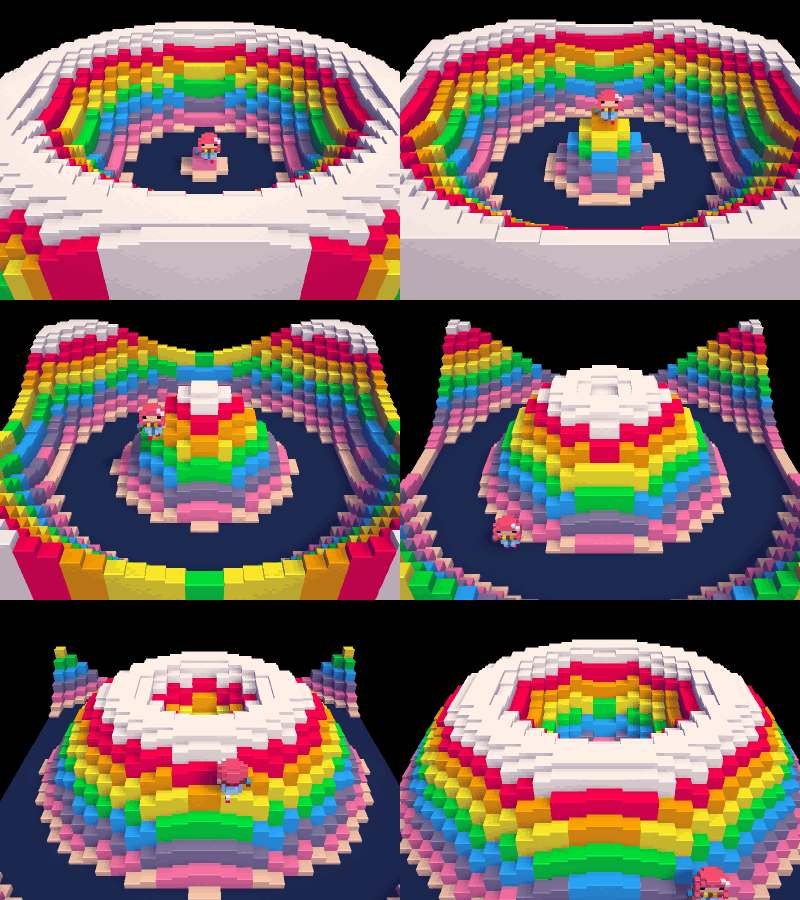
A heads up for Voxatron users -- the first version of the Lua api will be out next week in 0.3.5!
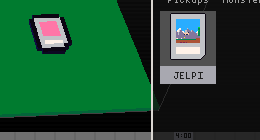
Pictured above is the result of drawing voxels directly into a room's map. The 0.3.5 api also provides access to actor attributes and state, spawning, camera control, and direct access to the display. The entire PICO-8 api is in there with some 3D counterparts (line3d, box, sphere), and it's possible to import a pico-8 cart into the resource tree, place it in a room, and run the cart on a single slice of the display. The .p8 cart shows up in the resource navigator, and is placeable in the room like this:
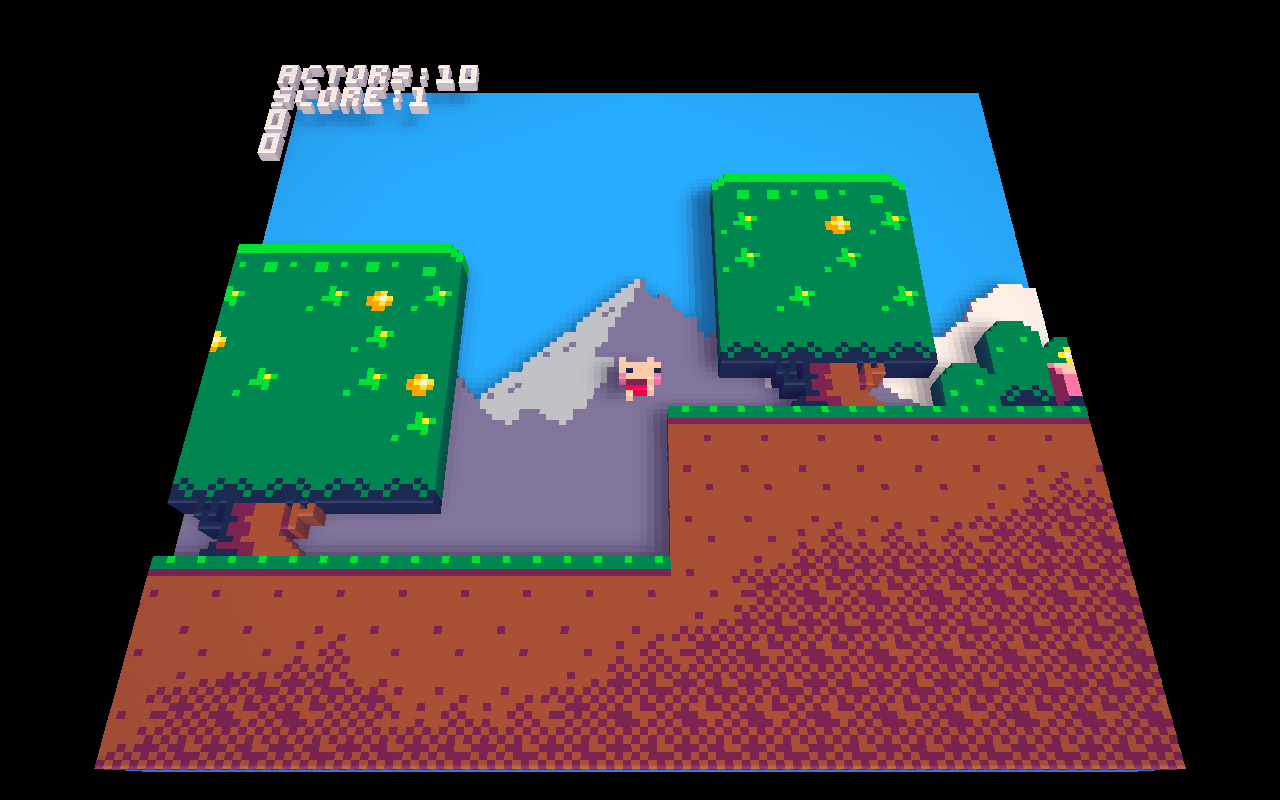
The code can also be edited to make slight adjustments for the 3d display:
In other news, I've updated the website with mobile-friendly cart listings and touch controls for the carts. It's still a work in progress -- the sound in particular is very choppy or missing altogether. But apart from that it is quite useable. If you have a modern phone or touch device please try it out!
15 comments









I'm so excited about the new Pocket C.H.I.P. where I will be creating games on. That's why I just created my account.
PRE-ORDER CONFIRMED! Thanks for your pre-order! It’s confirmed in our system and estimated to ship this November . Look for another email from us to confirm your shipping address closer to your estimated ship date. Date 11/12/2016 |
And that's it. I wish all of you an awesome weekend.
0 comments
Hello there.
This is my first post. I will try to write about PICO-8 from a view of amateur who try to solve problems and write about them. Write about his first steps in programming, music creating etc.
CHAPTER ONE: PICO-8 and DROPBOX
It was not so hard to see, where to start. PICO-ZINE makes great introduction especially with the SQUASHY game. But lets start with something other.
How to start pico in another directory:
If you got Dropbox and you are using PICO-8 on more than one computer, than is a really good way to store your project on Dropbox. I`ve got really trouble to change the config where the directories are for PICO. So lets see how to do it:
This steps will be for those, who are running PICO-8 for the first time.
If you got config.txt, just skip to step 6.
|
2 comments

