


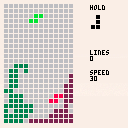
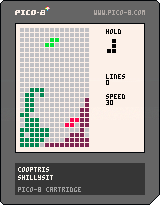
Hi everyone, I've been lurking here for awhile but I finally decided to make something! I built a retropi awhile back but recently I realized that I could make arcade games for it using Pico8, so today I decided to set aside some time to finish a small project.
Cooptris is a cooperative Tetris clone. Same rules as the original: don't let blocks reach the top of the screen! Both players share the same hold space which is useful for trading pieces. Your current piece can get in the way of the other player, so good communication is required!
Player1 (red)
Left/Right/Down: Move
Up: Rotate
X: Swap Held
Z: Drop
Player2 (green)
S/D/F: Move
E: Rotate
Q: Swap Held
Tab: Drop


 0 comments

I'm trying to make a bunch of rectangles that rotate around a given point, my code so far is this
function _update() timer+=0.01 velocity_x=cos(timer) velocity_y=sin(timer) for vect in all(rotographic) do vect[1]+=velocity_x*radius vect[2]+=velocity_y*radius vect[3]+=velocity_x*radius vect[4]+=velocity_y*radius end end function _draw() cls(0) for v in all(rotographic) do rectfill (v[1],v[2],v[3],v[4],flr(rnd(15)+1)) end end |
"rotographic" is a table in which each cell contains a 4 value vector with the x and y positoins of origin and destnation to feed to rectfills. So far this works fine making the squares, however, all they do is rotate together, around their own center if I am not wrong.
What I want to achieve, is for the each rect to rotate around a given center (let's say 64,64 to exemplify) so in the given example, what would happen is, the outer rects will rotate around a bigger radius than the inner ones.
I know I'm failing at math here (no surprises) so I hope you guys can nudge me in the right direction!
I read this very helpful article, but I am failing to figure out how to apply its logic to more than one element in the data structure I have.
http://endlessillusoft.com/rotating-around-a-point/
2 comments


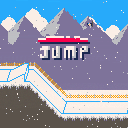
V1.1.0 Trees!!!!
New to 1.1.0:
TREES!
Horizontal snow
Clean up in the code here and there
Enjoy :)
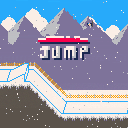
An old school button masher game!
Needing a few tweaks here and there, although suggestions are kindly welcomed!
--IF YOU COULD BE SO KIND--
This game is part of my Extended Project Qualification (EPQ), and would be so grateful if you could spare 2 minutes to fill out a quick survey about the game to help me push my project further!
https://www.surveymonkey.co.uk/r/Y72WJD5
Thank you!
[b]--CONTROLS--
4 comments





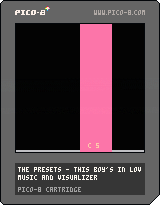
My first project, started out just trying to make an 8-bit version of The Preset's "This Boy's In Love" and then I realized I couldn't just put it online without a visualizer, so I coded one. :) Peeking around in system memory was pretty fun! I was planning on making music_events:update() generate a list of "note on" and "note off" events, but for now it just calculates the current volume of the different channels.
3 comments


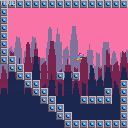
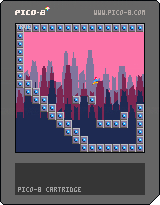

Built my first game with pico8 and it was super fun! I followed this tutorial for ~30 minutes and then tweaked it.
I was able to add a title screen, horizontal raindrops, sprite switching, poison switching and movement all around in just an hour :)
It'll be fun to host a small game jam at my school with pico8!
 2 comments



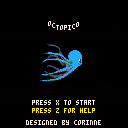
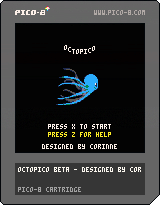
This is a playable game concept from my step-daughter Corinne.
Guide the octopus through the caverns, avoiding the edges, collecting fish, and eliminating creatures with your laser.
Each level gets a little faster. Compete for the highest score.
Beta: The creature cavern avoidance needs more finesse, and I'd be open to any suggestions about that or any other improvements.
4 comments


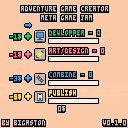
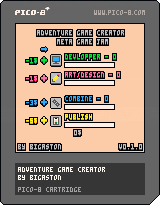
Hey! Do you know with the video games industry you can earnd lot of money? Do you want some money? So, why do not made games?
To Publish a game, you need first Combine one Art point and one Developpement point. To create this point, click on the big square button on the left. When the progress bar is finish, you earn some points. You can upgrade you progress speed with the Plus button at the left. And if you want to upgrade your productivity, you can change the upgrade type and click again on the Plus button.
This game was create for the Meta Game Jam (https://itch.io/jam/metagamejam), with a mix between a parody of AdVenture Capitalist and Game Developement.
0 comments

Here's a repo with the code and more details on GitHub
PICO-8 has a GPIO interface supporting 128 pins, each of which can store a 128-bit unsigned integer (0-255). However Raspberry PI and CHIP only support consuming each GPIO pin as a single bit (0 or 255), and only have pins for a small subset of the 128 virtual slots. The Pocket CHIP only has 6 fully-exposed pins (indices 2-7).
This means that if you want to pass GPIO information that can be used easily with any platform that runs PICO-8, you only get six on-and-off slots, which doesn't sound that great. Until you consider that you can still use those 6 slots to encode an integer up to 6 bits (-32 to 31 signed, or 0 to 63 unsigned!). Even a 3-bit int (0-7 unsigned) can often be enough to encode meaningful state information for many games, which can be used to trigger vibrations, color lights, etc.
The trouble is, taking a decimal value and encoding it as binary with PICO-8's built-in GPIO functions, then reading it again later, is not simple. PICO-8 Messenger provides utility functions which abstract away the bit-shifting and let you just read and write numbers.
Usage
Copy the functions you need from pico8-messenger.lua into your .p8 file.
-- included definition for write_gpio -- included definition for read_gpio -- write the number -1 to bits 2 through 4 write_gpio(-1, 2, 3) -- print out the number stored in bits 5 through 7 print(read_gpio(5, 3), 8, 8, 7) |
0 comments


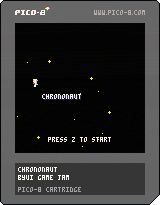
Improved the text box system, and some code refactoring. I'm gonna use some of the stuff I improved here in future games!
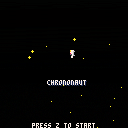
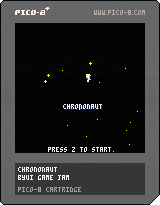
For the BYUi game jam! By Alex, Alan, and Cam. Also available on itch.io!
0 comments
so i have a function where the enemies have enemy1.isalive = true enemy2.isalive = false so i got that system working so how can i check to see if all enemy1.isalive are false (BY the way all enemies are in a group called enemy = {} i add every one of them sorry for no snippets)
20 comments










What it is and does:
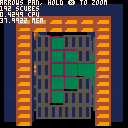
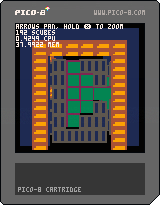
- 3D single-point camera(pan and zoom, no rotation)
- Sorted draw of "scubes" (small cubes/sprite cubes) and "lcubes" (large cubes, collections of scubes - but they could be any shape)
- Generates voxel data from the cart's sprite map! It works by combining a texture map, a depth map, and an address into the texture data to generate scubes. Then some additional post-processing allows the scubes to be transformed opening possibilities for procedural terrain etc.
I'm not sure how much further I'll go in developing this one because the game I'm making needs something a little more suited to crisp, accurate walls and corridors and I ended up with this after iterating through polygonal voxel cubes first and finding that this technique could approximate that result with far fewer tokens. So I cleaned it up a bit and started thinking about how to make it do things more like old Sega games(Space Harrier, Outrun, Power Drift, Galaxy Force), but the asset pipeline isn't quite as complete as I want yet - so if you want to step in, please go ahead. This probably won't be my focus for a while.
0 comments

I want to share a game that is WIP to a friend that does not have Pico8 emulator.
I'd love to upload them here and be able to give a non-indexed link to a friend, so he can play with a browser, but I only see the option to upload and play the game from website if it's posted publicly on the forum.
Dropbox and Drive dropped support to serve html.
What's a best and easiest way to sahre a game to a friend so that he only has to click a link and play from browser, while not being totally public?
7 comments



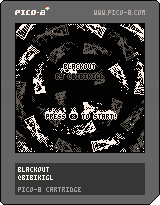
Sinopsis
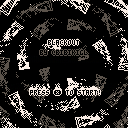
Blackout is a game with a simple core mechanic. You cannot see. You will have to pick up some items around, but you will have to do it only with the help of the sounds around.
Gameplay
Use the arrow keys to move.
Press "X" to pick up the item. You will only pick up the item when you are above it.
About
My name is "Bibiki". I'm a composer/sound designer interested also in learning programming and game design, so pico8 is an awesome tool for learning. This is my second attempt to make a pico8 game, and even though the mechanic is simple, I feel very happy about a game done with a sound mechanic.
If you want, you can follow more of my stuff in twitter: @BibikiGL
Also, thank you very much to @egordorichev for making this awesome menu!
Any feedback is welcome :)
2 comments

Hi
I am making a ninja game now.
I need a really cool background music. I tried to use music editor with PICO-8 but I don't I have any sense of creating
a cool music. Creating a music was really simple, but create a good or cool music is a different thing which requires
talent of creating music which is totally unrelated with coding.
That's why I am looking for a cool music which is allowed to use free.
I tried to google "pico-8 free music" "free song pico-8" but found nothing.
3 comments


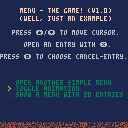
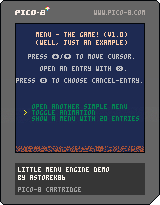
(Note: I already pushed it a few days ago, but I deleted it by accident^^)
Hello,
Just programmed a simple "Menu Manager" and I thought, it can be useful for others. :)
It presents a way to write your own Menu, moving a cursor with Arrow-Keys (Up/Down), select an Entry (X) and call a Function.
The Sourcecode is well documented.
EXAMPLE
menu={}

function menu.update() --Copy from Cartridge
function menu.draw() --Copy from Cartridge

function _update()
 menu.update()
end

function _draw()
 menu.draw()
end

function entry_one()
 cls()
 print("entry one selected!")
end

function entry_two()
 cls()
 print("entry two selected!")
end

function entry_x()
 cls()
 print("entry x selected!")
end

cls()
menu.entries = {
 "text entry one", entry_one,
 "text entry two", entry_two,
 "text entry x", entry_x}
cursor(26,40)
menu.start()
|
0 comments
The fact you can read and write PICO-8 GPIO values from the web wrapper is awesome - it means you can do things like emit vibrations according to game state, change the site theme to match different in-game levels, or maybe even develop a brand new input scheme.
However the API for reading these values is a bit basic... PICO-8 writes GPIO values to an array, and it's up to you, the developer to check those values periodically to see if they're different. What if you could just tell JavaScript to let you know whenever the GPIO pins get updated with new values?
Voilà:
var gpio = getP8Gpio();
var unsubscribe = gpio.subscribe(function(indices) {
  console.log(
    'New values at indices ' + indices.join(', ') + ': ' +
    indices.map(function(i) { return gpio[i]; }).join(', ')
  );
});
// unsubscribe later if you want...
unsubscribe();
|
This uses JavaScript setters under the hood to watch each index in the array, which means the watching part is shoved into a native background thread (== faster!). No need to write once-a-frame JS iterator loops or anything like that. Whenever PICO-8 writes to the GPIO array, you get notified immediately.
Of course you can also write back to the GPIO array:
gpio[3] = 255; gpio[4] = 0; |
3 comments

I want my web export to support mobile. But if you're like me, you might find the API for controlling touch button inputs from a web page a bit esoteric, and not super easy to read/write. Why not write a tiny API wrapper that makes this much easier?
If you have a page that looks like this:
<!-- ... cart stuff --> <button id="left"> < </button> <button id="right"> > </button> <button id="up"> /\ </button> <button id="down"> \/ </button> <button id="o"> O </button> <button id="x"> X </button> <! -- ... --> |
Include this in your page...
(function() {
  var __btns = {};

  function update_btns(playerIndex) {
    pico8_buttons[playerIndex] =
      Object.keys(__btns[playerIndex]).reduce(function(val, btn) {
        return val | (__btns[playerIndex][btn] ? Math.pow(2, btn) : 0);
      }, 0);
  }

  function registerP8Btn(domElement, btnIndex, playerIndex) {
    playerIndex = playerIndex || 0;
    window.pico8_buttons = window.pico8_buttons || [];
    pico8_buttons[playerIndex] = pico8_buttons[playerIndex] || 0;
    __btns[playerIndex] = __btns[playerIndex] || {};
    domElement.addEventListener('touchstart', function() {
      __btns[playerIndex][btnIndex] = true;
      update_btns(playerIndex);
    });
    domElement.addEventListener('touchend', function() {
      __btns[playerIndex][btnIndex] = false;
      update_btns(playerIndex);
    });
  }

  window.registerP8Btn = registerP8Btn;
})();
|
1 comment
