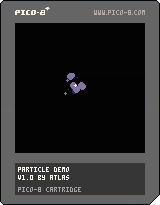
A quick demo for particles that follow the cursor.
Press X to generate both types of particles.
Press O to reset back to the middle.
You can change the colors of the particles (as well as the side) in the declarations before they're added to the list of particles.
Hopefully someone finds this helpful in generating particles of your own :)
Let me know if you'd like to see a similar demo!
Let me know if you could suggest anything for optimization!


 1 comment


I know that there's a LUA engine for PSP. Is it possible to port Pico-8 to the PSP? This would be awesome! I think the main question is if the PSP is fast enough to run Pico-8.
3 comments


How can I verify that Pico-8 is running at full speed? I installed it on my netbook and I think I witnessed some slow-down. How do I tell if it is running at the intended speed?
Most emulators have an fps or percentage fps display. If it displays 100%, you know you are experiencing the speed of the original console.
That brings me to another point: Obviously some games are more CPU intensive than others. Does the Pico-8 specs specify a CPU clock or max CPU speed? I am asking because it would be nice to verify that my netbook's Atom chip is fast enough to run ANY possible future Pico-8 game, or to verify what machine I should purchase to ensure full speed Pico-8 compatibility.
4 comments



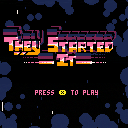
Updated to VERSION 1.1
Version 1.0 was too easy. Maybe this is too hard? Or maybe I'm just not good enough.
Tweaked difficulty, star colours, and faster wave transitions.
Original blurb..
We lived in peace for thousands of years, until they came.
Aggressive beyond reason and sporting a dubious dress sense, they attacked in droves; we pushed them back, but they kept coming. Eventually they were down to their last ship.
Still it comes at us, attempting to exterminate us for unknown reasons. Seemingly unable to take a hint.
You are that ship. Leave your morals at the door and destroy those poor aliens for no logical reason.
Controls .. usual sort of thing, you'll figure it out
I finally grabbed pico-8 a few weeks ago, just before I went on holiday, so jammed away at this in the evenings. Would have been finished quicker but I just kept iterating over it until I was happy.
I am finally free now and can get back to my larger project ..
No doubt this has bugs - there's about 20 waves, at which point it loops back to wave 1. Balancing may be a little off and it could do with fleshing out a bit more, but as a summer project it'll do :)
BTW: the cartridge should support 60fps and it's much nicer to play like this, so recommend playing it direct rather than via HTML
NB. The code is .. well, it is what it is :) I just kept piling stuff in there and it could be extensively improved and cleaned up (for example there are three different functions that create smokey stuff). So take it with a pinch of salt. There's a bit of slow down on some of the busy levels which could probably be optimised by making sure not to create more blobby things over a certain threshold, but it always seems to remain playable.
26 comments








I’m running the following program:
print(fget(12)) fset(12,1,true) print(fget(12)) fset(12,2,false) print(fget(12)) |
And the output is:
0 2 6 |
My understanding of the documentation (“v is boolean and can be true or false”) is that the second fset() call should unset the bit, not set it.
1 comment
This is my first terrible game, copied from PicoZine #1. Nothing to see here.
Now with cruddy music!
0 comments


After almost 4 months, I finally received my PocketCHIP today, as it looks like lots of you are recently.
Following the quick setup, I booted up Pico-8 without any problems and started loading up games.
Wow.
What a difference a keyboard can make, huh?
But before that...all our games look awesome on the PCHIP display, it's pretty sharp. All the games I loaded seemed to play fine without any bugs or crashes...at least so far.
Now about that keyboard. Eesh. All the rumors and early reports were true, it's less than great for playing games. So much so that it really has me thinking about how to target my games.
Sure, the PCHIP is just another device but taking in consideration the keyboard when designing/making a game will be difficult. You can't really bank on people having case mods or anything like that. You have to assume anyone with a PCHIP has the off-the-shelf variety and I now see that comes with some serious considerations.
Like I said, all our games play fine but even the "simple" games with minimal controls feel clunky with that keyboard. And for games where you have to hit Z+X to do anything, talk about inconvenient.
Now, given that the PocketCHIP is somewhat of a luxury device with a very limited audience (IMO), making Pico-8 games without taking it into mind is probably safe. Most people will likely play in a web browser so the normal keyboard is a safe bet...but given PCHIPs are landing in mailboxes now, that means more Pico-8 players looking at our games and I know I want mine to feel playable. So I'm kinda bummed but also just try to look at it as another creative solution to overcome with our games.
This is all just first hours of use so some of it is probably pretty rash but hey, that's how I'm feeling right now. But either way, the PocketCHIP seems like a very fun device to play so skies the limit otherwise.
What do the rest of y'all think about this thing?
13 comments





Update 1.5! - Music, Mines and Mayhem!
I've been working hard lately on some of my current projects and finally got around to updating Space Delivery! This time round I've added in enemy mines that you need to dodge whilst collecting and delivering packages around the map. On top of this, the player can now get a GAME OVER screen when they die and strive to beat that high-score! I've also worked on ironing out lots of bugs and improving the overall graphical fidelity of the game.
Feedback:
As always, community feedback is much appreciated and has a big impact on the final result. Any suggestions, constructive criticism (or just criticism) about the game are more than welcome!
Changelog:
-Added bad music
-Added a deadly space mine enemy
-Added a game over screen
-Added high-score functionality
-Added a black border around text for better readability
-Added a particle system for creating explosions + smoke
-Added SCREENSHAKE
22 comments


There's some great tips on these forums - One thing i haven't seen people mention is how to get Notepad++ to run a PICO8 cartridge from a button press.
This way, you can code your program in Notepad++, save it, and then run it, all with a few key presses.
- Open up a sample P8 file in Notepad plus plus.
2.Click on the "Run" menu in the top menu bar. -
Select the "Run" option (the top option in that menu, perhaps not unsurprisingly)
- Cut and paste the below into the dialog box that turns up
"C:\Windows\System32\cmd.exe" /K "C:\Program Files (x86)\PICO-8\pico8.exe" -run $(FULL_CURRENT_PATH)
(this relies on you having installed your PICO8 to the default location. If it doesn't work, find a shortcut to it either on the desktop or the start menu, right click, and "Open File Location". If you change the text, save it in a text file before the next step.)
-
Test it by clicking on the Run button. It should open up the windows terminal, which will then open up a copy of PICO 8 and autoload the cartridge you have open. I'll explain why you want the windows terminal open below.
-
If it works, go back to Notepad++. Bring up the run dialog and paste in the text you used before.
- This time, click the "Save" button. Assign a shortcut -I'd recommend ctrl + A. It's right next to ctrl + s, which is save, meaning you can quickly save and run your program when there are any changes.
The reason you want to use the prefix "C:\Windows\System32\cmd.exe" /K is that this runs the windows terminal, which then runs PICO8. This means you can see any printh statements you've put in your code for debugging.
One thing to note is that the K switch in the line "C:\Windows\System32\cmd.exe" keeps the terminal open when you shutdown PICO8. This is my personal preference, if you want it to shut when you close PICO8, replace the K with a C.
If you use this alongside the syntax highlighting (go to Settings, Style Configurater, Lua in the top menus and add "p8" in the "User Extension" box at the bottom of the window) and Function List mentioned elsewhere on these forums, you've got a pretty awesome dev environment!
10 comments


EDIT: Now with 2% more less broken! Hurrah for not broken!
REMOVED
EDIT: New! Now with 100% less broken!
REMOVED
EDIT: Here's a more complete version. This has a completed level. No changes to the AI since last time.
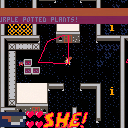
EDIT: Here's the first Alpha - this is not currently completable!
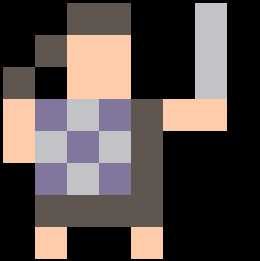
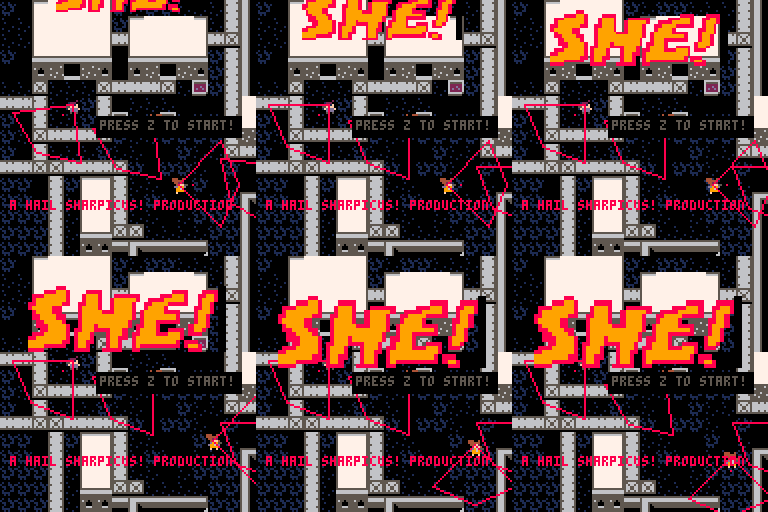
You are SHE, deep cover operative. For 16 months you've been chasing HER, across battlefields, across countries, across the globe. Finally you have her close, cornered almost, holed up in this military base. Find her! Your orders are to kill her, but will you? And what about the kittens she's taken hostage, or the all female yellow hornet battle squadron between you and her?
Your ways are enigmatic, and no one but you can predict your actions.
Press X to shoot
Press Z to interact.
Your dot will turn GREEN when over an interactable object
Hold Z to bring up the menu
Press start on the second player pad to begin a two player game.
OLD:
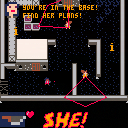
I'm currently working on my first pico-8 game. It's called SHE!
It's a top down stealth action shooter, with couch coop.
 2 comments

Hello Pico8-community!
I recently bought myself a Pocket Chip and just finished making my first game on it.
Now I wanted to upload it to Itch.io (it's for the 1-button-jam), so I exported it as .html, renamed the exported .html-file to index.html and bundled it with the .js-file into a .zip witch I uploaded to Itch.io.
Now my problem is, that despite my game showing up and running on the website, it doesn't recognize any button presses at all. (Even tried it on different machines which normally run other Pico8 games on Ich.io just fine, but had no luck.)
One more thing to note might be that the page scrolls when using the arrow keys?
Is there anything specific I have to watch out for when uploading to Itch.io?
Anyone have an idea what to change in order for the controls to work?
6 comments

The more projects I start, i've been finding it harder and harder to keep track of all my little copy-paste pico-8 code snippets. I've had a burning desire to use require(), so I could organize and reuse my code in modules, but there's no mechanism in pico-8 that let's you do this.
It's also a bit manual and tedious to browse through and repurpose code in other people's carts since there's several steps involved.
To try and solve these issues, I just published a tool called p8. It manages dependencies and makes it easy to share code across projects. It does so by injecting external dependencies into a cartridge and polyfilling a global require(), which allows you to import these modules from your project's entry point.
Does anyone else have major problems with managing their code as their projects grow? How do you keep track of your snippets? What's your process for using code other people wrote?
9 comments


Episode 3 of my podcast is up! #3: one chip in my pocket
Your podcasters should update soon, or you can listen/download online. Also, iTunes nuked my feed and I've resubmitted it. You can subscribe without itunes at http://feeds.feedburner.com/picochat
My PocketCHIP arrived! I discuss that & Pixel Art Academy. Then, some new(er) games I love: Pico Monsters, The Slow and the Curious, Monster Hull, and Strung Out in Heaven's High.
If you'd like to join me for a future episode, e-mail me at [email protected]. Thanks for listening!
2 comments





|
[0x0] |
--// PicoBoard //--
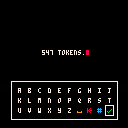
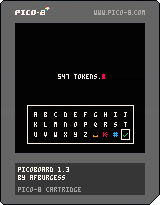
PicoBoard is an easy to integrate keyboard overlay function which you can use in your projects. It uses the arrow keys to select a character, and is ideal for inputting a character name, a high score, or any other short piece of text. If you are looking at making a project where you input large quantities of text, you might like to look at my other keyboard project, QWERTY Boy, which uses a touch/mouse interface.
14 comments





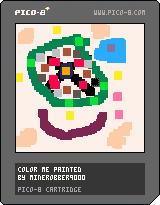
This uses dev kit mouse support.
Controls:
Move mouse - Move cursor
Left click - draw
Z - change color
X - change color to black
Up - clear page
Down - Toggle cursor invisibility (for taking a photo when finished with drawing)
0 comments

Hi all,
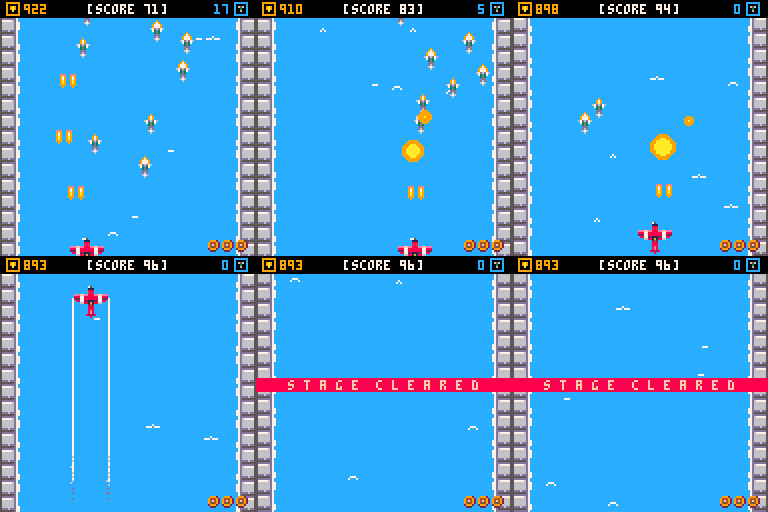
I'm at the very end stages of releasing my first experiment with pico8 - the game is playable end to end with a few minor tweaks required. All that is needed is music! I require a single track, and maybe a gameover ditty to finish off in order to be polished for release. If your a fan of contra, gunstar heroes, shmups, ghibli, steampunk being a hero against all odds and can deliver music... then great! maybe we can work together. If anyone knows of any musicians who might fit the bill and be interested, please kindly get in touch.
Many thanks
 6 comments



Demo version 0.1
Coming soon:
-music!
-new bosses
-more enemies
-healing potion
Share your comments and high score below :)
1 comment
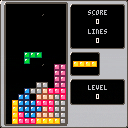
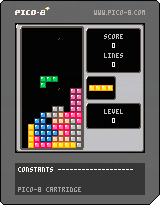
This is a Tetris(R) clone with smooth controls, multiple graphics styles, catchy music, and a balanced randomization system.
There are 3 modes to play:
- Endless - Play until you lose
- 25 Lines - Play until you clear 25 lines
- Clear - The aim is to clear the bottom line. A lower score is better.
Controls:
Left/Right - Move piece
Down - Make piece fall faster
Up - Drop piece instantly
Button 4 (Z) - Rotate piece counter-clockwise
Button 5 (X) - Rotate piece clockwise
I hope you enjoy!
Changelog:
1.1 - added instant dropping by pressing the up button
- changed the line height for clear mode from 8 to 6
1.0 - first version
7 comments