




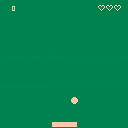
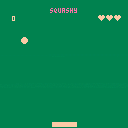
This is my first terrible game, copied from PicoZine #1. Nothing to see here.
Now with cruddy music!


 0 comments


After almost 4 months, I finally received my PocketCHIP today, as it looks like lots of you are recently.
Following the quick setup, I booted up Pico-8 without any problems and started loading up games.
Wow.
What a difference a keyboard can make, huh?
But before that...all our games look awesome on the PCHIP display, it's pretty sharp. All the games I loaded seemed to play fine without any bugs or crashes...at least so far.
Now about that keyboard. Eesh. All the rumors and early reports were true, it's less than great for playing games. So much so that it really has me thinking about how to target my games.
Sure, the PCHIP is just another device but taking in consideration the keyboard when designing/making a game will be difficult. You can't really bank on people having case mods or anything like that. You have to assume anyone with a PCHIP has the off-the-shelf variety and I now see that comes with some serious considerations.
Like I said, all our games play fine but even the "simple" games with minimal controls feel clunky with that keyboard. And for games where you have to hit Z+X to do anything, talk about inconvenient.
Now, given that the PocketCHIP is somewhat of a luxury device with a very limited audience (IMO), making Pico-8 games without taking it into mind is probably safe. Most people will likely play in a web browser so the normal keyboard is a safe bet...but given PCHIPs are landing in mailboxes now, that means more Pico-8 players looking at our games and I know I want mine to feel playable. So I'm kinda bummed but also just try to look at it as another creative solution to overcome with our games.
This is all just first hours of use so some of it is probably pretty rash but hey, that's how I'm feeling right now. But either way, the PocketCHIP seems like a very fun device to play so skies the limit otherwise.
What do the rest of y'all think about this thing?
13 comments






Update 1.5! - Music, Mines and Mayhem!
I've been working hard lately on some of my current projects and finally got around to updating Space Delivery! This time round I've added in enemy mines that you need to dodge whilst collecting and delivering packages around the map. On top of this, the player can now get a GAME OVER screen when they die and strive to beat that high-score! I've also worked on ironing out lots of bugs and improving the overall graphical fidelity of the game.
Feedback:
As always, community feedback is much appreciated and has a big impact on the final result. Any suggestions, constructive criticism (or just criticism) about the game are more than welcome!
Changelog:
-Added bad music
-Added a deadly space mine enemy
-Added a game over screen
-Added high-score functionality
-Added a black border around text for better readability
-Added a particle system for creating explosions + smoke
-Added SCREENSHAKE
22 comments


There's some great tips on these forums - One thing i haven't seen people mention is how to get Notepad++ to run a PICO8 cartridge from a button press.
This way, you can code your program in Notepad++, save it, and then run it, all with a few key presses.
- Open up a sample P8 file in Notepad plus plus.
2.Click on the "Run" menu in the top menu bar. -
Select the "Run" option (the top option in that menu, perhaps not unsurprisingly)
- Cut and paste the below into the dialog box that turns up
"C:\Windows\System32\cmd.exe" /K "C:\Program Files (x86)\PICO-8\pico8.exe" -run $(FULL_CURRENT_PATH)
(this relies on you having installed your PICO8 to the default location. If it doesn't work, find a shortcut to it either on the desktop or the start menu, right click, and "Open File Location". If you change the text, save it in a text file before the next step.)
-
Test it by clicking on the Run button. It should open up the windows terminal, which will then open up a copy of PICO 8 and autoload the cartridge you have open. I'll explain why you want the windows terminal open below.
-
If it works, go back to Notepad++. Bring up the run dialog and paste in the text you used before.
- This time, click the "Save" button. Assign a shortcut -I'd recommend ctrl + A. It's right next to ctrl + s, which is save, meaning you can quickly save and run your program when there are any changes.
The reason you want to use the prefix "C:\Windows\System32\cmd.exe" /K is that this runs the windows terminal, which then runs PICO8. This means you can see any printh statements you've put in your code for debugging.
One thing to note is that the K switch in the line "C:\Windows\System32\cmd.exe" keeps the terminal open when you shutdown PICO8. This is my personal preference, if you want it to shut when you close PICO8, replace the K with a C.
If you use this alongside the syntax highlighting (go to Settings, Style Configurater, Lua in the top menus and add "p8" in the "User Extension" box at the bottom of the window) and Function List mentioned elsewhere on these forums, you've got a pretty awesome dev environment!
10 comments



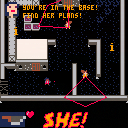
EDIT: Now with 2% more less broken! Hurrah for not broken!
REMOVED
EDIT: New! Now with 100% less broken!
REMOVED
EDIT: Here's a more complete version. This has a completed level. No changes to the AI since last time.
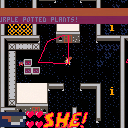
EDIT: Here's the first Alpha - this is not currently completable!
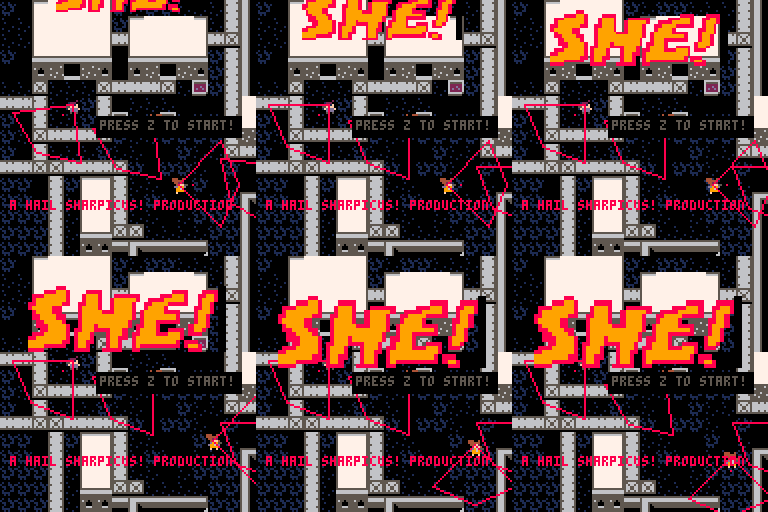
You are SHE, deep cover operative. For 16 months you've been chasing HER, across battlefields, across countries, across the globe. Finally you have her close, cornered almost, holed up in this military base. Find her! Your orders are to kill her, but will you? And what about the kittens she's taken hostage, or the all female yellow hornet battle squadron between you and her?
Your ways are enigmatic, and no one but you can predict your actions.
Press X to shoot
Press Z to interact.
Your dot will turn GREEN when over an interactable object
Hold Z to bring up the menu
Press start on the second player pad to begin a two player game.
OLD:
I'm currently working on my first pico-8 game. It's called SHE!
It's a top down stealth action shooter, with couch coop.
 2 comments
The more projects I start, i've been finding it harder and harder to keep track of all my little copy-paste pico-8 code snippets. I've had a burning desire to use require(), so I could organize and reuse my code in modules, but there's no mechanism in pico-8 that let's you do this.
It's also a bit manual and tedious to browse through and repurpose code in other people's carts since there's several steps involved.
To try and solve these issues, I just published a tool called p8. It manages dependencies and makes it easy to share code across projects. It does so by injecting external dependencies into a cartridge and polyfilling a global require(), which allows you to import these modules from your project's entry point.
Does anyone else have major problems with managing their code as their projects grow? How do you keep track of your snippets? What's your process for using code other people wrote?
9 comments



Episode 3 of my podcast is up! #3: one chip in my pocket
Your podcasters should update soon, or you can listen/download online. Also, iTunes nuked my feed and I've resubmitted it. You can subscribe without itunes at http://feeds.feedburner.com/picochat
My PocketCHIP arrived! I discuss that & Pixel Art Academy. Then, some new(er) games I love: Pico Monsters, The Slow and the Curious, Monster Hull, and Strung Out in Heaven's High.
If you'd like to join me for a future episode, e-mail me at [email protected]. Thanks for listening!
2 comments





|
[0x0] |
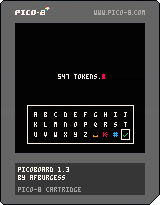
--// PicoBoard //--
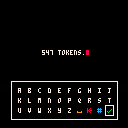
PicoBoard is an easy to integrate keyboard overlay function which you can use in your projects. It uses the arrow keys to select a character, and is ideal for inputting a character name, a high score, or any other short piece of text. If you are looking at making a project where you input large quantities of text, you might like to look at my other keyboard project, QWERTY Boy, which uses a touch/mouse interface.
14 comments





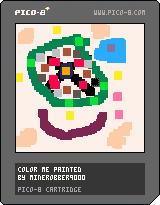
This uses dev kit mouse support.
Controls:
Move mouse - Move cursor
Left click - draw
Z - change color
X - change color to black
Up - clear page
Down - Toggle cursor invisibility (for taking a photo when finished with drawing)
0 comments

Hi all,
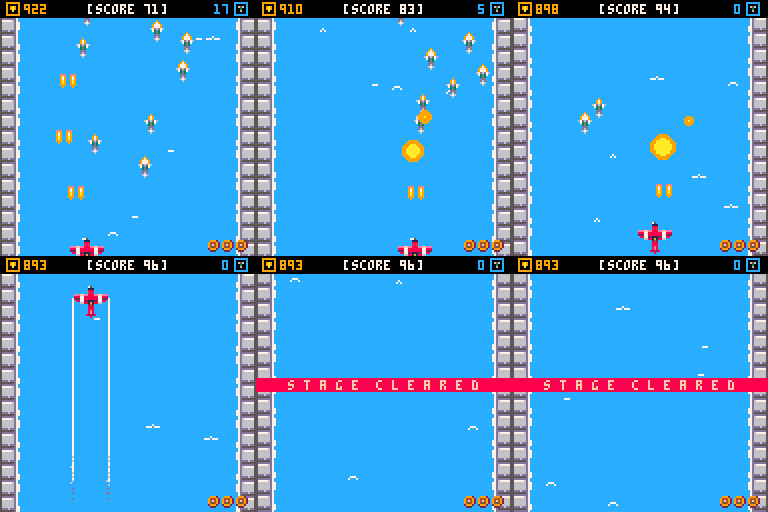
I'm at the very end stages of releasing my first experiment with pico8 - the game is playable end to end with a few minor tweaks required. All that is needed is music! I require a single track, and maybe a gameover ditty to finish off in order to be polished for release. If your a fan of contra, gunstar heroes, shmups, ghibli, steampunk being a hero against all odds and can deliver music... then great! maybe we can work together. If anyone knows of any musicians who might fit the bill and be interested, please kindly get in touch.
Many thanks
 6 comments



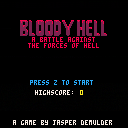
Demo version 0.1
Coming soon:
-music!
-new bosses
-more enemies
-healing potion
Share your comments and high score below :)
1 comment

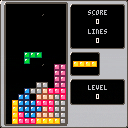
This is a Tetris(R) clone with smooth controls, multiple graphics styles, catchy music, and a balanced randomization system.
There are 3 modes to play:
- Endless - Play until you lose
- 25 Lines - Play until you clear 25 lines
- Clear - The aim is to clear the bottom line. A lower score is better.
Controls:
Left/Right - Move piece
Down - Make piece fall faster
Up - Drop piece instantly
Button 4 (Z) - Rotate piece counter-clockwise
Button 5 (X) - Rotate piece clockwise
I hope you enjoy!
Changelog:
1.1 - added instant dropping by pressing the up button
- changed the line height for clear mode from 8 to 6
1.0 - first version
7 comments






So I was thinking about making a VST Synth that uses the same wave & effect generators as PICO-8 for chiptuners and other musicians alike. (who want to make songs longer than PICO-8 can support)
So I'm not really that experienced in making any sort of VST synthesizer. I decided to mock it up and here is the result. (Also, I didn't know where to put this so I just put it in Discussion, move it if you need to admins)
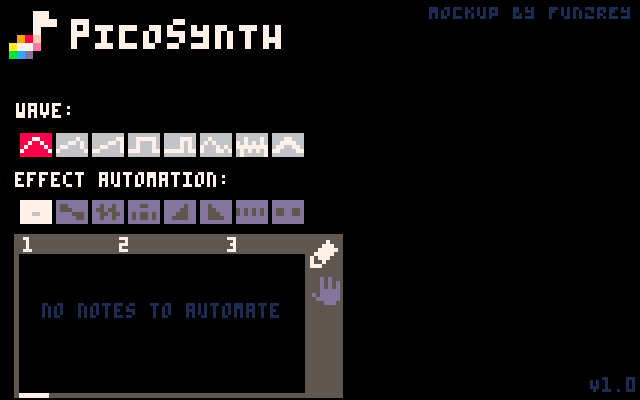
So here's how it works:
Choose a wave (the DAW will handle the rest, as this will probably not support standalone, but maybe...) and the automation for effects will automate on certain notes just like PICO-8 does. It should probably have 4-note polyphony. (hence the 4 channels)
This could be sold with PICO-8 (and all existing PICO-8 owners can get it, maybe?) or sold separately. All depends on what zep decides to do with this if he wants to do anything with this.
1 comment

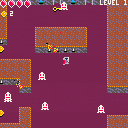
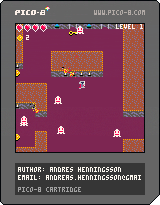
You are a knight in a castle where some trigger happy ghosts live. You need to find your way out of the castle. The game have 4 levels. Collect keys to open doors to get to the next level. You can also collect coins, 5 coins and you will remain on the same level when you die. Else you will end up in the previous level.
0 comments
Hello.
Is it possible to play Pico 8 games on my Android device? I have a GPD XD (http://www.gpdxd.com) and it's a great device for playing games.
So I thought it would be really great to play Pico 8 games on this handheld. I can start the games through the browser. But I can't control the games with the gamepad. And I don't find an app who can keymap keyboard buttons including the arrow buttons on the controller buttons.
Is there someone who have a good workaround?
Alternatively: A Pico 8 player for Android include native controller support would be a really dream come true. :D
Just download the .png files, put these on the SD card and open it with a Pico 8 player. ;-)
(Yeah, I know: There is this PocketCHIP thing. But for me it seems very unconfortable. I mean this device even don't have a real digital pad...)
6 comments






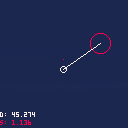
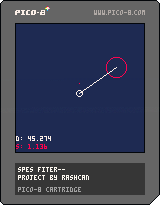
Heyo, this is my first post and I have no idea how anything works. Pardon my ignorance :y
This is something I've been working on for the past couple of days. It has vacuum/gravity physics thus far. I'm trying to get proper collision physics in next but I encountered a weird bug with the distance on the way. Watch the distance meter (white) as you move away from the red circle, you'll see what I mean. A sound plays when the distance is less than or equals 11, but it does it in places it shouldn't. Advice is welcome!
Update: Now that the bug has been squished, time to figure out collision physics. Oh boy, trig :V
Thanks for the help so far, I'm probably going to need more later ^^;
4 comments

I admit I haven't explored anything with dates/time in Pico8, so just wondering out loud if there's a way to save a timestamp so that you could use it later and have your game behave like it "did something" during the off time.
For example, hatching an egg. You start the game on Monday and quit. Saves the timestamp. You play the cart again on Thursday. The timestamps are compared to determine how many days/hours/whatever have gone by and routines are run against the egg accordingly...on its way to hatch or something.
1 comment
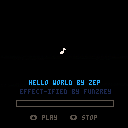
I decided to play around with those new audio effects that you could apply on channels by poking and this cool-ish thing came out! Hope you enjoy!
(the song time bar thingy probably doesn't work properly but meh whatever)
 2 comments



