


Hi!
I have just started to learn game development. My only programming experience comes from making few simple things in BASIC more than 15 years ago, but when I found PICO-8 (thanks to the C.H.I.P Kickstarter) I felt a nostalgic pull and decided to jump in into this whole gamedev thing.
I have started a blog: Level0GameDeveloper where I document this journey and explain everything what I am doing, so maybe someone like me (who doesn't have an idea where to start with this whole game making thing) will find it helpful and will also give it a try (maybe even with PICO-8?!).
Anyway, I was hoping that you guys could give me some pointers, as many of you are, what I would consider, amazing programmers (I have seen your code!). The great thing about Pico-8 is that I can lookup any source code to the carts posted here and learn from that, but I find myself really struggling understand a lot of it, as I don't know Lua (or programming practices past the basics really). Right now I am working on expanding the pong clone from Pico-8 Zine#1 and it is going alright, but I am afraid that the lack of knowledge of Lua/Pico-8 functions will make me reach a standstill, or I will get frustrated and give up :(
Any advice you would give to a new programmer? Any books or articles you could recommend (especially about Lua, or basics of programming in general)? I have already gone through the zine and manual (however the manual doesn't explain things very well, but it is a good reference) multiple times and I use this BBS daily, so I am looking for any other resources.
So far I am having a blast and I think I can actually do this, but I would love some advice, so I won't give up. Any help would be greatly appreciated.


 17 comments






I spent some time analyzing the palette and came up with some things that I find make it easier to use.
I decided to share it here in case others find it useful as well, so here goes.
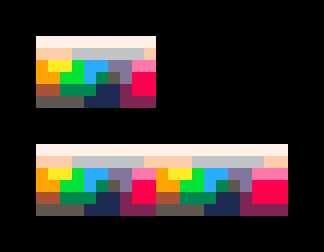
First ting I did was map the colourspace. This makes it very easy to find nearby colours when shading or tinting.
The colourspace wraps horizontally thru the spectrum as illustrated by the double width block.
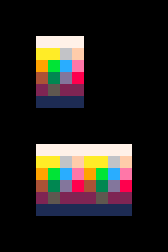
Next I reduced the colourspace to use single pixels instead of clusters. Less accurate but more compact.
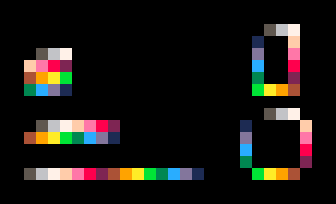
Based on this I came up with an comfortable order of the 16 colours (as I found the default colour order not very user friendly). Apart from making it easier to find the right colour quickly, I wanted to make sure it looks pleasing :)
You can use this order regardless of your gfx software fo choice. I made sure the palette works whether it's presented in a single row, 2x8 or 4x4.
An added bonus is that the this order also wraps around nicely, as illustrated by the 'ring' versions on the right.
 13 comments








Hi Everyone,
My name is petri and I'm very enthusiastic about PICO-8 and PocketChip concept.
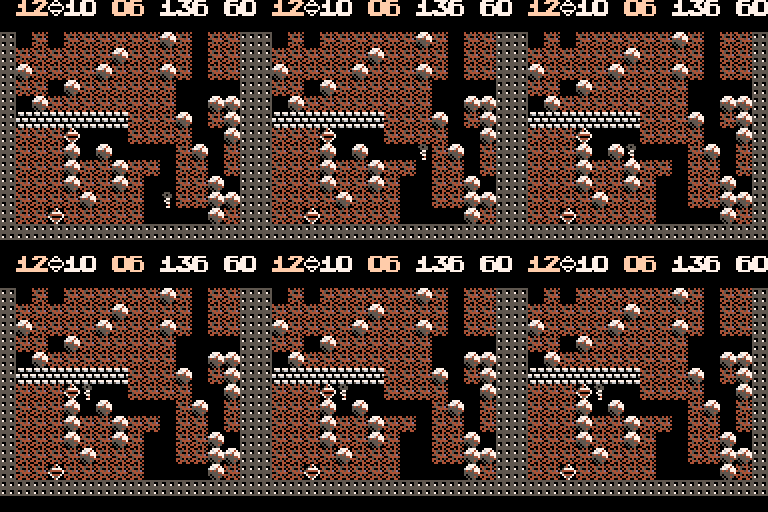
I decided to learn some coding and try to make my first little game. One of my favorite games from when I was a kid was Boulder Dash so demake for PICO-8 feels just right to do. It's just a mockup for now, but I will try to make it work.
@zep I would like to thank you for creating PICO-8. It's a lot of fun:)
1 comment


May 18 2016
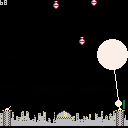
I'm working on my first cart. I hope you'll excuse the crappy graphics!
Move your cross hairs with the arrow keys (0,1,2,3) and fire with Z (4).
The further down you catch a bomb, the more points you will get. And intercepting more than one bomb with the same shot will multiply the score you get.
You can't lose at the moment though :P
0 comments



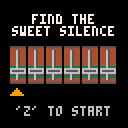
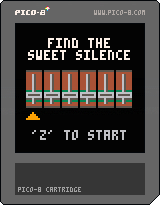
There is a massive noise in your precious recording of 4'33" by John Cage in Carnegie Hall. Instead of four and a half minutes of silence -- electronic disaster in your headhones! Get rid of it by applying various filters to reach silence. Each slider controls one filter, which removes one element of noise when set to correct position.
- Not all filters are needed every time.
- Sometimes only one noise element is active.
- Getting rid of one element makes others louder.
LEFT, RIGHT: Choose the filter
UP, DOWN: Move the filter slider
You need sound output to play this minigame.
Warning: Squeaky noises ensue! :-)
0 comments


I've done collision detection with object/object and object/tiles. But what is a good way to detect object/shape?
I have a 8x8 player sprite. You can move it, etc. Across the screen is the bad guy and he's shooting at you. If a his bullet hits the player, the player dies.
I want to use circfill() as the enemy bullet rather than a sprite.
I would have the player's _update() cycle check for the collision but what exactly would I check for?
My first thought was to loop through each of the player's hitbox x/y pairs and an use pget() to see if that location has changed to the color of the enemy bullet. But that sounds very expensive to do on every tick.
Is there a better way? I feel like there probably is.
Thoughts and feedback are appreciated.
2 comments
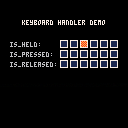
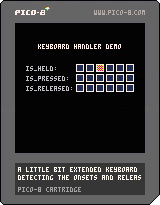
Perhaps this is going to be useful for someone. This is a little keyboard handler I'm using in my code. It extends the functionality of the standard btn(k) function with detection of the onset of the key and its release. Sometimes it's useful to have those two and avoid btnp(k) repetition.
-- is_held(k) is true if the key k is held down
-- is_pressed(k) is true if the key has just been pressed by the user
-- is_released(k) is true if the key has just been released by the user

keys={}

function is_held(k) return band(keys[k], 1) == 1 end
function is_pressed(k) return band(keys[k], 2) == 2 end
function is_released(k) return band(keys[k], 4) == 4 end

function upd_key(k)
	if keys[k] == 0 then
		if btn(k) then keys[k] = 3 end
	elseif keys[k] == 1 then
		if btn(k) == false then keys[k] = 4 end
	elseif keys[k] == 3 then
		if btn(k) then keys[k] = 1
		else keys[k] = 4 end
	elseif keys[k] == 4 then
		if btn(k) then keys[k] = 3
		else keys[k] = 0 end
	end
end

function init_keys()
	for a = 0,5 do keys[a] = 0 end
end

function upd_keys()
	for a = 0,5 do upd_key(a) end
end
|
10 comments


I've bounced around several threads to try and understand how to save game data but it's all kind of scattered, so I'm looking for something more concrete, or an example.
I've read section on memory in the manual and see the cstore() peek() and poke() stuff...but it's just it's just not clicking. I think it's because it's talked about in bytes and addresses, and that's foreign to me. But it seems like saving data between sessions is a do-able thing...I hope...?
I have two things I'm trying to do with save data...
- Save a high score
- Save a boolean to denote whether the player has unlocked a character
I understand that data won't persist between platforms, which is fine. I just want the data to be able to used between game sessions on the same device. So the first time I play the game and get a score, it's saved. I turn off the device/cart. Then I turn it back on and my high score is there.
Any guidance or code snippets are appreciated. This might be a good idea for a Fanzine article too (unless it's already covered and I skimmed over it).
Thanks
7 comments
I've seen varying techniques for update looping and am looking for insight/feedback on if one is any better than the other in terms of speed/efficiency.
Method #1 I see a lot is a global table of all the actors on the screen. So everything goes here and then the system _update() function is something like this.
actors={}

function _update()
   foreach(actors, function(obj)
      obj.update()
   end
end
|
This method makes sense. Every object then has its own update() method...but that feels kind of inefficient, especially if the update would be the same for like-actors.
Method #2 is grouping like-actors with each group have its own update() method, which is then called in the system update loop.
bullets={}
bullets.actors={}
bullets.update=function()
   foreach(bullets.actors, function(obj)
      ...do stuff to obj...
   end
end

badguys={}
badguys.actors={}
badguys.update=function()
   foreach(badguys.actors, function(obj)
      ...do stuff to obj...
   end
end

function _update()
   bullets.update()
   badguys.update()
end
|
9 comments





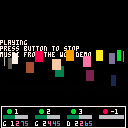
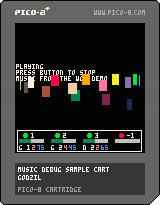

This cart is basically a demonstration of a simple tool/function I've made to check/debug the music playing in one of my project, the function need no external dependency and should not clobber your variables as all of them are declared as local. You only need to call the function with the Y position as parameter (positive number are relative to the top of the screen, negative from the bottom) in your update screen function to display a bar with the current status of music playing.
There are four zone, one for each channel, the green/red bubble indicate is the channel is playing or not (green == playing, red, not playing) the number next to the bubble is the pattern used on that channel, and the bar on the bottom is the current position in the pattern.
The function itself:
function debug_music(y)
  if y < 0 then
    y = 128 - 17 + y
   end
   rectfill(0, y, 127, y+18, 0)
   rect(1, y+1, 125, y+16, 7)
   for c=0,3 do
 	   local p   = stat(16+c)
 	   local b   = stat(20+c)*25 / 32
 	   local col = 8
 	   if p > -1 then
 	     col = 11
 	   end
 	   circfill(9+c*32, 6+y, 2, col)
 	   print(p, 15+c*32, 4+y, 7)
	   rectfill(3+c*32, 10+y, 27+c*32, 13+y, 6)
	   if p >= 0 then
		   rectfill(3+c*32, 10+y, 3+b+c*32, 13+y, 3)
	   end
   end
end
|
5 comments


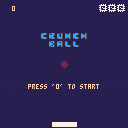
This is my first PICO-8 game :D
It was written entirely on a PocketCHIP, and was heavily heavily based on a tutorial found in the first issue of the PICO-8 zine.
It's a single-player PONGish game, the arrow keys can be used interchangeably with the action buttons to move the paddle.
After each 50 points the ball starts going faster! Extra lives are earned per each 100 points.
Good Luck!
6 comments


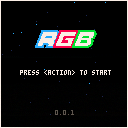
This is a classic style arcade shooter but RGB is about speed and accuracy rather than just shmup'ing destruction.
Match the color of your shot with the enemy color to increase score. Jump to different colored bars to change your shot color. There are bonus points for accuracy, not dying and speed.
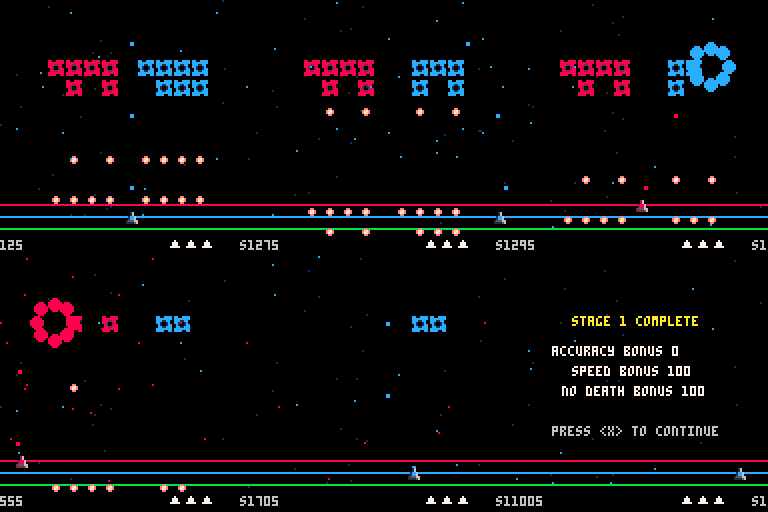
Controls
Left/Right - Move your ship
Up/Down - Jump color bars
Z - Fires
This is my first real attempt at a Pico-8 game that has a future. This is just the first "demo" version right now. It only has 5 levels with no real satisfying ending or boss...that's all to come. There's some solid foundation to build upon so I hope to keep working and turn this into a nice little puzzle shooter.
Please leave feedback.
Todo List
- Some sort of music (anyone want to help?)
- Few more sounds
- More bullet patterns
- Boss levels
- Power-ups or extra lives
9 comments




Hi,
I wanted to implement line of sight for a roguelike today so I started looking up Bresanham's algorithm and ended up writing a parametric version of it because mixing conditionals and iterators makes me barf. :p
I'm posting the implementation algorithm because I'm not sure if I'm doing things in a way that is blatantly wrong for Lua, or if there's a better way. I'm very new to Lua so, well, I'm kind of clueless about how to write good Lua software. I saw a few implementations around and was wondering what's the best choice for LOS in Lua, also considering that code points are a scarce resource and between them and heat maps I feel somewhat... constrained. So, yes, what's the best line-tracing implementation, given a metric of your choice?
Here's mine. It has as only advantage a clean iterator. :)
function los(x,y,x2,y2) local c_x = x -- x position of the cursor along the los local c_y = y -- y position of the cursor along the los local dx -- the deltas will determine how much to move the cursor along both axes local dy local i -- how many real pixels long the line is. Not the diagonal nor the manhattan distance if (x == x2) then -- do not divide by 0 ;) dx=0 dy = sgn(y2-y) i = abs(y2-y) else dx = x2-x dy = y2-y if (abs(dx) > abs(dy)) then i = abs(dx) dy = dy/i dx = sgn(dx) else i = abs(dy) dx = dx/i dy = sgn(dy) end end i = i-1 -- we only need to check that the intermediate positions are not occluding, not the start nor the end for c=1,i do c_x += dx c_y += dy -- if you want to memoize that this location is visible from x,y, do it right here before the test if (obstruction_at(flr(c_x+0.5),flr(c_y+0.5))) then -- there's no round, only zuul return false -- no LOS end end return true -- ok LOS end |
0 comments
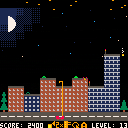
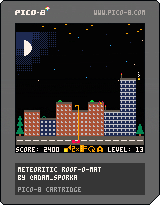
You're the driver of a semi-automatic roof repairing cart and you're undoing the damage caused by the meteorites. The roof of each house can only take so much damage before the entire house is destroyed.
Controls:
LEFT, RIGHT: Drive left and right.
UP, DOWN: Extend or retract the arm of the vehicle, holding the the repair rig.
Z: Use the repair rig on the roof. Make sure you're properly aligned with it (or get a perk which will do that for you)
X: Install an auto-repair unit (ARU) if you have some.
Scoring:
+25 points to undo the damage caused by one meteorite strike.
Level up after every 200 points scored. A randomly chosen house will grow in size upon leveling up. A perk shop dialog window appears.
13 comments

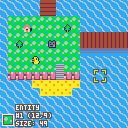
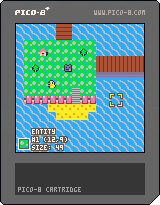
I made a map maker for Pico-8! Unlike the built in map editor, it represents maps a little differently -- the format is a collection of rectangular tile fills + a bunch of entities you can place on top. It saves all maps together in a custom data format to the cartridge's shared map/tileset area. It has undo, redo functionality on the tile layer. And there's fun sfx as you edit stuff! The main benefit of this tool is that for maps with simpler layouts, expressing a map as a set of rectangular fills is much smaller than a 16x16 tilemap, so you can hold a lot more screens of map data than using the direct map editor. The less objects, the less map space required.
Anyone can feel free to alter this or reuse bits for their own maps. I made this for a little rpg project I've been planning out, and just to have fun. In-game instructions are included, but assume a default keyboard layout, rather than describing things in terms of player 1 and player 2 buttons. But I've included them here as well, for good measure!
DRAW MODE
Z = draw
X = undo
S = redo
A = tileset
ENTITY MODE
Z = draw
A = tileset
MENUS
Z = acccept
X = cancel
OTHER
F = file menu
E = toggle between draw and entity mode
There's no import/export cart functionality, but it's easy enough to add with reload()/cstore(), or just copying the data out of the gfx section in the p8 file.
6 comments







I've made a little tool (Windows only) that helps saving time and keeping organized when working on bigger pico-8 projects. It might be useful to some of you so I'm sharing it here on my blog. To see what it does and does not do, please read the blog post before downloading.
UPDATE: P8Coder is now open source P8Coder on GitHub
 21 comments





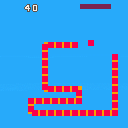
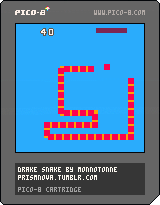
A simple snake clone I made. The next version will include sounds, a title screen, and a persistent high score.
W/A/S/D -move
X -stop
1 comment

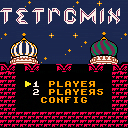
Inspired by the PicoMino game, I decided to create my own attempt at replicating the famous Russian puzzle game.
Pretty much all the expected functionality is available, such as 1- and 2-player gameplay, preliminary sound and graphical effects, level (garbage height) and speed selection, etc.
MODES:
The game provides two modes: A (endless) and B (25 lines).
In the A mode, the game continues until any of the players top out (until the game can't put a new piece on top of the playfield).
In a 2-player game, the surviving player is declared the winner.
In the B mode, the game also ends if the player eliminates 25 lines of blocks.
21 comments


