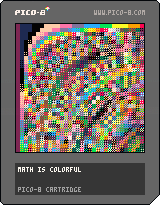
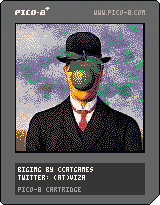
After writing a small image converter for pomppo's 1-bit sprites I hacked together a color image "importer".
It reads a 128x128, 16 color image, and spits out something you can paste in a p8 file, in the gfx section.
The cartridge here just displays it.
I don't know if there is any point in doing this... a "fullscreen" 128x128 image takes up Pico-8's all gfx memory, so after that there are no more room for any sprites...
One use case would be importing a sprite sheet, so an artist can work in his/her favorite editor program, or something.
Anyway here is it.
It is a (really-really-really hacky) Processing program.
Just change the image name, run the sketch, and the data is copied to the clipboard (or if not, you can copy it from the console window).
Paste it over the gfx data in the p8 cartrigde file, and the sprites will be replaced by your picture.
import java.awt.;
import java.awt.event.;
import java.awt.datatransfer.;
import javax.swing.;
import java.io.*;
PImage img, dimg;
HashMap<Integer, String> converter;
void setup() {
img = loadImage("sonofman.png");
size(img.width, img.height);
dimg = createImage(img.width, img.height, RGB);
dimg.copy(img, 0, 0, img.width, img.height, 0, 0, img.width, img.height);
converter = new HashMap<Integer, String>();
converter.put(0xFE000000, "0");
converter.put(0xFE1C2A52, "1");
converter.put(0xFE7D2452, "2");
converter.put(0xFE008650, "3");
converter.put(0xFEAA5135, "4");
converter.put(0xFE5E564E, "5");
converter.put(0xFEC1C2C6, "6");
converter.put(0xFEFEF0E7, "7");
converter.put(0xFEFE004C, "8");
converter.put(0xFEFEA200, "9");
converter.put(0xFEFEFE26, "a");
converter.put(0xFE00E655, "b");
converter.put(0xFE28ACFE, "c");
converter.put(0xFE82759B, "d");
converter.put(0xFEFE76A7, "e");
converter.put(0xFEFECBA9, "f");
mousePressed();
}
void draw() {
image(dimg, 0, 0);
}
void mousePressed() {
String simg = "";
int counter = 0;
dimg.loadPixels();
for (int i = 0; i<dimg.pixels.length; i++) {
Integer s = dimg.pixels


 0 comments

a little coded demo,. .
no controls at all,. an endless running painting with noise.
go fullscreen and enjoy ;)
added; mtrx_os (old skool) for that traditional feeling,. always falling downward.

 5 comments



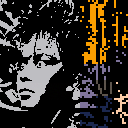
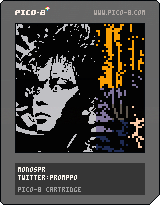
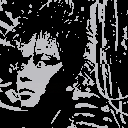
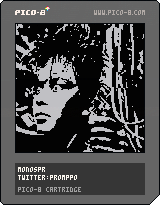
I wanted to see if using the sprite drawing functions would be any faster than using lines and rectfills, so I made a single reference sprite containing all the 2x2 pixel configurations and used that to draw the image. There's really no noticeable change in performance, but now I can change the reference sprite into random garbage and get weird distorted mosaic effects. Press X to check them out!
Also added some comments to my code, fixed a bug that caused the background color to extend one horizontal pixel too far, and added the option of drawing the image's background color as transparent if a negative number is given as the function's background color argument.
 2 comments

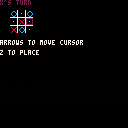
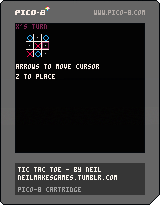
Howdy!
First game here, the most dead-simple Tic-Tac-Toe game I could make.
This is my first time writing Lua, so if anyone would like to give feedback on the code, I'd love to hear it.
3 comments




It would make sense if dragging a .p8/.p8.png onto pico-8 ("pico8 file_path") would cause it to cd to the containing directory, load the cart, and run it. In particular, this would allow to associate pico-8 with the .p8 format and/or start it from external applications (e.g. to use Notepad++/Sublime Text for editing code and have a key to launch pico-8 with the current file loaded).
1 comment

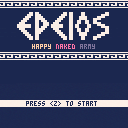
Instructions :
- Lead your army to the trojan horse
- Use the 4x Hades's portal to make your army jump between worlds.
- Build a path avoiding frogs and dangers
- Your army respawn is unlimited but your max size is 24
Control :
- arrow keys : control your portal
- <z> key : switch between the 4x portals
4 comments



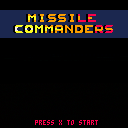
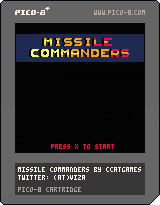
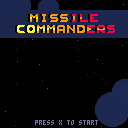
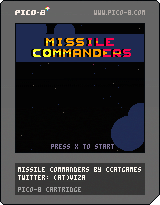
Two player Missile Commander clone. You can also play it in single player (just ignore the second cursor), but it will be harder.
Not quite finished, but playable.
Player 1 keys: Cursors + Z,X or N,M to launch missile from left/right silos
Player 2 keys: SDFE + tab,Q or shift, A to launch missile from left/right silos
In every level, you must survive 20 enemy missiles. At every new level, they got faster and faster...
For every 300 points you got two new missiles (one for the left, and one for the right silo).
How many levels can you survive?
(There is a bug, and sometimes the level won't completes... I'll fix it later.)
 3 comments


Elevated by RGBA and TBC is pretty awesome: http://www.pouet.net/prod.php?which=52938
One of the cool things (among the many very, very, cool things) is the lights in the sky which match / mimic / are simultaneous with certain notes in the music.
In order to have a similar effect, I think I would have to understand how/where the state of the tracker is stored in the RAM?
Anyone have any hints?
6 comments


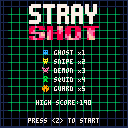
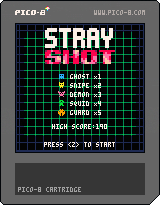
- Every stray bullets will turn into a monster.
- You have 1:30 to make the best possible score.
- Use <z> to shoot
- Hold <z> to strafe
My hi-score is 2298
[Update!] V1.1
- I found this version on my old hard drive and decided to upload it
- there's now a coop and battle mode where you must fight for the best score ( or survival )
33 comments




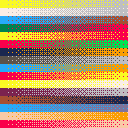
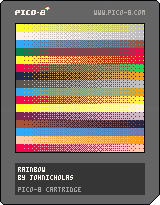
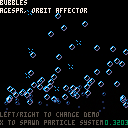
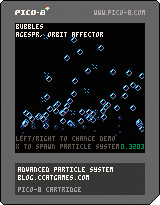
Sooo... I was doodling around in pico-8, creating a game for #1GAM, and I needed to create some particle systems, so I started to code one, but carried away a bit, and made a general purpose particle system library... and then carried away a bit more, and made a couple of samples for it, and took the liberty to call it "advanced" :) and here is the end result. :)
Feel free to use it in your projects if you want!
A couple of remarks though:
- I don't know a lot about lua optimalizations, but I guess it is not really optimized for speed. :)
- It is quite big in its current form. I guess. This sample cartridge is hovering on the limits of code size, but the library part is way smaller, and more importantly, quite modular. I plan to look into minifying the code, if there are any interest.
- I don't even know if a "library" is viable concept in pico-8... The size limitations are quite severe, so you only want to include what you absolutely must in your code, which usually means hand-coding everything.
- Ohh, and it is quite possible contains bugs. Use at your own risk. :)
- There are documentation or explanation of the workings of any kind for now, but I will write some later. Just look at the code till then. :)
26 comments


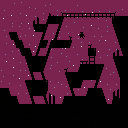
Stories at the dawn is a short minimalistic platformer game that I've made over the weekend.
There is a [small] world to explore and multiple endings to uncover.
The game is currently silent as I currently do not have enough experience to create anyhow worthy audio. If you feel like you can do something about that, feel free to message me or tinker with the game file (I have tried to add sufficient amounts of comments).
If you liked the game, you can also support it via the itch.io page.
16 comments









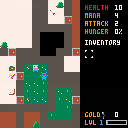
New items that do nothing as well as fixing player levels being reset when going down a ladder. There's now specific item metadata for each item and row, e.g. the first row of item sprites are for weapons, the second for consumables etc and the metadata controls its type and value.
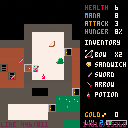
There's now experience and levelling up in this version. You gain a level for every 100*your current level amount of xp you gain, and your current level affects your max HP and mana (as well as giving you a cool confetti animation)
4 comments

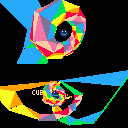
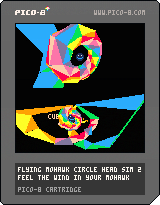
Controls
P1: Arrows to move, action buttons to change height
P2: Same with p2 controls, but need to press P2 Action to enable split screen.
About
Just a quick demo, I'm going to try implementing simple spherical collision to see if I can make a reasonable racing game using the space available. Right now the engine uses half of the available code space, but a lot of this is actually the mat4 and vec3 functions, so it should be reusable for game logic. Some unnecessary things are even in there, like text drawing and sprite drawing.
Specific places that need improving are the clipping function (hilariously long lines) and maybe some optimisation on the tri filler (use memset?)
I have an obj converter script, but it doesn't have a frontend and things are quite complex to get the data into the cart... so I'll make a tool for this separate.
[b]Scene
0 comments

Yesterday @LivelyIvy (author of the game Gravity Ghost) said on twitter: "I have married @SteveSwink. He seems really friendly!" (Steve Swink is the author of the book Game Feel).
So I tried to make something "feel floaty".
No, there isn't anything else.
0 comments