


Working on my game, I often find myself wondering how much cpu such or such construct uses.
I do my benchmarks using stat(1).
Issue is, my measures are all over the place according to the number of samples :[
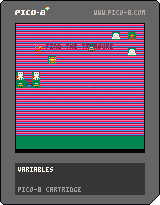
Ex: Let's bench band vs. % and shr vs / @ 100 calcs/update
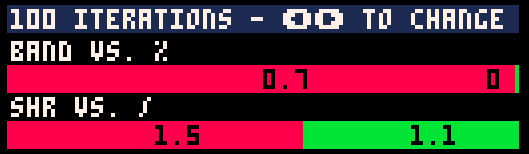
Good, % is almost free, / is slightly better than shr
Let's try 200:
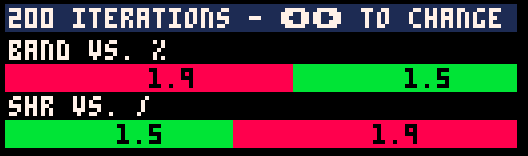
Hu? shr is now better than /
Push it to 300:
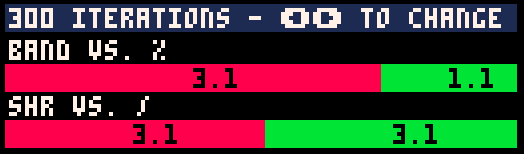
Back to "normal"
400:
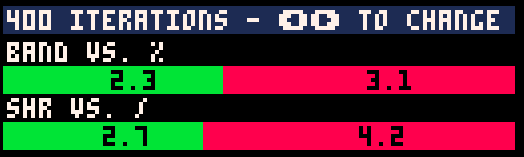
WTF?
How come number of samples for a given run is turning results upside down?
Note: if I push number of iterator further, I tend to have stable results - but who's performing 5000% per update cycle?!?
On top of that, @zep, we should be provided with op cost of basic operations (similar to cpu specs).
Reference code:
function bench(name,n,fn)
	local t0=stat(1)
	for i=1,n do
		fn(i)
	end
	return {name,(stat(1)-t0)}
end
function stat2pct(s)
	return flr(1000*s)/10
end
function bench_draw(name1,stat1,name2,stat2,y)
	print(name1.." vs. "..name2,1,y,7)
	y+=6
	local total=stat1+stat2
	local pct1,pct2=stat1/total,stat2/total
	local c1,c2=8,11
	if(stat1<stat2) c1=11 c2=8
	local x=flr(128*pct1)
	rectfill(0,y,x+1,y+6,c1)
	x+=1
	print(stat2pct(stat1),x/2,y+1,0)
	local x2=128*pct2
	local msgx2=x+x2/2
	if(x2<1) then
		x=127 x2=127 msgx2=120
	end
	rectfill(x,y,x+x2,y+6,c2)
	print(stat2pct(stat2),msgx2,y+1,0)
	y+=8
	return y
end

local res={}
local n=100
function _update60()
	if(btnp(0)) n-=100
	if(btnp(1)) n+=100
	n=max(n,100)

	res={}
	add(res,bench("band",n,function()
		j=band(546,127)
	end))
	add(res,bench("%",n,function()
		j=546%128
	end))

	add(res,bench("shr",n,function()
		j=90/8
	end))
	add(res,bench("/",n,function()
		j=shr(90,3)
	end))
end

function _draw()
	cls(0)

	rectfill(0,0,127,6,1)
	print(n.." iterations - \139\145 to change",1,1,7)

	local y=9
	for i=1,#res,2 do
		y=bench_draw(res[i][1],res[i][2],res[i+1][1],res[i+1][2],y)
	end
end
|


 5 comments





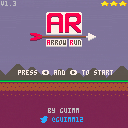
Arrow Run is a fast-paced auto-scroller platformer!
Use your platformer and aiming skills to dodge spikes, collect coins and hit targets on this retro arcade-like game!
This was my entry for the "My First Game Jam: Summer 2017", it has been updated already a few times after that though.
>tch.io page<
8 comments










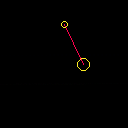


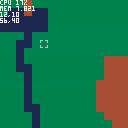
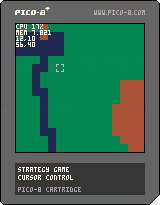
I'm just starting a new game from scratch and programming pico-8 feels really nice :)
So the first step is to have a cursor moving on a map. I wanted it to be really smooth and snappy and fast. So this is what I came up with.
Feel free to use it in your projects :)
 0 comments
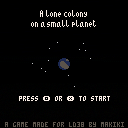
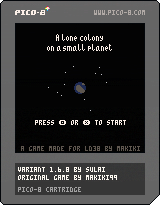
I'm happy to announce my very first contribution to the Pico-8 community, which is a spin-off of Makiki's game title "A lone colony on a small planet".
Your goal now is to colonize an even smaller planet, but with some difficulties added to it. So this one is a more of a thinking game, while Makikis original is more of fast builder.
Credits:
Story:
"You have been given a mission. You need to purify a small planet, so we will be able to colonize it. It is rich in resources, so it shouldn't pose a big problem for you. We believe in your management skills. Good luck." -- Makiki
Controls:
- O to build.
- X is a multi tool.
- build faster. you can keep it pressed and move around.
- select what to build by using X over an existing building
- get information about a building
- change transport type
- show the map and statistics
 2 comments


Hi all,
I wrote a Medium/ITNEXT article about the PICO-8 and it just occurred to me that it was maybe a nice idea to share it with you on this forum. You can find it here: https://itnext.io/eeny-meeny-pico-b7b31600e65a
Have fun reading and keep tinkering!
1 comment


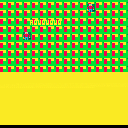
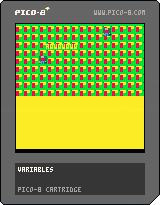
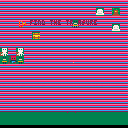
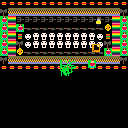
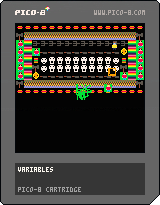

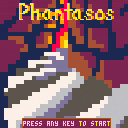
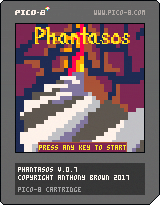
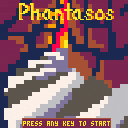
Phantasos is a fairly traditional tiled roguelike, heavily inspired by Powder. The game is by no means complete, but I've gotten it to the point where it's fun and stable enough for now. Fighting the token limit has been more fun than I expected, so I'll probably keep cramming in extra features until it's exactly at the limit and I can't find anything else to optimize.
3 comments


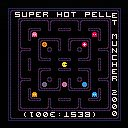
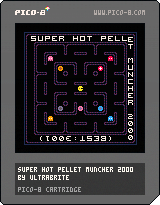
They stop when you stop! Rush through the maze in Pellet Time!
4 modes:
Super Kid Pellet: Pellet Time with speed & timing progression
Super Hot Pellet: Pellet Time at full speed
Super Mr Pellet: Classic muncher with speed & timing progression
Super Ms Pellet: Speed-hacked classic muncher!
Also playable on itch.io, Game Jolt, Newgrounds, [u]Kongregate
16 comments






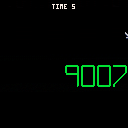
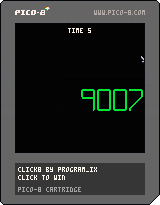
I've been threatening to do it for ages! And I finally did. I made a cart with mouse controls. It is a very simple game: click until you can click no more. That is approx. 32,000 clicks. If you're really bored and want to skip to the end, hold X and click.
That's it! I had fun making the number sprites and especially the cursor sprites. Just threw this together in an hour because it's been a very scattered month as usual.
itch.io page: here
1GAM August 2017
7 comments

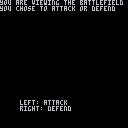
We made story-based pick-your-own-adventure games for class. I made one based on the Transformers series!
Use the arrow keys to pick your actions.
Choose carefully!
1 comment

Hi all!
I would like to build walls for a shoot'em'up and I know I can obtain the result with map.
What I do not understand is how to make the drawing dynamic.
For example I have the sprite 0 that contains my wall and I would like PICO-8 to draw walls on the side programmatically.
What would be the best approach to do so?
Thanks for your time and patience.
5 comments

Hi all!
I have this collision function:
function are_colliding(entity_a,entity_b) -- are entities hitting each others boundary and not the same type? return entity_b.x < entity_a.x + entity_a.w and entity_a.x < entity_b.x + entity_b.w and entity_b.y < entity_a.y + entity_a.h and entity_a.y < entity_b.y + entity_b.h end |
It works almost fine but it is not pixel perfect.
I would like to use it in my games and make it as flexible as possible...
For example an issue I am facing is that in my pong game I can have a round ball or squared ball, depending on theme "classic" or "modern".
This moves the "x" and "y" coordinates of the object I take into account and ruins the collision (here's the game in case it helps problem comprehension - collision is still done there "manually"):
https://www.lexaloffle.com/bbs/?pid=43786#p43786
Do you have a suggestion on how to make it as general as possible?
Thanks for your time and patience :)
1 comment

Hey, Zep, I know there's a built-in OS, but I think it would be cool if people cool make their own to use and share like carts.
But what would be great is if you could put in code that will allow you to run cart from the carts from the forum like the default OS
Appreciated if you at least read this post
1 comment

Are you able make a cart open automatically when pico-8 is opened?
Is it also possible to make custom key commands?
2 comments

