





FINAL GAME IS HERE: https://www.lexaloffle.com/bbs/?tid=28132
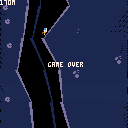
In the game above, the character is gliding in zero-g. They can move left and right using little air jets on the side of the space suit (left and right arrow keys).
I am struggling to make a good sound for this that isn't too grating (you will hear the sound A LOT). I was hoping for a high-pitch hiss; like air escaping a ballon, but having nailed it yet (see above).
"TSSSsss.. TSSSssss..."
Any audio designers know how to achieve this sound?


 7 comments




Hi,
I am trying to come up with a simple algorithm for filling an area of the screen a particular color.
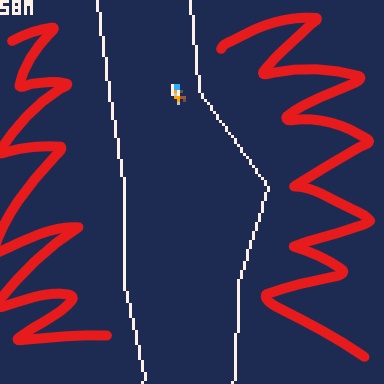
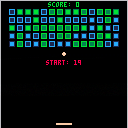
I have a "path" in my game defined by the thin white lines shown above. Lines are represented with the following data structures:
function mkvec(x,y)
	local v=
	{
		x=x,
		y=y,

		getlength=function(self)
			return sqrt(self.x^2+self.y^2)
		end,

		getnorm=function(self)
			local l = self:getlength()
			return mkvec(self.x / l, self.y / l);
		end,
	}
	return v
end

----------------------------

function mkline(x1,y1,x2,y2)
	local l=
	{
		a=mkvec(x1,y1),
		b=mkvec(x2,y2),

		draw=function(l,col)
			line(l.a.x,l.a.y,l.b.x,l.b.y,col)
		end,

		drawnear=function(l,o,col)
			local lp=closestpointalongline(
				l.a,l.b,mkvec(o.x,o.y))
			circ(lp.x,lp.y,2,col)
		end,

		closest=function(l,o)
			return closestpointalongline(
				l.a,l.b,mkvec(o.x,o.y))
		end,
	}

	return l
end
|
7 comments


whenever i make a function, such as the one below, and try to run it, pico-8 almost always returns a syntax error, saying something along the lines of "<EOF> EXPECTED AT LINE 23", where line 23 is the last line of the last function in the code.
below shows the framework of the functions i usually code, "blah" obviously being substituted with code.
FUNCTION DOSTUFF() IF BLAH THEN BLAH BLAH BLAH BLAH BLAH BLAH --this line is where an "<eof>" is usually expected END END |
5 comments



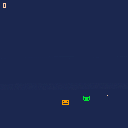
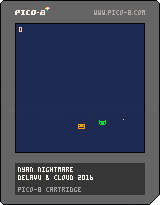
My first time making a game or writing any code at all.
Avoid the sparkling cat and take the points to your house.
Use the arrow keys to control the not impressed man.
Maybe I'll come back to it and improve a little. Only time will tell.
Thx to Marcelo (Cloud) Gomes.
0 comments



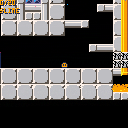
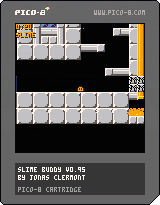
The game isn't really the main reason for this post, it's the graphical thing I did with it.
(Although, in case you're wondering, the game is Slime, and it may have a few glitch fixes)
It pretty much speaks for itself. I really only chose Slime because I thought it best suited this game more than any of my other work-in-progress games. Feel free to extract the GART function and use it in your stuff! The function is at the very bottom of the code, and only uses the BAR and BARSIZE variables. It doesn't actually need that line where it references "SLIMES", so just delete that and you can probably just paste it right into any of your projects. (Just remember to put GART() after you render!)
13 comments





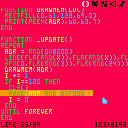
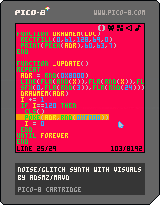
This is a thing for my noise project. It draws random lines and plays random notes while slowly corrupting memory.
Not much to look at, but still fun.
It's my first cart, and it's entirely a toy. Maybe next I'll do something interactive.
2 comments



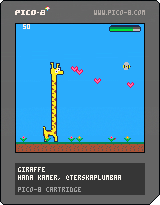

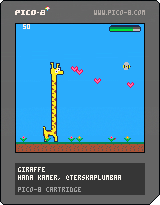

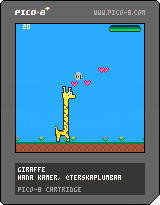




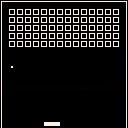
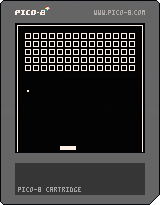
Made for Epitech 2016 Maths lesson,
Controls:
Left / Right to move the paddle
Feel free to edit this cartridge as you like
1 comment

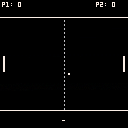
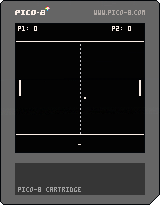
Made for Epitech 2016 Maths lesson,
Controls:
Up / Down for P1
E / D for P2
Feel free to edit this cartridge as you like
0 comments

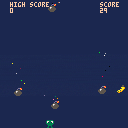
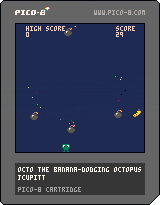
Can you score 100? Possible, but very hard. Press x (or c?) for a cloud of ink, it makes you invulnerable for 0.5s.
Please fix the sound effects for me :(
music copy-pasted from
thank you very much!
2 comments

Ein-Blaster Alpha
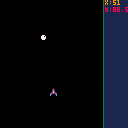
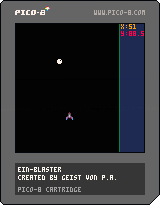
Improvements/Re-designs:
- Animation of Player ship.
- Speed-boost when going forward.
- Speed-reduced when going Backwards.
To-Do:
- Re-configure Star field background.
- Shooting.
- Enemies.
- Scoring.
- Lives.
-
Sounds/Music
PIXEL SPACE
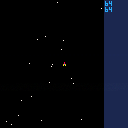
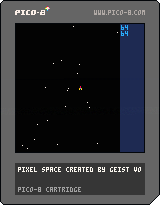
Just something I have been working on as I learn to code in PICO-8.
I would appreciate some help in getting the Shooting mechanism up and running and, if at all possible, suggestion on how to make my code shorter.
Also. I know it would be easier to use the sprite editor but I am interested in learning to arrange the pixel through the coding process itself.
As of right now the star field is on a conveyor-belt-style cycle which may change in the future.
The right side bar is the game HUD which will contain Score, Lives, Levels, Power-up (maybe), etc.
The play area will be updated to keep the spaceship within the playing area, and Perhaps a wrap-around on the X axis.
So in essence it's cause and effect, trial and error, as I teach myself LUA.
4 comments




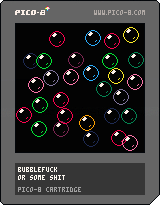
This is an experiment to test my understanding of handling collision detection for a large number of items on the screen. I'm proud to say that this cartridge can handle ~90 large bubbles or ~200 small bubbles before skipping draw frames (visible slowdown). The code is kind of messy, so if you need help interpreting what it does, let me know.
Controls:
Up and Down: adds or removes 1 bubble
Left and Right: adds or removes 10 bubbles
X button: switches between large and small bubbles
O button: resets the program
0 comments
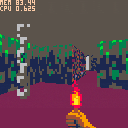
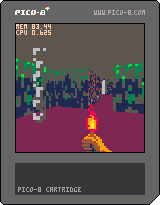
Purpose:
Learning pico-8.
Description:
A simple 2.5 renderer.
Features:
- BSP-based, non-grid level rendering
- lighting "fog"
- 60 fps
12 comments







isn't pico8 supposed to drop to 30fps when your cpu load exceeds 100%?
that's not what I am seeing:
text="dlfkjhglskdhj shlksgjhlksjhslk sdhlkjshgk"
scx=128
stlim=1

function _update60()
	scx-=1
	if (scx<-#text*4) scx=128
	if (btnp(0)) stlim -= (btn(4) and 0.1 or 0.001)
	if (btnp(1)) stlim += (btn(4) and 0.1 or 0.001)
end

function _draw()
	local st=0
	cls()
	print(text, scx,64, 7)
	repeat st=stat(1) until(st>=stlim)
	print('target:  '..stlim..'\nstat(1): '..st,0,44,7)
end
|
that's a scroll text, one pixel per frame. use c, left & right to change cpu load.
the scrolling is smooth at 60 pixels per second until stat(1)==1.012
beyond that, pico should drop to 30fps, and you should see the text scroll at half-speed, right?
something else happens: the scrolling only gets kind of jerky, but stays at full speed until stat(1)==2.121
it seems _update60() still runs at 60hz with 200% cpu, only video sync gets wonky.
that would mean you can get double cpu power if you don't mind losing synchro.
isn't there a mismatch between code throttling and video syncing ?
edit: same thing with _update(), doesn't really drop to 15fps
4 comments
could we have, say, stat(2), that tells you how many frames actually happened between calls to _update60()? (stat(1) is quite unreliable for this)
3 comments



Just a small update, now the game resets when anyone achieves a certain score. Also, bullets are faster now.

A really small and simple game. For now, there's no win condition, the scores just go up and that's it.
I intend to make a winscreen and then implement some new features, just have to figure out what would be fun to put in the game :v
0 comments

Hey there! I made a little twitterbot recently that generates 8x8 sprites for PICO-8:
It tweets both a GFX tag ready for copy-pasting into PICO-8 or the BBS and an image preview of the sprite. Currently it has 3 colour modes (1, 2, or 3 colours on a black background) and 3 layout modes (top-bottom symmetry, left-right symmetry, and 4-corners).
Here are some examples of sprites it's generated so far:

|
[0x0] |

|
[0x0] |

|
[0x0] |

|
[0x0] |

|
[0x0] |
2 comments
Two non-earth-shattering things...
-
pico-8.txt needs LF->CRLF'ing for windows users. Minimalistic doco is one thing, but all on one line goes a bit far. I vote for a second, "pico-8_windows.txt". [If .txt no longer opens with notepad by default, or notepad handles linefeed only these days, then ignore me -but it was broken on the win7 machine I tried]
- I wanted to buy two copies (imagine!) and had to go through the whole sale process twice because there was no "quantity" whatnot anywhere -which I wouldn't worry about except for the bloodsucking Visa ticket clippers apparently having a fixed component in their fee.
But generally: Let it be known that Mr LoveBucket is the cheapest man in the world, who last opened his wallet for software about 5 years ago -so you must be doing something right! [and when those Pocket CHIPs ship we is gonna be ready]
2 comments



