


Hi.
Is there a way to get a the numeric value of a character?
Something like the lua function string.byte():
string.byte("a") --returns 95
Thanks.


 4 comments


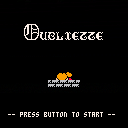
Oh no you've been thrown in the dungeon and have to escape!
Controls:
Direction Keys to move
Z to open a door you're facing, if you have a key.
Changelog:
v0.3 updated to latest version of Pico-8, added title screen, expanded map, sfx for doors and keys - 899/8192
v0.2 minor bugfixes, expanded map - 912/8192
v0.1 initial upload - 875/8192
Known Issues:
- The sound when trying to open a door without an appropriate key loops as long as you hold down the Z key
(I may not even have to worry about this when I change door opening to be contact based)
10 comments





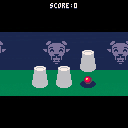
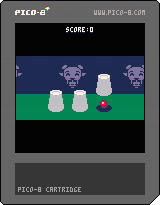
Select a cup with <left> and <right> keys
Reveal its content with <up> key
Increase your score will add random penalties.
My best score is 40
4 comments




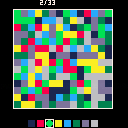
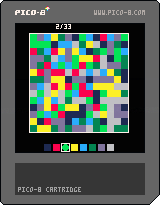



i see the function mget() that will return the sprite index of the map coordinates, but i need to get the sprite index of a sprite that is drawn to the screen using spr(). how can this be achieved in the simplest way?
Thank you in advance!
2 comments


Hey guys ^-^ I am DatOneBuilder on my friends news account and he can use Quicksilver fully (and he created it) and I will confirm on my DatOneBuilder account ^-^
1 comment

Are there solutions for the puzzles that the players have posted here? If yes, where are they and how can I have access?
I don't see the option of pasting a solution in these puzzles, you know, like in the original ones, where you can paste and replay the solution for any of the 40 puzzles of each level.
0 comments


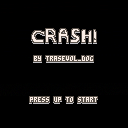
CRASH THE CAR!! BY ALL MEANS! CRASH IT!!!
Directional arrows to control the car. That's it.
There is a total of 20 levels and they should be rather quick to finish.
This game was supposed to be made in 4 hours as a personal challenge but I liked it so I took my time and finished it in approximately 5 hours and 30 minutes.
This is also the first time I do not-procedural level design so please do tell me what you think about that and all the rest!
The collisions are broken. I am aware of it.
Have fun!
9 comments


Having recently caught the Windows bug (I'm actually a Mac OS X and GNU/Linux user) again,
I decided to try and run a Pico-8 demo inside an XAML Webview container this morning.
While the setup itself was straight forward enough (I simply exported cast.p8 to html5 and made the generated cast.html the source for the WebView of an empty Windows 8.1 C# app template), the resulting performance turned out to be abysmal.
I get approximately 1/6 the framerate of the same file running inside Internet Explorer 11 (which rather surprised me, as I previously thought the WebView inside WinRT was merely a wrapper on top of the sandboxed Internet Explorer that is part of Windows Modern -- AKA Metro).
The same is also true for any carts I tested while surfing the Pico-8 section of this website, inside the WebView.
Strangely, most other HTML5 content works fairly well. Including WebGL content and, strangely (as I assumed this might've been the problem), other ASM.js/Emscripten applications.
Is there anything that can be done about this? Has anyone here tried porting their game to Windows 8.1/Windows 8.1 Phone before? The only "solution" I can come up with myself would be targeting Windows 10. But that would severely limit the potential player base.
PS: I've also tried running the demo inside a WinJS app. Same result and the debugger didn't reveal any errors short of WebAudio API related ones (WinRT prior to Windows 10 apparently doesn't support WebAudio).
0 comments
Hi, guys.
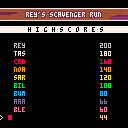
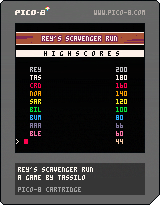
This is my first PICO8-game, a "The Force Awakens" fan-project:
You play Rey on her speeder and have to pick up electronic gargabe while avoiding vehicles in your way.
Outstanding Pico-8 adaption of Rey's Theme by Chris D. (@gruber_music).
I am looking forward to your feedback and suggestions.
Thanks,
Tassilo
Version history:
v1.21: Final version with some minor tweaks and fixes
v1.20: Fullscreen, full-color title; enhanced UI; additional parallax layer with vaporizers
v1.10: Now using 60fps mode; corrected movement of Redeyes corrected; slightly enhanced titlescreen
v1.00: Updated and enhanced music by Chris D.; some new SFX by Chris D.; enhanced instructions screen
18 comments



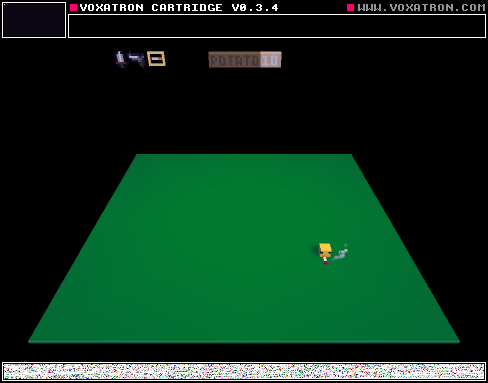
Playing with new ui features
I am thinking about capturing a tutorial on how to do it :)
feel free to remix
3 comments

 5 comments


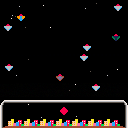
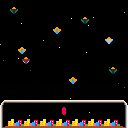
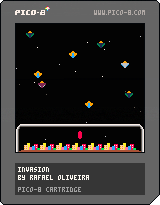
This is my first game in Pico-8. Some things I'm still getting used, sometimes the screen seems a little tight, but I'm liking very much. It seems the perfect tool to test new ideas and prototypes.
This is not a complex game, but I like that I was able to make it in a few days. It's not complete yet.
2 comments



Zep made me an adorable little plastic coaster commemorating Frog Home.

So I turned the design back into a little Pico-8 cart.
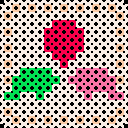
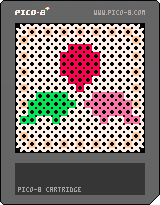
Sorry it's so barebones, I just wanted to share with everyone. An amusing way to upscale a little sprite, I guess?
2 comments





On this particular platform at least (no access to a windows machine with a regular keyboard at the moment) the up/left/right arrow keys on the numeric keypad work as expected, but the down arrow key triggers the same button press and pressing 'X' does.
I verified that this is the case for both 0.1.3 and 0.1.4b, so it's not a new thing.
Noticed using the api.p8 demo. As mentioned above I'm not sure if this is problem in the windows or mac versions as my only machines of those type are laptops that don't have numeric keypads to test with, so I need to dig out my spare keyboard when I get home to see what happens.
side note: any chance of having the numeric keypad arrow keys (and the other navigation keys there) active in the code editor?
1 comment
3 hours into a project i reset pico by using the up arrow while the command line was on by accident.
Poof. there goes all that. guess i should start saving my progress but still.
1 comment
Undo information for sprite/map data is kept across "reboots" (using 0.1.4b under Linux):
- Start a fresh copy of Pico-8
- Open sprite editor and draw anything
- Press UNDO
- Drop to the console, reboot pico 8
- Re-open sprite editor and press Undo
I would expect this to do nothing, but in fact what you drew appears back in the sprites. It also sometimes pulls back several sprites and not just the most recent thing that you undid, although I have not determined any pattern to this.
This doesn't affect code, sound or music, just sprite and map data; the map data is subtle because after a reboot the sprites are empty but pressing undo there will insert the previous tile data, which then visually has no change.
Version 0.1.3 does not exhibit this problem as far as I have been able to reproduce; there it works as expected.
0 comments