Hi, I am working on making an arcade with pico-8, and the platform I used is listed below
- pico8: pico-8_0.2.2c_raspi.zip
- raspberry pi 4B 8GB RAM
- Picade HAT from Pimoroni
- OS: RetroPie 4.7.1 (RPI4/400), Linux 5.4.72-v7l+ armv7l GNU/Linux
My current status is I can boot up other simulators in RetroPie (I was able to play Pokemon Red from Gameboy with sound and correct key mapping), so I feel that the arcade works as it's supposed to be.
However when I tried to run pico8
pi@retropie:~ $ ~/pico-8/pico8 -splore
It gives me error:
SDL Error: Could not initialize EGL
** FATAL ERROR: Unable to create window
Segmentation fault
I was assuming due to the fact that I'm not a Linux user so I probably didn't do the right thing to "install pico8 in linux" (like adding it into PATH? No idea...) Could anyone share some thoughts? Thank you!
Vince


 4 comments


Hello, hopefully I've posted this in the correct area, the BBS is a little confusing.
The three lines below are really troubling me.
The first one demonstrates that we have access to i, x, and y.
The second one demonstrates that we have access to a[1][1][1].
The third one should evaluate to a[1][1][1] which we have access to and stores the value "0", but instead it crashes.
The code:
print(i..x..y) -- returns "111" print(a[1][1][1]) -- returns "0" which is the correct value stored there print(a[i][x][y]) -- error |
The error:
print(a[i][x][y]) -- error attempt to index field "?" (a nil value) |
Does anyone know why it works this way? Any advice on the correct syntax? I can post the full code if needed, but it's somewhat obfuscated in favor of fewer characters.
Thanks for reading!
5 comments




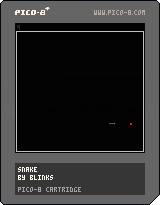
A remake of the old snake game, very simply.
Also available to play on Itch: https://blinks.itch.io/snake
0 comments



This code:
x+=x<0 and -100 or 100 |
doesn't work the way I'd expect; it sets x to either -100 or 100
I assume this happens because that line gets preprocessed to this:
x=x+x<0 and -100 or 100 |
which gets interpreted like this:
x=(x+x<0) and -100 or 100 |
but I wish it would be preprocessed to this instead:
x=x+(x<0 and -100 or 100) |
Here's a test cart; it currently (0.2.2c) fails the tests:

 7 comments





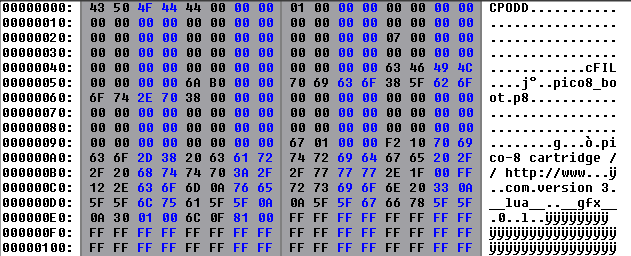
Was poking around in the new Pico-8 binary files and saw that the
"Pico8.dat" of version 02.2c was 15.64mb in file size compared to the earlier version I had of "Pico8.dat" of version 01.9b at 1.06mb in file size.
This prompted an investigation.
If you compare the two files you will see that version 01.9b appears to be binary:
Whereas the much bigger file in 0.2.2c appears to mostly be Pico-8 code !
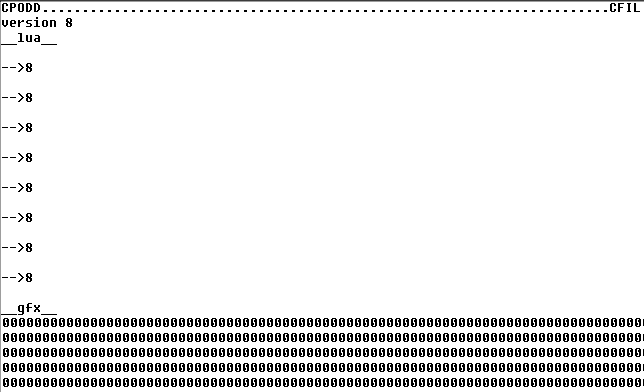
So after truncating the binary data it was indeed a Pico-8 sourcecode file !
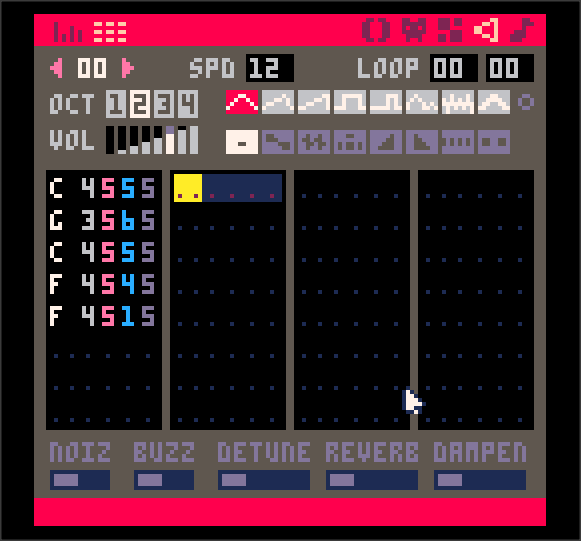
While there was no source text there was indeed a sound. Imagine my surprise when I played it.
 2 comments

Calling line() with these arguments is causing PICO-8 to crash. It seems any iteration around having these "extreme" values on one axis is causing it to either get stuck in an infinite loop or crash outright.
line(16,-15070,17,29772,12)
Oddly, if you flip the x and y values it'll finish executing and display the command prompt without rendering the line, but then crashes as soon as a key is pressed.
line(-15070,16,29772,17,12)
1 comment

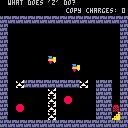
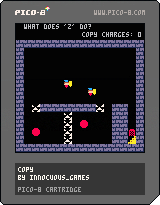
Had some time between jobs and wanted to play around with something new so picked up PICO and loved it. I had hoped to work on this more before I started but some personal stuff kept me from it. Wanted to publish the WIP. Hopefully will be able to come back to it.
Holding Z and moving creates a copy of the player. X resets the level.
1 comment


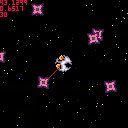
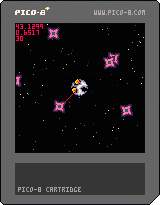
❎ to thrust
🅾️ to shoot
Very early days. Intended to become something a bit like Uridium (hence the name) but with Blastar/Asteroids style movement.
Working on something else for a jam at the moment so this is unlikely to get updated frequently. Just a Sunday afternoon doodle :)
2 comments


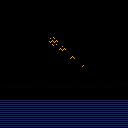


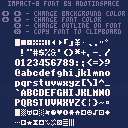
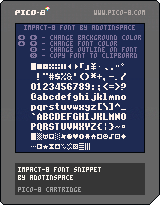
This is my attempt at translating the popular font Impact into a low-res version, covering P8SCII characters 16 to 153. All characters have a width of 5 pixels and a height of 7 pixels. A few characters also have a descender height of one pixel.
The font snippet can be copied by pressing X while playing the cartridge. The snippet can also be found in the source code, and right here:
poke(0x5600,unpack(split"6,6,10,0,0,0,0,0,0,0,0,0,0,0,0,0,0,0,0,0,0,0,0,0,0,0,0,0,0,0,0,0,0,0,0,0,0,0,0,0,0,0,0,0,0,0,0,0,0,0,0,0,0,0,0,0,0,0,0,0,0,0,0,0,0,0,0,0,0,0,0,0,0,0,0,0,0,0,0,0,0,0,0,0,0,0,0,0,0,0,0,0,0,0,0,0,0,0,0,0,0,0,0,0,0,0,0,0,0,0,0,0,0,0,0,0,0,0,0,0,0,0,0,0,0,0,0,0,31,31,31,31,31,31,31,0,0,31,31,31,31,31,0,0,0,31,31,27,31,31,0,0,0,27,27,4,27,27,0,0,0,27,27,0,27,27,0,0,0,27,27,27,27,27,0,0,0,8,12,14,12,8,0,0,0,4,12,28,12,4,0,0,30,6,6,6,6,0,0,0,0,0,12,12,12,12,15,0,27,14,4,31,4,31,4,0,0,0,0,4,0,0,0,0,0,0,0,0,0,12,24,0,0,0,0,0,0,12,12,0,0,0,10,10,0,0,0,0,2,5,2,0,0,0,0,0,0,0,0,0,0,0,0,0,3,3,3,3,3,0,3,0,27,27,0,0,0,0,0,0,10,10,31,10,31,10,10,0,4,31,3,31,24,31,4,0,19,19,8,4,2,25,25,0,6,9,1,30,9,9,22,0,6,6,6,0,0,0,0,0,24,12,6,6,6,12,24,0,3,6,12,12,12,6,3,0,27,14,31,14,27,0,0,0,0,4,4,31,4,4,0,0,0,0,0,0,0,3,3,2,0,0,0,31,0,0,0,0,0,0,0,0,0,0,3,0,24,24,12,6,3,3,3,0,14,27,27,27,27,27,14,0,6,7,6,6,6,6,15,0,14,27,24,12,6,3,31,0,14,27,24,12,24,27,14,0,28,28,26,26,25,31,24,0,31,3,3,14,24,27,14,0,14,27,3,15,27,27,14,0,31,24,12,12,6,6,3,0,14,27,27,14,27,27,14,0,14,27,27,30,24,27,14,0,0,0,6,6,0,6,6,0,0,0,6,6,0,6,6,4,24,12,6,3,6,12,24,0,0,0,31,0,31,0,0,0,3,6,12,24,12,6,3,0,14,27,27,24,15,0,3,0,14,19,27,27,27,3,30,0,0,0,14,24,30,27,30,0,3,3,15,27,27,27,15,0,0,0,14,27,3,27,14,0,24,24,30,27,27,27,30,0,0,0,14,27,31,3,14,0,12,6,15,6,6,6,6,0,0,0,14,27,27,30,24,14,3,3,15,27,27,27,27,0,6,0,7,6,6,6,15,0,24,0,24,24,24,24,27,14,3,3,27,27,15,27,27,0,7,6,6,6,6,6,15,0,0,0,10,31,31,21,21,0,0,0,15,27,27,27,27,0,0,0,14,27,27,27,14,0,0,0,15,27,27,27,15,3,0,0,30,27,27,27,30,24,0,0,15,27,3,3,3,0,0,0,30,3,14,24,15,0,6,6,15,6,6,6,12,0,0,0,27,27,27,27,30,0,0,0,27,27,27,14,4,0,0,0,21,21,31,31,10,0,0,0,27,27,14,27,27,0,0,0,27,27,30,24,27,14,0,0,31,12,6,3,31,0,30,6,6,6,6,6,30,0,3,3,6,12,24,24,24,0,15,12,12,12,12,12,15,0,4,14,27,17,0,0,0,0,0,0,0,0,0,0,31,0,6,12,0,0,0,0,0,0,4,14,27,27,31,27,27,0,15,27,27,15,27,27,15,0,14,27,27,3,27,27,14,0,15,27,27,27,27,27,15,0,31,3,3,15,3,3,31,0,31,3,3,15,3,3,3,0,14,27,3,27,27,27,30,0,27,27,27,31,27,27,27,0,15,6,6,6,6,6,15,0,24,24,24,24,24,27,14,0,27,27,27,15,27,27,27,0,3,3,3,3,3,3,31,0,17,27,31,31,27,27,27,0,25,27,31,31,31,27,19,0,14,27,27,27,27,27,14,0,15,27,27,15,3,3,3,0,14,27,27,27,27,27,14,24,15,27,27,15,27,27,27,0,14,27,3,31,24,27,14,0,15,6,6,6,6,6,6,0,27,27,27,27,27,27,14,0,27,27,27,27,31,14,4,0,27,27,27,31,31,27,17,0,27,27,27,14,27,27,27,0,27,27,27,31,6,6,6,0,31,24,12,6,3,3,31,0,28,6,6,3,6,6,28,0,4,4,4,0,4,4,4,0,7,12,12,24,12,12,7,0,0,0,0,22,9,0,0,0,0,0,14,10,14,0,0,0,31,31,31,31,31,31,31,0,21,10,21,10,21,10,21,0,0,17,31,21,21,14,0,0,0,31,17,17,27,31,0,0,17,4,17,4,17,4,17,0,0,2,30,14,15,8,0,0,0,14,23,31,31,14,0,0,0,27,31,31,14,4,0,0,0,14,27,27,27,14,0,0,0,14,14,31,14,10,0,0,0,4,14,31,10,10,0,0,0,31,19,17,19,31,0,0,0,14,21,31,17,14,0,0,0,28,4,4,7,7,0,0,0,31,17,21,17,31,0,0,0,4,14,31,14,4,0,0,0,0,0,21,0,0,0,0,0,31,25,17,25,31,0,0,0,0,4,31,14,10,0,0,0,31,14,4,14,31,0,0,0,31,27,17,17,31,0,0,0,5,2,0,20,8,0,0,8,21,2,0,8,21,2,0,0,31,21,27,21,31,0,0,31,0,31,0,31,0,31,0,21,21,21,21,21,21,21,0")) [ [size=16][color=#ffaabb] [ Continue Reading.. ] [/color][/size] ](/bbs/?pid=90764#p) |
0 comments



Fireworks

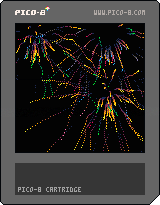
Some fairly simple particle fireworks just for fun.
Press X to switch the screen effect on/off. For more about that see here: https://www.lexaloffle.com/bbs/?tid=41149
Every sixth of a second, 50-100 Particles are emitted at a random point on the screen with random angle/velocity determined by a tiny bit of trig. They're given colours in the top half of the PICO-8 palette (7+) and as the particles get old the colour changes according to the same mapping that the screen fade effect uses to a darker colour.
If they run out of life or become black then the particles are deleted.
There are two possible update functions for each particle - one with a wiggle :)
3 comments



So I've just been thinking: wouldn't it be much more convinient to be able to "push" a new version of a cartridge to the BBS?
So I came up with three concept commands:
- "PUSH"
- "LOGIN"
- "LOGOUT"
First, the login command. The syntax would be as follows:
LOGIN USERNAME PASSWORD |
The screen would then be cleared and a login request would be sent to the BBS servers. If all goes well, then the login would be remembered until you logout. This would allow for things like viewing favourited cartridges and seeing them stored on other devices and on the BBS itself.
"LOGOUT" is self explanatory.
Now, the push command. It can only be used when a cartridge is loaded in memory. The syntax is as follows:
PUSH CARTID |
CARTID being the normal ID, without the version(so "cart", not "cart-0" or "cart-1"). This would then execute the following steps:
- Check if logged in
1 comment

I've made a spike for cartriges to send http requests and receive their response.
The way it works is the cartrige communicates with the browser through gpio. In here I'm using 2 assumptions (I guess dangerous ones) that make it quite simple to send messages:
- We get synchronous interrupts from p8 -> JS when p8 writes to a GPIO.
- We read an analog value 0-255 in perfect accuracy.
So... yep, this code atm only works in a browser. And it might be posible that it breaks later on (specially for assumption 1, as it depends on the runtime implementation)
It's separated in two layers: The first one just abstracts over sending and receiving any message
html_messaging.lua

html_messaging={
  send_message=function(self, message)
    -- sends a `message` string to the host HTML
  end,

  add_listener=function(self, listener)
    -- adds the `listener` function to be called with receiving messages
  end,
  remove_listener=function(self, listener)

[ [size=16][color=#ffaabb] [ Continue Reading.. ] [/color][/size] ](/bbs/?pid=90761#p) |
4 comments


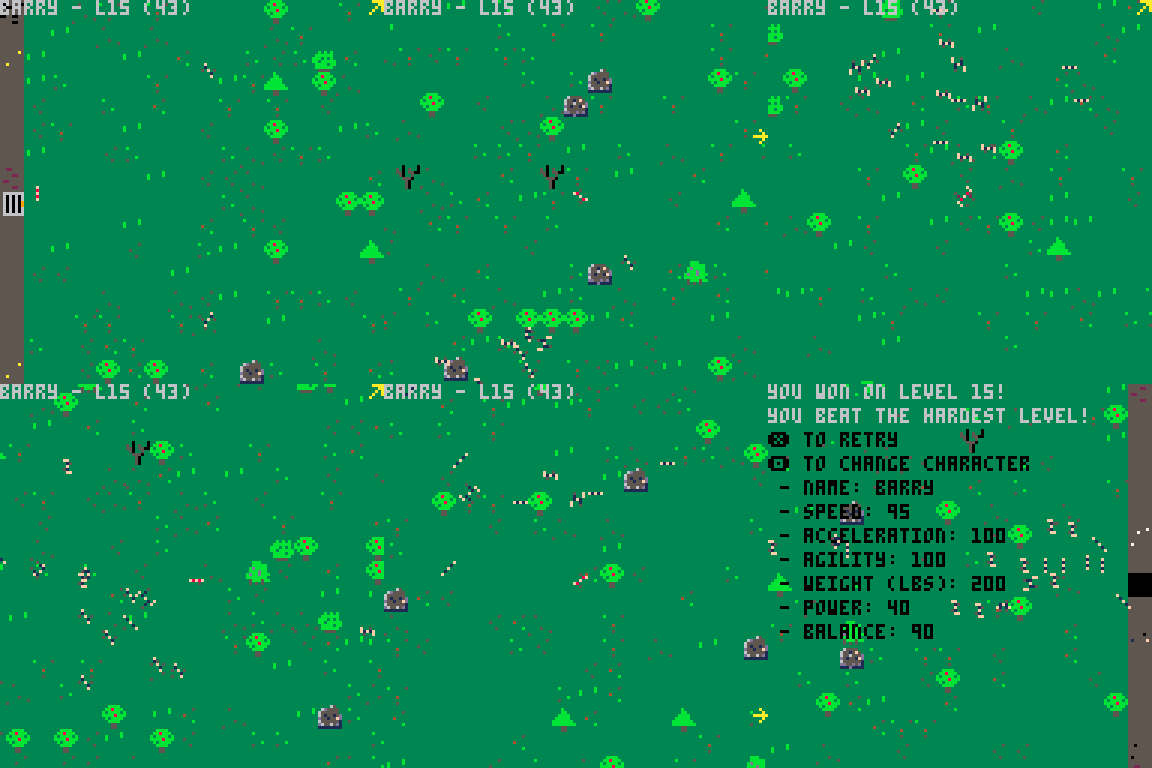
My first game - find the key, then the door. Enemies chase you. You and enemies have momentum and simple physics, so you can dodge/juke the enemies to make it to the door. Updated for improved enemy AI. Updated again with new menu options.
0.9.5 - Improved enemy AI, and enemy attributes (speed, etc.) are randomized
0.9.7 - Improved enemy AI (again). If you beat level 15, it adds cheats to the menu: need-key-toggle, can-die-toggle and slomo-toggle
0.9.8 - Added ability to pick from one of these characters:
- Barry - Slowest, but the most agile
- Deon - Fastest, but the least agile
- Devon - Between Barry and Deon for speed and agility
3 comments


Hi, I'm very interested in getting pico, and I see that last year was on a sale in a bundle, so my question is.
does pico8 usually have this kind of discount? or is it something very unusual that can't happen again?
3 comments




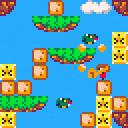
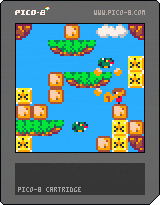
With the excitement around the Alex Kidd remaster, I thought it would be a good time to remind people there is a DE-master of Alex Kidd right here in Pico 8 :)
 0 comments
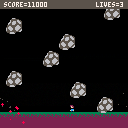
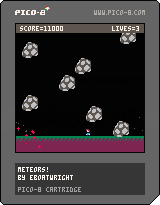
This is a little dodging game I worked on for about a month, and forgot to release it! :P But better late than never I guess. So here ya go!
I know this should go without saying but, DONT STEAL OTHER PEOPLES HIGHSCORES ON THE TABLE!
P.S. I am EBO on the highscore table. See if you can beat me! ;)
Controls:
Cursor Keys: Movement
Credits:
Highscore Table: lazydevs
Everything else: ME! :D
Update Log:
v1.1: Fixed bug with 32k limit
v1.0: Initial Release
0 comments
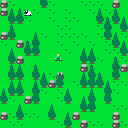
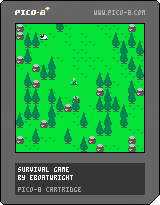
This is a little survival / building / crafting / resource collection game I worked on for a week or two. Hope you like it! :D
How to save your worlds:
Press Enter or P to pause the game, and use the cursor keys to select save.
that will save the map to your computer's clipboard.
Then to load a world, just copy the data to your clipboard,
pause the game, and use the cursor keys to select load!
Controls:
In Game:
Cursor Keys: Movement
Q: Menu
X: Mine
Y: Place
(You mine and place in the direction you last moved)
Menu:
Cursor Keys: Move Selection
X: Craft
Q: Exit Menu
Update Log:
v1.3
ADDED SAVING AND LOADING!!!
6 comments


I was listening to Missile Command's music, and really liked it, so I decided to export it to a .wav . I selected patterns 0-19 and, in the terminal, type the command:
EXPORT MISSILECOMMAND.WAV |
The result was, indeed, a .wav file, but played around a quarter of the first note of pattern 19. That's it. I'm quite annoyed since the menu music in Missile Command is very good, but that's not the point. The point is there's a bug.
1 comment

Controls
Trackball (or mouse) to move
A,S,D to fire bases
For a simpler game, just use X (or mouse click) to fire from the center base
Full mouse capture isn't available in the web player but I've compiled a Windows executable on itch.io:
https://pahammond.itch.io/missile-command
Missile Command: A Pure Arcade Game Demade
A think I played Missile Command once in the arcades in the 80s. I remember liking the idea but didn't have the skills ,or an abundance of loose change to improve, so I promptly gave up and moved on to something else.
Early in 2021, a late Christmas present from my wife arrived: Missile Commander by Tony Temple. It was a great read and I became mildly obsessed with Missile Command and decided to work on this Pico-8 version.
First I bought a trackball to get into the spirit or the original. Next I played the MAME version for a few days.
Researching an old game is part of the fun for me and thankfully I discovered this excellent "MISSILE COMMAND DEEP DIVE" article:
http://www.retrogamedeconstructionzone.com/2019/11/missilie-command-deep-dive.html
I'm pretty happy with the result. To me at least, it captures the spirit of the original. In a chunky 128x128 pixel sort of way anyway ;)
Enjoy.
6 comments