

A weird animated image generator, based on the screensaver "Electric Sheep" (except way less powerful).
USAGE INSTRUCTIONS
Press Z to generate a new flame.
Press S to save the current flame.
Press X to view saved flames.
When viewing saved flames, press Up/Down to move the cursor between saved flames.
When viewing saved flames, press F to select/deselect a flame.
When viewing saved flames, press Z to load the selected flame (instead of generating a new one).
If you have flames selected and you close the saved-flame-view (by pressing X), then any new flames that are generated will be bred from the flames that you've selected (as parents).
For example: If you select one flame, close the selector, and generate new ones, they will all at least vaguely resemble the one that you selected. If you select more than one parent and generate new ones, then the new ones will inherit traits from all selected parents (plus some randomized mutations).
Post me your prettiest children in the comments!


 1 comment





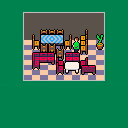
Here's a game I started and abandoned quickly. It was supposed to be a furniture moving themed Sokoban/Traffic Jam style game. I kind of like the graphics, but it became too unclear to interact with.
Anyway. Instead of just keeping it to myself here it is. Perhaps something about it amuses someone.
0 comments


After using CMD+click to replace all tiles matching the tile under the cursor, the map editor stops allowing you to paint outside of a small area.
Reproduction.
- Download and load this cart in Pico 8:
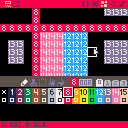
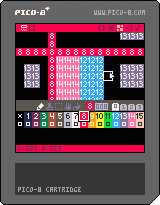
- Select the map editor.
- Pan until the screen is centered on the colored tiles.
- The yellow "10" tiles should be just outside of the view on all sides.
- Select color #3, green.
- Select the paintbrush.
- CMD+click on one of the red "8" tiles.
- Pan in any direction so you can see the yellow "10" tiles again.
- Attempt to paint tiles inside the yellow rectangle.
- Attempt to paint on the yellow tiles.
- Attempt to paint outside the yellow tiles.
Expected results:
In step 7 all the red "8" tiles change to green "3" tiles. All the attempts to paint in steps 9, 10 and 11 succeed.
Actual results:
In step 7 all the red "8" tiles change to green "3" tiles, as expected.
In step 9 tiles are painted as expected.
In step 10 and 11, no tiles are painted. It is impossible to paint outside the area that was visible during step 7.
0 comments
Okay, I think there's a very high chance of being misinterpreted here, so let me be 100% clear: I understand that sprite sheets #2 and #3 share RAM with the lower-half of the map data. That is not what I am reporting.
When I copy and paste an entire sprite in the sprite editor, with the destination in sprite page #2 or #3, then switch to the map editor, the corresponding change does not appear in the map editor.
Reproduction steps:
- Save this cart and load it in Pico-8.
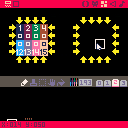
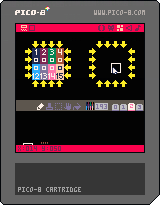
- Select the map editor.
- Pan down to the yellow arrows.
- Select the sprite editor.
- Select sprite tab #3.
- Select sprite index 193.
- Press CTRL+C (or CMD+C).
- Select sprint index 195.
- Press CTRL+V (or CMD+V).
- Select the map editor.
Expected outcome:
The both yellow boxes of arrows should contain the same data. The left box corresponds to the memory for sprite index 193, and the right box corresponds to the memory for sprite index 195.
Actual outcome:
The yellow box on the right remains empty, as it was in step 3.
Observed in version: 0.1.10c on Mac
Analysis:
It seems the editor maintains separate GFX and map copies of the shared memory region and copies one to the other during some editing operations, but fails to keep them in sync during the paste operation.
Notes:
I think I also observed surprising behaviour in the other direction, where the pasted sprites were reverted after making unrelated map edits, but I've been unable to reproduce it when I try.
If I edit the sprite with the paintbrush after pasting it in step 9, I do see the expected outcome in the map editor. It's only when the last operation was paste that it seems to happen.
1 comment

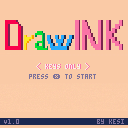
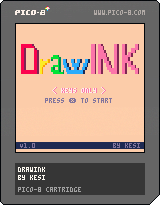
DrawINK
Submission for the 45th #1GAM game jam with the theme INK.
CONTROLS: Arrows/Mouse - Cursor movement, Z - Draw, X - Hide sidebars
USE:
[i][b]UPPER[/b][/i] - Pencil, Bucket, Rubber, Color picker, Line, Circle, Rectangle [i][b]LEFT[/b][/i] - Brush size [i][b]BOTTOM[/b][/i] - Colors [i][b]RIGHT[/b][/i] - Dithering |
1 comment


Yes, a pixel is really small.
Press C to avoid rectangle.
Too hard ?
[v.0.8] Now with screen shake !
5 comments




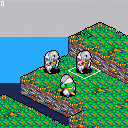
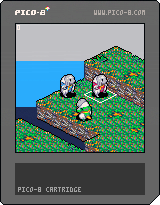
Obviously using FFTA sprites because I suck at pixel art.
Z changes between sprite control and cursor control.
Nothing much else.
6 comments


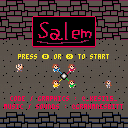
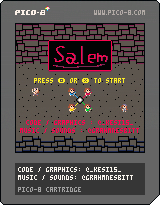
SALEM
Submission for the 1st Fantasy Console Game Jam with the theme UNION by @kesi15 and @GrahmNesbitt.
CONTROLS: Arrows - Movement, Z - Left Turn, X - Right Turn, (spheres are shoot automatically)
OBJECTIVE: Survive all 25 waves by dodging spheres and avoiding enemies of different colors than the targeted character.
1 comment

I recently wrote the following routine to scale text:
--scales some text, used for title function scale_text(text,tlx,tly,sx,sy,col) print(text,0,0,col) for y=0,7 do for x=0,#text*8-1 do local col=pget(x,y) if col!=0 then local nx=x*sx+tlx local ny=y*sy+tly rectfill(nx,ny,nx+sx,ny+sy,col) end end end print(text,0,0,0) end |
However it depends on first printing the text to the screen.
I was trying to think of ways I could enable scaled text printing while other things are going on. Right now I just keep a black strip at the top of the screen of my current game so that I can scale text whenever I would like.
One idea I had was to create a table outside of Pico-8 that matches the Pico-8 font, and each row would be a single byte where every bit is a pixel, 8 bytes each for all characters in the font, then look up the correct bit when scaling each character, instead. Problem with that is the space it could use up, I guess.
I was kinda hoping the font would be in some kind of pseudo "system ROM" readable using PEEK, but I didn't see this listed in the memory map.
Another idea I had was to print every character, read the pixels and keep the data in a table. It'd be a sort of ugly "blip" of text right as the game starts up, though, but it might be so fast nobody would notice...
13 comments






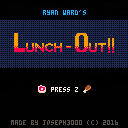
Inspired by the true-life events of my good friend Ryan. My first game ever; I am not a programmer and taught myself what I could of PICO-8, making this whole thing up as I went along, so I'm sure the code is very inefficient and a mess, sorry! It's a simple game and is mostly a lifetime of inside jokes, but to the general public: I hope you enjoy it anyway!
Update 07/17/2017: Made a small change that draws a shadow under the first food item, which slides under the plate. It used to not have a shadow at all, and no one probably even noticed but it started to bother me!! I also made the secret a little less tedious to find...
Update 07/29/2017: I improved the food sprites, head animations, some code (some), and changed the ending big time, which I was never really satisfied with! Has anyone beaten the game yet?
7 comments





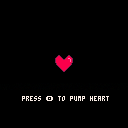
Just got pico-8 yesterday! Had much fun messing around, this is the result.
It's a demonstration on the infallibility of gravity, I think... Oh, and particle physics. No, not that kind.
♪Infocommercial Jingle♪
Do you feel like there's something missing in your life?
Have you felt your heart shatter into a million pieces when your sweetheart found their sweetheart that's just not you?
Well, feel no more! With Beating Heart™ you too may find something to love.
Press c to pump the Beating Heart™. The more you pump, the faster it beats!
Features automatic heart rate slowing over time!
Requires 4AA batteries, computer sold separately.
WARNING, BEATING HEART(TM) IS PROVIDED "AS IS", WITHOUT WARRANTY OF ANY KIND, EXPRESS OR IMPLIED, INCLUDING BUT NOT LIMITED TO THE WARRANTIES OF MERCHANTABILITY, FITNESS FOR A PARTICULAR PURPOSE AND AS A MISGUIDED ATTEMPT TO WEIGHT LOSS.
IN NO EVENT SHALL ANYONE BUT THE USER BE LIABLE FOR ANY HEARTACHE, MUTILATION, DEATH, HEARTACHE, BURNT TOAST OR OTHER AILMENTS, WHETHER IN AN ACTION OF DEPRESSION, IRRATIONAL OR OTHERWISE, ARISING FROM, OUT OF OR IN CONNECTION WITH ATTEMPTS TO LOVE THE BEATING HEART(TM) OR THE USE OR OTHER DEALINGS WITH THE BEATING HEART(TM). THE BEATING HEART(TM) IS NOT SENTIENT AND CANNOT THREATEN TO STAB THE USER.
0 comments

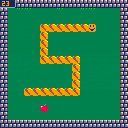
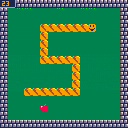
A simple snake to train for Pico-8.
Using music from Pico-8 Tunes vol. 1.
- Update 1 : solved the memory limit issue while determining apple position at high score.
1 comment

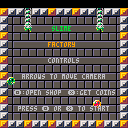
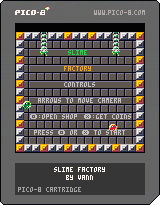
My second game! It's a virtual pet/clicker type game. Take care of your pet slimes! Feed them delicious bowls of rice! Watch them get bigger! Let them make money for you! Get more slimes! Watch them hop around! Watch them stick to walls! Buy bigger areas for your slimes to play in! Watch them hop around some more! Endless fun!
Controls:
Use the arrow keys to move the camera in larger areas and navigate the shop. Press Z to open or close the shop. Press X to get coins or buy something in the shop.
Tips:
Coin production increases every time a slime eats. Coin production increases even more if the slime gets bigger after eating.
5 comments





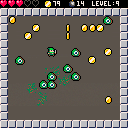
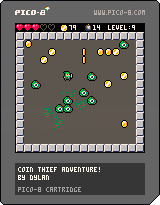
This was fun to make. I added a bunch of juicy stuff I usually do in Unity just for fun. The code is heavily commented and more verbose than it necessarily needs to be, because I wanted to make it easy to pull apart for people less familiar with making stuff in PICO-8. I'll keep adding stuff over time, but figured I'd release it as it is so far.
My highest score so far is 232. What's yours?
UPDATE: Added a possibility of slimes dropping a heart if you blow them up.
5 comments






A month ago I posted a thread on reddit/r/me_irl promising to make a game based off whatever the top comment was - this was the top comment:
"a SSB esque fighting game between all the frog memes (Wednesday, Dat Boi, Pepe, Kermit, etc.) and name it "Me too thanks""
0 comments